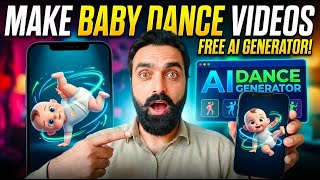

How to Make Viral Dance Videos?
45sDirectly addresses a trending curiosity about creating viral dance content, promising a step-by-step guide.
▶ Play Clip"The title promises a method for creating viral dance videos, and the tutorial delivers exactly that, though the content is basic and could be condensed."
This video is a tutorial in Hindi/Urdu that demonstrates how to create viral dance-style videos, such as baby dance or flirt dance videos, using a mobile app. The creator walks viewers through the process of downloading a dance video from YouTube, uploading a photo, and using the app's motion control feature to generate the final video.
The video begins with a greeting and introduces the topic: how to create viral dance videos, specifically baby dance or flirt dance styles.
The first step is to download any dance video from YouTube that you want to use as the base for your creation.
The creator mentions logging into the app (likely 'Picsart' or a similar tool) and points to a 'plus' icon as the starting point for the process.
After clicking the plus icon, the user is presented with several options. The top option is 'Motion Control', which should be selected to proceed.
The user then selects the photo they want to use from their camera roll. The creator demonstrates by uploading a photo of a child.
Below the photo upload area, there is another plus icon where the user must upload the downloaded dance video.
The app defaults to 'Professional Mode', but the creator switches to 'Standard' mode and clicks on 'General Edit'. This step may require credits or payment.
The creator notes that normal videos consume fewer credits (e.g., 50 credits) and selects a currently viral dance template to apply to the uploaded photo.
After clicking 'General', the app takes about 4-6 minutes to process the video in the free version. Once ready, the final video can be downloaded.
The video provides a straightforward, step-by-step method for creating viral dance videos using a mobile app, emphasizing the use of the 'Motion Control' feature and a standard mode to minimize credit usage. The process is simple but requires patience due to processing time in the free version.
What is the first step to create a viral dance video?
Download a dance video from YouTube.
00:14
Which feature in the app is used to animate a photo with a dance video?
Motion Control.
00:42
What mode does the creator recommend to save credits?
Standard mode instead of Professional Mode.
01:49
How long does the free version take to process the video?
About 4-6 minutes.
02:16
What is the approximate credit cost for a normal video template?
50 credits.
02:04
Motion Control is the key feature
This is the core technique that enables the dance animation effect.
00:42Standard mode saves credits
A practical tip for users on a budget to reduce costs.
01:49Free version processing time
Sets realistic expectations for users who don't want to pay.
02:16[00:00] कि जिसलाम अलेकुम गाइस क्या चले गाइस इस तरह के दुरेंदर स्टाइल वाले मूवीज मतलब भी जो बेबी डांस होता है या फिर इस तरह के जो फर्ट डांस होता है कि इसका यह हम कैसे बनाएंगे तो आज मैं आप लोगों को पूरा तरीका
[00:14] सबसे पहले लोगों ने काम करना है किसी का भी वीडियो डाउनलोड करें यह मैंने दान लोड किया यूटिब से आप कोई भी वीडियो जो है डांस वाली जो क्लिंक कर सकते हैं इस तरह यह आपको चौक जाएगा अब करना क्या है
[00:40] यह जो प्लस का निशान है इस पर क्लिक करेंगे और एवी वीडियो हेल्प एगल क्लिक करेंगे ठीक है तो यहां आप लोगों को कुछ यह सबसे ऊपर जो है देखिए तीन नंबर मोशन कंट्रोल इस पर क्लिक करेंगे अब जो हमने वीडियो
[00:53] डाउनलोड किए वह हम गेली में जाएंगे जो प्लस वाला यह निशान है ठीक है इस पर हम सिलेक्ट फ्रॉम केमरा रोल पर वह जो है अपलोड करेंगे तो यह वीडियो थी और यह जो है अभी इधर अपलोड हो जाएगी जो हमने यूट्यूब
[01:24] اپلوڈ اونلی جی پی جی اس میں میں کلک کرتا ہوں اور سیلک فارم کیمرہ رول پہ کلک کرتا ہوں تو ادھر میں کسی کا جو ہے وہ لگاؤں گا آپ ٹھیک ہے آپ لوگوں کو میں شو کرتا ہوں
[01:36] مثلا یہ ایک بچے کا فوٹو میں نے ادھر اپلوڈ کیا مطلب فوٹو آپ لوگوں نے ادھر اپلوڈ کرنے اوپر اور ہی نیچے جو ویڈیو ہے نا پلس کہنے شانسی وہ آپ نے جو ڈاؤنلوڈ کی ہوگی ڈانس والی ویڈیو وہ ادھر اپلوڈ کرنا ہے
[01:49] اور سمپل جو ہے یہ پروفیشنل موڈ ہے تو یہ اس کو میں کرتا ہوں سٹینڈر ٹھیک ہے تو میں جنرل ایڈ پر کلک کرتا ہوں اب جو ہے یہ مانگ رہا ہے پیسہ ابھی میرے پاس جو کوئنز ہے کریڈٹ ہے وہ بہت کم ہے تو یہ
[02:04] نارمل جو ویڈیوز ہے اس میں کریڈٹس بہت کم آہ کٹا جاتے جیسے کہ یہ نیچے فیفٹی پہ بنتا ہے تو یہ والا ڈانس بھی آج کل وائرل ہے یہ والا ٹھیک ہے اس پہ میں کلک کرتا ہوں اوپر میں نے اپلوڈ کیا
[02:16] ہے فوٹو اور میں جنرل پہ کلک کرتا ہوں صحیح ہے تو یہ ابھی جو ہے چار پانچ منٹ لے گا اور کیونکہ یہ فری ورزن ہے تو اتنا پانچ 6 منٹ لیتا ہے میکسیمم
[02:28] تو اس کے بعد ہماری ویڈیو تیار ہوگی اور اس کو ہم ڈاؤنوڈ کریں گے



⚡ Saved you 0h 02m reading this? Transcribe any YouTube video for free — no signup needed.