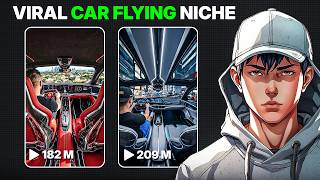

Grow Fast with AI Flying Car Videos
45sHigh growth stats (100k followers, millions of views) hook viewers seeking quick success.
▶ Play Clip"Title accurately describes the easy method shown in the video."
This video demonstrates a quick method for creating viral AI-generated flying car videos using ChatGPT and Flow AI. The process takes less than 5 minutes and involves generating prompts, creating images, and converting them into short clips.
Instagram pages are growing fast with flying car videos, some reaching 100k followers and millions of views.
Open ChatGPT, go to explore GPTs, search for 'flying car generator', and select scene ideas.
Copy image prompts from ChatGPT, paste into Flow AI's image generation with vertical 9:6 aspect ratio, and save the best images.
Use Flow AI's image-to-video feature to turn images into 8-10 second clips with video prompts.
Import clips into editing software, place back to back, add music, and post.
Experiment with different prompts for unlimited variations; consistency can build a viral page.
This method allows anyone to create viral flying car videos quickly using AI tools, with potential for significant social media growth.
What AI tools are used to create flying car videos?
ChatGPT and Flow AI.
00:16
What aspect ratio is recommended for the images?
Vertical 9:6.
00:41
How long should each video clip be?
Around 8 to 10 seconds.
01:07
What is the first step in the process?
Open ChatGPT and go to the explore GPTs section to find the flying car generator.
00:16
How can you create unlimited variations of this content?
By experimenting with different prompts.
01:51
Viral Trend
Highlights the massive growth potential of this content type on Instagram.
00:02Quick Creation
Emphasizes the speed of the method (under 5 minutes).
00:16Scalability
Shows how to scale content creation with different prompts.
01:51[00:02] crazy on Instagram right now. Pages are growing fast, some even crossing 100,000 followers and pulling in hundreds of thousands to millions of views on almost every post. In this video, I'll show you exactly how you can create these videos
[00:16] yourself. And the best part, it takes less than 5 minutes. First, open Chat less than 5 minutes. First, open Chat GPT and go to the explore GPTs section. Search for a flying car generator and open it. Once you start, it'll give you
[00:29] multiple scene ideas to choose from. You can pick one, write your own idea, or even ask for more variations. I'll just pick one option to keep it simple. Now, the GPT will generate image prompts and video prompts specifically for this type
[00:41] of content. Copy the first image prompt. Next, head over to Flow AI. Inside Flow AI, go to the image generation section. Paste your prompt there. Select a highquality model and set the aspect ratio to vertical 9 to6. Then, hit
[00:55] generate. In a few seconds, you'll get some really clean, realistic images. Pick the best one and save it. Now, go back and copy the second image prompt. Paste it again in Flow AI with the same settings and generate your second image.
[01:07] Once both images are ready, it's time to turn them into videos. In Flow AI, switch to the image to video feature. Upload your first image, paste the first video prompt, and generate a short clip. Around 8 to 10 seconds works perfectly.
[01:21] Do the same for the second image using the second video prompt. Now you'll have two cinematic clips ready. Just import them into any editing software, place them back to back, maybe add some music, and that's it. Your flying car video is
[01:33] and that's it. Your flying car video is ready to post.
[01:51] different prompts and create unlimited variations of this content. If you stay consistent with this, you can easily build a viral page around it. And if you want more AI content ideas like this, subscribe to AI Vision. I've got a lot
[02:03] subscribe to AI Vision. I've got a lot more coming.




⚡ Saved you 0h 02m reading this? Transcribe any YouTube video for free — no signup needed.