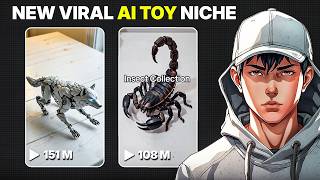

Viral AI Toy Videos Secret
38sOpens with a hook about million-view TikTok videos and money, instantly grabbing attention.
▶ Play Clip"The title promises a free method to make viral AI toy videos, and the video delivers exactly that with clear steps."
This video provides a step-by-step guide to creating viral AI-generated mechanical toy transformation videos for TikTok, Instagram Reels, and YouTube Shorts. The process uses free AI tools like ChatGPT and Flow AI to generate images and animate them into cinematic clips, enabling creators to produce engaging content quickly.
Mechanical toy transformation videos are exploding on TikTok, with some creators earning significant revenue through the creator program due to videos over 1 minute long.
Open ChatGPT, go to explore GPTs, search for 'mechanical toy generator', and open it. The GPT provides viral scene ideas and generates prompts for starting image, final image, and cinematic video.
Copy the first image prompt from ChatGPT into Flow AI's image generation tool. Set aspect ratio to 9:16 for TikTok/Reels. Generate and save the image. Repeat for the second (transformed) image.
In Flow AI's video generation tool, upload the first image as starting frame, paste the cinematic video prompt, set duration to ~10 seconds, enable audio if available, and generate the video.
The process can be repeated with different objects to create endless viral content. Since most videos are over 1 minute, they qualify for TikTok's creator program, offering a huge growth opportunity.
By combining ChatGPT's mechanical toy generator with Flow AI's image and video tools, anyone can create professional-looking transformation videos for social media. This simple workflow leverages AI to produce engaging content that can be monetized on TikTok.
What AI tools are used to create mechanical toy transformation videos?
ChatGPT (with Mechanical Toy Generator GPT) and Flow AI.
00:13
What aspect ratio should be used for TikTok and Reels?
9:16
00:51
How long should the video duration be set in Flow AI?
Around 10 seconds.
01:33
What three prompts does the Mechanical Toy Generator GPT create?
A starting image prompt, a transformed final image prompt, and a cinematic video prompt.
00:39
Why are these videos monetizable on TikTok?
Because most are over 1 minute long, qualifying for TikTok's creator program.
00:01
Viral Trend Opportunity
Highlights a current trend with monetization potential, motivating creators to act.
00:01AI Workflow Integration
Demonstrates a seamless workflow between ChatGPT and Flow AI for content creation.
00:139:16 Aspect Ratio
A specific technical detail crucial for platform optimization.
00:51Cinematic Animation
Shows how to achieve high-quality animation with simple prompts.
01:19Scalable Content Strategy
Emphasizes repeatability and growth potential, key for content creators.
01:47[00:01] videos are exploding on TikTok right now. Some creators are getting millions of views from videos like these, and because most of them are over 1 minute long, they're making serious money through TikTok's creator program. So, in
[00:13] exactly how to create these videos yourself using AI. And honestly, the process is way easier than you think. First, open Chat GPT and go to the explore GPTs section. Search for mechanical toy generator and open it.
[00:27] Once you start the generator, it'll give you multiple viral scene ideas to choose from. You can pick one of the suggested concepts, type your own idea, or generate more until you find something interesting. I'm going with number
[00:39] eight. Now, here's the cool part. The GPT automatically creates everything for you, including a starting image prompt, a transformed final image prompt, and even a cinematic video prompt that connects both scenes together. Now,
[00:51] let's generate the images. Copy the first image prompt and head over to Flow AI. Inside Flow AI, open the image generation section and paste your prompt. Set the aspect ratio to 9:16, so it fits TikTok and Reels perfectly. Then
[01:05] generate your image, and look at this. The results look insanely realistic, commercial. Pick the image you like the most and save it. Next, go back to Chat GPT, copy the second image prompt, and generate the transformed version using
[01:19] the same settings. This second image is what makes the transformation effect so satisfying to watch. Now, it's time to animate everything. Inside Flow AI, open the AI video generation tool. Upload your first image as the starting frame
[01:33] frame. Then copy the cinematic video prompt from the GPT and paste it in. Set the duration to around 10 seconds, enable audio if available, and generate your video. After a few moments, you'll get a smooth cinematic transformation
[01:47] high-budget advertisement. And that's literally it. You can repeat this process with different objects, toys, gadgets, or concepts to create endless viral content for TikTok, Instagram Reels, and YouTube Shorts. And since
[02:01] a huge opportunity to grow fast right now. So, if you want more viral AI content ideas and tutorials like this, make sure to subscribe to AI Vision so make sure to subscribe to AI Vision so you don't miss the next video.
⚡ Saved you 0h 02m reading this? Transcribe any YouTube video for free — no signup needed.