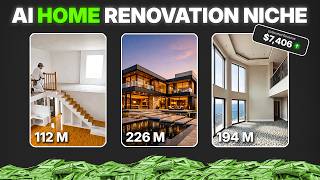

Mid-Renovation AI Trick
52sReveals a step-by-step process to create a realistic renovation timeline, satisfying the audience's curiosity about AI capabilities.
▶ Play Clip
[00:01] getting millions of views right now. And the craziest part is that you can create them using just a few images and simple AI tools. So, in this video, I'm going step-by-step in the easiest way possible. First, go to Pinterest and
[00:14] search for luxury house exterior. Then, download any high-quality image that looks clean and cinematic, because better images will give you more image, open Google Gemini, upload the house photo, and now use a prompt to
[00:27] turn this clean house into an abandoned version by describing things like broken windows, cracked walls, overgrown plants, and dark lighting. Then, hit you'll get a realistic abandoned house version. Try generating two to three
[00:41] variations if needed, since Gemini usually gives limited free generations per day, but the quality is really good. Now, download the best result and upload that abandoned image again into Gemini. This time, change the prompt to create a
[00:54] mid-renovation stage, where the house looks under construction with unfinished walls, tools around, and partial paint, so it feels like work is in progress. Generate and save this second image as well. Now comes the most important part,
[01:06] where we turn these images into a satisfying video. Open Flow AI or Flow AI Arrow, and select the frames to video option. For the first [music] clip, set frame one as the abandoned house, and frame two as the mid-renovation image.
[01:19] cinematic renovation time-lapse with realistic lighting changes and your first transformation clip will be ready. Keep in mind, Flow AI usually gives a few free credits, and each video generation may cost around one or two
[01:34] credits. So, use them wisely or upgrade for better quality and faster speed. [music] frame one as the mid-renovation image, and frame two as the final luxury house image. Use a prompt like seamless transformation into a modern luxury
[01:48] house with cinematic reveal and ultra-realistic lighting. Generate it, and now you'll have both clips ready. Finally, open any editing software, like CapCut or Premiere Pro, import both clips, place them in sequence, add
[02:01] smooth transitions, and most importantly, use satisfying background music because that's what makes these videos go viral.
[02:25] renovation transformation video is ready. So, if you found this helpful, make sure to like and subscribe for more viral AI content ideas.




⚡ Saved you 0h 02m reading this? Transcribe any YouTube video for free — no signup needed.