
Start a POD Business in 2026: My Exact Plan
45sHigh-intent topic with a clear step-by-step promise that attracts beginners looking for a low-cost business model.
▶ Play Clip"Delivers a solid, actionable guide that matches the title's promise, though some sections are padded with repetitive encouragement."
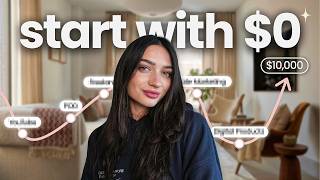
This video provides a step-by-step guide for starting a print on demand business in 2026, emphasizing a fast, low-cost approach for beginners. The creator walks through choosing a store direction, setting up a Shopify store, connecting with Printify, branding, creating products, and launching with free marketing strategies.
Print on demand is a beginner-friendly business model because it requires no upfront inventory, no warehouse, and no shipping; products are printed and shipped after a sale by a supplier.
Pick a niche-specific store (e.g., trendy home decor for women) or a one-product store (e.g., only mugs with various designs). Avoid overthinking; choose one direction and commit.
Use Shopify for its user-friendly standalone storefront. Current deal: first 3 days free, then 3 months for $1/month. Use a dedicated email and choose a store name (can be changed later).
Printify is a free supplier that syncs with Shopify to handle printing, packing, and shipping. Sign up free, use the same email and store name, and sync accounts in about 2 minutes.
Set up a custom domain using .store (claims 87% more traffic and 2x Google ranking), create a logo with Canva or Kite, and choose a free Shopify theme. Avoid paying for themes initially.
Design products using Canva or Kite, get dimensions from Printify, upload designs, and use Printify's AI to generate titles/descriptions. Aim for 10-15 products before launch.
Price products above Printify's production cost to ensure profit. Printify provides recommended pricing based on market, showing potential profit. Example: if product costs $10, charge more.
Create mockup photos using PlayIt or Kite's AI to show products in lifestyle settings. This helps sell a vision and increases conversion. Use these photos for free marketing on Pinterest, TikTok, or Instagram.
Remove Shopify's password protection, enable payment methods (Shopify Payments, PayPal), and use Shopify's AI assist for guidance. Then start marketing for free on social platforms.
The video provides a complete, beginner-friendly roadmap to launch a print on demand store quickly and affordably. The key is to take action immediately rather than overthinking, using free tools and marketing to minimize upfront costs.
What are the two recommended store directions for a print on demand business?
A niche-specific store (targeting a specific audience) or a one-product store (selling one product type with various designs).
00:41
What is the current Shopify deal mentioned for beginners?
First 3 days free, followed by 3 months for only $1 per month.
02:28
What is the role of Printify in the print on demand business?
Printify is a supplier that syncs with Shopify to handle printing, packing, and shipping of products after a sale.
03:51
Why is a custom domain important for an online store?
It makes the business look professional and is data-proven to increase traffic and Google ranking.
05:24
How many products should you have before launching your store?
At least 10 to 15 products.
10:39
What is the recommended pricing strategy for print on demand products?
Charge more than Printify's production and shipping price to ensure a profit.
09:57
What are mockup photos and why are they important?
Mockup photos show the product in a lifestyle setting, helping to sell a vision and increase conversion.
11:06
What is a free marketing method mentioned for promoting the store?
Posting mockup photos on Pinterest, TikTok, or Instagram with links to the store.
13:17
Print on demand is beginner-friendly
Highlights the low barrier to entry: no inventory, no warehouse, no shipping.
00:01Shopify's $1 deal
Provides a concrete, low-cost entry point for beginners.
02:28Custom domain boosts traffic
Cites data that .store domains have 87% more traffic and 2x Google ranking.
05:24Stock 10-15 products before launch
Emphasizes the importance of having enough products to attract and convert customers.
10:39Mockups sell a vision
Stresses that visual presentation is key to conversion, not just listing products.
11:06[00:01] demand business in 2026, this is exactly what I would do without overthinking it step by step and not getting stuck before you even get started. And print on demand is one of the best business models for beginners because you don't
[00:16] upfront. You don't need a warehouse of your own. And you don't even have to ship anything yourself. Everything is printed and shipped after you receive a sale and by a print supplier. And so in this video today, I'm going to walk you
[00:29] through the fastest way to start your print on demand store in 2026. Even if you've never sold anything online before. All right, so step one getting right into it is we're going to pick the direction that we want to go with our
[00:41] store. Instead of creating a store blindly, you should know who you want to sell to and a direction so that you have a plan. But the number one thing here is because most people overthink this and then never start. So pick one thing and
[00:54] ride with it. So, there's two options that I feel are the best for when you start your online store. And option A is going to be a nichespecific store. This is essentially a store that's built around a specific topic or audience. So,
[01:08] some examples of this could be that you want to sell trendy home decor for women. Maybe you want to start a store that is for pet lovers or minimalistic design, but essentially you have an idea of what you're designing and who you're
[01:21] selling to. The second option, which is a great option for beginners if you're not necessarily sure yet on what exactly or who exactly you want to sell to, is a one product store. A one product store offers lots of different varieties, but
[01:34] only sells one product. So, for example, in this store, you could have a store that only sells mugs, but all of the mugs have designs that are kind of random. They're not necessarily marketed or targeted towards one person. you
[01:46] pet lover mugs while also having minimalistic designed mugs and trendy coette designs as well, but you're going to have it organized, but only sell one or sitting here like, I don't know what's best for me, go ahead and do a
[02:01] what's best for me, go ahead and do a scroll on Pinterest or on Etsy, Google, Tik Tok, wherever you like to scroll on and kind of get some inspiration. Maybe type in a few products or ideas that you have. And once something sparks your
[02:13] go. Now that we have our store direction in place or as an idea, that's where store. We're going to do this on Shopify. The main reason is because Shopify is a standalone storefront that's very userfriendly to set up, but
[02:28] also they have an incredible deal for beginners if you've never sold anything before. So on Shopify, they have a current deal. You can grab this in the account yet. And essentially what it's going to do is it's going to give
[02:41] [music] you your first three days for free, followed by three months for only $1. This means that you have 3 months and 3 days to set up your whole entire business and start selling with only paying $1 a [music] month, which is a
[02:55] perfect way to get started for a very, very low cost and great for beginners they're doing yet. So for that current deal, they do change it if you want to in the description. As I said, it should bring you to a screen to start setting
[03:10] this is an [music] email. I definitely recommend using an email that you're have to set up your store name. And when setting up a store name, this is why it direction picked out in the beginning cuz that's going to help us to come up
[03:24] example, I'm going to be going with a store that sells phone cases that has a coette and trendy design to them. But essentially, I know that I want to sell to women and create phone cases [music] that are girly and for women. So that's
[03:38] my store direction. So for that, I'm going to type that into Chachi PT and get ideas for that name. And definitely don't get caught up on this. So many It is changeable. It is not permanent. You can always change [music] it. So if
[03:51] sure about, just set something for now and come back to it later before your store launches. [music] Our next step is going to be our supplier for the products that we want to sell. So, we are going to be using Printify and doing
[04:03] Printify is our supplier, meaning that we're going to sync our Shopify store directly with Printify [music] so that we can list products, keep track of our order, and have Printify receive our orders for us to [music] print,
[04:16] pack, and ship them. Now, signing up for Printify is completely free. A lot of people don't realize that it is free to sign up and list as many products as you not going to charge you a listing fee for this. You can list as many things
[04:29] that you want and you'll only pay as you get an order, which is incredible and perfect for beginners. You can use the link in the description. Use that same email that you used for Shopify and the same store name so that you can keep
[04:42] you're on your Printify account, you'll see that there's lots of different you through the steps of syncing your logged in on Shopify and you're logged in on Printify, this takes literally 2
[04:56] this at all, Printify support team is super fast and super helpful. Once your good. You'll be able to see [music] your store popping up on your Printify though, we're going to just set up a little bit of store branding to make
[05:11] because we don't want this process to take too [music] long. Again, we want it to be fast. So, what we're going to do is we're going to create a store logo, pick a theme for our shop, and set up our custom domain. So, a custom domain
[05:24] business look professional. This actually matters way more than people think and is a step that is often skipped but shouldn't be. So, I like to use what's called dots [music] store to set up my domain. I think that this
[05:37] actually a store when they do a search on Google [music] and see my business come up. And this actually is data proven. Websites with a dots store domain actually have 87% more traffic and two times the ranking on Google.
[05:51] people know that you're actually an online store. I have a link in the description for this. It takes just a few minutes to set up. All you have to do is type in your [music] business name and see the availability. And over 1.5
[06:04] including ones that you'll probably Mr. Bees. And you will see as well with this link that you can get your domain for only [music] 99 with my code, which is an incredible option. And so this is
[06:18] my domain that I'm going to use and connect to my Shopify store. Again, very simple to do. There is step-by-step directions [music] for this. Once you get your domain to set it up directly with Shopify, and it only takes a few
[06:31] minutes. [music] Once your dostore domain is set up, next thing that you're going to do is go ahead and create our logo. Now, many people also get caught the easiest [music] things to do with your printon-demand business. You can
[06:44] use websites like Canva or KD and use ready-made templates and just input in your own store name to use that template for your [music] logo. I always like to templates are great. And all you have to
[06:58] do is type in, like I said, your store name and add in any graphics or elements and then you can download it in just a few minutes. Here's an example of the minutes. And of course, I'm going to upload that so that it shows up when we
[07:11] pick our Shopify theme. Now, Shopify theme is essentially what the bones of your store will be so that it's going to showcase your products, your logo, and they open up your store. So, setting this up, Shopify has a lot of really
[07:26] great free [music] themes for you. Don't go ahead and start paying for one right away. You don't need that. We want to stick to low cost and quickly as possible. So, pick any of the free themes that you like. And then you can
[07:38] [music] start by hitting edit theme. And then you can actually activate the theme once you're ready to start updating [music] things. So now you know how to set up your store and everything is branded and ready for you to start
[07:50] adding products. So adding products is the most fun part because we get to create designs and upload them onto products on our online store for sale and start making money. So to design your products similarly to our logo, you
[08:02] can use websites like Canva or KD to start creating your designs. So to create your design, first thing you want to do is go to Printify and choose which product you want to start designing for. This way you can get dimensions for your
[08:15] actual artboard so that everything is downloaded seamlessly. You can then create an artboard in this exact dimension size and start creating your design. So you can use a combo of elements or templates that you'll find
[08:27] on either of these graphic design sites. [music] I've, like I said, used KD and I easy to use. You just plug and play everything that you want to create. And part of your print on demand business, I'm going to link other helpful
[08:41] tutorials that I have for that. So, you can watch those next on how to actually create really great designs that will sell for your print on demand products. Once you have your designs ready, you can then start uploading from Printify
[08:53] onto your Shopify store. So, all you have to do is have your design downloaded and then go to Printify and then upload your design directly onto the product. You can then select variants or colors that may be available
[09:05] depending on what product you're designing and then see a preview of what essentially what your customer will be receiving. And this is what I find one of the most fun parts of this cuz you can actually see like a vision of what
[09:18] customer will receive. Printify will also give you some preset mockups. We're going to do more with mockups in just a moment here. But for this, just select a different angles of the product. Select all the ones that you want to have and
[09:32] then continue your upload process. This next part is really pretty much done for you using Printify. They will use AI to create a [music] title and description for your actual products, which is really helpful in this uploading
[09:45] process. I recommend spending a little bit of time on this page, especially if it's your first listing, to just get a hang of what exactly is done for you and anything that you may want to update to help your branding. Then, before we
[09:57] price for our product. Now, pricing with print on demand. You're going to want to charge more for your product on your online store than what Printify charges recommended pricing for what your product is based on the current market,
[10:12] which is super helpful and another feature of why I absolutely love new, you don't know how to do this. And so, this is really going to take a lot of that overwhelm away. It will also show you what your profit will be. This
[10:25] more than Printifyy's production and shipping price so that you actually make a profit when your customer buys. So, for example, if your product costs $10, you want to charge more than $10 to your customer [music] so that after you pay
[10:39] over in between. And before we launch our online store, I would recommend having at least 10 to 15 products on your online store. I know this can take a bit of time, but definitely make sure your store is like stocked before it
[10:52] clicking and coming to your store, they have a lot of products to see and choose from, and they might actually add more than one in their cart. Once you have ahead and get some product photos that will help to convert our store. This is
[11:06] again something that a lot of sellers skip and is a reason that they don't get sales. A mockup photo is essentially showing your customer what they'll be without actually having to order samples and take your own photos. You will
[11:19] already have the ones from Printify that are the more basic and blank mockup photos, but you can also utilize websites like playit.net, which is a way to get free mockups, or use their unlimited subscription, which is a
[11:31] downloads of mockups. All you have to do is take your same exact design that you made on Canva or KD, upload that to the mockup generator, and then download the photo, and you can get tons of different photos like this to use on your website
[11:45] and for your product pages. This is an important step to get mock-ups because we're selling something. So, we want to sell a vision to the customer, not just wants to look at that on a website. You can also use AI to create mockups if
[11:58] you'd like. You can use KD to do this. In their flows program, you can simply create a Smartboard and ask it to make an AI [music] mockup of your product as a design. This is also a great option, but will cost you credits on KD. So,
[12:12] will, of course, have links in the description for both of them and another helpful video on how exactly to do this. And once you've done all these steps, you're pretty much ready to have your store go live. Shopify will
[12:25] automatically have a password on your online store and until you remove that, customers will not be able to find you. So, make sure that you go ahead and turn this off. A great hack of mine on Shopify is to use their AI assist and
[12:38] trying to do and it will automatically So, if I wanted to type in, I want to turn off my password on my online store, it will show you exactly how to do that in just a few steps, which really saves
[12:51] as well. You'll also want to turn on your payment method so that customers can actually purchase from you and you can make money. And this can be done in your Shopify payments tab. And Shopify payments is actually a great option
[13:03] along with PayPal. And the more payment methods that you offer, the more you're more available online for purchases. Once you've done this, you start getting sales on your online store. Now, something else that you can
[13:17] do as well is market your products for free. When we are grabbing those mockup photos, you can actually use those for marketing techniques. You can post those exact photos on Pinterest with a direct link to your online store. And you can
[13:30] platforms for free traffic. Nowadays, having all these options for free a lot of times when you're launching an online store, you know, from scratch, likely don't know how paid advertisements work. And to avoid
[13:45] our products are even in demand, I would recommend having a free marketing want to choose social media like Tik Tok or Instagram or maybe Pinterest or best for you and is something that you know how to post on or want to learn is
[14:01] a great option. My favorite way though is Pinterest. And I will have a tutorial description below that's really helpful and can show you exactly what to do step this video, I want you to comment down below if you're going to get started
[14:15] they're going to start it and then never does. This is something that can really the time to set it up and really lean into it. You're never going to be fully you have everything in place, but the people that actually act on it and
[14:29] their lives with it. So, don't be the person again that watches another video, saves it for later. Act now. You have all the resources in front of you. all the tutorials and links in the description. Thank you so so much for
[14:42] videos like this and helping other sellers.
⚡ Saved you 0h 14m reading this? Transcribe any YouTube video for free — no signup needed.