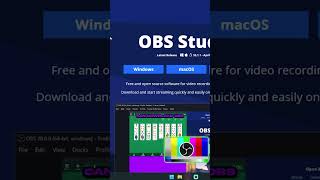
Don't Download OBS from Random Sites!
45sWarns viewers about a common mistake, creating urgency to learn the safe way.
▶ Play Clip"Delivers exactly what it promises—a quick, safe installation guide—though it's very brief and ends with a follow request."
This video provides a quick, practical guide to downloading and installing OBS Studio safely. The creator emphasizes using the official website to avoid malicious downloads and walks through the basic installation steps.
Go to obsproject.com to download OBS Studio, avoiding random third-party sites that may host malicious versions.
Choose the correct installer for your OS (e.g., Windows) from the homepage.
Open the downloaded installer, click 'Next' and 'Install' to complete the setup.
The video is a concise, beginner-friendly tutorial on safely installing OBS Studio, with a call to follow for more content.
What is the official website to download OBS Studio?
obsproject.com
Why should you avoid downloading OBS from random sites?
To avoid malicious or tampered versions.
What steps are involved in installing OBS after downloading?
Open the installer, click 'Next' and 'Install'.
00:15
Official Download Source
Emphasizes security by directing users to the official site, a key practice for avoiding malware.
Simple Installation Process
Shows that installing OBS is straightforward, lowering the barrier for new users.
00:15[00:00] If you don't have OBS studio yet, do this. A lot of people actually download it from random sites. So what you want to do is just go to obsproject.com then right on the home page is where you can download OBS. Make sure to pick your proper operating system, so for me it's Windows.
[00:15] Then download the installer and once you have it open just click on next and install and you'll be good to go. Follow for more content like
⚡ Saved you 0h 00m reading this? Transcribe any YouTube video for free — no signup needed.