
Streamlabs OBS vs OBS Studio: The Ultimate Showdown
45sDirect comparison in the intro hooks viewers looking for streaming software advice.
▶ Play Clip"Delivers a basic comparison but lacks depth and spends time on self-promotion."
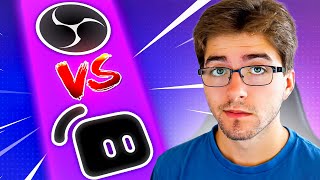
This video compares Streamlabs OBS and OBS Studio, two popular streaming software options. The creator highlights the pros and cons of each, ultimately recommending OBS Studio for its performance and customization, while acknowledging Streamlabs' user-friendliness for beginners.
The video begins by stating the purpose: to compare Streamlabs OBS versus OBS Studio for streaming.
Streamlabs OBS is praised for its user-friendly interface, featuring an easy step-by-step setup guide for display, camera, audio, and other settings.
Streamlabs offers built-in free overlays and alerts, and makes it easy to set up donations without installing multiple plugins.
Streamlabs offers a paid tier called Streamlabs Ultra, which unlocks additional features such as more graphics.
A major downside of Streamlabs OBS is its high computer resource usage due to many pre-installed plugins, which can negatively impact stream quality.
Customizing Streamlabs OBS with your own graphics or plugins is more difficult compared to OBS Studio.
OBS Studio is free and open source, allowing users to install community-made plugins, such as Harris Heller's vertical streaming mode.
OBS Studio has no preset plugins, which lowers computer usage and helps maintain high stream quality.
The main con of OBS Studio is its learning curve, as users must learn how to install plugins for donations and other features.
The creator personally prefers OBS Studio due to its performance, avoiding laggy streams or games, and suggests viewers can learn via YouTube tutorials.
What is the biggest pro of Streamlabs OBS?
It is user-friendly with an easy step-by-step setup guide.
00:13
What is a major con of Streamlabs OBS?
It takes a lot of computer usage due to many plugins.
00:54
What is OBS Studio's main advantage?
It is free, open source, and has better performance.
01:20
What is a con of OBS Studio?
It has a learning curve for installing plugins.
01:50
Performance Trade-off
Highlights a key trade-off between ease of use and system performance.
00:54Open Source Advantage
Emphasizes the benefit of open-source software for customization.
01:20[00:00] So you might be asking yourself, what program should I use to stream with? In this video, I'm going to be comparing Streamlabs OBS versus OBS Studio. Let's get right into it. First up, I will be talking about Streamlabs OBS pros and cons.
[00:13] The biggest pro about Streamlabs OBS is that it is user-friendly. There is an easy step-by-step setup guide to show you how everything works, including how to set up your display, your camera, your audio, and everything else.
[00:26] Another positive thing about Streamlabs is that there are built-in graphics. What I mean by that is that there are free overlays and alerts that can be used within your streams. Another helpful thing is that it is super easy to set up donations.
[00:40] Rather than having to install and set up a bunch of plugins, it is an easy step-by-step guide. And finally, they offer Streamlabs Ultra. Pretty much you're able to unlock more features such as graphics. Now Streamlabs OBS might sound great, but there are two big problems with it.
[00:54] The first big thing being the performance. You obviously want your streams to be the best of quality, but Streamlabs OBS takes a lot of usage from your computer because it has a bunch of plugins that you will probably never use. The second biggest thing is probably the customization What I mean by that is that if you want to set up your own graphics or plugins it going to be a little bit more difficult But before you start using Streamlabs OBS let talk about OBS Studio OBS Studio is what I use because of everything you can do with it
[01:20] The pros for OBS Studio is that it is free and open source. What that means is that whatever plugins people make, you can set up and install it for your OBS, such as Harris Heller's vertical streaming mode. Another big thing that I like about OBS Studio is the performance. There are
[01:35] no preset plugins that you automatically have to have, which will definitely lower your computer usage. And obviously you want the best stream quality. Now there's obviously cons to OBS Studio as well. The first thing being the learning curve, which obviously isn't that bad. It's nice to learn
[01:50] new things. So you have to learn how to install plugins for your donations or whatever else you need. This is obviously just my opinion, but what I prefer more is OBS Studio. You can learn how to do everything on YouTube these days via my channel, for an example. So if you have any questions about
[02:05] anything for OBS Studio, go check out my channel. What I like so much more about OBS Studio as well is the performance. You don't want to have a laggy stream or a laggy game. Another thing you should do is drop a like on this video and subscribe down below. Thank you all so much for watching
[02:20] and I hope you have a good day. Peace out.
⚡ Saved you 0h 02m reading this? Transcribe any YouTube video for free — no signup needed.