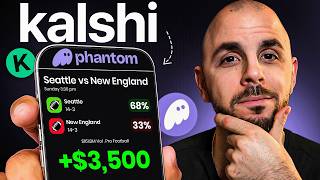

Prediction Markets Just Hit Your Crypto Wallet
42sA major new financial feature inside a popular crypto wallet makes prediction markets feel instantly accessible.
▶ Play Clip"A genuinely useful, step-by-step tutorial that delivers exactly what the title promises, with only minor sponsor and subscribe filler."
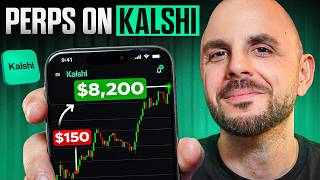
This video is a step-by-step tutorial showing how to trade Kalshi prediction markets directly inside the Phantom mobile wallet. It covers funding your wallet, understanding yes/no shares, placing trades, cashing out, and the importance of reading market rules before entering.
Prediction markets are now available directly in the Phantom wallet without needing a separate Kalshi account. The video demonstrates the entire workflow, but takes no responsibility for your trades.
The feature is only available on the Phantom mobile app, not desktop. Phantom is non-custodial (no KYC), but some regions are restricted from trading.
You can send crypto from another wallet or exchange by tapping Receive and copying your address, or buy crypto directly in Phantom by tapping Buy. You need Solana to pay network fees.
You need at least 0.01 SOL to claim winnings, and there is a 0.024 SOL fee if you are the first to trade a market. Hold some SOL even if you trade USDC or cash.
Scroll down on the main screen and tap the word 'Predictions' to enter the prediction markets section of Phantom.
Categories include crypto, politics, entertainment, elections, companies, and science/technology. You can use your knowledge from any domain, not just sports or crypto.
Each share is valued between $0 and $1. A $10 purchase at $0.67/share gives ~14 shares; if correct, each share pays $1 (about $14), if wrong, shares go to $0.
There are no limit orders yet. For large trades, check your average fill price and make sure there is enough liquidity because you are trading against other users.
Contract prices fluctuate with news and sentiment. You can buy low and sell high before the event ends, e.g., buy at 27 cents and sell at 65 cents for a 2x+ flip.
The question wording can be misleading. Example: The Greenland market says 'Will Trump buy at least part of Greenland?' but the rules state the United States must make the purchase, not Trump personally.
Trading Kalshi prediction markets on Phantom is simple and mobile-first, but success depends on understanding share mechanics, managing Solana fees, and always reading the rules before entering a market.
Which Phantom app version supports Kalshi prediction markets?
The Phantom mobile app; the feature is not yet available on desktop.
00:30
What is the minimum Solana balance needed to claim winnings?
0.01 SOL.
01:25
What Solana fee applies if you are the first person to trade a market?
0.024 SOL.
01:25
Between what values does each prediction share trade?
Between $0 and $1.
03:42
If you buy $10 worth of shares at $0.67 per share and the prediction is correct, what is your payout?
About $14 (you receive ~14 shares and each pays $1).
03:42
What happens to your shares if your prediction is wrong?
Each share drops to $0, so you lose your investment.
04:12
What order type is currently available in Phantom prediction markets?
Only market orders; there are no limit orders.
04:27
How can traders profit before a market resolves?
Buy contracts at a low price and sell them after the price rises — e.g., buying at 27 cents and selling when the price reaches 65 cents.
05:07
Where do you find the rules for a prediction market in Phantom?
At the bottom left of the market page.
07:35
According to the rules in the Greenland market, who must make the purchase for the 'Yes' contract to pay out?
The United States must purchase at least part of Greenland — not Trump personally.
08:02
Yes/no shares settle at $1 or $0
This core mechanism makes prediction markets easy to value: correct shares pay $1, wrong ones expire worthless.
03:42Flip contracts before resolution
You don't need to wait for the event to end; price swings create trading opportunities.
05:07You trade against other users, not a house
Prices are set by the market, which means liquidity and order type matter.
04:39Read the rules — the question can mislead
The Greenland example shows question wording can differ from resolution criteria, affecting your trade outcome.
07:35Use knowledge from any domain
Prediction markets let you profit from expertise outside crypto or sports.
02:44[00:02] Elections, war, TV shows, weather. And now with Kelshi integrated into Phantom, from your wallet without the need to have a Kelshi account. So in today's video, I'm going to show you step by step how to trade prediction markets on
[00:17] Phantom. Ladies and gentlemen, welcome back to another CryptoGorilla video. As just showing you how this tool works, but you're responsible for every single trade that you take. A special thank you to Phantom for sponsoring today's video
[00:30] one, you are going to need to download the Phantom mobile app. It's not yet available in the desktop version. And although Phantom is a decentralized wallet, meaning you're not going to have to do any KYC, certain regions still
[00:44] trading. So, unfortunately, if you're in any of these countries, you'll still be able to see the prediction markets, but trades. Now, once you've downloaded Phantom, you are going to need to create
[00:57] an account and fund your wallet. So, for funding, we have two different ways. wallet or a centralized exchange by clicking on receive, selecting the chain you want to send from, copying your wallet address, and sending your money.
[01:11] Or you can buy crypto directly in Phantom by clicking on buy. Now, you three different currencies, Salana, USD, and cash. However, keep in mind you are going to need Salana no matter what because one, you have to pay Salana
[01:25] However, if you want to claim your winnings, you need a minimum of 0.01 soul in your wallet. And if you are the first to trade a market, there is a 0.024 Salana fee. So, if you pick USDC or cash, make sure you have at least a
[01:40] little bit of soul in your wallet or just pick Salana if you don't mind the token volatility. Now, if you still need help understanding Phantom, I will link an A Toz tutorial in the description down below where I cover deposits,
[01:52] withdrawals, buying, selling, everything. But if you did manage to fund your wallet and you want to trade prediction markets, scroll down here, we have a ton of trending markets. But if we click on the word predictions, now we
[02:05] are in the prediction markets section of Phantom. Now, prediction markets let you trade any event happening around the world. So, at the top here, we have some trending events like what song is Bad Bunny going to open with at the Super
[02:17] Bowl because it is Super Bowl weekend. We have a ton of sporting events just usually the ones that are trending. But there's a ton of categories here. We have crypto, we have politics, we have entertainment, elections, we have
[02:32] companies, we have science and technology. You get it right? The list goes on and on. And that's what I like about prediction markets because you might suck at crypto. You might not watch sports, but there's probably
[02:44] knowledge on. So if you're really good at science and technology or if you, you know, watch a lot of entertainment, maybe you have an edge in one of those markets. So there's really a market for everybody. Now, the way these markets
[02:58] work is you are answering a question. So here we have, will the US confirm that aliens exist before 2027? 16% chance that that happens. We have how many launches will SpaceX have in February of 2026? But let's go with a trending
[03:13] market back at the top here. Let's just pick Bad Bunny halftime opener. So, halftime show with? Now, the way you trade these is you are buying yes and no contracts to the different predictions answering that question. So, here
[03:27] it's going to be one of these songs, right? It could be no to every single one of these. So let's say for example I want to buy shares for TT May Pregunto. Sorry I butchered that. I am purchasing either yes or no shares which are on the
[03:42] top right here. And each share is represented by a monetary value between represented by a monetary value between 0 and $1. So for example, if I were to put down $10. So if I'm right, my $10 is going to get me $14. Now let's expand
[03:57] this and look at some of the details. We can see here I am getting 14 shares. So, that's where the $14 comes from. If I'm correct, each one of my shares that I purchased for 67 is going to be worth $1. However, if I'm incorrect, each one
[04:12] of these shares is going to go down to $0. So, I'm going to lose my 10 bucks. no limit orders. So, if you're going in heavy like 20, 50k, whatever it is, make sure you check your average fill price because right now it's only market
[04:27] orders and there needs to be enough liquidity on the other side of the transaction. And that's because unlike traditional sports betting where you're playing against the house, here you are trading against other users, meaning the
[04:39] price is set by the market because you can buy and sell these. You could trade these markets 24/7 just like you would with crypto and very soon with stocks. But that also means you don't have to hold until resolution in order to make
[04:54] money. If we look at this chart here, you can see crazy fluctuations in the prices of every single contract. And that's because people are trading based on new information, based on what people think is going to happen. But this also
[05:07] opens up the opportunity to make money trading contracts. Let's say I were to trading contracts. Let's say I were to purchase uh this song TT Me Preunto back purchase uh this song TT Me Preunto back when it was around 27%. So around 27
[05:20] cents that it's going to happen. It's currently worth 65. So if I purchase it at 27, I can flip it right now for well over 2x. And even if he doesn't end up opening the Super Bowl with that song, I don't care. I've
[05:34] already made my money and exited the market. Now, to help you understand this sporting event. It's a basketball game with only five minutes left. And as you can see, this chart is incredibly volatile, meaning the price of contracts
[05:49] are swinging heavy based on which team is in the lead. So every time one team four points, now they're up six points. The prices are changing like crazy. So
[06:01] there's a trading opportunity that has opened up, whereas before you were just betting on the actual outcome of the event. So, now let's go ahead and actually place a trade. So, it's Super Bowl weekend. Let's go ahead and pick
[06:14] going to be. I'm picking at random here. I'm just going to pick the favorite. Don't be upset that I didn't pick your team. Let's go with Seahawks. And I'm going to pick yes at the top right and put down $10. Again, I can look at the
[06:26] details including the fees. There is a small per contract fee as well as the Salana network fee. If I'm cool with that, I'm going to go ahead and click buy. It's going to process my transaction and voila, it's gone
[06:39] through. I now have the tokens representing my contracts in my wallet. anybody. I don't want to burn these. This is my money. Like this. If I want to claim my winnings, I need to have these. Now, if I want to sell these,
[06:54] believe in the position, it's very simple. I would click on my position at the bottom. I would click on cash out. And here I can either just cash out the entire amount or set a custom amount. I
[07:07] would click on sell and voila, my transaction has gone through. I no longer hold those contracts and I have the money back in my wallet. Now, if I it's very easy. Just on the top right, I click the clock and I can see every buy
[07:22] and sale I have ever made. However, something very important before entering any market is reading the rules. Let's go ahead and search for a market, which you can do by clicking on the top right. Right? If ever there's an event you're
[07:35] This is where you can do it. And I'm going to go ahead and search for Greenland because I know there was something off with this market. I'm going to click, will Trump buy at least part of Greenland? And you could see in
[07:49] the question, it clearly says, will Trump buy? So, I was thinking, what if he buys real estate or a piece of land in Greenland? But if we go to the rules, which you can see on the bottom left here, very important, you always read
[08:02] these, we can see that it says if the United States purchases at least a part of Greenland, not Trump, even though it says Trump in the question, it needs to be the United States. So if he were to buy a beach house, if they have beach
[08:16] houses in Greenland, it wouldn't count, right? You always need to read the rules. This is very important. So that does it for today's tutorial. I hope you found it informative. If there's anything you don't understand, feel free
[08:28] below. Be careful for the bots down there, okay? I will never shill a coin, never buy any coins that they shill. But if you ask me a question, even 6 months from now, I will answer it, okay? I check this app every single day. If you
[08:41] thumbs up. Hit subscribe while you're down there. Thank you for watching another Cryptogorilla video. Peace.
⚡ Saved you 0h 09m reading this? Transcribe any YouTube video for free — no signup needed.