
AI Summary
A hands-on review of the FenSense smart wireless parking sensor, a license plate frame that adds distance detection to your car and pairs with a mobile app for real-time parking assistance.
Chapters
The video introduces the concept of making your car smarter, specifically with the FenSense smart wireless parking sensor.
FenSense tells you the distance between your car and objects when backing up or approaching, and it connects to your phone to display the data.
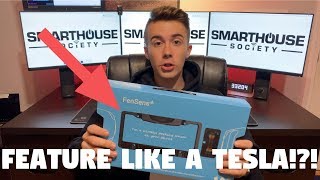
The packaging is described as impressive, with a well-organized box containing the device, tap button, magnetic holder, screws, and tools.
The device is wireless, has a 5-month battery life, installs in 5 minutes with a screwdriver, and works in extreme weather conditions.
The license plate frame houses two sensors and four mounting holes; batteries are enclosed, and the build has held up well after months of use.
The app includes shortcuts to navigation and music apps, plus settings for clearance, volume, sensor connection, and software updates.
The app displays distance with bars and color changes, and it can emit beeping sounds as you get closer to an obstacle.
Install involves removing the license plate, attaching the frame, reattaching screws, mounting the tap button on the steering wheel, and placing the phone mount.
Backing into a garage wall, the device accurately indicated distance, turning red as the car got close.
The device successfully detected a tiny skinny pole, demonstrating high sensitivity and reliability.
The FenSense is cheaper than aftermarket sensors, requires no wiring or drilling, and improves parking precision; the only wish was for an Apple CarPlay app.
The FenSense smart parking sensor lives up to its promise, offering simple installation, reliable detection of both large and small obstacles, and a budget-friendly way to make parking easier.
Mentioned in this Video
Tutorial Checklist
Study Flashcards (9)
What does the FenSense smart parking sensor do?
easy
Click to reveal answer
What does the FenSense smart parking sensor do?
It tells you the distance between your car and objects when parking, connecting to your phone to show the data.
00:39
What is the battery life of the FenSense device?
easy
Click to reveal answer
What is the battery life of the FenSense device?
5 months.
02:15
How long does installation take and what tool is needed?
easy
Click to reveal answer
How long does installation take and what tool is needed?
About 5 minutes with a screwdriver.
02:15
What components are included in the box?
medium
Click to reveal answer
What components are included in the box?
A tap button, magnetic holder with plates, screws, tools, and the license plate frame with sensors.
03:09
How does the tap button on the steering wheel work?
medium
Click to reveal answer
How does the tap button on the steering wheel work?
It gives a notification on your phone that you can tap to open the app.
05:27
What does the app display on the parking screen?
medium
Click to reveal answer
What does the app display on the parking screen?
The distance to obstacles with bars and color changes, plus an optional beeping sound.
06:53
What two tests did the reviewer perform?
easy
Click to reveal answer
What two tests did the reviewer perform?
Backing into a garage wall and backing toward a small skinny pole.
10:06
What feature does the reviewer wish the FenSense had?
medium
Click to reveal answer
What feature does the reviewer wish the FenSense had?
An Apple CarPlay compatible app.
14:12
What is a key benefit of the FenSense compared to aftermarket parking sensors?
medium
Click to reveal answer
What is a key benefit of the FenSense compared to aftermarket parking sensors?
It is cheaper, requires no wiring or drilling into the bumper, and installs easily.
13:17
💡 Key Takeaways
5-Minute Installation Spec
The claimed install time is a major selling point for a DIY audience.
02:15No-Drill Install
Replacing a license plate is a non-invasive way to add tech to any car.
08:01Small Obstacle Detection
The device successfully detected a tiny pole, proving it works beyond just large walls.
11:10Cost-Effective Solution
It undercuts dealer-installed sensors while offering similar function without permanent modifications.
13:17CarPlay Wish
Shows the device's main limitation and potential future improvement.
14:12Full Transcript
[00:01] society you met here from MK smiles I calm and in this video we're gonna be talking about how to make your car a little bit smarter so in this video
[00:27] bit normally we talk about how to make your house smart but in this video we're car smart now I'm not talking about complete Tesla autopilot self-driving
[00:39] little bit smarter and makes your life a little bit easier when driving so the product we're gonna be talking about is the Fen sense smart wireless parking work is i'm going to first talk about what this device is then i'm going to
[00:53] show you everything that it comes with after that we're gonna install it then finally i'm gonna give you my final thoughts on the device so this is the fencin smart wireless backup sensor and so what this does is it tells you the
[01:09] distance between your car and into whatever you're backing up or if you front of you and so what this does is it connects to your phone and then you can see all the data from this on your phone the link to this product as well as
[01:23] description below also in the house on twitter instagram and snapchat because that's where i give you updates and as well as things that only truce my home enthusiast would enjoy now that we
[01:36] got the general overview of the device let's go ahead and dive into what comes in the box with it alright just as a little disclaimer i have already opened the box and i've actually been using this product for a couple months now so
[01:48] everything may not be in the exact spot that it came with alright so first let's take a look at the box on the front it has a picture of the device this is what the mobile app looks like it's compatible with iOS and Android just
[02:01] says fun cents turns the average license plate frame into an ultra simple smart parking sensor and then on the back it just has some what's included car and what it does has a one-year warranty then on
[02:15] this side it's wireless five months battery life installs with five minutes with a screwdriver this is actually correct in hands-free alerts that's also app launch works in the extreme weather conditions this is also true and that's
[02:28] I will say that their packaging I was absolutely shocked at how good it is like it's just such an enjoyable experience which we'll do right now so experience which we'll do right now so first you just slide it out of this blue
[02:41] paper and then you lift this up and look at that you're greeted with a nice white paper that has your booklet and so this basically tells you everything about the possible way to install it all the different like how the technology works
[02:56] it's really cool like I mean look at this first diagram it just makes it so simple to install put that off to the side lift this piece of foam and you have everything that you are going to need which look at this it's all nicely
[03:09] cut out I will give them that their packaging is incredible alright so first up you have your tap button so you can attach this to the steering wheel you tap this and it launches the app put that there and then here you have your
[03:22] magnetic holder so it comes with two plates here's one plate and then the other plate is attached to my phone and so what you simply do is you stick this to your phone you peel off this white thing and then it just attaches to here
[03:34] and then you put this in your vent so you can just easily take on and off your phone from your car next up we have a bunch of screws so it comes with screws some of these screws are actually some of mine that came with my previous
[03:49] license plate frame but anyway most of the screws you see here come with the device I will say though the screws that came with it didn't work for my particular car so I had to use the previous license plate screws that were
[04:03] on my car none of these work alright and the next up right here you have these screwdriver or allen keys but they're not really allen keys because they have more stars or more points so anyway you have tools to use these screws on your
[04:18] have tools to use these screws on your device in your car and then here in here installed them let's see anything nope that's it and then we finally have the actual license plate frame and as you can see mine has a couple of
[04:32] for the past couple months it held up very very well all right let's put the box off to the side all right let's take a tour around the device so on the front you have the fence ends logo and then in this part right here is the actual
[04:46] modules and brains of the device and then down here you have a cover which would be in here and then you have your two sensors one right here and one right here which connect to here but all of that is internal so we don't need to
[05:00] is your batteries are here in your sensors are right here and then you also have your four holes to mount to the car if your car has four mounting holes my right here then on the bottom and sides you have nothing and then on the back
[05:15] you have nothing that you really need to worry about all right let's go ahead and so I got everything all set up and connected I've connected this device and connected I've connected this device and this device so when I press the tap
[05:28] doesn't actually open the app it gives you a notification which you can then click on the notification that'll open the app I guess that was their way of thinking which is still easier than tapping on the actual app and finding it
[05:42] through your phone and so also when you tap on it and you're in the app it'll take you directly to the parking so right there all right the front you have your home screen so this one gives you some quick shortcuts
[05:56] to go to Apple maps Spotify Pandora radio your mechanic and triple-a mobile you can see whether you get notifications vibrations you can manage
[06:08] your clearance so how far away from your bumper you can do the volume you can that you have connected your sensor plates your tab buttons and your set-up password and log out all right and then here you have truck version so it'll
[06:24] invert the sensors and you can check for updates for the app well let's go back to parking so we can actually tap this button it'll take us home and then we screen that allows us to get the information from the license plate frame
[06:37] I'll put it right here I have it pointed up right now it captures some of the camera so I'm going to get it away from any obstacles have it pointing towards the back wall and now I'm going to put it in front of my camera and it all goes
[06:53] away so what we're looking at here is the distance so I'm gonna do at max that means there are no obstacles and there's also sound so if you tap this the closer you are to an object I'm gonna get my hand closer and now it
[07:07] thinks that we part let's go back again into here and see if I move my hand it adjusts accordingly on the picture I'm gonna put it right here I'm gonna slowly
[07:22] go down and as you can see a bars change according to distance let's turn off that annoying noise all right now that we've gone over the app let's go ahead
[07:34] and install this on the car and get some real-world tests well before we go and do those tests I'm gonna take the little metal piece and I'm just gonna slide it into the back of my phone I'm not actually gonna attach it just now when I
[07:47] go and attach this in my car it'll just stick and then my phone will be attached install the license plate for my own privacy I have removed my license plate and I'm not gonna be showing it during this video but the first thing you would
[08:01] do is remove your license plate and for me my car only has two screws and so I'm just gonna need a Phillips screwdriver one screw remove and there we go I have removed two screws so now I'm going to take I would take my license plate and
[08:16] take I would take my license plate and put it in between and then you just put put it in between and then you just put the screws in and attach it to your car the screws in and attach it to your car and that's it the frame is attached and
[08:31] the sensors are connected I want to take a quick break from this installation and give a quick shout-out to some on how society comm small society comm is a clothing brand that I've started so people like me who love smart homes and
[08:44] our small home enthusiast can show their pride to the entire world if you use the promo code elite you can get 15% off entire order so you're getting good quality clothes and products for a good quality price you can pick up a hoodie
[08:58] like this one that also says elite on the back this one doesn't say elite but it'll say elite member so you can show everyone you're an elite member of these smart house society I have hoodies t-shirts polos hats you name it it's on
[09:10] there so go check it out link is in the description below and get 50% off using the promo code elite all right so next we're going to take the top button and install it on the steering wheel I'm gonna put mine right here you just have
[09:23] to open up the clip and it sits right there and you can just press it right there alright so next I'm going to take my phone in one of the previous clips we put the little magnetic circle I'm going to move this circle here and then I'm
[09:40] going to attach it to a vent right here perfect alright and now I can open up the app and it's already starting to work if you click this you'll hear the
[09:54] work if you click this you'll hear the beeps awesome alright everything is installed let's go ahead and do some tap alright guys so for this first test what I'm going to be doing is pretending as if I am driving into the garage and I'm
[10:06] going to see how close I can get to the back of the garage alright so I've
[10:18] to hear it beeping alright now we're gonna go into reverse
[10:40] good thing we're getting close all right it's in the red so as you can see I don't even need to turn around and it all works all right let's see how we did
[10:57] the audio from the back camera so yeah I think it worked pretty well I still had some room to go but it was in the red but overall first test it handled pretty well I mean it was pretty easy it just had one big wall now let's see if it can
[11:10] see one little tiny pole alright so the goal of this next test is to see if it can see that little tiny pull back there it's pop it into reverse and check it it's pop it into reverse and check it out
[11:33] button again oh I forgot to turn on audio audio all right it's beeping all right we're at the red let's go and see how close we are to the pole all
[11:49] the other camera that I was using I don't know how much it caught of me backing in but let's go ahead and see how close we got to the pole before I got to the red all right let's see oh wow so to me that's that's fantastic
[12:06] so this device was able to see this little skinny tiny pole with these little skinny tiny pole with these sensors so if you were backing into like a pole let's say at a parking lot you would definitely be this device would
[12:20] definitely be able to pick it up and tell you when you're getting too close that's that's awesome so I think this device passed and can see anything that you throw at it that's awesome fantastic those are the two tests that I had for
[12:33] the Fen sense and it passed fantastically it basically did the two want it to tell the distance behind something big and behind something very very very small and so those were two simple tests that I had that came to my
[12:48] mind but you could also mount this to the front and do everything the same in between a small pole like that in the front or in the back and yes you can't have two of these feds hence you can have one on the back and one on the
[13:02] what are my final thoughts on this device well I've I think it's a fantastic device instead of paying so much for parking sensors to have them installed after markula drill holes into the bumper and stuff like this you just
[13:17] have one little license plate frame and it works I bet you about the same and it costs a lot less and you don't even need any wiring you just need your phone so I think this device is very well executed right from the packaging all the way to
[13:31] just need to remove two screws on the back and the app shows you the distance in colors and it also beeps at you one of the main benefits of this is it allows you to be more precise with parking so you can back farther in into
[13:45] comfortable so for example a parking garage you can go as far back as possible to minimize the risk that somebody drives in to the front of your car so like I also mentioned this is cheaper than getting backup sensors
[13:58] one-time thing you buy the device it's pretty cheap for you don't even need to go to a dealer for installation so the one thing that I do wish this device had was an apple carplay app in my car I have apple
[14:12] can plug in my phone into the car and then I have apps from my phone on the car so I can have like the phone app the maps app even ways has an app now so there is support for third-party apps and so I hope that phen sense in the
[14:26] future has an apple carplay compatible app I think that'd be really cool so do I recommend this device yes I recommend this device it's fantastic you can if you're not so sure about your parking you can just pop open this app and you
[14:38] can see how far away you are and also see if you're getting closer to an object even if it's a little tiny Pole so if you're interested go ahead pick one up at the link in the description also linked in the description i've MK
[14:51] smart comm shop where have a wide range of smart home kits and devices such as blinds controls LED strips door sensors fire sensors you name it it's there and if you sign up for the email list you get five percent off your order also in
[15:05] house society you can pick up some stuff like this to show your smart home pride coupon code elite to get 15% off and linked below I have the forum MK smartest comm slash forum where if you want you can talk about this or any
[15:20] this video if you have any questions in the comment section below or like I mentioned head over to MK shanaar SATCOM slash forum goodbye