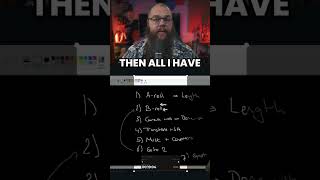
Why Your Live Streams Aren't Growing
45sDirectly addresses a common pain point for creators, promising a solution, which drives high engagement.
▶ Play Clip"The title promises growth advice but delivers a 40-second ad for Nexus Clips with zero actionable tips."
The video explains why live streaming alone doesn't grow a channel: once the stream ends, discoverability drops. It promotes Nexus Clips, a tool that automatically extracts highlights from streams, converts them into vertical shorts with captions and titles, and offers direct posting to platforms like YouTube and TikTok.
Going live for hours doesn't grow a channel because discoverability ends when the stream ends.
Nexus Clips scans every stream and automatically pulls the best moments, which the user can then select to turn into shorts.
Nexus Clips converts clips to vertical format, adds captions, a title, and a call to action. Users can download or use the magic post feature to send directly to YouTube or TikTok.
To sustain channel growth from live streaming, creators should repurpose stream highlights into short-form content, and Nexus Clips automates this entire workflow.
Discoverability ends with the stream
Identifies the core reason live streaming alone fails to grow channels.
Automated highlight extraction
Introduces a tool that solves the repurposing bottleneck for streamers.
00:16[00:00] If you go live for hours and your channel still isn't growing, this is probably why. Your stream ends and so does your discoverability, and that's the problem. That's why I use Nexus Clips for every stream. It scans every stream and pulls in the best moments of my stream automatically.
[00:16] Then all I have to do is pick the moments I want to make into shorts, and Nexus Clips does everything for me. It turns them into a vertical format, adds captions, a title, and even a call to action. And if I want to change anything, then their online editor allows you to do that easily.
[00:32] All you need to do is download them or make it even easier and use their magic post feature to send them to YouTube or TikTok. If you want to grow your channel, then try Nexus Clips today and check out the link in my bio.

⚡ Saved you 0h 00m reading this? Transcribe any YouTube video for free — no signup needed.