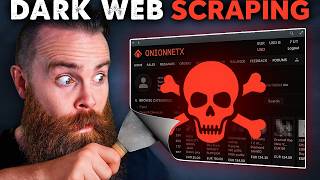

Dark Web AI Tool: Meet the Researcher
45sThe intrigue of a dark web researcher and an AI tool sparks curiosity and the promise of hidden knowledge.
▶ Play Clip"Delivers on the promise of exposing the dark web with a free tool, but includes a lengthy sponsor segment and some fluff."
In this video, the host explores the dark web with an AI-powered tool called Robin, developed by a dark web researcher named Apurv. The tool aims to simplify the process of searching and scraping dark web sites, which are typically slow and unreliable. The video demonstrates how to set up and use Robin, discusses safety precautions, and highlights the challenges and realities of dark web research.
A dark web researcher at Defcon built an AI tool to search and scrape the dark web, addressing the difficulty of finding real content among law enforcement honeypots and unreliable onion sites.
Most dark web sites are law enforcement honeypots. Real content is hard to find because onion sites are slow and unreliable, with connections breaking often, and some sites are only operational a few days a week.
Robin reduces a 6-8 hour research marathon to about 30 minutes by using AI to query, filter, scrape, and summarize dark web content.
Apurv explains that threat actors sell exploits that abuse legitimate software like PowerShell, which security tools often allow, leading to attacks.
Threat Locker ensures nothing runs without explicit permission, blocking behaviors like Word launching PowerShell, and builds policies based on network activity.
The host demonstrates installing Tor and Docker, cloning the Robin GitHub repo, setting up API keys (OpenAI, Anthropic, etc.), and building the Docker image.
After starting the Docker container, the web app is accessible at localhost:8501. Searching for 'ransomware' returns 910 results, filtered to 20, then scraped and summarized.
Robin provides links, some broken, but also generates a markdown summary with next steps. It can find real forums and threat actor info.
Use VPN before Tor to hide Tor usage from ISP. Avoid illegal content like CSAM, drugs, or hacking tools. Downloading anything from the dark web is risky.
Real research involves patience, building trust on forums, using sock puppet accounts with burner phones, and careful persona management to avoid detection.
The host wants to educate viewers on security threats and allow them to search for their own data on the dark web, but emphasizes caution.
The video demonstrates a powerful AI tool for dark web research, but stresses the importance of safety and legality. It provides a glimpse into the real work of threat researchers, which requires patience, caution, and ethical responsibility.
Why is it hard to find real content on the dark web?
Most sites are law enforcement honeypots, and real sites are slow, unreliable, and often only operational a few days a week.
00:26
What does the AI tool Robin do?
It uses AI to search, filter, scrape, and summarize dark web content, reducing research time from 6-8 hours to about 30 minutes.
02:18
What is Threat Locker's approach to security?
It ensures nothing runs without explicit permission, blocking behaviors like Word launching PowerShell.
03:18
What are the two main tools needed to run Robin?
Tor and Docker.
05:34
What safety measure is recommended before accessing Tor?
Use a VPN to hide Tor usage from your ISP.
12:43
What is a 'sock puppet' account in dark web research?
A fake account not tied to your real identity, used on forums to build trust.
15:15
AI reduces research time
Demonstrates a practical application of AI in cybersecurity, making a complex task significantly more efficient.
02:18Threat Locker's allowlist approach
Highlights a security principle that can prevent many attacks by default-deny.
03:18Safety precautions for dark web
Emphasizes legal and personal safety when exploring the dark web, a crucial reminder for viewers.
12:28Real threat researcher work
Reveals the patience and careful persona management required in cybersecurity investigations.
14:20[00:00] So I met this dark web researcher at Defcon like you do, and this guy, But he told me about this problem he has and we all have this problem. It's hard for him to find actual real stuff on the dark web until now.
[00:14] He built this AI tool that will search and scrape the dark web for him. What that sounds awesome. And then he goes, here you go, Chuck. Play with it. So get your coffee ready. Let's go to the dark web.
[00:26] And most of the time there are law enforcement people controlling it or either You may have not known that and when you go there it looks kind of real, right?
[00:39] Most of it is law enforcement honeypots, but there is real stuff. Why is it so hard to find? Two reasons. Whiteboard time problem number one, the dark web is run by onions and that makes it stink in slow and Beatrice just
[00:54] which is what you're using right now, It's different. relay servers.
[01:06] What's not great is Beatrice operates one of these onion relay servers on a spare raspberry pie in her mom's basement and her mom just unplugged the power. This connection was already slow and then Beatrice just broke it and you're
[01:20] But then think about a dark web researcher like Apurv. trying to scrape a ton of websites, but it's slow and these connections break,
[01:32] then restart your script. And problem number two is a crazy one. Apurv said that some websites are only operational like two days a week and you
[01:49] The connection breaks anytime, like you never know. For example, it is up let's say two days a week and you don't know which two days. Sometimes you have to keep restarting your entire workflow.
[02:04] Making it almost impossible to find and search and scrape these sites. you think what you're seeing is real, it's not. it's crazy difficult because the dark web by design is kind of clunky,
[02:18] a tool that takes a six to eight hour research marathon and gets that down to about a 30 minute stroll in the park. This thing is kind of crazy. real quick, before I show you how to scrape the dark web with ai,
[02:34] interview how threat actors actually attack you. Here's what Apurv told me. They're selling exploits tools that abuse legitimate software already running on
[02:48] PowerShell apps you trust every single day. That's your mistake that on you, Because these tools are allowed to run. Your security is saying, yeah,
[03:01] but what it doesn't see is that word just called PowerShell and executed a that can happen and that's where Threat Locker comes in. And after talking to a per about the attacks, what they do makes a lot of sense.
[03:18] And here's what they do and I love this. Nothing runs without you explicitly allowing it to run. like let's say you do want to run Microsoft Word because you have to,
[03:30] to do, let's say a word is allowed to run, PowerShell period. which does weaponize word to launch PowerShell threat Locker just says Nope,
[03:47] it's just simply saying that behavior's not allowed here. The portion around it stops it before it even starts. And here's the cool part. It watches what your network is already doing and then builds policies
[04:00] which saves a lot of time in that initial setup. if you do need help monitoring threats, they have a cyber hero, MDRA team that watches for suspicious activity 24 7 and responds for you. Now,
[04:15] If you're serious about security, Head to threat locker.com/network Chuck to start your free trial or check that They do make videos like this possible. I wouldn't be able to do this without,
[04:31] you know all that cool editing. Think these editors cost money. back to the dark web. I don't know about you, I got to get my hands on this. Let's play with this tool ourselves. Okay, here's the tool.
[04:48] I've never seen the show. Should I watch one piece? I dunno. Let me know below. The secret sauce of Robin is that it uses AI to search the dark web to research It does this in a few cool ways. First, it'll help you query,
[05:03] like look what it did here. those results over 900. It'll then use AI to identify the real sources, reducing that list from over 900 to just 20 verifiable real results.
[05:19] It'll then scrape those 20 sites and then use AI to tell you what it found and Now to run Robin, you'll need two things. First, Tor, I'll walk you through it. We'll also need Docker.
[05:34] Mind blown. Now we're going to run and install Tor and Docker on Linux-based machines or Mac, so Linux or Mac. Now don't worry Windows folks, I'm right here with you.
[05:47] You can run Linux on Windows with WSL, the Windows subsystem for Linux. but I do have a video here about how to do that. Alright, The best place in the world Home suite home here in WSL Land.
[05:59] We'll do docker dash ash version. If you don't see that, install Docker. I'll have a link below. Next we'll install Tor with the pseudo A PT install tor.
[06:11] That does require you to have Brew on Mac. Again, Now you probably notice that this is very command line first, but don't worry if you love a gooey, we're going to have a gooey for you.
[06:24] You'll see that here in a moment. Let's stall tour, which is kind of exciting. Oh wait, wrong pseudo password. Embarrassing. There we go. Yes. Now normally if you wanted to use a GUI to explore tour,
[06:38] I think Brave has a tour mode or you can use the Network Shot cloud browser to we're going to clone the Robin GitHub repo. I'll have a walkthrough below,
[06:50] We'll type in GI Clone and then paste in that URL just like this. Cloned coffee break and then we'll CD into that folder it just made for us
[07:05] I have no idea what just happened. We use the tool called GI to essentially clone or copy the tool Robin to our Now confession, normally when I make a video,
[07:19] So I'm actually discovering this with you in real time. I'm pretty stoked. we'll need to set up our API keys. Now remember,
[07:31] it's up to you with Robin. You can use Chad, GBT anthropic or even local models like Llama 3.1. Now for me, which will mean I'll need to add an API key for Robin to use.
[07:46] And normally you'll put your API keys safely and securely inside a dot env file. I think Apurv has an example file for us. Yes, there it is. Is a Dov example. If I cat that file or look inside of it,
[08:01] type in Cat NV example there it's that's simple. Notice we have a slot for Anthropic, OpenAI, Google, I'm going to put an alama and OpenAI.
[08:15] So what I'll do is I'll copy the example file NV example into a new file name to do nv, just like that. Now it's nano dot env. I'm going to add open AI and then I'll put in my alama base URL,
[08:32] which I always forget what that port is. Lemme check it real quick. There it is. Alright, control X, Y enter to save. Now currently it's not on any repo and you're not going to find it on docker
[08:45] The command will be pseudo docker build dash T, And then we'll do a space T to tell it. Hey, look here for the docker files. Ready, set, bill. This gets me every time. I love it.
[09:00] There's nothing like sipping coffee and just watching things happen in your terminal. It's my happy place. Some people like the beach. This is it for me. there's beautiful soup. That's a tool you'll normally use to do web scraping.
[09:17] How big is this thing? Oh, it finished. I was scrolled up like a dummy. Apurv already has a docker run command for us. Just going to copy that. running our docker container now. Okay,
[09:32] It's connecting to the dark web handshaking, connecting. It seems like it started my web app before it fully connected.
[09:45] Let's go see if our web app works. We'll go out to local host or 8 5 0 1. Okay, We have our LLM choices in the middle. We can just search for stuff, but I don't think we're connected just yet. I guess we can try it.
[10:00] Let's try searching for ransomware. That's a good sign. That means it's connected to Chad GBT. It refined my query,
[10:13] but I don't think it's actually surging. Yeah, nothing's really happening. Lots of weird things happening. Let's stop that. I think it needs to wait. We'll give it time to bake.
[10:32] Okay, I made some progress. I just had to wait for a moment. Tour is janky. Let's test it out now. Let's try ransomware. Okay, refining query. Okay, are things happening? I don't know.
[10:49] It found 910 results even more than Apurv filtered down to 20. Now it's scraping those sites. This is so exciting. Oh, it's done. Or it's generating a summary.
[11:04] Do these are actual links? Let's try one. Come on and get me to the good stuff. Let's go, dude, this has taken forever.
[11:18] Let's keep looking at our investigation here. I found the builders crypto, RCM, Conti, darknet Army Forum, RCM claims. Easy $500 per hit. And then we've got some info here and then next steps, monitor that forum,
[11:31] profile some threat actors and even some other search queries we can try. we're almost there. I'm going to grab that link one more time to test it out. We're in. Let's go. Okay, bad link. Apurv did say that.
[11:45] Sometimes it does give some bad links, but I think we got one. Oh, We'll do another search.
[11:58] 634 results filtering down the 20 and scraping the content now. Okay, let's see what it found. Whoa, look at this dude. L-T-C-B-T-C-X-M-R. That's nuts.
[12:13] Now we can also click on download right here and download a markdown file of our summary so we can throw that sucker right into our obsidian vaults for research. Now hold on, before you get crazy, we need to talk about safety.
[12:28] I know you're wanting to search right now. You're wanting to go nuts. mine did, doing this. Remember what a perf said, the.
[12:43] Entire thing of being safe while doing this, it's really important I would say. So for example, scraping, you definitely want to do VPN and then tour so that your ISP can't see
[12:57] or you are accessing tor. But in many countries, tour is considered like, okay, they must be doing something illegal. So that's why you want to go through PN. Do not try to access illegal marketplaces or site selling bad stuff.
[13:11] There are drug related stuff, CS a related stuff, power hacking, Yeah, that stuff really exists on the dark web and you really don't need it. himself and for you.
[13:26] So if someone searches for that, definitely even if you go on the website, you search for that, you'll get the result as I showed in the prompt, Just be careful. It's not foolproof.
[13:39] I've not tested it. I don't want to get my hands with that. So that is a disclaimer, which I put it on the GitHub also. Please don't search for those things. You'll get into trouble.
[13:52] If you search any csam related stuff and you have something saved on your system, you are in big trouble that is full illegal area that you're going into. Even if you do it mistakenly, they will not listen to you. You are in trouble.
[14:07] So it's always better to not search for any of those things right to jail right Really just don't download anything from the dark web rule of thumb. No.
[14:20] this entire thing I've been showing you, researching the dark web, it's part of a real job, a threat researcher. That's what Apurv does. But the reality, it's not that easy to find things in the dark web.
[14:33] But also it's a real job and that's kind of cool. If you want to actually find real things in the dark web, it's not as easy as a really fancy searching tool that does some cool stuff.
[14:46] when we do get those good results from the tool Robin, you'll eventually find a forum and you'll get in there and you'll just wait. You got to be patient. A perf told me it takes a long time, days, weeks.
[15:00] You have to stay there, build trust. And not just that, Basically you create accounts that are not tied to you or your company or whatever organization you work for. Like sock, puppet accounts on forums,
[15:15] Okay? Sock puppet accounts with burner phones. A lot of beginners I would say,
[15:27] they put recovery email as their main email cannot even think about. Okay, And listen, if you're actively talking to threat actors,
[15:39] you got to be on your game. If you adopt a persona, remember it. It. If you're actually talking to them, that is a different ball game.
[15:51] You have to be very wary of what you say to the threat actors. the accent you have and you want to make sure you remember those details you create. Because as you get into those forums, these dark web criminals,
[16:06] They're anticipating cops getting in there or researchers coming in and they're And also if you're doing multiple personalities, keep track of those things. Have a habit of note taking because you don't want to
[16:21] combine two different personas into one. All these small things do matter. you're living it, it still takes a while and you might just be waiting for that next link that
[16:34] Or it might even be a telegram link, a private telegram chat. you're just going to hit that site where all the criminals are hanging out. No,
[16:46] marketplace has been removed. They don't make it easy to find them yet. get customers. So they are discoverable,
[16:59] I honestly can't believe all that we just described is a real job. If you do this job, comment below and if you want to do this job, comment below. This is a way to search the dark web. It's dangerous.
[17:14] I'm showing it to you because of this reason. Actually two reasons. One, I want you to be able to research security threats like a threat researcher Education and knowledge about the threats we face is how we defeat them.
[17:27] You can try to search for your own data. See if you are on the dark web, put in your email address, maybe your name. Just some fun things to try. Think about that.
[17:40] You know how the ability to use the same tools a real threat researcher has on the dark web, and that just sounds awesome and scary. So be careful. Okay, that Secret Hotel suite meetup I had with Apurv in Vegas during Defcon,
[17:57] And what you saw here was just a peak behind the curtain if you want to see that We talked about some stuff like ransomware as a service and how threat actors You don't want to miss that. So listen up. Here is your homework.
[18:14] See what's out there. Comment below what you find. I mean, only the safe stuff. That's all I got. You may have noticed that at the end of my videos I'm starting to pray for you.
[18:31] I'm a man of faith and a lot of the things I do here on YouTube, they're fueled by that. In fact, all of it, every video I make here, I hope is going to somehow improve your life by either getting you excited about
[18:45] And it's Jesus that drives me in this. No, I totally understand that. but if you'll allow me,
[18:58] it. So real quick, I know it's going to be kind of weird. You got this YouTuber guy praying for you. Embrace the weirdness. Here we go. God asking in your name that you bless this person behind the screen who's
[19:12] I ask in your name that you would let them take the content of this video but also let it make them excited for it and give them some
[19:28] Bless their careers. God, I ask that this will make them go down rabbit holes to find amazing things to play with and tools to play with and skills to learn that will make their
[19:42] resume awesome and help them land that next job or help them to land that next razor or get that next promotion. And I ask that you just bless their families, their families, be blessed.
[19:57] I know this is the big why for many of them as to why they're doing all this Lord bless their families and let them be blessed by their study and their hard ultimately I pray they find their satisfaction and their
[20:12] identity and you and that they'll know you. One day. I ask this in your name, Jesus. Amen. Hey, I really appreciate you letting me pray for you. And that's it. I'll catch you guys next time.




⚡ Saved you 0h 20m reading this? Transcribe any YouTube video for free — no signup needed.