
AI Summary
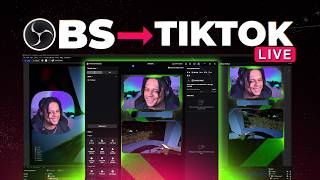
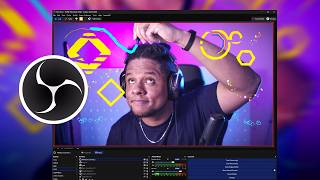
The video is a review and tutorial of a new OBS Studio plugin called 'Medes Paint Draw' (also referred to as 'Made Suit Draw'), which allows streamers to draw on their stream with various tools, including a co-op mode for drawing with others online. The creator demonstrates installation, basic usage, and highlights features like jiggle effects, fill bucket, image import, and layer system.
Chapters
The creator found the plugin on Twitter and installed it for Windows with a simple double-click and 'next next next' process. It appears as a source in OBS Studio.
After installation, the plugin appears as 'Made Suit Canvas' or 'Made Suit Draw Co-op' in the sources list. Adding it creates a canvas that can be dragged and drawn on.
The plugin has a preview setting that allows drawing directly on the canvas with a brush, including a jiggle effect for brush strokes. The canvas is a separate source that can be toggled on/off.
Brushes include rainbow confetti, bubbles, chain, and more. The jiggle effect can be toggled on/off. The fill bucket tool works with jiggle and can be set to fill or outline.
Images can be pasted directly from clipboard (Ctrl+V) without saving, and they can be made to jiggle. GIFs are supported but may not animate; they can be made to jiggle instead.
The plugin includes a clear function, a layer system, and the ability to erase with shapes. The creator notes it's free and easy to use, with a link in the description.
Medes Paint Draw is a free, feature-rich OBS plugin that enhances streaming with drawing capabilities, including co-op mode, jiggle effects, and image import, making it a valuable tool for content creators.
Mentioned in this Video
Tutorial Checklist
Study Flashcards (5)
How do you install the Medes Paint Draw plugin?
easy
Click to reveal answer
How do you install the Medes Paint Draw plugin?
Download it for Windows, double-click to install, and follow the 'next next next' prompts.
00:56
What are the two source types added by the plugin?
easy
Click to reveal answer
What are the two source types added by the plugin?
Made Suit Canvas and Made Suit Draw Co-op.
01:08
What is the jiggle effect?
medium
Click to reveal answer
What is the jiggle effect?
It makes brush strokes or images wiggle, an effect previously achieved with filters.
00:29
How can you import images into the canvas?
easy
Click to reveal answer
How can you import images into the canvas?
Copy an image (Ctrl+C) and paste it directly (Ctrl+V) without saving.
03:44
What additional features does the plugin offer?
medium
Click to reveal answer
What additional features does the plugin offer?
Fill bucket, outline mode, layer system, erase with shapes, and clear function.
04:54
💡 Key Takeaways
Jiggle Effect Built-in
Eliminates the need for complex filter setups, saving time for streamers.
00:29Direct Image Paste
Streamlines workflow by allowing instant image import from clipboard.
03:44Layer System
Provides professional-grade drawing capabilities within OBS.
04:54Full Transcript
[00:01] So, I was scrolling down Twitter when I saw this new OBS plugin for drawing on your stream just in general and it piqued my interest mostly because it seemed to have multiple tools and most importantly there is a an option to host
[00:16] a session and have other people online draw with you. With precaution of draw with you. With precaution of course. And it's called Made Suit Draw. allows you to draw. I actually already have one that I showcased before but
[00:29] this one Yeah, it has a couple of options, a couple of tools. The jiggle. You can make your brushes jiggle basically, your brush strokes jiggle and that's an effect that I've been achieving by adding a bunch of filters
[00:42] and then drawing on my OBS. So, I won't have to do that again. This is straight have to do that again. This is straight inside of Wow, inside of OBS Studio. >> What is this trailer, man? Anyways, I downloaded it here no hassle for
[00:56] Windows, double click to install, next next next and I'm going to show you how to actually use it. So, here we are in OBS Studio and after installing it it OBS Studio and after installing it it will appear as a source.
[01:08] So, you go click on the plus and you will find Made Suit Canvas or Made Suit Draw Co-op. We'll start with Canvas and I'll click and I'll just >> click okay and technically you're That's it. Your canvas is here, right? The
[01:23] >> You have to go to your docs and then under your docs you will find place it there so it's probably going to be floating. Just drag and drag it and draw. Now, this is the screen that actually
[01:39] opens up here. I think there's a preview setting. There you go. You can even see. you can see like the frames are not the same but if you want to draw directly like this Oh, I have the eraser selected. If you
[01:52] want to draw directly at least you know where you're going. I have the jiggle for the brush, too. I don't know if you can see that. Turn that off. So, normal brush. And with jiggle.
[02:05] the preview one. You can just draw here and it will appear on screen. And since it it's it's own source, you can just turn it off turn it off whenever you want. Uh potentially add multiple multiple sources. Uh let me find a way
[02:18] to show you both. Yeah, that should be fun. Um one of the brushes here is a rainbow confetti bubbles chain. Change the color. That's not big enough. There you go. You get a chain confetti. Look at that. And it's wiggling, so
[02:35] more informative content where I need to write down stuff, plans and such. So, having this very, very cool. Let's actually give it proper size. Look at
[02:47] that. You get a bubble brush. Quite literally. And in a rainbow. Okay. Isn't that great? Isn't that cool? I haven't tried the whole co-op thing, uh but I'm probably
[03:01] going to be live streaming it. So, perfect part to to plug my live stream, gal level on Twitch. Uh there's also a paint bucket. No way. All right, let's let's [music] try to do this.
[03:13] So, the fill bucket tool will work with the wiggle. >> [music] >> That is pretty dope. Not going to lie. this is something that I haven't seen on on um the other ones. Can I choose if I
[03:29] on um the other ones. Can I choose if I want fill or not fill filled if I click outline. This is so cool. This is so cool. And you can make it stop jiggling. And you can make it start jiggling. You can
[03:44] import pictures. No way. Wait, what? You can paste >> [laughter] >> You can just con- control V images in there without even having to save them. Just control C from Google. Just copy
[03:57] image from Google and uh and bring them in there. All right, let's Let me represent for once. I'm sorry. I'm sorry. Okay, I know you guys don't like this one, but there it is. You can place, you can cancel.
[04:13] GIFs? No, it don't Well, it does, but it You know what? That's fair. That's fair. >> [screaming] Twitter. It would just start playing videos out of nowhere. That scared the
[04:26] if that works. Okay, no. It doesn't Wait, it makes the image jiggle. Okay, that's pretty dope. Okay, once you place it though, you can't move it around apparently. That is
[04:41] so cool. That is so cool. Let's put the Elgato logo in there. And boom, [music] it jiggles, too. So, every everybody jiggle or nobody jiggles. Love that.
[04:54] Absolutely love that. Okay. And if you want to clear, also something that is very very useful. Bop. That's it. That's all you need. I'm I'm discovering. I'm still discovering stuff. There's a layer system.
[05:07] is great. have a drawing tablet. And uh yeah, as I said, I I'm making more and more videos that require me to be taking notes, to putting stuff on screen, to visualize
[05:21] everything. I think that's going to be perfect, actually. I love the little jiggle thing. I I'm a big fan of everything that jiggles in general, but this time, definitely love that, too. Of course,
[05:35] the link will be in the description. As I As I showed you, download, you install be um in your OBS. Nothing complicated, nothing extra to know about. It'll just be there and it's completely free. Oh,
[05:49] be there and it's completely free. Oh, you can erase with shapes, too. Oh, man. A lot is pretty cool. I'm going to have so much fun. So, yeah, this is Medes so much fun. So, yeah, this is Medes Paint Draw. Get it on the website.