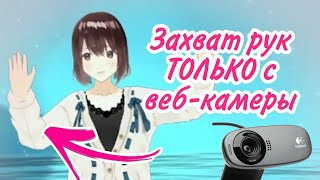

Full Body Capture Without Any Devices?!
48sThe creator demonstrates full body tracking using only a webcam, a feature that seems impossible and sparks curiosity.
▶ Play Clip"Delivers on the promise of a VTuber review with a genuine demonstration of full-body capture, though some fluff exists."
This video is a review of Kalidoface, a web-based tool for capturing and animating VTuber models without needing to download any software. The reviewer highlights its user-friendly interface, various features like stickers and webcam integration, and demonstrates full-body capture using only a webcam. The video concludes that Kalidoface is a valuable and impressive tool for aspiring VTubers.
Monica introduces Kalidoface, a website for capturing model movements without downloading programs. It works entirely online.
The site has a nice, clear interface. Users can choose existing characters or upload their own. There are sections for stickers and stream additions, including a microphone for karaoke streams.
Kalidoface supports 3D models with features like lighting control and clip recording. The reviewer notes it's not inferior to more established programs despite being a website.
The main highlight: full body capture without any additional devices, using only a webcam. The reviewer is impressed and considers switching from 2D to 3D for this feature.
Collabs are easy: click a red button to call a friend, and two characters appear together. The reviewer also mentions a 2D version but finds it less impressive.
Despite minor flaws in character capture, the advantages outweigh them. The reviewer is delighted and recommends it to serious viewers, calling it a real treasure.
Kalidoface is a powerful, free, web-based VTuber tool that offers full-body capture and collaboration features, making it an excellent choice for aspiring VTubers.
What is Kalidoface?
A web-based tool for capturing and animating VTuber models without downloading software.
00:03
What is the main feature highlighted in the video?
Full body capture using only a webcam, without additional devices.
01:54
How do you start a collaboration on Kalidoface?
Click the red button to call a friend.
02:37
What are some features mentioned besides full body capture?
Stickers, microphone for karaoke, webcam upload, lighting control, and 3D model support.
00:56
Full Body Capture Without Devices
Demonstrates a key feature that sets Kalidoface apart from other tools.
01:54Easy Collaboration
Shows a simple way to do collabs, which is valuable for streamers.
02:37Overall Positive Verdict
Summarizes the reviewer's enthusiasm and recommendation.
03:04[00:03] Hello everyone, Monica with you, and today we'll talk about a site with which you can capture the movement of your model. Now we don't even need to download any special programs. Everything is online, and this site is Kolyada Face.
[00:17] Today we'll look at the Credo version of the site because it's a little more interesting. There's also a version of the site for 2D visual operators, and in principle, their functionality isn't that different. The first thing I want to note about this site is its nice
[00:32] interface. Seriously, it's nice and very clear. Here you can choose either an existing character or
[00:56] to the site yet. We also have a section here with stickers and some additions for our streams. They send hints that explain how it's just great. Here we have a microphone that you can place next to the
[01:10] character and, for example, conduct some karaoke streams. You can also upload a webcam here, you can upload your own picture, there are also green transparent backgrounds, and besides the usual 2D fans, there is 3D, and it's
[01:24] actually very cool. Look, you can record some clips or more interesting videos, you can work with the lighting. Look, unfortunately, with the background, this lighting apparently doesn't work, and as you can see, Kolyada
[01:40] Face is not inferior in functionality to even more programs, although note that this is a website. I had to disable my other program, which I recorded my appearance as a Birsk recorded my appearance as a Birsk character, but the result is worth it. Next,
[01:54] we need to go to the settings and select "Full Body Capture." And now the fury for what we've all been waiting for, for which we probably, like many, clicked on this video. This is full body capture, absolutely without any
[02:09] additional devices. I don't have any supposed enemies, no, I can do all this only thanks to the webcam on the site. Can you imagine? It seems to me that I'll now switch from a 2D model back to 3D
[02:23] just for the sake of filming on this site because it's filming on this site because it's amazing, but Kolyada Face will probably remain my favorite site for now for murder videos. It's also
[02:37] very easy to make collabs here. Just click the red button to call a friend, and that's it, and then the character above will be two together. I also looked at the version of the site, but I'll say that it's less impressive. That is,
[02:50] I don't have any special additional features, unlike other programs for capturing 2D characters. If you've long wanted to become a video bear, this is your chance. Now I'll even add
[03:04] my character here, probably. Of course, there are some minor flaws in character capture, but all the advantages simply outweigh the minor flaws. Let's summarize. I want to say that the developers of the calendar really
[03:18] tried. I'm simply delighted with this site. If you're a serious viewer, take a closer look. You'll probably like it because it's a real like it because it's a real treasure. And that's all. Thank you all for
[03:32] watching. Amanika was with you. Thank you very much everyone. Bye.



⚡ Saved you 0h 03m reading this? Transcribe any YouTube video for free — no signup needed.