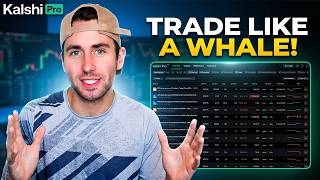
Ex-Options Trader Reveals Kalshi Pro Secrets
56sThe credibility of an ex-Susquehanna trader explaining a free trading terminal sparks curiosity and authority.
▶ Play Clip OddsJam: Sports Betting Strategy & Education
"The title promises a live trade view and an ex-trader's explanation, which the video delivers, though it's more of a promotional walkthrough than deep analysis."
The video features a former options trader from Susquehanna International Group introducing Kalshi Pro, a free trading terminal for the regulated prediction market Kalshi. He highlights its real-time tape, customization features, and Canvas dashboard as tools for speed and precision in trading.
The speaker is a former options trader at Susquehanna International Group, establishing credibility for the trading insights shared.
Kalshi Pro is a free trading terminal for Kalshi, the largest regulated prediction market, offering enhanced analytics while using the same balance and exchange.
Kalshi Pro provides a live tape of all trades across over 5,000 markets, with filters to focus on specific categories like elections or crypto.
Trades made on Kalshi Pro appear in the classic Kalshi account, ensuring a unified experience.
The speaker emphasizes watching large orders and whale activity as a key strategy, similar to his options trading days, to gauge market sentiment.
Users can filter trades by size, e.g., ignoring trades under $100 to focus on informed, larger trades rather than retail flow.
Canvas allows users to add markets, track open positions in one tab, and create multiple saved views for different trading focuses.
The home screen shows active markets and what people are trading, helping identify liquidity and opportunities.
Kalshi Pro is particularly useful for live in-game trading due to real-time prices and one-click trades, where speed is critical.
Kalshi Pro offers traders a powerful, customizable terminal with real-time data, making it a valuable tool for both casual and professional prediction market traders, especially for live trading scenarios.
What is Kalshi Pro?
A free trading terminal for Kalshi, the largest regulated prediction market, offering enhanced analytics.
00:15
How many markets does Kalshi Pro show trades for?
Over 5,000 markets.
00:43
What is the purpose of filtering trades by size?
To ignore small retail trades and focus on larger, informed trades.
02:24
What is Canvas in Kalshi Pro?
A customizable dashboard where users can add markets, track positions, and save multiple trading views.
03:08
Why is Kalshi Pro useful for live trading?
Because it provides real-time prices and one-click trades, which is critical when opportunities are fleeting.
05:11
Trader Credibility
Establishes the speaker's authority, making the advice more trustworthy.
00:02Real-Time Tape
Highlights a unique feature not available on sportsbooks, offering transparency.
00:43Whale Watching Strategy
Provides a concrete trading technique used by professionals.
01:56Canvas Customization
Shows how to streamline trading workflows, a principle applicable beyond Kalshi.
03:08Speed in Live Trading
Emphasizes the importance of speed, a core principle in trading.
05:11[00:02] I used to be a trader at Susquehanna International Group. I traded options. You can see all my trading and and probably political artwork here. And in this video, we are going to be talking about Kalshi Pro, which is a free
[00:15] trading terminal. If you use Kalshi, which is the largest regulated prediction market. So, Kalshi Pro, it's your same Kalshi balance. It's the same regulated exchange. But basically, Kalshi Pro lets you see more analytics.
[00:29] So, if you're focused on speed and precision as a trader, which I obviously think is important. Prices are constantly changing. Then Kalshi Pro is I'm going to give you a little rundown on it. So, Kalshi Pro, it really tries
[00:43] to focus on speed, efficiency, and the ability to customize. So, for example, ability to customize. So, for example, you can watch a live tape of all trades on Kalshi over 5,000 markets. All of the trades coming in down to the second. And
[00:58] then you can filter if your specialty is elections, you can choose to just see trades coming in on elections or crypto or whatever you want. So, you can see what markets are hot, what markets are active and trading as you kind of scan
[01:12] [music] for your next opportunities as a trader. Again, it's also super simple to use with regards to classic Kalshi. So, for example, if I want to play, you know, make a trade on Haley Stevens to be the Democratic nominee. I saw that
[01:27] market pop up on the tape in Kalshi Pro. I can just click it. I can make a trade and I'll see that in my Kalshi account as well in the classic Kalshi. So, it's super customizable using Kalshi Pro. It also makes it easier to quote combos and
[01:44] do things like that. But again, what I really like to do and use Kalshi Pro for is just watching the tape. And I used to do this as a trader when I was working at at Susquehanna International Group when I was trading options is I would
[01:56] just follow where are the big orders coming in? Where are the whales placing trades? What are people putting money down on? If everyone's buying call options on an airline ETF and I'm trading airlines, I want to see that.
[02:10] That information is relevant to me as a trader because every trade or order in the market, you know, is kind of a piece of information, supply and demand. If everyone wants to buy, the price should probably be higher. So, [music]
[02:24] around with the Kalsi tape, sort for different markets, things like that, and can customize. You only want to see you can do that. Maybe you don't care about trades that are, you know, less
[02:39] than $100 because that more signifies retail flow and not that somebody has an informed opinion and is making a multi-thousand-dollar trade, whatever. You get the point. So, Kalsi Pro, really cool. The tape is awesome, allows you to
[02:54] see every trade coming in in real-time. You don't get that on sportsbooks, right? I can't go to FanDuel and see every bet being placed at every second. So, Kalsi is pretty transparent here where on Kalsi Pro, you can just see all
[03:08] being placed. So again, what's really cool about Kalsi Pro is the customizability, which you can kind of see in Canvas. So, Canvas is a section of Kalsi Pro where you can add whatever markets you want to
[03:23] track from crypto perpetuals to prediction markets, whether it's elections, whatever. You can see all of your open positions in one tab. You don't need a bunch of different tabs opened up, everything is in Canvas and
[03:37] basically, you can set up a bunch of different trading views, things you want to see, markets you want to follow, maybe crypto and then elections. You can save them, so it's easy to navigate back to. I I something similar like this when
[03:51] I was a trader at Susquehanna International Group. If I wanted to look options, what's happening in tech, I had different views set up, so it was easy to navigate between and see the information I want to see um before
[04:04] making a big trade, and [music] that's really cool about Kalshi Canvas. So, there's another tab for crypto perpetuals. I don't do a lot of that trading. Again, what I really most use Kalshi Pro for looking at, I think it's
[04:18] an amazing source of information, is just the home screen. I personally really like to look at the active markets, what's hot, what are people currently trading on, and taking opinions on, because maybe that's in a
[04:31] market with a lot of liquidity and a lot of opportunity. And then I also just follow the tape and I customize that. I want to see what orders are coming in at this exact second, because that kind of gives me real-time information on where
[04:44] people taking opinions in the market. So, again, Kalshi Pro really valuable. There's day P&L, a ton of different features. It's very customizable, but prediction markets. Kalshi keeps coming out, you know, with more and more tools
[04:59] give people the best possible trading information. And when I was a trader, you know, when I traded options at Susquehanna International Group, data information was everything. I wanted to
[05:11] see as many tools have as much customizable ability as possible, and I hope you enjoyed this video, this little introduction to Kalshi Pro. It's really good for live in-game trading as
[05:24] well, because again, on Kalshi Pro, these, you know, trades and prices are coming in in real time. You can place trades in one click, and obviously, when things are going on, whether it's a sporting event or, you know,
[05:38] >> something like that, um being fast is really important as a trader. The best trades, the best opportunities, the best prices, they don't last forever. So, especially for live trading, I think Kelso Pro is is a pretty valuable tool
[05:52] if you're doing a lot of it. So, [music] thank you so much for your time and have thank you so much for your time and have a great one.


⚡ Saved you 0h 05m reading this? Transcribe any YouTube video for free — no signup needed.