
New YouTube Media Kit Features
35sReveals exclusive audience data like family status and income for brand deals, which creators find controversial and useful.
▶ Play Clip"Title accurately reflects the news updates and personal farewell; no exaggeration."
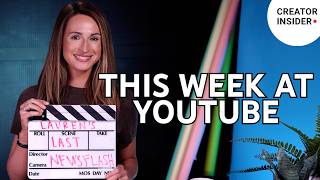
This week's Creator Insider Newsday, hosted by Lauren, announces new features for YouTube creators, including expanded media kit insights and the integration of Google's Gemini image model into YouTube Create. Lauren also shares a personal update as she signs off as host.
The media kit now includes exclusive insights like audience watch and shopping interests, family status (parent vs. non-parent), and household income data by percentile brackets, available to all YPP creators globally.
Google's Gemini image model, Nano Banana, is now available on YouTube Create, allowing text prompts and up to three reference images to generate GenAI images via multiple entry points.
Lauren announces this is her last episode as host and producer, expressing gratitude to the community and passing the mic to a new face.
YouTube is enhancing creator tools with richer media kit data and AI image generation, while bidding farewell to a beloved host.
What new insights are added to the YouTube media kit?
Family status (parent vs. non-parent) and household income data by percentile brackets.
What is the name of Google's Gemini image model now available on YouTube Create?
Nano Banana.
01:30
How many reference images can be uploaded for Nano Banana generation?
Up to three images.
01:30
Who is the host of Creator Insider Newsday?
Lauren, a program manager on YouTube's product team.
Media Kit Expanded Insights
Provides creators with data for brand negotiations beyond standard analytics.
Nano Banana Integration
Brings AI image generation directly into YouTube Create, enhancing creative tools.
01:30Host Farewell
Marks a transition in the show's hosting, highlighting community connection.
02:30[00:00] What's up, Insiders? I'm Lauren, a program manager working on our product team here at YouTube and the producer of Creator Insider. If it's Tuesday, it's Newsday. So, let's get into it. We've talked about the media kit on the channel before and we're excited to share that we've expanded the kit to include exclusive insights you won't find in standard YouTube Analytics, such as audience watch and shopping interests, giving you more data in brand negotiations. If you need
[00:27] a refresher, the media kit is a personalized, auto-generated PDF that creators can use to showcase their channel performance, unique audience, and creativity to potential brand partners. The media kit is available to all creators in the YouTube Partner Program globally. So, what are the new insights coming to the kit? First, family status. See exactly what percentage of your audience are parents versus non-parents. Next, household income. >> [music] >> Understand your audience's purchasing power with income data broken
[00:53] down by percentile brackets. If you're in MYPP, just head to the Earn tab in YouTube Studio on desktop. Look for the link titled Download Your Media Kit. Moving on, we're happy to share that Nano Banana, Google's Gemini image model, is now available on YouTube Create. This upgrade will allow you to use text prompts and reference images to create GenAI images. You can upload up to three images from your device's media gallery to serve as ingredients for
[01:20] the generation. You can access the generation flow through several entry points. Banners on the home page, the quick actions bar, >> [music] >> the editor toolbar, the plus icon in the media picker, and the overlay tool. We'll leave more information below. >> [music] >> And with that, we're wrapping up this week's newsflash. But before I let you go, I have a bit of a personal update. This is going to be my last time hosting the newsflash
[01:47] before I hand the mic over to a new face. Being your host and producer has been an incredible journey. The show has always been about more than just the updates. >> [music] >> It's been about building a bridge between the folks who build the tools and the creators who use them. >> [music] >> You've let me into your studios and onto your screens every week, and for that, I'm deeply grateful. Thank you for the comments and
[02:14] the feedback, and even the occasional "Fix your lighting" tips. You've made me a better producer and a better advocate for you all. Creator Insider is in great hands, and I can't wait to watch its next chapter alongside you as a fellow viewer. Keep creating and tuning in, and for the last time for me, from the creators of YouTube to YouTube creators, keep it real.
⚡ Saved you 0h 02m reading this? Transcribe any YouTube video for free — no signup needed.