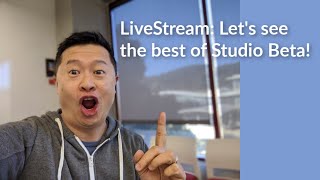

Why YouTube is killing Classic Studio
46sReveals the controversial reason behind forcing creators to switch to Studio Beta, sparking debate on change aversion vs. necessary evolution.
▶ Play Clip"Title accurately reflects the live stream's purpose: a practical walkthrough of Studio Beta features and addressing user concerns."
This live stream from YouTube's Creator Insider team provides a practical walkthrough of YouTube Studio Beta, addressing common user frustrations and demonstrating key features. The hosts, Tom and Himanshu, aim to clarify misconceptions, show how to navigate the new interface, and explain the rationale behind the transition from Classic Studio.
Tom and Himanshu introduce the live stream, explaining they will do a 'show and tell' of YouTube Studio Beta, focusing on practical demonstrations rather than just discussion.
Himanshu acknowledges that Studio Beta has a different information architecture and navigation, which requires a learning curve. He thanks creators for feedback and promises improvements.
Tom explains that Classic Studio is built on old, brittle technology that is costly to maintain, hindering the development of new features. Moving everyone to Studio Beta allows the team to focus on innovation.
Tom highlights the snapshot card on the dashboard, which compares a video's performance to the previous 10 videos over the same time period, helping creators track relative performance without manual spreadsheets.
Tom explains that in Studio Beta, you must first select a video before accessing its analytics, comments, or editor. This entity-based model is key to navigating the new interface.
Tom demonstrates that the audience retention graph is available at the video level: select the video, go to Analytics, then click 'See more' under Audience Retention. This addresses a common complaint.
Tom shows that real-time data is available in Studio Beta by going to Analytics at the channel level and scrolling down. Clicking 'See more' provides up to 30 rows of data, with a filter for the last 60 minutes.
Tom demonstrates that live streaming is fully supported: click the camera icon, then 'Go live' to access the live control room. Past live streams are found under the 'Live' tab in the Videos list.
Tom shows two ways to add end screens: via the new Studio Beta editor (select video, then Editor) or via a link to the classic end screen editor from the video details page. The classic editor will remain until a native replacement is ready.
Himanshu announces that thumbnail A/B testing is in development and will launch in the next few months, though the timeline depends on deprecating Classic Studio.
Dark mode is a top request but is deprioritized in favor of navigation improvements, page load speed, and mobile app enhancements. Performance improvements have been made and will continue.
Tom showcases the new upload flow, which features a step-by-step interface with easy thumbnail, playlist, and scheduling options. Future enhancements include pre-flight checks for issues before publishing.
Tom demonstrates new comment filters exclusive to Studio Beta, allowing creators to filter by unread, subscriber count, or keywords. This feature was built quickly thanks to the modern technology of Studio Beta.
Tom explains that the general access link to Classic will be removed by the end of the year, but deep-linked features like the classic end screen editor will remain until native replacements are ready. The transition will be gradual with notifications.
The live stream emphasizes that while Studio Beta has a learning curve, it offers exclusive features and faster innovation. The team is committed to addressing feedback and improving the product, with the eventual removal of Classic enabling even more rapid development.
What is the key navigation principle in YouTube Studio Beta?
You must select a video first before accessing its analytics, comments, or editor.
07:30
How can you compare a video's performance to previous videos in Studio Beta?
Use the snapshot card on the dashboard, which shows performance compared to the previous 10 videos over the same time period.
05:00
Where is the audience retention graph located in Studio Beta?
At the video level: select the video, go to Analytics, then click 'See more' under Audience Retention.
10:00
How do you access real-time data for the last 60 minutes in Studio Beta?
Go to channel-level Analytics, scroll to Real-Time Activity, click 'See more', then sort by 'Last 60 minutes'.
12:30
What are the two methods to add end screens in Studio Beta?
Via the new Studio Beta editor (select video, then Editor) or via the classic end screen editor linked from the video details page.
17:00
Why is YouTube phasing out Classic Studio?
Classic is built on old, brittle technology that is costly to maintain and hinders development of new features.
03:00
What upcoming feature for thumbnails was announced?
Thumbnail A/B testing, expected to launch in the next few months.
20:00
What comment filtering options are exclusive to Studio Beta?
Filters to show only unread comments, by subscriber count, or containing specific keywords.
28:00
When will the general access link to Classic Studio be removed?
By the end of the year, but deep-linked features like the classic end screen editor will remain until native replacements are ready.
30:00
Classic Technology Burden
Explains the core reason for the transition: Classic's outdated technology blocks new feature development.
03:00Snapshot Card Utility
Demonstrates a powerful feature that automates manual performance tracking, saving creators time.
05:00Entity-Based Navigation
Clarifies the fundamental navigation paradigm shift, which is a common source of confusion.
07:30Thumbnail A/B Testing Coming
Announces a highly requested feature, showing the team's responsiveness to feedback.
20:00Advanced Comment Filters
Showcases an exclusive Studio Beta feature built quickly due to modern technology, illustrating the benefits of the new platform.
28:00[00:00] we are here to do a very quick uh live stream to basically do a little show and tell for the youtube creator studio beta and i've got hamachu with me welcome back to the show homachu hey everyone and this is super informal uh we haven't really prepared a lot for this live stream but we wanted to mainly uh do one thing that we haven't done in previous creator insider videos which is actually just show you how
[00:28] to do stuff in studio beta don't just talk about it although i i know a lot of you appreciate how every news flash i mentioned studio beta but as barbara was saying to me um she gets it and uh but we're just gonna do a little more because we want to over communicate and um what we'll do is we'll start with me sharing my screen and i'm gonna show you one of my test channels it's not
[00:56] like a real channel and um i'll point out some things that i think are good and then i will point out some things that get people uh sometimes get people stuck and i can try and unstick you and then uh we'll take some questions and then any questions that we can't answer uh we will follow up as a pin comment in the replay and i also have some other folks from the team that i might be
[01:24] able to reach out to if during this live stream himanshu and i don't have the answer off the top of our head we can we can reach out to uh to phone a friend um okay so let's start with um one second let me just make sure i'm logged into the right account here uh studio and while we do that hamanchu do you want to give a quick some quick thoughts on comments we saw from the
[01:52] last studio beta video we did on creator insider where people were saying hey it sounds like you think the product's perfect and that the only reason people are struggling is because of change aversion and i wanted to kind of clear the decks and and kind of make sure people understood where we're coming from do you want to maybe share your thoughts first how much you yeah sure uh hey everyone this is himanshu i'm a product manager
[02:21] on the on the creative studio team uh very excited to do this um so to answer tom's question um i think we have come a long way from where we started the product although we are not perfect i absolutely acknowledge that and i also acknowledge the fact that um for years of using you know classic uh a lot of the creators a lot of you guys are you know very used to and you can probably do
[02:49] things you know with your closed eyes um and on on on studio uh the information architecture the navigation is is somewhat different so i totally totally acknowledge that you know there is um this you know new learning of doing the same things that you were doing in classic and i also do acknowledge that in some areas uh you know there is definitely room for improvement and thank you for your comments in in the in the in
[03:17] the video that we did we are gonna take and read uh and take action on all the comments that you have wrote regarding change version and regarding navigation in the upcoming you know few months and end quarters yeah one thing i would sort of follow up on that point is i know some people are in the chat we're saying hey if it's not perfect why push it out if it's not done the there's a very simple
[03:45] answer to that which is classic is built on very old 10 year old increasingly brittle technology that is actually at risk of not being super stable and performant and requires more and more maintenance costs on our part which take away our ability to do what creators are asking is like hey they want new features they want new metrics they want more reliable way to upload and see if there's a problem before they go public they want
[04:13] more mobile creator studio mobile access and mobile features and all of those things are coming from the same team so we have this increasing burden of keeping classic around and that's basically the reason why at this point we feel like it's time to make the leap because if we waited for studio beta to be perfect like it's software there's always things that you want to make better um but it's actually harder to get it to that
[04:41] state of perfection if we have to keep people on classic uh for much longer so that's just um a little bit of context it's not that we think oh you know we're just trying to like you know make people's lives hard we're actually trying to help people be more successful on youtube the way we think we can do that is to provide the best tools available the way to do that is to focus all of our
[05:09] efforts on the the platform of the future and the way to do that is to get everybody off of the old thing onto the new thing so that we can increase our velocity of product development so that's uh probably a little bit more inside baseball than you guys wanted around product management but i wanted to address that question and himachi thanks for providing additional context so now we are going to uh do a little bit of
[05:37] a screen share and i will show you what um studio beta looks like on a test channel so a couple things i want to call out there's a weird formatting thing here this is a test of an experimental feature where we provide news in a different way so that's why the thumbnails look weird second thing is this is also testing another new feature which is this like important notifications card which isn't fully rolled out but the
[06:06] idea is like hey if you have a community guideline strike if you have a copyright issue if you have a major ypp issue we put that front and center and then give you an easy way to kind of address the problem in the new studio beta dashboard now some other things i want to call out are this one my favorite features of all studio beta is this snapshot card here so what's really cool about this card
[06:34] a lot of people have seen this car but they i've been talking to some creators who then say like oh i didn't realize it had this capability so let me just kind of walk you through what this thing is showing you is how this video has performed compared to your previous 10 videos now this channel only has eight videos so it's it's provide compared to the previous eight if you hover over it you get this leaderboard
[07:02] so this is where you kind of can feel like you're competing against yourself and as you can see here like my best video so far for this test channel has been a review of a watch box and some some stone bracelets and whereas the kenya safari videos uh you know has not done as well and and the worst one was my dog intelligence toy review now why is this useful well part of the reason is since
[07:30] these videos were uploaded at different times it's not really fair to compare their total views what you really want to do is compare their views for the same period of time in this case the first 227 days 21 hours if i did a new upload tomorrow and i looked at this card it would give me a similar leaderboard but it would say like the first two hours 36 minutes and then you would see how it's performing
[07:58] so it's really helpful we when we were doing research for studio beta we found that a lot of creators were literally taking a piece of paper and writing down how many views they got for a video in the first hour in the first two hours and first three hours and then they would do that for subsequent videos and then have these elaborate spreadsheets so this basically takes all of that and makes it super clean and obvious
[08:26] next let me just show you uh you can click here and go to the new video analytics here what you see is this interesting gray line which shows like for your typical video how well it performs um day after day and then the blue line is uh the video in question the kenya safari one so if we go to now i want to say here's a perfect example let's say i want to go to the video
[08:54] analytics for the watch box video that was my number one video first thing i need to do and this is where we talk about the entity model you click on videos you select the video in question so that would be the watch box where is that watch box video um here it is now if i click on analytics here that's the analytics for this video so let me let me repeat that if i'm at the channel
[09:22] level if i'm here at the channel level and i click on analytics what i'm going to see is the analytics for the entire channel however if i want to go to the analytics for a specific video first select the video then this whole left hand side will only be relevant for that video so now if i click on analytics this will just show me the analytics for the watch box video and this also applies to comments
[09:51] so a lot of people have said in the past like oh you know studio beta is terrible when i click on comments it just munches the comments across all of my videos in one line in one row or sorry one column and the answer is yes because you're looking at comments at the channel level if you said well i just want to see comments for the watch box video you go to the video first and then
[10:19] you click on comments and now you see all of the comments unfortunately there haven't been any comments for this video but that would show you all the comments for that video secondly now let's look at the analytics for that watch box video because that's what we're originally talking about so if you look here um what you see is the improved youtube analytics at the video level so we kind of organize it by your overview which are
[10:47] sort of your key performance metrics one thing that a lot of people uh appreciate is the audience retention and they say oh you know what studio beta is terrible there's no audience retention graph there is probably you're not seeing it because you were at the channel level of analytics but here we're at the video level and then in fact if you click see more boom look at this this is the the audience retention with the video
[11:15] player and i can see oh wow look here we started to see more interest what was happening i click on that and i can see ah yes they like it when we were actually opening the box right literally the unboxing moment here we had another peak when i was showing the little pillows here i'm elbowing what's going on there oh i'm polishing the watch okay so if you were wondering like man i'm not using studio bay
[11:43] there ain't no audience retention chart there it's there go to the video level go to analytics and then click on audience retention see more now i know what some of you are thinking i'm not even looking at the chat box but i know what you're probably saying which is like why was that so hard to get you know what if we have to why does he have to show us this well part of it is because
[12:11] it is a fundamentally different way of organizing the information by either channel or video once you get it it becomes pretty easy and what it allows us to do is allows us to do interesting things like after we get everybody off of classic wouldn't it be cool is it if you click on this rather than taking you to the metadata editor maybe we can take you to like a dashboard for that video so you can see
[12:39] like the analytics you can see any issues you can see your most recent comments all about that video um and so that this sort of entity-based navigation it's one of those things like it does take a little bit it's like going from print to cursive like you have to kind of learn the new language but once you get there we think it's going to increase a lot of efficiency and moreover allow us to add more features
[13:07] to studio that helps creators succeed so another question i've heard from people is like you know what i will not use studio beta because there's no real time data so let's address that right now if you go to analytics at the channel level and scroll down you'll see real-time activity and so then people say like well that sucks because um i i used to have by 60 minutes this is last 48 hours and i used to
[13:36] have it for like 20 videos so if you click see more what do you get here look at this do i have 20 no actually i i have if i had more videos i would have up to 30 rows so you actually have more real time data and people say like yeah but it's only last 48 hours no man last 60 minutes right here right here so again now let's keep it real some people have been
[14:04] saying like my god tom you had to go from dashboard and then you had to click on analytics and then you have to click on see more right and then you have to click on sort by last 60. we get that i've heard that feedback i've discussed it with the analytics team you know we are discussing things that we can do to make it better like hey maybe here straight from the dashboard there's a link to
[14:32] go to your analytics or maybe someday we'll even have the analytics real-time stuff embedded in the channel dashboard like those are totally reasonable requests so again we're not saying we're perfect um but just wanted to kind of share some of that with you um let me jump off of the screen sharing for a second and hamachi i'm guessing you might have been looking at the chat discussion or or watching the demo were there things that i
[15:00] didn't call out for um kind of best practices on studio beta that uh that we should um i think a couple of things one is you should just show how to go live on creator studio and also if you can also just walk through um you know where is the end screens and the info cards which is on the island yeah yeah okay um if you could if you could do that and spend a couple of
[15:28] minutes while i scan more comments all right let's do it let's do it hold on one second uh share okay so uh hamachi raises a good point which is people have said you know what i will not use studio beta they don't even have live streaming there okay so if you want to live stream from studio beta i'm not in classic you click this little uh camera icon and you say go live and that takes you
[15:56] into the live control room that you guys are all familiar with or many of you are familiar with you can do the webcam streaming you can do the obs or whatever fancy streaming you want to do it's all there and then after you're done whoops oh i just closed it hold on let me go back uh studio after you're done with your live stream if you go to this videos list there's a live tab here now
[16:24] this live tab will show you all of your upcoming and previous live streams now this test channel i haven't done a lot but for for you active live streamers this would be full of stuff and then you can go and mess around with your metadata your thumbnail whatever you want to do so that is live streaming is absolutely supported from the studio beta all you need to do when you want to go live is click on
[16:52] the go live link after you click on the camera icon if you want to mess with something that is either upcoming or previously scheduled from the studio beta you can go to videos click on the live tab uh in fairness there are some advanced uh live settings that you will still need to do from the live control room in which case you just click go live and then um you can click this manage button and then
[17:21] if you had any upcoming streams you'd have all of the advanced settings there so completely doable i never touched a piece of classic in in this workflow okay so now uh let's talk about end screen so uh hamachi writes a good point which is like hey i don't want to use studio beta i can't even add end screens so let's go to a video here and two things there's two ways to add end screens one is
[17:49] you could go to the new studio beta editor so again click on the video first like if there's one thing you take away from this live stream in terms of how to find anything in studio beta generally the answer will always be select the video first so we're going to select the video first from the video list then we can go to this editor option and in this editor option you can see down here are a
[18:17] lot of different capabilities and one of them is end screens and so here i can add an end screen i can add a blur i can do a bunch of things and if i want to add the end screen i can add different elements and i can click plus and say oh i want to add a playlist element i can search for the playlist on and on now let's keep it real some people have said whoa
[18:45] the studio beta editor like way some people love it but some people are like this is way too too much for me man i i don't want to see all these rows and all these things going on and these weird icons we heard you we heard you so there is another option if you go to the video level you don't have to click on editor to add it in screen you can go over here to the
[19:13] right and click on the link that says end screen now if i click on that it's going to open up a encapsulated version of the classic end screen editor probably something a lot of you know and love and you can say like oh i want to use a template or i want to use something from uh from a recent video yada yada and it's a little bit more focused and then after you're done with that you
[19:41] can click save return to the studio and be on your way so there's two ways to do end screens one is through the new studio editor the other is through the classic end screen editor that's linked from the studio beta video details page down here that will eventually be replaced by a simplified version of the studio editor for end screens that's in development but until we have that ready you can still use the classic one so
[20:09] that's another thing that i should talk about which is some people say like wait a minute i am using studio beta i'd use it but i also use things like the classic end screen editor i use things like this audio library and when i hear that you guys are saying goodbye to classic that means all of these things go away and that is not true the only thing the next thing that's going to go away is
[20:37] this single link on the bottom left corner which will take you to general roaming around access of the classic studio right that's the thing that'll be going away what will not be going away is the things that i know a lot of people rely on and frankly i do myself for some of my personal channels like i rely on the classic end screen editor i rely on the audio library i rely on some monetization stuff like
[21:06] we get that those are not going away until we replace them with native versions of of those features in studio in studio beta so um hopefully that puts to rest concerns around live streaming and um and end screens uh same thing with info cards if you want you're like oh man i really you know don't i just take maybe the position would be i need more time to figure out the new studio editor i would like
[21:34] to use the old one in the meantime go ahead select the video first go to the right see this little cards link there you go cards just as you know them that's a video of me in a little bush playing okay so let me stop screen sharing for a second yeah kamanchu i have uh we have been uh consolidating a lot of the comments so there are a lot of lot of questions a lot of interest
[22:02] um let me address the the two questions from my end so the first one is um any thumbnail testing when so good news for you guys um you know we have been working on it and it will be launched in the next few months i don't have the exact date yet uh but we are working on it so and i'm personally very very excited about that uh one one caveat i would put there himachu on the
[22:30] a b testing is it partly depends on how soon we can deprecate classic so in a weird way if you want more new creator features the best thing you can do is get off of classic because all of those things a b testing a pre-check of your upload to see if we can flag any issues before you go public a video dashboard important notifications um you know growth recommendations based on smart analysis of data all of
[22:58] that stuff is sitting behind this big chunk of work which is maintaining classic um so i just want to i i know we're optimistic we want to get that done in a few months it really depends on how quickly we can get creators um to stop using classic all right awesome um so the next one tom let me read a question for you uh will you please show us how to see audience retention graphs and compare
[23:26] between subscribed non-subscribe this is a very helpful feature in classic analytics that i use constantly ah comparing the audience retention for subscribe or non-subscribe that one is uh not currently available but i will take that as feedback as something that uh people want and we'll share that with the analytics team so yes there's audience retention overall but if you want to compare it between different uh audience segments that's not currently supported what we generally do with
[23:54] the studio beta is when people send feedback in the send feedback link on the bottom left or if they share feedback on creator insider or with with you know um the support team we uh calculate sort of the most requested things and uh try and prioritize those so if everybody wants the uh audience retention comparison will definitely kind of give that the strongest consideration so thanks for the feedback tom here is one more thing that a
[24:22] lot of people want dark mode yeah so here's the thing with dark mode um we have heard that one we are currently uh prioritizing a few other things so one is we want to make sure easier navigation so that i don't have to do a live stream and show you how to do the video and channel entity stuff like that's on us we need to make that product easier to understand with right off the bat second
[24:51] is we want to improve the speed of the page load time we've actually made significant improvements in the last few months i think some people may have noticed it we want to keep doing that the third thing is we want to work on that important notifications the video dashboard the pre-publish checks to see if there's any issues however fourth also we want to close the mobile gap we want to have the creator studio mobile app have
[25:19] more capabilities but i get dark mode is also a top requested thing and it's one of those things where um i think it's just a matter of when we get to it uh and hopefully we can get to it next year again uh part of that depends on how many people are still on classic and if people every time you use classic you basically are pushing out all new features uh uh you know a few months
[25:47] all right um next there is also a bit of complaints on you know that studio is slow so folks are talking about you know latency so maybe i can start and then tom you can add more color so absolutely i think um uh this is something our metrics uh also you know tell the the story uh that you know studio is slow in some browsers in in some geographies uh we have a dedicated team who is
[26:15] working very very hard to make studio faster and we have actually made a lot of improvements in the last uh you know three to four months uh i hope that you folks have also um seen those improvements but we are not done yet we have uh a certain targets for what we consider our main bible on what the product should be and uh and in the next couple of months or so we hope to reach you
[26:43] know those targets and then and make the product faster cool so i think we showed we showed the analytics stuff we showed the navigation we showed the dashboard um i believe we've covered most of the stuff and maybe what we'll do now is see if there's any final questions in the chat box and try and answer as many of them as we can and then maybe we'll wrap up in a few minutes and make this like
[27:11] kind of a 30 minute stream so i see a question around with someone asking making a studio beta accessible via more browsers uh you know that's an interesting it's a fair question right now be mindful that for every additional browser we need to support it comes at a material cost to adding new features and so what we try to do is we look at the data and we see well what browsers are are most creators using
[27:39] to to do their work and we definitely want to support the most popular ones based on what our customers use and we look at sort of market share for browsers in general as well and then in terms of mobile web our preference is to make the mobile studio app much better so that you can just do more from your native android or ios app versus having to kind of pinch and zoom on on a mobile web
[28:07] how about you any other questions that caught your eye having said that i think folks are asking that um when are when are they going to be able to access studio on you know mobile browser i think you addressed some of it but you know that is also in the works so um you know sometime next year you all should be able to access uh your studio on a mobile browser as well but our long-term plan
[28:36] is for you to be not be able to do that and to have both the android and ios apps you know in a way feature rich so that you never you know feel a need to go to the you know mobile browser because that's a you know a second uh tier experience cool you know i just remembered i forgot to show people the new uploads experience so let me let me do a quick screen share of
[29:04] that and then if there's any final questions you catch that are interesting hamachu we can try and hit those but let's do let me show you guys the new uploads experience which i it's one of my favorite things about the studio beta so if you go to studio beta and you click the little camera icon and by the way i know some people have said like hey man that's hard to find that icon i wasn't even
[29:32] obvious to me that that's how i go live so we are working on making this more discoverable and live more discoverable but let's go to uh if you select the upload video beta not the regular not the classic and if you go from the main app if you're just like using youtube normally and you click on that upload icon it's going to go to the legacy one but check out this butte so if i select a
[30:00] file here um it will do this upload and then i have all these beautiful kind of easy to understand steps um and it also i have the thumbnail i can add to playlists it's just very logical i can save as draft i highly recommend you can set your visibility and your scheduling all very easily so that's actually some one of the most popular things on the new up on the studio beta is this new improve upload
[30:28] flow and that new upload flow will be further improved in the future namely one thing we want to do is as you're uploading before you hit publish if we detect that there's an issue with your video maybe we can kind of notify you in the flow and say hey don't don't click publish yet because maybe we found a copyright issue or maybe we think that there's something here that's inappropriate that's going to have monetization issues or
[30:56] maybe we detect that oh you know it's uh the sound is only going from the left speaker you know whatever like this notion of a pre-flight check is something we're really anxious to work on and unfortunately that team right now is still part of that team is maintaining classic so again the sooner we can get everybody off of classic the sooner we can work on the cool stuff that not only we know creators want to do
[31:24] but we want to work on too uh because we think it'll have a lot more impact all right i can take one question so brickstar is asking can you search the playlist you want uh that's the capability that they are missing so good news uh brickstar we are going to provide the ability to search playlist um in the video metadata editor on the video list page is just a few weeks away so stay tuned and then
[31:52] the draggable description box is coming up soon uh hopefully in a matter of weeks not months we totally hear you know people are saying hey in the studio beta the metadata description is like this like like a little mail slot and if i have a long thing i can't see it very easily classic i was able to drag it that was a miss on our part we're going to add it it's just a matter of time
[32:21] and and sort of organizing the sort of engineering pipeline but uh we heard you and that will be improved hopefully in the next several weeks all right tom so the next question from brain nation is why is that even one of my video is having 15 000 watch time but when you go to my monetization watch time is 3 000 why is is the difference um i think uh without looking at that chart it's probably that
[32:49] the watch time from your monetized playbacks is different than your total watch time and there are some of your views that were not monetized maybe there were not ads available that we could show and so that's why it's probably less than your total watch time all right um next one please tell us about comments disabled news why comments are disabled for family till now by commenting about why comments are disabled for family till now yeah uh
[33:17] this live stream is just about the studio beta um the comments policy is actually a different team but i would uh point you guys to whatever has been posted publicly by youtube about the comments policy and you know if if if interested we can try and do a follow-up in a future creator insider video just about comments but that's uh that's not what himanshu and i are are experts in all right uh what about uh so
[33:45] uh jarek is asking hello what about my own templates for end screens now on beta there is six prepared templates how can i add my own set yeah so in terms of end screen templates i think we've heard um a few requests like hey we want to add more templates and moreover we want to be able to easily clone from a previous video totally hear that feedback and that's part of the reason why we still give
[34:13] that link to the classic end screen editor because until we add those important features to the native studio beta and screen editor we didn't feel comfortable saying hey you can't use those features so when we bring it over and have the native version then we can get rid of the classic end screen editor in the meantime uh just bear with us and feel free to use that classic end screen editor from the studio beta in that
[34:41] link on the bottom right hand side like we showed before all right um tom do you want you want to keep going with the with the questions um no i think i think we're good i think there's one last thing i wanted to show that is pretty cool uh because people were asking about um comments and so while i'm not an expert on comment policy i do have the ability to show you some very basic comment
[35:09] capabilities that are exclusive to the studio beta that were just launched recently so if i share my screen and if i look at um let's say this video which is about um jamon ebirko and if i go to comments what you'll see here is this little filter and a chip that will first of all focus on only the comments that you haven't responded to so like if i had responded to some comments uh you see here
[35:37] i've responded to some right but let's say like well i don't want to see the stuff that i've already um you know uh reply to so i click this and i say let's only show me the stuff i haven't i say apply boom i filter i filter right now i could also could add even additional filters i say well i have some in this case obviously i don't have that many comments but i have so many
[36:06] comments i want to focus on um you know maybe comments from people who have very large you know large-ish channels like maybe more than 100 or it could be more than a million whatever so say more than 100 and boom now i filtered it even further and l j chillin with the grades is saying the guy from youtube creator studio what time friday so then i can just reply and be like yes this is a test
[36:34] channel and i say reply and boom it's there now you can see the reply i know in previous feedback people were saying hey man i don't like studio beta when i reply i can't see my reply no now you can reply we don't have to expand it so this this chips this advanced filtering system is really great for channels that have so many comments they can't possibly reply to all of them but they want to have
[37:02] like oh i just want to do the ones that contains questions you know in this case there aren't any that contain questions that also have more than 100 that i haven't replied to but here if i remove those other filters you see that this is that that question so super cool and that's an example i'll tell you what that's an example of a feature that would never have made it to classic because the team that works
[37:30] on comments would have spent like six months trying to build that thing in classic which is really old brittle technology and they were able to do it pretty quickly probably a third of the time in studio beta and as more and more teams across youtube are trying to figure out what new features to create for creators a big reason that they are open to doing more is they're like oh we don't have to build it in
[37:58] classic anymore the only cup i'll share a little inside baseball with you guys the only concern that some feature teams across youtube have about building new creator features is like oh well there's still some creators that are using classic if i only build it in studio beta i'm not going to be able to reach them so every time you touch classic you're delaying new feature development for all creators i don't wanna i know i don't wanna
[38:26] marginalize the transition costs it is gonna be for people who have it it takes a little while to get the entity model there are some journeys that take a couple more clicks but there are also tons of features that never existed like ctr unique viewers impressions comment filters memberships merch advanced copyright features all exclusive to studio beta so i i do want to acknowledge though that it's for some people who've been born and bred and spent
[38:54] years in classic it's not going to be trivial but just try it for a few days and you might not never look back yeah hey tom one question we should definitely address uh is um the whole timing around when is classic going to go away when are we sunsetting classic what's the timeline look like yeah so publicly we've said that uh classic will like parts of it will go away at the end of this year we
[39:22] don't have any specific dates that we can share at this time but i will tell you we're getting really close i will also tell you that it's not like all of classic overnight is going to disappear the first thing will just be that little link on the bottom left corner this provides general access to classic secondly uh we'll likely start with just the people who we know rarely if ever go to classic and we'll test it
[39:51] and see how it's performing and then thirdly uh we'll give people a heads up so it's not like you'll wake up one day and that link will be gone but if you're logging in on a regular basis you'll probably have seen a notification uh indicating that um you know that that link is going away soon and again like if you're relying on the classic end screen editor if you're relying on classic uh you know audio library
[40:19] those are fine those are deep linked from studio beta they'll still be there until they're native versions and in in the product itself all right uh let me take another quick one dominant i'll turn it over to you for what you want to do next all right so beatmaster is asking when do all users going to get the dedicated copyright section um that exists in classic but it's not there today so again good news guys uh
[40:47] this year so we are october 23rd today and we have like two months and a week left so in that time you will be able to go to studio video list and you will be able to filter all videos that have any kind of copyright issues and we are also working on another cool feature that will also be in video list we are adding a new column to make the the the visibility of like the issues
[41:15] you know more easier at at a glance so stay tuned this this this should be solved in the next few weeks awesome well i think we accomplished our goal homachu of just kind of providing a little more transparency about how we're thinking about things taking the time to walk creators through questions that they've had in a in a visual demo answering some of the questions that we could get to in the chat let's continue the the
[41:43] conversation in in future episodes of creator insider and i just want to thank everybody for participating in this in this dialogue and also thank you guys for all the feedback like you might think that we aren't listening but i guarantee you uh hamachu me and a whole bunch of other people on the studio team read all of the feedback we read summaries of it we look at analysis of the stuff from send feedback comments and creator
[42:11] insider stuff on twitter that's how over the last couple of years we've made studio beta way better frankly you know i would not be comfortable removing that general access the classic a year ago the product wasn't wasn't there yet it was still in development but i think we're really really close now where you can completely get all of your critical user journeys done in studio beta and we can um make that big move in the in
[42:39] the near future and that i think will benefit everybody but i also acknowledge there's going to be a little bit of a transition time and i want to thank everybody in advance for their patience with us and then once by the way it's not like once we remove the general access to classic like studio beta is frozen in time actually it's quite the opposite we can accelerate the rate of improvements to studio beta once we remove
[43:07] classic entirely so we're we're eager to do that because at the end of the day like we aren't successful if creators aren't successful and so um we're excited to uh to launch some new stuff for you guys next year and uh keep making improvements in the meantime and we will look at all the comments here and uh and all the also the comments on the creator insider and tom and i are going to do another video
[43:36] on studio beta just basically organizing your comments and answering specific questions soon awesome well thank you jumanji for joining us i know it's evening over in europe at the moment um it's sunny in california um but uh so thanks to everybody for joining and we will see you guys next time keep it real and broadcast
⚡ Saved you 0h 43m reading this? Transcribe any YouTube video for free — no signup needed.