
DLSS Broken? Now Fixed!
45sGamers love hearing about a major fix for a broken feature that affects performance, making this a must-watch for PC enthusiasts.
▶ Play Clip"The title accurately reflects the video's focus on the DLSS fix and remaining issues, though it downplays the extensive settings analysis."
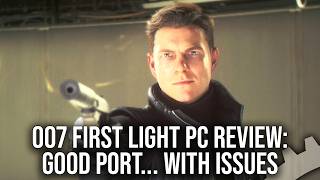
This video reviews the PC performance of '007 First Light', focusing on the recently fixed DLSS upscaling issues and the game's scalability across different hardware. It examines the visual and performance trade-offs of various graphics settings, comparing them to console equivalents, and highlights remaining concerns like limited upscaling and frame generation support.
Patch 1.05 fixed DLSS upscaling, which was previously broken and underperforming.
First boot on a Ryzen 5 5600 took about 3 minutes for shader compilation, but gameplay was hitch-free.
After the fix, DLSS now delivers expected performance scaling, though FSR 4 and XeSS are still missing.
In CPU-bound scenarios, FSR 3 underperforms, suggesting a measurable CPU overhead, which is unusual for a GPU-focused task.
Scenes with many NPCs or chase sequences can push frame rates below 60 FPS on a Ryzen 5 5600, while a Ryzen 9 7950X3D delivers over double the performance.
Ultra settings offer minimal visual improvement over lower presets but cause significant performance drops; high is recommended.
Visual differences between Ultra and high are subtle, with medium offering a 10% performance gain over Ultra.
Ultra provides the sharpest textures; low is a noticeable downgrade. 8 GB cards may prefer medium at 1440p to save VRAM.
Ultra reduces pop-in compared to console medium, but has minimal GPU impact; it's more CPU-dependent at lower resolutions.
Higher settings produce sharper shadows; low removes self-shadowing and offers a 5% performance gain over medium.
Ultra and high look nearly identical; medium and low reduce bounce lighting with minimal performance gain.
Affects planar reflections on mirrors; medium reduces clarity, low removes them entirely, offering up to 10% performance gain.
IO Interactive's console settings align with optimized PC settings, offering near-max visuals with lower performance cost.
Maxing all settings reduces performance by 18% compared to console equivalent, with only minor visual refinements.
The lack of promised path tracing is felt strongly; it could fundamentally change visuals, unlike current ultra settings.
FSR 4 and XeSS are absent; frame generation is Nvidia-only. IO's previous Hitman work set a better example for broad support.
The PC port of '007 First Light' is decent with a fixed DLSS, but it lacks broader upscaling support and promised path tracing, leaving room for improvement to match IO Interactive's previous standards.
What was the main issue with DLSS in '007 First Light' before patch 1.05?
DLSS was delivering substantially less performance than expected relative to its internal rendering resolution.
3:15
How long did shader compilation take on a Ryzen 5 5600 system?
Around 3 minutes.
2:53
Which upscaling technologies are missing from the PC version?
FSR 4 and XeSS.
3:47
What unusual behavior was observed with FSR 3 in CPU-bound scenarios?
FSR 3 underperformed, suggesting a measurable CPU overhead, which is unusual for a GPU-focused task.
4:15
How much performance improvement does the Ryzen 9 7950X3D offer over the Ryzen 5 5600 in CPU-limited conditions?
More than double the performance.
5:09
What is the recommended setting for volumetric effects quality to balance visuals and performance?
High, as it improves frame rate by around 16% over Ultra with minimal visual difference.
6:31
What visual change occurs when setting reflection quality to low?
Planar reflections are removed entirely, leaving mirrors to rely solely on cube map reflections.
10:06
What is the performance cost of maxing all settings compared to console equivalent settings?
An 18% reduction in performance.
11:08
What feature is notably absent from the PC version that was promised?
Path tracing.
11:27
According to IO Interactive, why is a static FSR 3.1.5 library used for PC?
For commonality with the console versions, streamlining development.
12:06
DLSS Fix Impact
Resolves a major performance issue, making the game more accessible on lower-end RTX cards.
3:15FSR 3 CPU Overhead Anomaly
Unexpected CPU overhead from FSR 3 challenges typical assumptions about GPU-focused upscaling.
4:15Volumetric Effects Diminishing Returns
Ultra settings offer minimal visual gain over high but with significant performance cost, guiding optimization.
5:35Console Equivalent as Optimized Settings
IO's console settings provide near-max visuals with lower cost, serving as a practical baseline for PC users.
10:41Path Tracing Absence
Highlights a missing transformative feature that could elevate visuals beyond current ultra settings.
11:27[00:02] Cyberpunk 2077 First Light, it's one of
[00:04] the biggest gaming highlights of the
[00:06] year from my perspective. Now, we've
[00:08] talked in depth about the game's new
[00:10] technology and the mostly successful
[00:12] console versions. We've also shared
[00:14] initial thoughts on the PC build in DF
[00:16] Direct, but there's more to discuss
[00:19] here. There have been developments. One
[00:21] of the reasons this review was delayed
[00:23] was that a crucial feature of the game,
[00:25] DLSS upscaling, was essentially broken.
[00:28] With the latest patch, 1.05,
[00:31] that is now addressed, making First
[00:34] Light that much more accessible to those
[00:37] with lower-end systems using lower-end
[00:40] RTX graphics cards. And beyond that, IO
[00:43] Interactive, well, they were generous
[00:45] enough to share their console equivalent
[00:47] settings with us. But the question
[00:49] remains, how much further does the game
[00:51] scale, both downwards and upwards? And
[00:54] beyond console quality, are we looking
[00:56] at diminishing returns? And have our
[00:58] thoughts on the PC version changed much
[01:01] at all since the direct beyond the
[01:03] upscaling issues? But before we go any
[01:05] further, a big thanks to Alienware for
[01:07] sponsoring our PC performance reviews.
[01:10] >> [music]
[01:10] >> And with all of our high-end testing,
[01:12] we'll be using the firm's newly revised
[01:14] Alienware Area-51.
[01:17] Yes, the flagship gaming PC has received
[01:19] a full refresh with a refined focus on
[01:22] high-quality design paired with high-end
[01:24] cooling, taking care of the best gaming
[01:27] silicon on the market. In addition to
[01:29] supporting high-end RTX 5000 GPUs up to
[01:32] the RTX 5090, the new Area-51 also
[01:35] supports AMD's top-of-the-line Ryzen
[01:38] 9000 processors, from the brilliant
[01:40] Ryzen 7 9800X3D
[01:43] through to the latest Ryzen 9 9950X3D
[01:46] II. In our tests, Ryzen 9000 X3D
[01:50] processors offer up by far the best CPU
[01:53] gaming performance available, a key
[01:55] recommendation for a high-spec gaming
[01:57] PC.
[01:58] Keeping thermals in check is the new
[02:00] gasket architecture using a combination
[02:03] of 180 and 140 mm fans to create
[02:06] positive pressure, moving 25% more air
[02:09] while being 45% quieter than prior
[02:12] Area-51 generations. There's a 1500 W
[02:15] platinum power supply and more than
[02:18] enough thermal headroom to handle the
[02:19] extreme demands of the RTX 5090, which
[02:23] pulls 600 W just by itself. Put simply,
[02:26] the new Area-51 is built for the
[02:28] absolute limit of modern PC gaming, the
[02:30] perfect hardware for testing the
[02:32] high-end PC experience in our
[02:34] performance reviews. Check out the link
[02:36] in the video description below to find
[02:38] out more.
[02:39] But of course, that kind of hardware is
[02:41] offering gigantic levels of CPU and GPU
[02:44] power. And so in addition to testing
[02:47] with that kit, we're keeping things
[02:48] grounded as well by looking at more
[02:50] modest components. So, let's kick off by
[02:53] looking at the first boot experience on
[02:56] a Ryzen 5 5600 test system, shader
[02:59] compilation took around 3 minutes to
[03:01] complete. Thankfully, gameplay
[03:03] afterwards was largely hitch-free with
[03:05] no obvious PSO related stutter
[03:07] encountered during normal play. Now, as
[03:10] I mentioned in the intro, the good news
[03:12] is that DLSS is basically fixed now with
[03:15] the most recent update. To quickly
[03:17] recap, DLSS was delivering substantially
[03:19] less performance than expected relative
[03:21] to its internal rendering resolution,
[03:24] resulting in surprisingly small gains
[03:26] across the board. Now, according to the
[03:28] release notes, the update fixes an issue
[03:30] where the game could launch with
[03:32] quote-unquote incorrect upscaling
[03:34] settings impacting performance. Whatever
[03:36] the underlying cause, our updated
[03:38] testing shows DLSS performing much more
[03:40] as expected, uh delivering the kind of
[03:42] scaling we'd normally expect from the
[03:44] technology.
[03:45] Some limitations remain, however. The
[03:47] game still lacks support for FSR 4 and
[03:50] XeSS, while the dynamic resolution
[03:53] scaling system used by the console
[03:55] renditions is also absent on the PC
[03:58] version. Frame generation support is
[04:00] similarly limited, with only DLSS frame
[04:03] generation and multi-frame generation
[04:05] available. AMD and Intel users are left
[04:08] without equivalent FSR or XeSS frame
[04:11] generation options, which isn't great.
[04:15] We did uncover one curious result during
[04:17] CPU-limited testing, however. At 1080p
[04:20] and CPU-bound scenarios, FSR 3
[04:23] consistently underperformed. In other
[04:25] words, FSR 3 seems to be carrying some
[04:28] kind of measurable CPU overhead once GPU
[04:31] limitations are removed. And this one's
[04:33] a bit of a mystery, bearing in mind that
[04:36] FSR 3 doesn't have much, if any, CPU
[04:39] overhead in our experience. It's an
[04:41] entirely GPU-focused task. And as for
[04:45] CPU performance itself, First Light can
[04:48] become quite demanding in scenes with
[04:50] large numbers of NPCs. Areas such as
[04:53] this hotel level are enough to push
[04:54] frame rates below 60 FPS on the Ryzen 5
[04:58] 5600, while chase sequences that heavily
[05:01] test the game's streaming systems can
[05:04] also make it difficult to sustain a
[05:06] consistent 60 FPS. Uh by comparison, the
[05:09] Ryzen 9 7950X3D delivers more than
[05:13] double the performance of the 5600 under
[05:15] the same CPU-limited conditions. That
[05:17] gives you some idea of the kind of
[05:19] contrast between mid-range and high-end
[05:21] processor performance in this game. Um
[05:23] but beyond that, you're looking at frame
[05:25] generation to push yourself further into
[05:27] high refresh rate display territory.
[05:31] Now, with that out of the way, let's
[05:32] take a look at what the higher PC
[05:33] settings actually bring to the table.
[05:35] Going to start with a volumetric effects
[05:37] quality, which governs the quality of IO
[05:40] Interactive's new Smolder volumetric
[05:42] system, one of the key rendering
[05:44] upgrades discussed in our recent
[05:46] developer interview. It's also one of
[05:48] the most visually prominent additions to
[05:51] Glacier's rendering technology while
[05:53] simultaneously being one of the game's
[05:54] most demanding rendering features across
[05:56] the board. When this feature is prolific
[05:59] on screen, frame rates can tumble.
[06:01] What's surprising, however, is just how
[06:03] little changes visually as we move down
[06:06] at the preset ladder. Ultra does produce
[06:09] a slightly cleaner result while lower
[06:11] settings introduce a somewhat grainier
[06:13] appearance, but the underlying behavior
[06:15] effect remains largely unchanged. Smoke
[06:18] density persistence lighting
[06:20] interaction, and shadowing all remain
[06:22] intact across the range of presets,
[06:25] making the differences surprisingly
[06:26] difficult to spot during normal
[06:28] gameplay. Performance, however, tells a
[06:31] different story with high improving
[06:33] frame rate by around 16 percentage
[06:35] points over Ultra. Medium and low
[06:37] provide only modest additional gains
[06:39] beyond that, making Ultra difficult to
[06:41] justify given the relatively minor
[06:44] visual differences. Volumetric fog
[06:46] quality controls the fidelity of the
[06:48] game's atmospheric fog and volumetric
[06:51] lighting effects, and it's an effect
[06:53] used extensively throughout First Light.
[06:56] Visual differences between Ultra and
[06:58] high are generally difficult to spot
[07:00] during normal gameplay while medium and
[07:02] low introduce a slightly coarser
[07:04] appearance to the effect. Despite its
[07:06] heavy use throughout the game,
[07:08] performance scaling remains fairly
[07:10] reasonable with medium improving frame
[07:12] rate by around 10 percentage points over
[07:14] Ultra test scene while low extends that
[07:17] lead slightly further. Unlike volumetric
[07:20] effects quality, however, the visual
[07:22] reductions here are more proportionate
[07:24] to the performance savings on offer.
[07:26] Next up is texture quality, and this
[07:28] scales consistently across the range
[07:30] with each step down reducing texture
[07:32] detail on surfaces and environmental
[07:34] assets. Moving from Ultra down to medium
[07:37] results in fairly subtle reductions to
[07:39] texture quality, though Ultra does
[07:41] provide the sharpest presentation. Low,
[07:44] however, is a much more obvious
[07:45] downgrade with noticeably blurrier
[07:48] textures and some signage becoming
[07:50] illegible. 8 GB cards may be better
[07:52] served by medium at 1440p
[07:55] as it retains most of the visual quality
[07:57] while reducing memory usage. If you
[08:00] prefer to play at 4K, however, further
[08:02] reductions may be necessary to keep VRAM
[08:04] usage in check. Moving on, let's look at
[08:07] level of detail which controls the draw
[08:09] distance of distant objects and foliage.
[08:12] Visually higher on ultra noticeably
[08:14] reduce pop-in compared to the console
[08:16] equivalent medium preset by keeping the
[08:19] higher detailed geometry visible much
[08:21] further from the camera. This setting
[08:23] has very little impact when GPU limited
[08:26] with only around 1 to 2 percentage
[08:28] points separating ultra from low.
[08:30] However, at 1080p where the game becomes
[08:33] more CPU limited, uh the gap grows to
[08:35] around 6 to 7 percentage points on a
[08:38] Ryzen 5 5600 making this primarily a CPU
[08:42] scaling related setting.
[08:44] The focus now shifts to shadow quality
[08:47] and this one scales pretty much as you'd
[08:49] expect. Higher settings produce sharper,
[08:51] more clearly defined shadows while each
[08:53] step down results in progressively
[08:55] softer shadowing. In the scene we tested
[08:57] performance differences were fairly
[08:59] minor overall with only the low setting
[09:01] delivering a measurable gain of around 5
[09:03] percentage points over medium.
[09:06] Much of that performance uplift comes
[09:07] from the removal of self-shadowing on
[09:09] vehicles and foliage as well as a
[09:11] general reduction in shadow detail.
[09:14] Global illumination next which controls
[09:16] the quality of the game's screen space
[09:18] GI elements and radiance probes. Ultra
[09:20] and high look largely identical
[09:22] maintaining indirect light bounce and
[09:24] scene depth while medium and low
[09:25] noticeably reduce bounce lighting
[09:27] particularly in the distance alongside
[09:30] some of the subtle shadowing that helps
[09:31] ground objects within the scene with
[09:34] only a single percentage point
[09:35] separating the highest and lowest
[09:37] settings in our testing, the visual
[09:39] reductions on medium and low are
[09:41] difficult to justify. Reflection quality
[09:43] primarily affects the quality of the
[09:45] game's planar reflections. While these
[09:47] are used exclusively on mirrors, mirrors
[09:50] themselves appear frequently throughout
[09:52] First Light, making this a more relevant
[09:54] setting than it might initially seem.
[09:57] Ultra and high produce near identical
[09:59] results, while medium noticeably reduces
[10:01] reflection clarity, resulting in a
[10:04] softer and lower resolution appearance.
[10:06] Low removes planar reflections
[10:08] altogether, leaving mirrors to rely
[10:10] solely on cube map reflections.
[10:12] Performance costs are largely tied to
[10:14] these planar reflections, with medium
[10:16] improving frame rate by around 10
[10:17] percentage points over ultra in our
[10:19] mirror test, while low extends that lead
[10:22] further.
[10:23] Screen space reflections tell a
[10:25] different story. Here, visual
[10:27] differences are limited to slightly
[10:28] reduced reflection coverage at lower
[10:30] settings, while performance remains
[10:32] effectively unchanged. As a result, the
[10:35] primary trade-off of this setting is
[10:37] really centered around the quality and
[10:39] cost of planar reflections.
[10:41] Taken as a whole, the console equivalent
[10:43] settings provided by IO Interactive also
[10:46] happen to align closely with what we'd
[10:48] consider our optimized settings. For
[10:50] most users, this is where we'd start, as
[10:52] they deliver a visual experience that
[10:54] remains remarkably close to maximum
[10:57] settings while avoiding much of the
[10:59] associated performance cost. But, what
[11:02] happens if we simply max out everything
[11:04] then?
[11:04] >> [music]
[11:05] >> Using the console equivalent settings as
[11:06] our baseline, moving every option to its
[11:08] highest setting reduced performance by
[11:10] around 18% in our testing. So, the
[11:13] improvements are certainly there if you
[11:15] go looking for them, but they're spread
[11:16] across the numerous smaller refinements
[11:19] rather than any single transformative
[11:21] upgrade. And that perhaps explains why
[11:23] the absence of the promised path tracing
[11:25] updates is felt so strongly.
[11:27] >> [music]
[11:27] >> The current ultra settings improve the
[11:29] visuals in a number of ways, but they
[11:31] don't fundamentally alter the visual
[11:33] experience in the same way a more
[11:34] advanced rendering feature potentially
[11:37] could. Now, path tracing, it's coming.
[11:39] So, let's just say that we're very much
[11:40] looking forward to seeing how the game
[11:42] evolves once that update arrives. At the
[11:45] same time, it's good to see IO
[11:46] Interactive responding to feedback. The
[11:49] latest update does appear to have
[11:51] resolved the DLSS scaling issues we
[11:53] previously highlighted with our updated
[11:56] testing showing performance behavior
[11:58] much more in line with expectations. But
[12:01] that said, there are still areas where
[12:02] we'd like to see improvement. IO
[12:04] Interactive told us that the use of the
[12:06] static FSR 3.1.5 library for PC is down
[12:11] to commonality with the console versions
[12:13] of the game. Essentially, it streamlines
[12:16] development for them. But my view at
[12:18] this point is that if a new game
[12:20] supports DLSS, the dynamic library FSR
[12:23] framework should be in there, too. And
[12:25] there needs to be support for Intel's
[12:27] upscaling technology, as well. FSR 4 and
[12:31] XeSS are both absent right now, while
[12:34] frame generation support is currently
[12:36] limited just to Nvidia hardware. IO's
[12:38] prior work on Hitman was exemplary in
[12:41] this regard. All technologies embraced
[12:44] and supported, and I kind of want to see
[12:45] that here, too.
[12:47] So, I think we got a pretty decent PC
[12:49] port here for 007 First Light, but there
[12:51] are areas where we'd like to see the
[12:53] feature set expanded. The lack of
[12:55] broader upscaling support is one, while
[12:58] path tracing remains the obvious missing
[13:00] component for higher-end hardware. We'll
[13:03] be reporting back on the path tracing
[13:05] side of things soon, but for now, if you
[13:07] found the content interesting or useful,
[13:09] please do like, subscribe, share, and
[13:11] ring bells and such for instant
[13:13] notifications. DF Supporter Program,
[13:15] >> [music]
[13:16] >> uh patreon.com/digitalfoundry.
[13:18] Do check that out to support the team
[13:19] and our mission. Get early access to
[13:22] content, closer access to the team,
[13:24] ad-free video downloads, ad-free
[13:26] website. Tons of good stuff there. But
[13:28] that's all for me for now. Thanks for
[13:30] watching and supporting Digital Foundry.


⚡ Saved you 0h 13m reading this? Transcribe any YouTube video for free — no signup needed.