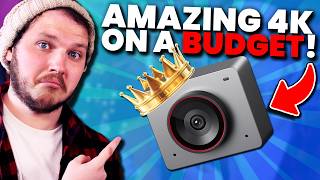

The $100 Webcam That Beats 3x Pricier Cameras?
45sImmediately challenges expectations with a bold claim, hooking viewers with the promise of an incredible budget find.
▶ Play Clip"Title promises a 'cheap' webcam with high-end specs, and the video delivers exactly that with detailed testing and honest comparisons."
The video is a detailed review of the Insta360 Link 2 4K webcam, highlighting its exceptional image quality, low-light performance, and innovative software features like gesture-controlled auto-tracking. The creator emphasizes that the camera, priced at $100, outperforms more expensive competitors, making it a top budget choice for content creators.
The creator introduces the Insta360 Link 2 4K webcam, listing its specs (4K, f/1.8, HDR, auto-tracking) and emphasizing that it costs only $100, purchased with his own money (not sponsored).
The auto-framing feature tracks the user, keeping them centered in the frame, which solves the awkward angle issue when the webcam is placed off-center.
The creator notes that this is the first 4K webcam where 4K is actually useful due to digital reframing and zooming capabilities, changing his previous stance on 4K webcams.
The f/1.8 lens is highlighted as a standout feature, allowing more light and shallower depth of field, which is rare in webcams and contributes to superior low-light performance.
With a single light at 25% (2800 lumens), the camera only needed ISO 400 for proper exposure, demonstrating excellent low-light capability without excessive noise.
The colors are praised as accurate and pleasing out of the box, with a comparison to the Logitech C922 showing significantly better color reproduction.
Despite the low f-stop, autofocus locks onto the face reliably and doesn't hunt, even in low light, which is a common issue with other webcams.
HDR effectively smooths out high-contrast scenes, brightening dark spots and evening out bright spots, improving overall image quality in typical office environments.
The camera's ISO range (100-6400) is tested; with zero lighting, ISO 1000 is usable, and with a single light at 50%, ISO 250 is sufficient, showing impressive sensitivity.
The software offers full manual control (exposure, white balance, HDR), and the hardware includes magnetic mounting, a lens cover, and a status light, indicating thoughtful design.
Built-in beauty filters (smoothing, sharpening, face slimming) are useful for nervous creators and can counteract the face-inflating effect of wide-angle lenses.
Gesture controls allow zooming (L-shape) and auto-tracking (open palm), which the creator initially dismissed but now finds incredibly useful for dynamic streaming.
Despite concerns, digital zoom up to 4x maintains smooth, high-quality image, as demonstrated with a drawing of a cat.
The webcam can be physically rotated for portrait mode, still in 4K with all tracking features, ideal for TikTok and YouTube Shorts.
The creator's unfiltered reaction shows genuine excitement about the default image quality, and he strongly recommends the camera for budget-conscious creators.
The Insta360 Link 2 4K webcam delivers exceptional image quality, low-light performance, and innovative features at a $100 price point, making it a standout choice for content creators on a budget. Its combination of hardware and software excellence sets a new standard for affordable webcams.
f/1.8 Aperture in a Webcam
Challenges the industry trend of higher f-stops in 4K webcams, offering better low-light and depth of field.
01:42Low-Light Performance
Demonstrates that a single budget light is sufficient for excellent image quality, a key selling point for creators.
02:45Gesture-Controlled Tracking
Shows how innovative software can enhance usability, making the webcam more versatile than traditional cameras.
07:29First Reaction
Provides authentic, unfiltered proof of the camera's quality, building trust with the audience.
09:50[00:00] If I told you this tiny little box with a 4K webcam, with crisp image quality, amazing color accuracy, full HDR for a dynamically lit scene, a 1.8 f-stop for better depth of field, and insane low light performance, with amazing autofocus, optional face tuning filters,
[00:15] and gesture controlled automatic space or body tracking, you'd think I was insane and that it would cost hundreds, no thousands of dollars. But it only costs 100 USD. At least that's what I bought it for with my own money, because this isn't sponsored.
[00:28] I listed off a lot of bells and whistles there, but as always with me, the only thing that matters is image quality, and wow, this delivers. I'm actually going to shoot this video on both my normal mirrorless camera and on the webcam at the same time, and I'll show you lots of labeled footage.
[00:42] Only problem is, the webcam is off to the sky a little bit, so the shot looks a bit awkward, but that's okay, because I'm going to turn on a feature called auto-framing, something I'm going to cover much later in the video, but I'll show you real quick. If I turn this on, now, it's going to track me, so every time I cut to it, it looks normal,
[00:59] which I think is pretty sick. Let's get into it. For the technology, it has a half-inch T-Mode sensor and does an incredibly crisp Ultra HD 4K up to 30fps and 60fps at 1080p. I said in a recent video where I covered the Facecam 4K that having a 4K camera only matters to me
[01:14] because I like shooting at 1080p with the high pixel density, making that 1080p look really crisp. However, this is the first 4K webcam I've used where actually the 4K is kind of sick because it can do a lot of digital reframing and zooming all automatically.
[01:28] Again, I'll cover that more later in the video, but I've used this at 4K extensively and my mind has been changed. But what has really stuck out for me is the inclusion of the 1.8 f-stop lens. That is the same f-stop as what I am using on this big beautiful mirrorless camera right
[01:42] now as well. And it blows me away because so many webcam brands have said to me in the last few years that when you go to 4K, you need to increase the f-stop. And that is bullshit, but also creates a worse camera.
[01:56] Keeping it short for newbies, lower f-stop on a lens does two things. First, it allows more light into the lens, and therefore the sensor, meaning you don't need insanely powerful lighting on you, and it also makes the focus shallower, which gives depth of field.
[02:08] Now, on a webcam, that doesn't mean much, because the field of vision is quite flat, which means depth of field is hard to get no matter what you use, but trust me, that 1.8 is insanely good. Having such a low f-stop means I don't need to digitally brighten my image by raising
[02:21] the ISO, which is key because the higher the ISO, the more digital noise you create, which as we know from our Legato Spacecam 4K review a few weeks ago that went for f4 for some reason the noise made the image look awful and then the noise reduction made the image look soft and somehow that camera costs three times as much as this one I show detailed lighting tests in a little bit but in short when I had my 2800 lumen newer light set to 25
[02:45] I only needed an ISO of 400 to be exposed. Genuinely amazing, because most of you guys do not have big powerful lights, and instead you're probably using a single budget option, hopefully like the single newer GL25B, which costs around $100 as well. And that single light would
[03:01] be enough for great quality from this webcam. I mean, look at the footage I've been showing you throughout this video. I mean, look at this. All these lights that I'm using, I'm using one on 28% and one on 2% over there, and I look great. And I'm cropped in right now because I'm digitally
[03:13] cropping in to track myself. That's insane. Now, what about color accuracy? Well, I loved it. Very rarely do I plug a camera in and immediately enjoy how the colors look. Right now, I am using a LUT and have a few tweaks, but I'll show some basic footage without a LUT on screen now.
[03:28] For all of these tests, my newer lights are set to 4700 Kelvin, and when I set the Meet 2 to 5000 white balance, the colours came out looking really great for me. As you can see on screen here, if this was compared to, say, the Logitech C922, which
[03:40] is the go-to webcam of over a decade now, and it costs the same price as the Meet 2, despite that only doing 10p 30fps, you can see how much nicer these colours are. It's amazing.
[03:52] Now, there are two problems when you have a camera like this though. First, when you add 1.8 f-stop, usually that means it is harder to focus. And with webcams, that usually means autofocus looks really dodgy.
[04:05] You'll often see shifting back and forth, especially in low light, as the camera tries to lock focus on your face. Except that isn't the case here. In fact, the autofocus locks onto my face and genuinely does not let go. And because the low light performance is so good,
[04:19] even in low light, it's able to grab my face and stay on me. I mean, watch this. And the second problem is usually they're being used in untreated, unset dress rooms,
[04:31] meaning you end up with a very bad vaccine with big bright spots or dark spots, essentially like my office right now, a very high contrast environment where webcams tend to fall apart. However, the Mi 2 has HDR, which I found works great at just cleaning up the colors and lighting
[04:47] issues that an office space has. Now looking at the scene right now, HDR is off, but if I turn it on, see that? it just smooths out the whole image. The big dark spots get a little bit brighter, the bright spots
[04:59] get a little bit evened out. It's quite good. And overall, I think it just produces a nice little image. That might seem slight to you, but I think small fixes like that are what is important to making a beautiful image. Nothing too expensive or aggressive. I want to show you the auto-tracking
[05:12] gesture controls beauty tuning and a few other little bits and pieces But first let me show you a low test which the ISO of the camera goes from 100 all the way up to 6400 but I doubt you need to go past 800 or 1000 because that sensor
[05:25] and that f1.8 are amazing at picking up light. With zero key lighting, 1000 ISO is more than enough to be visually clear. It's not beautiful, but it's passing, and this is with zero lighting reminding you. Now as you can see, if I set my single light to 25%, aka about 700 lumens of
[05:42] light is being produced, I can set this to 500 ISO and we are looking pretty great. With this measure, let's drop my ISO to 100 again, set my light to 50% and adjust again. Of course, 50%, 250 ISO roughly.
[05:55] Now, finally, let's max these lights out to 100% and as you can see here, ISO of 200, which is an insane difference when a few weeks ago, I needed two of these lights maxed out to get the Basecam 4K to a bare minimum of usability.
[06:10] That is absolutely insane when again you consider the fact that this costs three times less than the Facecam 4K. Okay, let's talk software. Because if the core specs of the camera don't make it absolutely obvious that the engineers who made it love cameras and care about their products,
[06:25] or the fact that the webcam mounts magnetically both landscape or portrait, or the fact it comes with a magnetic lens cover or a status light, if none of that makes it obvious that you guys care about what they've produced, then the software will.
[06:38] The software gives you full control of everything. Of course, exposure, white balance, the HDR, everything you'd expect a camera to come with. And before I show you the gesture controls, let's quickly cover beauty. And I know you might scoff at that.
[06:51] But as a content creator, I know how nervous people are to record a video or to go live and stream. And I know how judgmental commenters like you are. So having a built-in face changer for a subtle adjustment is genuinely amazing.
[07:05] You can smooth your face, sharpen your features, and even slim your face down, but even if you're not sensitive to the comforters, that can help a lot, because webcams with wide field of vision do tend to inflate the face a bit.
[07:17] It's just flexibility and options, which I think is awesome, but not as awesome as this. Gesture-controlled auto-tracking. That's right, I told it to zoom in just now by holding my hand up.
[07:29] Now, this is a gimmick to me. I didn't care until I actually used it. But holy crap, did I change my mind. Did you see that? How cool is that? Imagine if you were streaming and you wanted to be a bit more active and move around your set.
[07:43] You can. It's okay. You're not going to leave frame. Whereas, watch this. I'm going to put my cameras side by side. I'm going to start moving off to the edge. And you watch how quickly I am lost from my mirrorless.
[07:57] Do you not think that is absolutely awesome that I can use a camera that gives me so much space and so much freedom compared to my mirrorless Now let's start with Auto Zoom.
[08:10] You can set a zoom length of holding it two times but it goes all the way up to four times and can be anything in between and then you just simply hold your hand up in an L shape and the camera will read that and zoom in. And then when you're done, you simply hit that same pose again and the camera will read that and zoom out.
[08:26] Is that not the coolest thing you've ever seen? But it doesn't stop there. You can also hold up an open palm like this and the camera will read that and begin auto-tracking you based on the type of shot you asked it for. For me, I currently have this set to single close-up, so it's really focused on my face.
[08:41] But as you can see, when I move around, it stays locked on really well. But I also like that it's smooth locked on. It's not like it's hard tracking. It moves nice and slowly.
[08:57] You can, of course, turn these zooms and the tracking on manually in the software and control your shot with the zoom control. But if you're like me, you're probably thinking, digital zoom to this extent? Yeah, right. Talk about ruining your image.
[09:10] But no, I'm actually shocked at how well the image performs and how smooth it looks. I mean, look at this drawing of a cat. While it's not perfect, it's pretty damn good for a webcam that costs $100.
[09:22] Even further here, if you look on screen, I can take this webcam and I can physically spin it so it's on its side, and it auto-adjusts to a vertical portrait shot. Still in 4K, still able to use all the tracking features, making it perfect for TikTok, YouTube Shorts, or anything else you might need.
[09:38] Now, if you've watched all the way through and you're not convinced yet, then I have one last thing to show you. This is me plugging the camera in and getting my first unfiltered reaction.
[09:50] Whoa. Whoa! That's default? That's default in my room? Whoa! Turning FPS is fine. Whoa! VR format, that's fine there, that's fine there.
[10:05] Now, I was going to show you my initial reaction to a different webcam when I first plugged it in when I recorded. However, I've been advised contractually I shouldn't show that footage, and instead I should just stick to showing you how happy I am about this footage.
[10:20] So seriously, if you need a webcam on a budget that only delivers on amazing image quality, but also has some awesome tech built into it that was made by people who clearly love cameras, grab the Meet 2 4K. I'm absolutely blown away.
[10:33] That rhymed. Oh, and hype the video so I can make a whole video for you guys explaining the hype feature properly. See you guys next week.
⚡ Saved you 0h 10m reading this? Transcribe any YouTube video for free — no signup needed.