
AI Summary
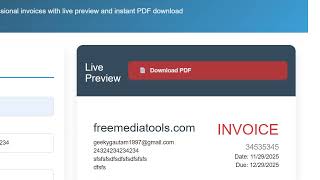
This video showcases a PDF invoice generator web application built entirely with HTML, CSS, and JavaScript, using the html2canvas and jsPDF libraries. The app provides a live preview and allows users to generate invoices instantly in the browser.
Chapters
The video presents a web application that generates PDF invoices directly in the browser. A demo link is provided in the description.
The interface allows filling in email, address, invoice number, date, due date, and selecting currency. Client details like email and phone can be added. A live preview updates in real time.
The source code (approximately 700-800 lines) is available for purchase. It is built with HTML, CSS, and JavaScript and can be run with a simple local server.
Users can add items with rate and quantity via an 'Add Item' button. The invoice preview updates dynamically.
The app allows adding a discount and custom text. Clicking 'Download PDF' generates the final invoice.
The source code is about 700-800 lines. To deploy, one can purchase a domain and host the static files. The app runs entirely in the browser.
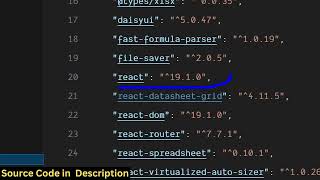
Two libraries are used: html2canvas (to capture HTML as canvas) and jsPDF (to generate PDFs). These enable the live preview and PDF creation.
The video demonstrates a functional PDF invoice generator with live preview, but it primarily serves as a pitch to purchase the source code rather than a detailed build tutorial.
Mentioned in this Video
Study Flashcards (3)
What two JavaScript libraries are used to build the PDF invoice generator?
easy
Click to reveal answer
What two JavaScript libraries are used to build the PDF invoice generator?
html2canvas and jsPDF
02:40
What is the approximate size of the source code for this application?
easy
Click to reveal answer
What is the approximate size of the source code for this application?
Approximately 700-800 lines
01:55
How does the app handle adding multiple items?
medium
Click to reveal answer
How does the app handle adding multiple items?
Users click an 'Add Item' button and can adjust quantity for each item.
01:15
💡 Key Takeaways
Core Libraries
Identifies the two key libraries (html2canvas and jsPDF) that enable the functionality.
02:40Deployment Simplicity
Highlights that the app is static and can be hosted on any server with a domain name.
01:55Full Transcript
[00:03] this video I'll show you a invoice PDF invoice generator web application that I developed inside the browser. I have also deployed this. I've also given the demo link in the description of the video. You can check out this. So what
[00:17] this application does it actually generate a PDF invoice for you instantly directly in the browser. So this is the interface. So here you fill out your your email address, and instantly live preview side by side
[00:33] created. It's [snorts] developed entirely inside HTML, CSS, and JavaScript. As you can see I'm writing the information. You basically write here the address. Then you basically provide your invoice
[00:46] number, invoice date, due date. Here you can even select the currency. Various Then you provide the information about the client email address, phone number. So I've given the source code uh link in
[01:01] the description. You can pur- purchase the source code. So here you basically provide the items. You can provide the rate and based upon that the items will be also be added. You click the add item button to add
[01:15] multiple items. And here you can also adjust the quantity as well. So as you can see in the right hand side automatically as you are providing the data, everything invoice is creating automatically. Lastly, we
[01:30] can even put a discount and a text as well. PDF. And instantly as you click the download PDF button, your PDF will be
[01:43] created invoice. And this is the end result you will get. Nice invoice document for your company. So everything has been captured. So I've given the
[01:55] link of that source code. You can directly purchase it. So once you purchase it, this source code. It's almost round about 7-800 lines of code. It's entirely built inside HTML, CSS, and JavaScript. It's very simple to
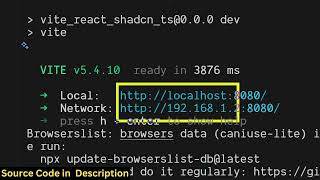
[02:11] You can [snorts] basically open it in VS code. Simply run it with a simple local server. So we are running it on local server. So we are running it on local host as you can see.
[02:25] can purchase a domain name. Just host the static tool which directly runs in the browser. You fill out the details and instantly at the right hand side the invoice will be created. And here you fill out the information related to
[02:40] So I've used two libraries for this HTML to canvas and jsPDF for building this invoice generator. So once you get the source code, you will be able to see how I created and also be
[02:54] able to modify the source code. So this is HTML to canvas. And the second library is jsPDF which is a PDF generation library. So we have used these two libraries for building this PDF invoice generator
[03:07] with live preview. Uh please check the link for the demo and also the payment link. So both the links are given in the description. So this is the actual web application. So it's a really nice
[03:20] application which can generate your PDF invoice documents really easy.