
AI Summary
This video demonstrates a Vue.js PDF editor that allows users to digitally sign, add watermarks, add text, and encrypt PDF files directly in the browser. The project is built with Vue 3, Vue Router, and jsPDF. The presenter showcases the features and offers the full source code for purchase.
Chapters
The presenter introduces a Vue.js PDF editor with features to sign, add watermark, and encrypt PDF files, all built with Vue 3, Vue Router, and jsPDF.
The full source code is available for purchase and delivered via Google Drive. It is easy to deploy.
Users can upload a PDF file, see a live preview, and view the total number of pages with controls to navigate.
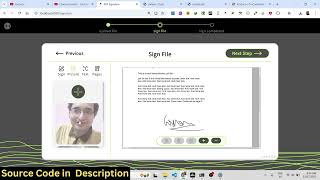
Users can create a digital signature, place it anywhere on the PDF, and adjust its size.
The editor supports adding an image as a watermark in the background and inserting text anywhere on the page.
Users can encrypt the edited PDF with a password before downloading. The output file is fully edited with all modifications.
All PDF processing happens directly in the browser, ensuring privacy and no server uploads.
The video presents a fully functional Vue.js PDF editor with browser-side processing for signing, watermarking, text addition, and encryption. The source code is available for purchase via the provided link.
Mentioned in this Video
Study Flashcards (5)
What libraries does the Vue.js PDF editor use?
easy
Click to reveal answer
What libraries does the Vue.js PDF editor use?
Vue 3, Vue Router, and jsPDF.
00:17
What features does the PDF editor include?
easy
Click to reveal answer
What features does the PDF editor include?
Digital signature, watermark, text addition, and encryption with password.
00:02
Where does the PDF processing happen?
easy
Click to reveal answer
Where does the PDF processing happen?
Directly in the browser (client-side).
02:46
How can a user get the source code?
easy
Click to reveal answer
How can a user get the source code?
By purchasing it via the link provided in the video.
00:17
What can users do with the signature feature?
medium
Click to reveal answer
What can users do with the signature feature?
Create a digital signature, place it anywhere on the PDF, and adjust its size.
01:18
💡 Key Takeaways
Project built with Vue.js
Demonstrates a practical application of Vue for PDF editing, showing real-world use of the framework.
00:02Digital signature feature
Illustrates how to add and position signatures, a common requirement in document editing.
01:18Encryption with password
Highlights a security feature that protects sensitive PDF documents.
02:16Client-side processing
Emphasizes privacy since no data is uploaded to a server, a key selling point.
02:46Full Transcript
[00:02] you I built out a Vue.js PDF editor with the help of which you can be able to sign add watermark and encrypt your PDF directly in browser. This is the overall project of Vue.js. All the components are divided into its appropriate files.
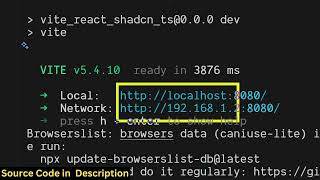
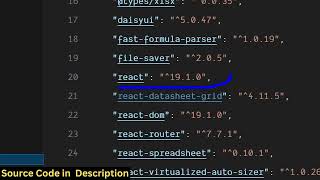
[00:17] directly purchase the full source code. Uh this is the overall project. It's actually using the latest version of Vue Vue router as you can just see and JSPDF which is a PDF processing library. So we are running this project on local host
[00:32] as you can just see. So once you purchase it you will get all the source code from Google Drive automatically. So it's also very easy for you to deploy this. So now let me show you the demo of this application. So here you first of
[00:45] all need to add a PDF file that needs to be edited. So once you add the PDF file, it will show you the live preview. You click on next step and here it will show you the total number of pages right here with live preview. So we have all the
[01:00] controls right here to actually read the PDF file. So this shows the total number of pages. So now for digitally signing the PDF file, we have these controls out there. So here you can add your signature.
[01:18] So just digitally sign as you can just see and just you can place the signature adjust the size wherever you need to place it. So it's very easy. After that we also have the capability to add images as well. So here you can upload
[01:32] your image. I've already uploaded this. watermark. So you can add this image as watermark. So once you click now this will be added as a watermark in the background as you can just see here.
[01:47] background as you can just see here. Then you can adjust the size. second page. You also have the capability to add some text here. So
[02:02] here you can add any text here and then place it. And then lastly we also have capability then you export you the output file here you click on download and here you can encrypt your PDF file as well. So here
[02:16] encrypt your PDF file as well. So here you can enter a password enter the correct password and then open the output file. So you will see the PDF
[02:30] file is automatically edited with all the digital signature images, the text, everything is added. So if you're interested in this project guys, uh in this PDF editor which allows you to digitally sign, encrypt and edit your
[02:46] single page application. All the processing is happening directly in the browser. So you can just see this shows the total number of files that you edited.
[02:58] interested in this project, uh the link is given. You can directly purchase the is given. You can directly purchase the full source code.