
Digitally Sign Any PDF in Browser
40sShows a practical and sought-after feature that lets users sign PDFs without external software.
▶ Play Clip"Title promises a build tutorial, but the video is a demo of a pre-built app with no step-by-step instructions."
This video demonstrates a complete Vue.js PDF editor application that allows users to digitally e-sign, add watermarks, insert text, and password-encrypt PDF files directly in the browser. Built with Vue.js and the jsPDF library, the app runs as a single-page application and is available for purchase via a link in the description.
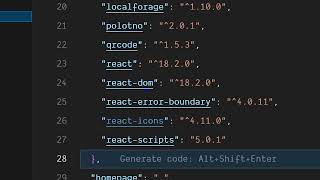
The PDF editor is built with Vue.js (latest version) and jsPDF library for PDF processing. Source code is available for purchase.
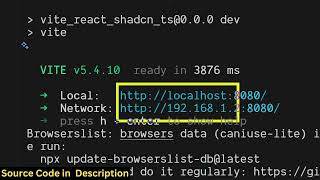
The project runs on localhost and is easy to deploy. A demo of the application is shown.
Users can select any PDF file they want to edit.
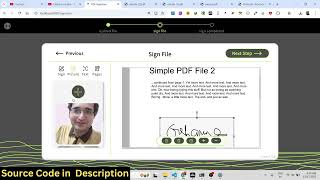
Users can draw their signature and place it anywhere on the PDF, adjusting size as needed. The signature can be placed on multiple pages.
Users can add an image as a watermark to the PDF.
Users can add text to the PDF.
Before downloading, users can encrypt the PDF with a password. The encrypted PDF opens only after entering the password.
The finished PDF shows the digital signature, watermark, and text. The editor is complete and customizable.
The video showcases a fully functional Vue.js PDF editor with digital signature, watermark, text, and password features. The source code is available for purchase, making it easy for developers to customize and deploy their own PDF editing solution.
What library is used for PDF processing in this Vue.js PDF editor?
jsPDF
00:15
What features does the PDF editor include?
Digital signature, watermark, text editing, and password encryption.
00:47
How is the digital signature created in the app?
Users draw their signature on a canvas, then click confirm to place it on the PDF.
01:03
Can the signature be placed on multiple pages?
Yes, the signature can be placed on any page including the second page.
01:21
Vue.js + jsPDF Project
Shows a practical integration of Vue.js with jsPDF for browser-based PDF manipulation.
00:02Digital Signature via Canvas
Demonstrates a simple yet effective way to capture signatures using the HTML5 canvas element.
01:03[00:02] the help of which you will be able to digitally eign and edit your PDF files directly in the browser. This is actual overall Vue.js project. All the component files are divided into its
[00:15] appropriate Vue.js files. So I've given the source code in the description. You can directly purchase at the link. Uh so it's using the latest version of Vue. And we also using JSPDF library as well which is a PDF processing library. So we
[00:32] are running this project on local host as you can just see it's also very easy for you to deploy this as well. So now let me show you the demo. So the application notes and here first of all you simply select your PDF file
[00:47] whichever PDF file you want to edit and after that you will basically have this option to digitally eign. So here you have this option right here. Click this option and right here just
[01:03] draw your signature to digitally e sign. So once you do this, click on confirm and here you can place this signature and just place it place this signature and just place it accordingly. Just adjust the size.
[01:21] If you want it on the second page as well. So here is it's very easy. You can just see it doesn't require any editor. You can use this purchase this application. The link is given in the description. Apart from
[01:36] that, we also have the option to add watermark as well. So this is actually the option. Just select the image and just add this as a select the image and just add this as a watermark.
[01:52] to add text as well. So you can add text, edit your PDFs. are exporting it. You can also place a password as well.
[02:08] password as well. So you can encrypt your PDF. So before downloading it. So once it is done, it will ask you for the password. So now it opens. You can just see the digital digitally signed. We have signed
[02:23] digital digitally signed. We have signed this PDF file here and also place auto watermark image text everything. So it's a complete PDF editor uh built entirely in Vue.js. It's a single page application. If you're interested in
[02:36] this, the link is given in the description. You can directly purchase it and uh it's very easy for you to customize it or have additional customizable and it's
[02:50] if you're interested, the link is given in the description.
⚡ Saved you 0h 02m reading this? Transcribe any YouTube video for free — no signup needed.