
Canva Clone in React – See It in Action!
43sShows a fully functional Canva-like editor built in React, impressive for developers and designers.
▶ Play Clip"Promises a 'build your own' guide but only shows a pre-built product for purchase – pure misleading clickbait."
This video demonstrates a fully functional Canva clone built in React, capable of editing images, PDFs, and GIFs. The creator showcases features like multiple pages, text editing, effects, animations, export options, and third-party integrations. The project is available for purchase, with the full source code provided.
The video introduces a React-based Canva clone running on localhost:3000, featuring image, PDF, and GIF editing capabilities.
Users can select and load templates, edit text, replace images, apply effects with live preview, and change background colors.
The editor supports export to image (PNG), PDF, HTML, and GIF formats, including exporting all pages in a PDF.
Users can add custom text, adjust size, color, background color, and apply various color combinations similar to Canva.
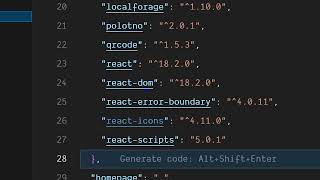
The editor integrates Unsplash API for background images, icon finder, and supports adding shapes. It uses React 18.2.0.
Users can draw on the canvas with a brush tool, add third-party images and videos, and apply ready-made gradient backgrounds.
Text and images can be animated, and the editor exports animations as GIF files automatically.
The project can be built with `npm run build` and deployed to a domain; the source code is available for purchase via a link in the description.
The video presents a comprehensive React-based Canva clone with extensive features for editing and exporting multimedia content. It is a commercial product, not a free tutorial, but it demonstrates the capabilities a developer can achieve.
What version of React is used in the Canva clone?
React 18.2.0
02:36
Which API is integrated for background images?
Unsplash API
02:06
What formats can the editor export to?
Image (PNG), PDF, HTML, and GIF
01:11
How can you add custom text in the editor?
Go to the text option, add text, and adjust size, color, and background color.
01:39
What command builds the project for deployment?
npm run build
04:28
Full Canva Clone in React
Demonstrates a complete editor with advanced features like multi-page support and animations.
00:02Multiple Export Options
Supports export to image, PDF, HTML, and GIF, covering diverse use cases.
01:11Animation and GIF Export
Animations can be applied to text and images, and exported as GIFs automatically.
03:37Deployable Build
The project can be built and deployed to any domain, making it production-ready.
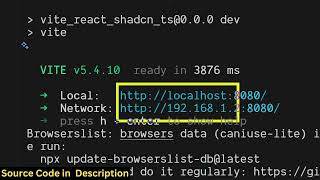
04:28[00:02] this video I'll show you I created my own Canva clone in React to edit images, PDF, GIF files directly inside the editor. So I'm running this Canva clone directly inside localhost 3000 as you can see it's a complete
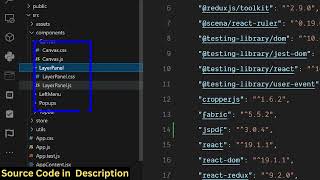
[00:17] React JS project. So this is actually all the source code which is there. I've given the link in the description. You can directly purchase it. Now let me show you the actual editor right here. So we also have support for adding
[00:31] multiple pages here. You can duplicate pages. So inside left hand side corner section. So right here you can individually select any template here. Simply click on this and the template will load and then
[00:45] after that you can actually edit the text, replace the images. Simply click on this and you can also apply various effects instantly and the live preview will be seen to you. You can even change the background color
[00:59] if you don't like it. And then once you are happy with it, you click on the download button and then the export functionality you can export the export functionality you can export this to image, PDF, HTML, GIF file.
[01:11] options are available. So if I click on PDF, so it will export this all the pages. You will see this is a first page. This is a second >> [snorts] >> And the thing about this editor, it also
[01:25] have all these options. So if I want to remove this page, I can remove it. supported here. So
[01:39] if you just want to add your own text, simply go to the text option. Simply add your own text as well. So simply adjust the size here. You can change the color of the text, background color, everything you can
[01:53] customize it. So all these color combinations are there which Canva supports here. So you simply click on this and the text here. And then we also have options regarding
[02:06] this text as well. Position, size, opacity, everything is And then we also integrated support with background images using Unsplash API, icon finder. You can also add different kinds of shapes as well. So if you know
[02:22] something about React JS, if you understand the project, you can directly modify it and add additional features as well. So this is the overall structure of the project here. Every section is divided into its appropriate JavaScript
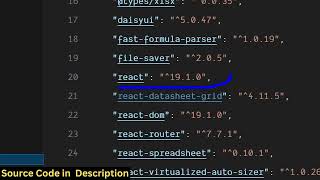
[02:36] And as you can see we have used the latest version of React JS which is 18.2.0. So and directly purchase it. After purchasing it, you will get the source
[02:49] code from Google Drive. And you also have the support for adding You can also draw on the canvas as well. Simply select the brush here and then you can draw on the canvas. And we also have support for adding
[03:03] third-party images as well. So you can add your own images as well. Simply place it. We also have support for adding videos as well. So you can third-party videos you can also add. And
[03:17] then we have these backgrounds here. These gradient backgrounds, readymade backgrounds. You simply click on that and the canvas will change here. So once you are happy with it, you can export this to now a PNG image.
[03:37] exported to image file. So then we also have this option of animate here. You can also animate the text here. So you will see you can animate everything. You can even animate this image as well. So
[03:51] now if you want to export this to a GIF file, you simply click on this and click So now all the animations will be processed and automatically it will be created GIF file for you.
[04:09] So it's an ultimate Canva editor which is there for you. So it's directly coded inside React JS. So all the applications sections are divided into its appropriate file here.
[04:28] as well by simply running the command here npm run build. So this will build out your entire project and you can also deploy it into a domain name as well. So it's very simple. So definitely check out this.
[04:42] The link is given in the description. If you want to purchase it, you can you want to purchase it, you can directly purchase it.
⚡ Saved you 0h 04m reading this? Transcribe any YouTube video for free — no signup needed.