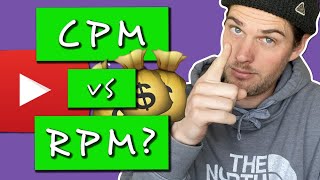

CPM vs RPM: The New YouTube Metric Explained!
46sCreators are confused by the new RPM metric, making this a timely explanation that can clear up common misunderstandings.
▶ Play Clip"The title accurately describes the video's content comparing CPM and RPM, though it slightly overhypes the 'new' aspect since RPM is not brand new but recently emphasized."
This video explains the difference between two key YouTube ad revenue metrics: CPM (Cost Per Mille) and RPM (Revenue Per Mille). CPM shows what advertisers pay per 1,000 ad impressions, while RPM shows a creator's actual earnings per 1,000 views after YouTube's revenue share and includes all views, not just monetized ones.
YouTube splits ad revenue with creators when ads are shown on their videos.
CPM stands for Cost Per Mille (thousand) and is the amount advertisers pay per 1,000 ad impressions.
RPM (Revenue Per Mille) is a newer metric that shows creators their actual earnings per 1,000 views.
To monetize, you need 1,000 subscribers and 4,000 hours of watch time.
In YouTube Analytics, RPM is now shown alongside playback-based CPM.
RPM is typically lower than CPM because it factors in all views (not just monetized ones) and subtracts YouTube's revenue share.
CPM is based only on monetized views; it does not include non-monetized views or YouTube's share.
RPM includes every view of a video, even those without ads, giving a truer picture of earnings per view.
CPM reveals what advertisers pay, useful for researching competitor niches (e.g., the creator notes a $43 CPM for Instagram ad topics).
RPM accounts for ads, YouTube Premium, channel memberships, Super Chat, and Super Stickers, unlike CPM.
RPM reflects revenue after YouTube's share (approx. 55/45 split), providing creators with real earnings.
Enable monetization on all videos, use all ad formats (including mid-rolls), and enable features like memberships and Super Chat.
A video with a $43 CPM yielded a $25 RPM; the creator's lifetime channel CPM is $23, RPM is $8.29.
RPM is essentially cost per view multiplied by 1,000 for readability, making it more straightforward for creators.
For YouTube creators, RPM is the more accurate metric to track actual earnings per 1,000 views, as it accounts for all revenue sources and view types after YouTube's share, while CPM reflects only advertiser spending per 1,000 ad impressions.
What does CPM stand for?
Cost Per Mille (thousand ad impressions).
00:19
What does RPM stand for?
Revenue Per Mille (thousand views).
00:33
What are the YouTube Partner Program requirements for monetization?
1,000 subscribers and 4,000 hours of watch time.
00:40
Which metric includes all views, including non-monetized ones?
RPM.
02:55
Why is RPM typically lower than CPM?
Because RPM factors in non-monetized views and subtracts YouTube's revenue share.
01:24
What additional revenue sources does RPM account for that CPM does not?
YouTube Premium, channel memberships, Super Chat, and Super Stickers.
04:12
What is the approximate YouTube revenue split with creators?
55/45 split (YouTube/creator) or close to even.
02:12
How can a creator improve their RPM?
Enable monetization on all videos, use all ad formats (including mid-rolls), and enable memberships and Super Chat.
05:32
In the example, what was the CPM and RPM for a video on Instagram ads?
CPM of $43 and RPM of $25.
05:57
What is the lifetime channel CPM and RPM for the creator?
Lifetime CPM of $23 and RPM of $8.29.
06:11
CPM Definition
Introduces the core metric creators must understand for ad revenue.
00:19New RPM Metric
RPM is a newer, more accurate metric for creator earnings.
00:33Why RPM is Lower
Highlights a key discrepancy creators notice and explains why.
01:24CPM for Competitor Research
Reveals a strategic use of CPM to gauge advertiser spending in a niche.
03:38[00:00] so when it comes to youtube ad revenue
[00:01] which is just where you let youtube put
[00:03] ads on your videos
[00:04] so that you can make some money through
[00:06] that process because the advertisers
[00:08] have to pay youtube to put those ads on
[00:10] your videos and so
[00:11] since they're your videos youtube splits
[00:13] the money that they get from the
[00:15] advertiser
[00:16] with you that's how youtube ad revenue
[00:18] works and typically
[00:19] one of the the main metric that people
[00:21] pay attention to
[00:23] when it comes to how much money you earn
[00:25] from youtube ad revenue
[00:27] is the cpm which stands for cost per mil
[00:30] but just recently youtube has come out
[00:33] with a new metric
[00:34] called rpm which is revenue per ml
[00:37] [Music]
[00:40] in order to allow youtube in the first
[00:41] place to put ads on your videos you have
[00:43] to have a thousand subscribers and 4 000
[00:46] hours of watch time
[00:47] then you apply to the program and get
[00:48] accepted and then you can start to earn
[00:50] money through the ads on your videos
[00:51] i mentioned that just so you know that
[00:53] but also because i've got plenty of
[00:55] videos
[00:56] that walk you through how to get ads on
[00:57] your videos how to get a thousand
[00:59] subscribers four thousand hours watch
[01:01] time
[01:02] all of that really good videos tutorials
[01:04] on that whole process so
[01:06] and then i even break down how to make
[01:08] more money from the ads that you're
[01:09] putting on your videos
[01:10] once you're at that point all right so
[01:12] i'm here inside my analytics for this
[01:14] instagram video
[01:15] and i've got it uh i've got revenue
[01:17] selected right here and you'll see that
[01:18] they've added an
[01:19] rpm tab right here and then right here
[01:21] is the playback based cpm okay so some
[01:23] questions
[01:24] what's cpm what's rpm why is the rpm
[01:26] lower than the cpm
[01:28] which one of these should you pay
[01:29] attention to so first let's cover what
[01:31] the cpm is
[01:32] and by the way this youtube help center
[01:35] is actually very helpful
[01:36] they do a good job at breaking all this
[01:37] down i know it's not fun and exciting
[01:39] necessarily to come in here and read
[01:41] through these but
[01:42] the information's here and it's really
[01:43] good so right here what's the difference
[01:45] between rpm and cpm so cpm is the cost
[01:47] per 1000 ad impressions
[01:49] before youtube revenue share another way
[01:52] to say that which i think it says it
[01:54] over here
[01:56] yeah so right here in this one it gives
[01:58] the definition cpm is the average amount
[02:00] of money that advertisers pay
[02:02] to show ads in your videos so the cpm is
[02:05] the average amount that the
[02:06] advertiser is paying to reach 1 000
[02:09] people
[02:10] through your video and then what happens
[02:12] is youtube splits that cpm off of
[02:14] every thousand views with you i think
[02:17] it's a 55 45 split something like that
[02:19] but
[02:20] it's pretty close to right down the
[02:21] middle youtube splits that with you
[02:23] and i do want to clarify right here and
[02:24] this will make more sense when we talk
[02:26] about rpm but
[02:27] that you don't earn that cpm or that
[02:30] split of the cpm off of every thousand
[02:32] views
[02:32] you only earn that off of every thousand
[02:34] views that are monetized
[02:36] some views are monetized some views are
[02:38] not monetized
[02:39] some viewers will get ads some viewers
[02:41] won't get ads
[02:43] and there's other things that factor
[02:44] into that as well but it's just
[02:46] important to note that when you look at
[02:47] your cpm it's based only off of your
[02:49] monetized views
[02:51] and not the other views that weren't
[02:53] monetized aren't factoring into it
[02:55] so what the rpm is doing is factoring in
[02:58] all those other views that weren't
[03:00] counted in the cpm
[03:01] and giving you what would essentially be
[03:03] a truer
[03:05] cost a truer how much you're earning per
[03:08] every thousand views
[03:09] because now it's not what an advertiser
[03:11] is paying per every thousand views
[03:13] and it's not only counting the monetized
[03:15] views but now it's looking at all the
[03:17] views on your channel or on the video as
[03:19] a whole
[03:19] including every single view even the
[03:21] ones that weren't monetized
[03:23] and then basing an rpm giving you uh
[03:26] here's how much you're earning for every
[03:27] thousand views
[03:28] off of all of the views collectively so
[03:30] in case my wording right there was
[03:32] confusing we can try and use youtube's
[03:33] words right here they say it only takes
[03:35] into account the revenue from ads and
[03:37] the views from the videos
[03:38] that we're monetizing lastly it shows
[03:40] you what the advertisers were paying
[03:42] not what you're actually earning which
[03:44] is kind of cool from a research
[03:46] perspective like if you're interested in
[03:49] what your competitors are paying for
[03:51] every
[03:52] thousand views you could rank a video in
[03:55] that topic in that niche and get an idea
[03:57] for example looking at this video right
[03:59] here i've got a pretty good idea that
[04:01] people at least for at least for this
[04:03] topic this niche
[04:05] instagram ads are paying somewhere
[04:07] around
[04:08] 43 bucks for every thousand views okay
[04:10] let's talk rpm now rpm is a better
[04:12] metric for creators because it shows you
[04:14] how much you earn on youtube and it
[04:15] takes into account
[04:17] total revenue reported in youtube
[04:19] analytics including
[04:20] ads youtube premium channel membership
[04:22] super chat super stickers okay that's
[04:23] what i probably should have mentioned
[04:24] that earlier i kind of forget
[04:26] to think about that because i'm not
[04:28] doing super chats and super chicken
[04:30] stickers channel memberships i'm not
[04:32] doing that at all
[04:33] um but if you are then your art that
[04:36] then
[04:37] all of that uh all of those earnings
[04:39] will also be included in your rpm
[04:41] so that's cool because those aren't
[04:43] included at all in the cpm because again
[04:44] the cpm is the
[04:45] amount that the advertiser is paying for
[04:47] every thousand views
[04:49] also we got total number of views from
[04:51] your videos including those that are not
[04:52] monetizing i talked about that
[04:54] the actual revenue earned after revenue
[04:57] share so i talked about that split
[04:59] the cpm is not showing that split but
[05:01] the rpm does reflect
[05:03] the split between youtube and yourself
[05:05] youtube and the creator
[05:06] please note i like how they put the
[05:08] exclamation point right here because the
[05:09] first time i saw it in there in the
[05:11] in the actual analytics i was like oh
[05:13] why is that so low right because
[05:14] but it makes sense completely makes
[05:16] sense it's a ratio that includes revenue
[05:18] that is calculated after youtube's
[05:19] revenue share
[05:20] and the total number of views it will
[05:22] typically be lower than your cpm
[05:24] you shouldn't see a difference in the
[05:25] actual amount of revenue that you make
[05:27] okay right here this is good to know
[05:28] it's good to hear it right from
[05:29] youtube's mouth i've said this in my
[05:31] other videos but in order to improve
[05:33] your rpm in order
[05:34] in other words how to make more money
[05:36] here's what you need to do here's some
[05:38] steps to maximize
[05:39] enable monetization on all videos enable
[05:42] all ad formats
[05:44] enable ads at eligible positions mid
[05:46] roles
[05:47] going back to these mid-roll ad stacking
[05:49] tests that i've been doing
[05:50] and then it recommends enabling the
[05:52] other features that they offer
[05:53] membership super chat
[05:55] etc so here's this video again with a 43
[05:58] cpm so that's what advertisers are
[06:00] paying for every
[06:01] 1000 views and then i'm making 25
[06:04] off of every thousand views and if we
[06:07] look at my channel as a whole just for
[06:08] fun
[06:09] over its entire lifetime my playback
[06:11] base cpm has been twenty three dollars
[06:13] and my rpm eight dollars and twenty nine
[06:16] cents
[06:17] and that makes sense that it's quite a
[06:18] bit lower for the reasons that we talked
[06:20] about and then also because there was
[06:22] a good chunk at the beginning of my
[06:23] channel and then i just have some videos
[06:25] that straight up aren't monetized and
[06:26] for more ways to increase your rpm check
[06:28] out my ad stacking test videos and then
[06:31] also the videos i've made about my cpm
[06:33] again
[06:34] new metric here rpm i talked about cpm
[06:37] in the previous videos moving forward
[06:39] now
[06:39] i'll be talking much more about rpm
[06:41] since that's the
[06:43] much truer number as far as how much i'm
[06:45] earning per view which by the way your
[06:47] rpm is
[06:48] just your cost per view times 1000 just
[06:50] to make it an easier bigger number to
[06:52] read
[06:53] is honestly the real reason that they do
[06:54] that so if we
[06:56] did the math in reverse here and divided
[06:59] it by a thousand
[07:00] that would give me how much i earned per
[07:01] view or how much i've earned per view
[07:04] to date so 8.29
[07:07] divided by 1000 so not even
[07:10] a penny per view
[07:19] you
⚡ Saved you 0h 07m reading this? Transcribe any YouTube video for free — no signup needed.