
AI Summary
This video reviews the YOLOcam S7, a hybrid mirrorless webcam that combines a large Micro Four Thirds sensor with an interchangeable lens system, positioning it as a middle ground between standard webcams and expensive mirrorless cameras. The reviewer tests its image quality, low-light performance, autofocus, and connectivity, comparing it against the YOLOcam S3 webcam.
Chapters
Standard webcams have small sensors (poor quality/low light), wide-angle lenses (flat images), and lack flexibility (fixed shot size).
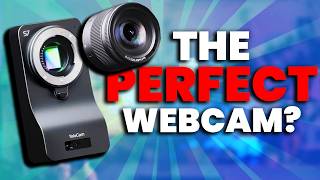
The YOLOcam S7 is a mirrorless webcam with a large sensor, interchangeable lens, 4K 60fps, and fast autofocus, aiming to solve webcam drawbacks without the cost/complexity of a full mirrorless camera.
Both S7 and S3 do 4K, but S7 does 60fps vs 30fps. Sensor size (Micro Four Thirds) gives S7 cleaner, sharper image than S3.
S7 produces warm, saturated colors; skin tones look clean and warm, though slightly over-saturated by default.
S7 supports simultaneous USB and HDMI output, allowing the same image to be used in two programs at once. Requires capture card for 4K60 over HDMI.
Comes with two USB cables (power + video) with twist-lock connectors. Recommended to power via adapter, not PC. No Australian adapter included; iPhone charger works.
Interchangeable lens system (Micro Four Thirds). 18mm lens ≈ 35-40mm, 25mm ≈ 50mm due to crop factor. 18mm recommended for desk setups; 25mm too tight.
Fast lenses (F1.4/F1.7) and large sensor allow usable image in near-darkness. Dual native ISO (low ~320, high) reduces noise at high ISO. At 9600 ISO, S7 looks usable vs S3 struggling.
Uses Time-of-Flight laser/LED to measure distance, achieving autofocus under a second. Very fast and accurate, but continuous mode may track hands; phase tracking fixes this.
S7 has no screen or physical controls; all settings via software. This keeps costs down but limits standalone use.
S3: $199 (on sale). S7 body: $699. 18mm lens: $199. Bundle: $800 (with $100 discount). Total ~$900 without bundle.
The YOLOcam S7 delivers exceptional image quality, low-light performance, and autofocus, but at a price point ($800+ with lens) that approaches entry-level mirrorless cameras. It's a niche product for creators who want webcam convenience with camera quality, but may not suit those needing standalone camera functionality.
Mentioned in this Video
💡 Key Takeaways
Sensor Size Advantage
Explains why the S7's image quality is superior to webcams, a key selling point.
02:04Dual Native ISO Explained
Provides a clear, simplified explanation of a technical feature that enables excellent low-light performance.
08:38TOF Autofocus Mechanism
Demonstrates an innovative autofocus method using laser time-of-flight, a differentiator from typical webcams.
10:32Price vs. Value
Highlights the cost consideration, showing the S7 is a significant investment compared to webcams.
12:30Full Transcript
[00:00] Normal webcams have three major drawbacks. First, small bodies mean small sensors, meaning lower image quality and worse low light performance. Second, wide angle lenses, which when combined with those small sensors, means you get no or very little depth behind
[00:13] you in a shot, like this one has, which makes your images flat and boring. And third, they have a major lack of flexibility. What you buy is really what you get. If you want to change the shot size, you need to go to fiddle around with mounting it carefully, or you're forced to
[00:27] to digitally plop in, which flushes even more quality down the toilet. This is why most creators upgraded something like this, a big, beefy and very expensive mirrorless camera. It solves every problem a webcam has, but introduces some pretty big new ones that I'll
[00:42] cover later in the video. For a long time now, people have asked for these two things to get together and create an in-between point. A webcam with a massive sensor, with an interchangeable lens that's both colour accurate, has real
[00:54] 4K 60fps, beautiful depth, rapid but confident autofocus. Essentially, people were dreaming. Until now. This is the YOLOcam S7, a mirrorless webcam.
[01:07] What is this strange, unique hybrid that sits somewhere between webcam and camera, the future of webcam? Is this your future? So you want to find out by testing not just this, but comparing it to the webcam,
[01:19] you will vote for the YOLOcam S3. Let's start with the most important aspect above all, image quality. Now both the YoloCam S3 and the YoloCam S7 do 4K, however the S7 does that at 60fps and the S3 only does 30fps.
[01:35] Now does this mean the image quality of both cameras is going to be the exact same? After all, they both do 4K. Absolutely not. As you can see on screen now, sensor size plays a huge part in your image quality,
[01:48] and I think it's very easy to see just how clean, sharp, and better the S7 looks. The reason? Well, if we take a look at this graph, you'll see exactly why. Because the S7's massive micro four-third sensor, it has a huge advantage over any webcam,
[02:04] even if they are like the YoloCam S3, which has one of the biggest sensors on the market for a webcam. For transparency, this is the expanded graph, but that's the side. Micro four-thirds is amazing, but technically not as large as a full-frame mirrorless camera like this,
[02:17] which again costs thousands and thousands of dollars. Now on the topic of image quality and the sensor, I can't ignore the colors. You can see them on screen right now as well. The S7, much like the S3, has some incredibly warm and saturated color to it. My lights are set to 4800
[02:33] Kelvin right now, and the cameras are both matched to the USAC same white balance. And as you can see, my skin tones are very clean, they're very warm, and very beautiful. Now I will say there
[02:45] a lot of red to the warmth. It feels quite saturated overall as the image. Now personally, I will say the colors that I got by default are a little bit too saturated for me, but I know you
[02:57] guys love that look, so let me know in the comments what you think about these reds and how this looks naturally. I want to show you guys some absolutely insane low-light performance, cover this lens system, and how this webcam uses a laser to have one of the fastest auto-focuses I've ever seen.
[03:12] But first the elephant in the room and no I don mean me The S7 is undeniably a beautiful image and it looks great whether you using the USB cable that comes with it or through a HDMI cable
[03:25] or both at the same time, which is possible, and that is great, because as you probably know, a camera source or a PC can only be active in one program at a time. But thanks to the fact that it has USB and HDMI and simultaneous use, you can use the same image, the same source from your camera
[03:41] in two programs at the same time. That said, to use the 4K 60fps over HDMI, you of course need a HDMI cable and a capture card, which adds a little bit of CNC, or what I call clunk and cough.
[03:55] On the topic of CNC and HDMI, I also want to mention the cables and ports. The S7 has two USB cables that come with it, one for power and one for video. The cables they include are actually really great.
[04:07] They have these little twisty locks on them, so once you plug them in and then tighten the screws, these aren't coming out, and I love that. But, small tag, I don't want to, and I believe it's not recommended that you power this off your PC.
[04:20] After all, it's quite a big, beefy camera. You don't want that draw coming off your power supply. Thankfully, GoloCamp did include a bunch of adapters in the package, but sadly, none are for Australia.
[04:33] I just can't plug this in, so I'm using my iPhone USB-C charger block to power it, which seems to work. And from what I can tell, if you're plugged in and your PC is on, then so is the S7, even if the software is closed, even if your PC is hibernating.
[04:49] It isn't great for long-term health of any product whatsoever to always be running. So if you're running this as your main camera, I'd actually recommend unplugging it when not using it. It also has on the back, of course, HDMI port, so that HDMI we talked about, and a port for microphone,
[05:04] if you actually wanted the microphone audio to go directly to the camera, and then the camera through to your source. And as you can see on the bottom here, there is a screw, which is connecting this L bracket to the camera, which has these lovely little threads so that I can mount it to my small rig arm.
[05:18] This is all mounted really nicely, but it's important to note, this isn't a webcam, it's larger and needs proper support. It was a little bit tricky on my end to find a nice place to put it, which is why I ended up using a small red magic arm and tightening this to a lighting pole that is behind my desk.
[05:33] And I did have to adjust this quite a bit because obviously there's a nice big lens on the front of it. Which, of course, is the feature that is going to set the S7 apart from any other webcam.
[05:45] And it's what makes the image quality so much better than a webcam. You see, it has an interchangeable lens system like a real mirrorless camera. In fact, it is just a mirrorless camera built like a webcam.
[05:57] Now, YoloCam recommend three different lenses, and thankfully today I have two of them. First is this 18mm YOLO Live F1.4 Prime, and the other recommended is this, the Lumix 25mm F1.7 Prime.
[06:12] Now, if you know anything about lenses, those sound very wide, like you're going to be capturing your entire room. But actually, because this is a micro four-thirds sensor, those lengths are going to each crop in. For example, this 25mm is actually going to look roughly like a 50mm, and the 18mm that's
[06:27] currently on it will look more like a 35mm or 40mm. Combine that with the f1 or the f1 and you can see just how much depth we are getting out of the camera Look at that beautiful out background You can get this level of depth out of a webcam
[06:42] even if something as solid as the F3, which gets some depth, isn't going to compare. I mean, you can see on screen right now, it doesn't compare at all. It's just not possible unless you use digital effects to blur your background on the webcam, and that's not going to look good
[06:57] or natural most of the time. But what are the snags? Well, obviously, you need to also buy a lens with the S740, which, no worry, price is coming up, I'll cover that very soon. And you'll need to keep that glass on the end of the lens very, very clean, and you'll
[07:11] have to be really careful that when you're swapping the lens not to get dust, dirt, or to touch the sensor that's in there. And you'll also need to be aware that because there is a crop factor, you'll probably need the S7 to be mounted further away than you actually think.
[07:25] Otherwise, the shot will end up being far too tight. In fact, that did happen to me, and it's why I prefer the YOLO 18mm, because this 25mm ended up being way too tight for my setup. And not just that, but because it's an F1.7, it was a little bit slower, and it needed a higher ISO to make use of the light.
[07:43] So if I was buying this S7 and I wanted to buy a lens, I would just go with the YOLO Live 18mm. Now, these lenses also play a massive factor in autofocus and low-light performance. so let's show off some low light performance and then I'll cover how it uses lasers for autofocus,
[07:57] the software and of course the price. Look, normally we turn all our lights off, ramp up the ISO on the camera digitally, brightening it until it looks usable and then we measure the digital noise. That's how I've tested every camera on this channel, but that doesn't work here. These
[08:13] lenses are so fast that f1.4 or f1.7 is going to let in so much light that even a pitch black or ambient room like this one is usable, especially combined with the sensor size which will actually
[08:26] capture the light the lens lets in. And the fact it has a dual native ISO which is tricky to explain but simplified a native ISO is when there is a leased digital noise. It is the most clean and
[08:38] accurate image that a camera will have. And having a dual ISO means there is a native ISO at the low end to like 320 or around there and another much higher up which means as you're cranking that iso
[08:51] nice and high to try and make up for a dark room eventually it's going to hit a point where it goes back to having almost no noise so combining all of that this low light performance is amazing in
[09:03] fact you put all this up against a webcam like the s3 which don't get me wrong still performs great but it's nowhere near the same it's incomparable and yet here i am look at this dot comparing it this is 9600 ISO on the S7 and it should be absolutely disgusting. You'd never use a camera
[09:18] like this, but it looks totally usable. And on the side you can see the S3 at 9000 and it's really struggling. Side note on this topic, the S7 was doing an amazing job at auto-focusing even in the
[09:31] dark during this test, whereas you can see the S3 was struggling like most webcams would. I'll explain why the S7 is doing so well at focusing in the dark in a second, but first you'll also likely save quite a bit of money on light if you got a camera like this one.
[09:46] I set this up on my 2800 lumen newer CL1C light and I set that single light to 20 which is quite dim and it still had beautiful quality at only 320 ISO Even though I was shooting at 60 fps which meant my shutter speed had to be double that at 1
[10:03] which cuts a lot of that light out. Compared side by side with the f3 which was 160 of shutter speed which was letting more light in at 320 ISO to match and I needed 60% of the newer and it was
[10:15] still quite dark. This is the difference that fast lens and massive sensor really makes. Now, don't get me wrong, there are some snags about this camera that I need to cover, as well as, of course, price. But finally, what do I mean when I say the camera uses lasers for autofocus? Well,
[10:32] the S7 uses TOF, or time of flight autofocus. Essentially, on the front, as you can see right here, there is a little laser, or LED, that is invisibly shooting out of the front of the camera,
[10:44] and it tracks how long it takes for the laser or LED to travel from the sensor to a subject and back again. Knowing this time gives the camera incredibly fast autofocus, under a second most of the time.
[10:57] Compare this side by side with the S3 again and you can actually see the delay in the S3 being much slower. And it's not just about speed, in fact the S7 is incredibly accurate. In fact, it's a little bit too accurate.
[11:10] When I had the camera set to autofocus continuous, I was speaking with my hands a lot during the test, and I was actually shifting and tracking those quite often. It was fast and accurate, just not on the right part of my body.
[11:23] This was easily fixed, however, by setting it to phase tracking rather than continuous tracking in their software. So, not a major problem, but it is worth noting. And finally, before we talk price, it's important to mention that obviously this doesn't have
[11:35] a screen on the back, or any control on it at all, in fact. It needs a computer with software running to change anything. This choice likely let them focus on image quality and getting that nice sensor in while keeping costs low.
[11:49] But if you're buying a camera to use not just for recording at your desk like this, but anywhere, then you'll likely be looking for a mirrorless camera, not a mirrorless webcam like the S7. And with that, it's time to talk about price.
[12:02] Today, you've seen footage from the YoloCam S3, one of the most loved webcams and one of the largest sensors on the market. You guys keep talking about this thing in my comments. It is priced at 220 USD, but it is perpetually on sale for 199 USD.
[12:17] The YoloCam X7, however, is undeniably nicer quality. It is a fantastic piece of tech, and in turn, costs more, sitting at 699 USD for just the body.
[12:30] But of course, you need a lens, or it's just a big paperweight. Which, if you got the 18mm YOLO Live lens that I used today and recommended, would be another $199 USD. Together, that brings it up to $898 USD total,
[12:45] just short of $900. But thankfully, you can get a $100 discount if you buy them in a bundle, bringing it down to $800 USD. With that, I need every single person who's still watching to comment down below. I genuinely really need your help.
[12:58] What do you think? Easy quality jump, the depth, the colors, and everything else, four times better than the YoloTan S3 because it's four times the price. Are you going to grab an S3 or an S7 or something else?
[13:11] Let me know and I'll see you guys next week.