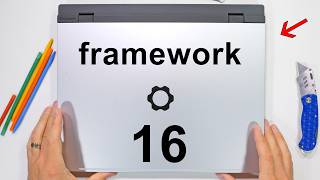

Building a Laptop Like Iron Man
43sThe DIY assembly hook and Iron Man reference create immediate curiosity and relatability for tech enthusiasts.
▶ Play Clip"Title accurately reflects the DIY assembly and modularity theme, though it's a playful reference rather than literal."
The video showcases the assembly and modular design of the Framework 16 laptop, emphasizing its user-replaceable and upgradeable components, including the GPU, battery, keyboard, and ports. The host highlights the ease of customization and contrasts it with non-modular laptops like the MacBook Pro.
The host chose the DIY version of the Framework 16 laptop to assemble it himself, comparing it to Iron Man building inventions in a cave.
The laptop features an upgradeable Nvidia GeForce RTX 5070 graphics card that can be swapped in minutes by lifting a flap and undoing six screws.
All screws are captive to prevent loss. The 85-Wh battery is easily replaceable with three captive screws, contrasting with Apple's non-user-replaceable battery.
A modular interposer allows GPU upgrades or additional SSDs. The GPU module can be released out the back in about 4 minutes.
The motherboard has numbered screws and includes a Wi-Fi 7 module. Heat pipes cool the Ryzen AI 9 12-core processor.
DDR5 RAM sticks (48 GB total) and two SSDs (2 TB and 4 TB) are installed for operating system and video projects.
The keyboard is modular and can be placed anywhere on the mid-plate via gold pins. It has 1.5 mm key travel, compared to MacBook Pro's 1 mm.
Ports (USB-C, USB-A, HDMI, etc.) are hot-swappable and cost $20 each, cheaper than Apple's dongles.
The 2560x1600 display with 165 Hz and 100% DCI-P3 can be replaced in 10 minutes. Framework sells replacement parts.
The Framework 16 laptop offers unprecedented modularity and repairability, making it a standout choice for users who value customization and longevity over sleekness.
What is the capacity of the Framework 16 battery?
85 Wh
01:25
How many screws hold the GPU module in place?
Six screws (two for interposer, four for module)
00:43
What is the key travel of the Framework 16 keyboard?
1.5 mm
04:58
What is the resolution and refresh rate of the Framework 16 display?
2560x1600 pixels, 165 Hz
06:12
How much does each port cost for the Framework 16?
$20
05:45
What is the thickness of the Framework 16 compared to the MacBook Pro?
20 mm vs 16 mm
02:52
What type of screws does the Framework 16 use to prevent loss?
Captive screws
01:10
What is the purpose of the interposer?
It is a high-bandwidth bridge connector for repeated swaps of powerful components like the GPU.
02:20
How much RAM can be installed in the Framework 16?
Up to 48 GB (two 24 GB sticks)
04:28
What operating systems are supported by the Framework 16?
Windows and Linux
06:00
Modular GPU
First modular laptop GPU that can be upgraded in minutes, a significant innovation in laptop design.
00:31Easy Battery Replacement
Demonstrates user-replaceable battery with captive screws, contrasting with Apple's non-replaceable design.
01:25Interposer for GPU/SSD
Allows swapping GPU for additional SSDs, showcasing unprecedented modularity.
02:05Hot-Swappable Keyboard
Keyboard can be repositioned without tools, offering customization not seen in other laptops.
04:58Customizable Ports
Users can choose any combination of ports, reducing need for dongles and saving money.
05:28[00:01] Historically, some of the coolest inventions ever were built in a cave with a box of scraps, and this Framework 16 laptop is no different. I mean, maybe it's a little different since I intentionally chose the DIY version so I could channel my internal Iron Man. I could obviously
[00:19] spend a few more bucks and have Framework do the assembling for me, but where's the fun in that? Framework laptops are the only laptops that ship like this. And this, their most powerful 16-in
[00:31] laptop, has an impressive, upgradeable Nvidia GeForce RTX 5070 graphics card inside—a graphics card that I can swap out and upgrade in just a few minutes. The first
[00:43] modular laptop of its kind. Plus, the whole Framework design is foolproof. Watch this: the graphics card can be swapped out just by lifting up this black flap and undoing six screws. But we'll get to that in a second; I want to see what the rest of
[00:57] the laptop looks like first. And I can do that by peeking underneath the large metal plate. When I say it's foolproof, I mean that each of the screws that I'm removing right now don’t actually come out. They are captive, meaning they stay in the hole that they're
[01:10] securing and can't get misplaced or lost. With the mid-plate and its steel captive screws removed, we can get our first look at the extremely modular internals. There are some slots for memory, long-term SSD storage, and even the battery. It says this
[01:25] battery is replaceable. Did you feel that? A breath of fresh air. With only three more captive screws to unscrew, the 85-Wh battery is the easiest battery replacement of all time. For reference, this is the battery we found inside of Apple's
[01:39] M2 MacBook Pro. It is 100 Wh, but it is not user-replaceable, and it looks like a Frankenstein conglomerate of iPhone batteries, which makes removal far more difficult. So,
[01:51] thumbs up to Framework for being normal and finally giving the people what they want. The two lower loudspeakers are also modular. Each including a 1-watt woofer and a 1-watt tweeter for four speakers in total. The coolest module,
[02:05] though—and something I've never seen in a laptop before—is the ability to swap out and upgrade the modular graphics card. All made possible by removing four screws and pulling up on this interposer. Just don't touch the gold contact pads on the bottom. An interposer is a
[02:20] high-bandwidth bridge, a connector designed for repeated swaps of powerful components. We can unscrew two more captive screws identified with the orange markers, and this allows the whole graphics card module to be released out the back, meaning I can upgrade this graphics card
[02:36] in the future, all in about 4 minutes. Also, if you're not into gaming or video editing, you can use the same interposer and the same cavity to add more internal SSDs instead. A modular design is basically unheard of in the laptop space; I hope Tim Cook is watching.
[02:52] Normally, a GPU is soldered onto the mainboard for portability, which is true—the Framework is 20 mm thick versus the MacBook Pro at 16 mm thick—but all things considered,
[03:04] it's really not all that big of a difference, and I think it's pretty amazing. I'll remove the upper airflow grill and fingerprint-scanning power button from the laptop. Normally, a person wouldn't need to go this deep since the mainboard is not as likely to need replacing, but since
[03:19] it has marked and numbered screws 1 through 8, I think we should just keep going for the fun of it. disconnect the modular Wi-Fi 7 module. And with the motherboard removed, we can see
[03:33] the heat pipes that are keeping the Ryzen AI 9 12-core processor cool. As well as on the back, it has Framework's mailing address and customer service number just in case you need more instructions or someone to talk to if you're lonely.
[03:47] The Framework 16 is basically a desktop in a laptop body. And thankfully, it is still upgradeable with all this new hardware. It's almost like the company
[03:59] cares about its customers, and I'm not sure what to do with these new feelings I have. With the motherboard back in place and our interposer bridge installed onto the graphics card, I can set in our long-term storage. I have two SSDs. These are basically the hard
[04:14] drives that run the operating system. The stubby 2-TB drive goes in first, and the full-size 4-TB drive goes in on top. I'll use the smaller one for holding the operating system and program files, and the larger drive for storing the video projects that I edit.
[04:28] The short-term DDR5 memory sticks click in. On the right side of the motherboard, I have two of the 24-gig sticks for 48 GB of RAM in total, which should be plenty to edit my 4K footage with. I don't do a whole lot of gaming, but video
[04:42] editing uses all the same hardware, so having a gaming laptop still gets the job done best. And you might be like, "Hey, Jerry, where's the keyboard?" And that's a very valid question. The keyboard is actually hot-swappable and modular as well. Once the aluminum mid-plate is reinstalled,
[04:58] there's a series of gold pins across the plate that allow the keyboard or number pad to be placed at any point or on either side. The keys themselves have 1.5 mm worth of travel. For reference, the MacBook Pros have 1 mm, but who's counting? You are.
[05:14] And all of these keyboards, number pads, and trackpads can be hot-swapped without needing any tools. There are two locking latches at the bottom left and right sides of the computer that hold everything in place. I'll throw on the black plastic screen bezel for
[05:28] a second. We'll come back to this, but it's held in place with magnets. Then I can put in literally whatever ports I want to into the sides of the computer. Whether it's USB-C, USB-A, six different headphone jacks, Ethernet, HDMI, Micro SD, DisplayPort, or SD card slots,
[05:45] they are all hot-swappable, and I get to choose what I want. How about them apples? Plus, each of the ports only costs 20 bucks, which is far cheaper than Apple's dongle adapters. The only downside of the DIY edition is that I do need to install my own operating system,
[06:00] which is kind of a hassle. I am told that the Framework laptops also work with Linux, but as embarrassing as it sounds, I'm still not quite sure what Linux is, and at this point, I'm too afraid to ask. So, Windows it is for me.
[06:12] The display of the Framework 16 has a 2560x1600 pixel resolution, 165-Hz refresh rate, and 500 nits of brightness with 100% DCI-P3 color,
[06:26] meaning it can be used for video editing or picture grading. And I repeat: even the screen can be replaced in about 10 minutes with just four screws. Framework already has replacement parts ready to go on their website for everything inside this computer.
[06:40] And I'm not sure what these feelings are—happiness, appreciation, maybe hope. All I know is that I am Iron Man and I don't think I'll ever be going back to a regular old laptop ever again. Framework is where it's at. If you want one of my teardown
[06:56] skins for your own Framework laptop, I'll leave a link down in the description. We also have teardown skins for MacBooks and every popular smartphone so you too can look like the genius, billionaire, playboy, philanthropist that you are. Thanks a ton for watching. I'll see you around.
⚡ Saved you 0h 07m reading this? Transcribe any YouTube video for free — no signup needed.