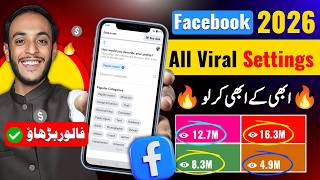

Change This to Go Viral on Facebook
41sMost users keep their posts on 'friends' or 'custom' limiting reach; making it public massively expands visibility.
▶ Play Clip"Promises viral settings but delivers basic, well-known configuration tips padded with repetitive instructions."
This video provides a step-by-step guide to configuring Facebook profile and page settings to increase visibility and reach a wider audience. It covers key settings like audience targeting, language translation, search engine indexing, and content categorization, emphasizing that proper configuration combined with high-quality content leads to viral growth.
The speaker promises to reveal Facebook viral settings for profiles and pages, claiming that wrong settings cause lack of views and followers.
Correct settings are crucial for earning on platforms like YouTube and Facebook. The video will show where to adjust each setting.
In Default Audience settings, choose 'Public' to share content with all Facebook users worldwide, maximizing reach.
Turn on 'Share your post in multiple languages' to automatically translate content into English, making it accessible globally.
Enable browser linking so search engines like Google can index and recommend your profile or page, increasing impressions.
In Post settings, select 'Public' for 'Who can see your future posts' to ensure all new content is visible to everyone.
Allow others to use your audio and remix your videos for branding. This expands your reach through user-generated content.
Set 'Who can follow me' and 'Who can see your followers' to Public, unlocking impressions for your profile.
Choose the appropriate category (e.g., singer, blogger, comedian) so your videos are sent to the right audience.
Settings help reach the right audience, but viral success ultimately depends on powerful, engaging content.
While configuring Facebook settings correctly is essential for maximizing visibility, true viral success relies on creating compelling content that resonates with viewers.
What should the default audience setting be for maximum reach on Facebook?
Public
01:39
How can you automatically translate your Facebook posts into English?
Enable 'Share your post in multiple languages' in Language and Region settings.
02:34
What does enabling browser linking do for your Facebook profile?
It allows search engines like Google to index and recommend your profile or page.
03:13
What setting allows others to remix your reels and use your audio?
The first option in Reels settings that enables audio and video remixing.
04:38
Why is selecting the correct category important for your Facebook profile/page?
It ensures your videos reach the right audience, improving engagement.
06:08
Set Audience to Public
This basic setting ensures content reaches the broadest possible audience on Facebook.
01:39Enable Multilingual Posting
Automatically translates content, expanding reach to non-native speakers globally.
02:34Allow Search Engine Indexing
Increases visibility beyond Facebook by tapping into Google traffic.
03:13Enable Reel Remixing
Leverages user-generated content for free branding and exposure.
04:38Content Quality Over Settings
Reminds that settings alone don't guarantee success; engaging content is essential.
07:27[00:02] So after the demand of many people, today I am going to you can make your page and profile viral. Let me tell you that if you are not getting views, your followers are not increasing then definitely some setting of yours must be wrong.
[00:16] As soon as you fix it, your problem will be solved. And as of today, there are only platforms from where you can earn a good amount. One is YouTube and the other is Facebook. But it grows only
[00:33] setup properly and you are able to earn. Every setting of yours gets adjusted properly. So video is very important. You will get to learn a lot. So you have to like the video right now want to see such videos in the future then you have to subscribe to this channel. So, without
[00:47] wasting any time, let me explain to you where to keep which setting. Please watch it leisurely. Understand each point one by one. You have to adjust whatever I say as per my instructions. Ok ? What do you have to do? You have to
[01:01] open Facebook from here. This type of interface will open in front of you. Let me tell you one thing here, whether it is a profile or a page. The settings are the same in both. All the options will appear the same to you. If I am explaining the profile here
[01:14] , then you do not have to worry that you had to set up the page. These are the same things. This type of interface will open in front of you. If you look above, you will see a mark of three lines. You have to click on it. After clicking on it,
[01:26] you have to come down a little. Here you can see Settings and Privacy. See this at number two. Simply you have to click on it. If you click on it, you will see many options here. But if you pay attention,
[01:39] you can see the setting on the second number. Simply you have to click on the settings button. this type of interface will open in front of you. Now here I am going to tell you the first setting. Please pay attention. See the default audience settings you see. Whether
[01:53] you have your profile or page, you have to open this setting. We will open this. Look here, you will see three options. A custom will appear. A friend will be visible. A public will be seen. Now basically what are these options? From here you have to
[02:06] set which audience you are targeting. Friends have to be targeted. Whether you want to target the overall public or custom, it will figure it out on its own. So here your settings will be on custom. So you have to remove it from here and make
[02:19] it public so that shared with all the Facebook users across the world. So here you have to make it public and click on the next button and confirm below. What will happen with this? This setting of yours will be done.
[02:34] You have done the first setting. Now you have to move ahead. And after going here, you will see another setting of Language and Region. You have to click here. Ok? Look here, you will see a lot of options. If you look at the last,
[02:47] you will see an option Share your post in multiple languages. You have to click on it and after clicking on it, you have to keep this option visible on. What will happen in this? Whatever kind of audience there is in the world,
[03:00] it will be converted into English. If you are an But if this is off and it will not be an English translation for English speaking people. So as soon as you turn it on, your
[03:13] video will be able to be played anywhere in the world. You have to click on it. You will see a huge difference in your views. After doing this, you have to come down a little and here you will see a browser
[03:28] click on it. After clicking on it, disabled then you have to enable it. What will happen in this is that if someone searches for your page on Google or somewhere else, then your page will be recommended there also.
[03:44] However, if this setting is off, your page will be shown only on Facebook. But as soon as you turn it on, whether it is on Google or if someone searches your name anywhere, your page will be recommended there. What will be your benefit from this?
[03:58] You will get more reach. So you have to enable this setting from here. After that you have to scroll down a little. So here you can see a setting which is related to posts. Simply you have to click on it. Click on it and
[04:10] then check out the Can See Your Future post here. So let's click here. After clicking on it, you have to check which setting is enabled here. Is it with friends, close friends or public? So here you have to
[04:23] select public so that whatever post you make on Facebook, it should be visible to the whole world, it should be visible to every person. There After that you have to come down a little and here you will see another option
[04:38] of reels. Simply you have to click on the reels button and here you will see an option at the first number. You have to click on it. If you look here, you will see three options. You have to select the first option whether your audio should be used
[04:50] or your video can be remixed by other people also. This will help in your branding. For example, if you remix my reel and upload it on your ID and your followers see me and like what I say, then
[05:03] definitely they will become my fans and will come to my ID and branding. So you have to enable this first section.
[05:16] see another setting. Who Can See Your Future Post. So you always have to keep it public. Now you have to come back from here. After coming back, you will see an option here: Followers and Public Content. Simply you have to click on it.
[05:28] Click on it. Look here, you can see a lot of settings. So what do you have to do? Who can follow me? So this will be public here. After that, who can see the followers on your profile? This will also be public.
[05:40] You have to keep all these settings public. If you have any setting here which is friends or private then you have to shift it to public. With this, consider that the impressions of your page or your profile will
[05:55] it will be unlocked. Anyone who wants to visit can do so easily. If So you must keep this enabled. After doing this, you will see an option of profile details here. If
[06:08] you have a page then there will be page details here , if you have a profile then there will be profile details. You simply have to click on it. Click on it. Will come down a little bit. If you look here, you will see a category. Simply you have to click on it.
[06:20] Click on it. Here you have to select the category according to your videos and your content. What is meant by category? Suppose if you sing songs then you will select singing. If you
[06:33] If you create a blog then you will select the blog. If select Science and Technology or look here, you will see many categories. Become a digital creator, a public figure
[06:47] , a techie, a businesswoman, a comedian, then become an artist , a photographer, a dancer. So when you select this category correctly, your
[07:03] video will be sent to the right people. So definitely they will watch your video. If the video is reaching the wrong people
[07:15] then no matter how good the video is, no one will watch it. So you must select this category. After that click on the save button below.
[07:27] these are the important settings of Facebook which I have shared with you. Many people were demanding it. So I said let me share this video with you. And let me work of these settings is to send the video to the right audience or to
[07:41] send impressions of the video, to spread the video. The rest of the videos that go viral or your page grows do so on the basis of your content. So, focus your total attention on your content. Make your videos so powerful, make your stories so powerful that
[07:54] people watch your videos as much as possible. When you create good content, you must have already made good settings, then this combo of both will definitely make you successful. So, I hope you enjoyed this video. If you liked it and
[08:06] please give it a like. This is motivation for us. Apart from this, if you also subscribe to this channel and select bell notification on all. Now if you want Now if you want
[08:20] your channel or page is already not working and you want us to check your account, that too in the PDF result, then brother, you can contact us on your Instagram account. Take great care of yourself. Allah Hafiz.

⚡ Saved you 0h 08m reading this? Transcribe any YouTube video for free — no signup needed.