
AI Summary
This video explains how creators can multistream to every major platform in 2026 using Riverside, turning one live session into a full content pipeline. It walks through the setup, unified chat, AI clipping, and editing tools while emphasizing a repurposing-first mindset for smaller creators.
Chapters
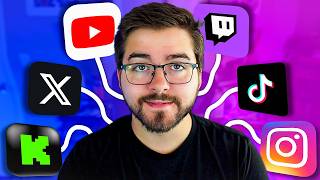
Creators are losing viewers and revenue by going live on just one platform; the new approach streams simultaneously to YouTube, Twitch, Facebook, X, Kick and more.
Multiple chats, dashboards and clipping workflows made multistreaming complicated. The video promises an all-in-one workflow with Riverside.
Small creators waste hours creating for a single platform, while smarter creators turn one live stream into multiple streams, a YouTube video, Shorts, TikToks, Reels and social clips.
Downloading VODs, importing into editors, manually clipping, exporting and re-uploading is inefficient; most multistreaming tools only help with the live part, not what happens afterward.
Create a stream workspace, set title and branding, invite remote guests, configure camera/mic, share screen or upload media from one dashboard. A webcam, decent mic or phone camera is enough to start.
Connect accounts once and stream to YouTube, Twitch, Facebook, LinkedIn, X and more. Each platform has a different audience: YouTube search, Twitch discovery, Facebook live push, X quick engagement.
Riverside pulls all chats into one feed, so you can reply once and send the message to every platform — useful for answering questions, subscription reminders and dropping links.
After the live stream ends, AI finds strong moments, creates clips for Shorts, Reels and TikToks, and gives each clip a virality score.
You can trim, adjust layouts, add captions, clean audio, add animations and music, use AI prompts to edit, and let smart scenes auto-switch layouts based on who's talking.
A live stream should become the live stream itself, a long-form video, multiple shorts, clips and social posts — making content creation sustainable without burnout.
The main takeaway is to stop treating a live stream as a single piece of content. With Riverside's multistreaming, unified chat and AI clipping, one session can feed every platform and keep small creators consistent.
Mentioned in this Video
Tutorial Checklist
Study Flashcards (8)
What platforms can you multistream to with Riverside?
easy
Click to reveal answer
What platforms can you multistream to with Riverside?
YouTube, Twitch, Facebook, LinkedIn, X and more.
03:14
Why is multistreaming valuable for reaching different audiences?
medium
Click to reveal answer
Why is multistreaming valuable for reaching different audiences?
YouTube has search traffic, Twitch has category discovery, Facebook pushes live streams, and X is great for quick engagement.
03:28
How does Riverside unify chat from multiple platforms?
easy
Click to reveal answer
How does Riverside unify chat from multiple platforms?
It pulls messages from YouTube, Twitch and other platforms into one chat feed; replying once sends the message everywhere.
03:53
What is Magic Clips?
medium
Click to reveal answer
What is Magic Clips?
A Riverside feature that uses AI to automatically create short-form clips from a finished live stream and gives each clip a virality score.
05:14
What can one 1-hour live stream become with Riverside?
medium
Click to reveal answer
What can one 1-hour live stream become with Riverside?
A full YouTube VOD, 10+ Shorts, TikToks, Reels and clips for X.
04:45
What editing tasks can you do in Riverside's built-in editor?
medium
Click to reveal answer
What editing tasks can you do in Riverside's built-in editor?
Trim files, adjust layouts, add captions, clean up audio, add animations, add music, and use AI prompts via co-creator tools.
06:08
What do Riverside's smart scene tools do?
medium
Click to reveal answer
What do Riverside's smart scene tools do?
They automatically switch layouts depending on who is talking, which helps for podcasts, interviews, guest streams and reaction content.
06:35
According to the video, what should a live stream produce?
easy
Click to reveal answer
According to the video, what should a live stream produce?
The live stream itself, a long-form video, multiple shorts, multiple clips and multiple social posts.
06:49
💡 Key Takeaways
Repurposing beats creating more
Challenges the common habit of grinding out content for one platform and points to smarter reuse of a single stream.
00:41Platform-specific audiences
Explains the strategic reason to multistream: YouTube search, Twitch discovery, Facebook live push and X engagement.
03:28Unified chat lowers streaming stress
Solves a real operational pain point that often stops small creators from staying consistent.
04:21AI clips with virality scores
Removes the most time-consuming manual clipping task and adds data-driven selection of highlights.
05:14One stream equals a content pipeline
Encapsulates a sustainable content model for solo creators managing work, school or family.
06:49Full Transcript
[00:02] right now, you're probably losing viewers, followers, and even revenue on the table. Because in 2026, creators aren't just going live on YouTube anymore. They're now streaming to YouTube, Twitch, Facebook, X, Kick, and
[00:15] more all at the same time. And honestly, setting that up used to be a complete pain. You would have multiple chats, multiple dashboards, different streaming setups, and then clipping the content after. But today, I'm going to show you
[00:27] how to multistream to every single platform using Riverside. And also show smartest workflows for smaller creators out there. Now, if you watched my OBS I'm obsessed with making content creation easier, faster, and less
[00:41] biggest mistakes I see a lot of small creators do is spending hours content creating just for one platform. By doing one stream or just one upload for that one chance of discovery. Meanwhile, other creators are taking a single live
[00:55] stream and turning it into multiple live streams, a YouTube video, shorts, TikToks, Reels, and just clips in general for social media. All just from video, I'm going to show you how to multistream step-by-step, how to manage
[01:10] chats across multiple platforms, how to automatically turn streams into shorts, and how Riverside basically turns one live stream into an entire content pipeline. And yes, this video is sponsored by Riverside, but honestly,
[01:23] naturally fits with what my audience already does. Okay, so here's the right now. You go live and then end the stream, and then you have to download the VOD, import it into an editor, cut the clips manually, export it again,
[01:38] then upload it to your platforms, then make other shorts separately, which is honestly a mess. And unfortunately, most multistreaming tools only help with the livestreaming part. But Riverside is different because it's not just for
[01:50] all-in-one workflow. So, you go live just that one time, then instantly that stream turns into a long-form YouTube video, TikToks, shorts, reels, and even clips without jumping in between five different apps, which is why I think
[02:06] useful for most creators. All right, so let me show you how Riverside actually works. Once you open the Riverside app, you're going to create a new studio, and stream workspace. And honestly, one of the first things I noticed is how simple
[02:21] streaming software can feel overwhelming, especially if you're newer set your stream title, add whatever branding you want, invite guests remotely to your actual stream, easily configure your camera and microphone,
[02:36] share your screen if you want, upload different types of media, and obviously really convenient cuz it's on one dashboard. And honestly, you don't even need some crazy expensive setup to get started. If you have a webcam, a decent
[02:48] microphone, or just even your phone camera, you can already make solid live streams. If you're using an iPhone with a Mac, you can use your phone wirelessly as a webcam, which honestly looks a lot better than most webcams that you can
[03:00] buy. And if you do podcasts, interviews, reaction content, tutorials, and even gaming streams, this setup makes things way easier. Now, I really want to talk about the main feature. Inside Riverside, you can connect multiple
[03:14] choosing do I stream to YouTube or Twitch, you can stream to both right at the same time. And not even to just those platforms, you can also multi-stream to YouTube, Twitch, Facebook, LinkedIn, X, and much more.
[03:28] And honestly, this matters because every platform has a different audience. YouTube has search traffic, Twitch has category discovery, Facebook still pushes live streams pretty hard in certain niches, and X is great for quick
[03:41] engagement. So instead of relying on one platform to perform, you're maximizing every live stream, and the setup is honestly simple. You can connect your accounts once, choose where you want the live stream to go, and hit go live, and
[03:53] to stream to YouTube, then maybe tomorrow you want to stream to YouTube reconnect everything every single time. And then once you go live, Riverside automatically pulls all those chats into one place, which is honestly huge,
[04:08] because trying to monitor separate chats on different platforms gets messy really fast. But here, messages from YouTube, Twitch, and your other platforms appear into one chat feed. And you can even reply once and send the message
[04:21] everywhere. So, if you want to answer questions, respond to viewers, remind people to subscribe, or even just drop some links, you can do that across every platform at the same time. And honestly, that kind of workflow makes live
[04:33] streaming way less stressful, because if your setup becomes too complicated, you stop streaming consistently. And I think this even matters more if you're a small creator, because smaller creators do not have massive teams. You're probably
[04:45] editing yourself, managing socials yourself, making thumbnails yourself, saving as much time as possible really matters. For an example, imagine doing a single 1-hour live stream. Normally, you stream once, clip manually, edit
[05:00] manually, and then also re-upload manually. But with Riverside, that one stream can become a full YouTube VOD, 10-plus shorts, TikToks, Reels, and even clips for X. And this is how creators grow faster nowadays, not by making more
[05:14] content, but by repurposing smarter. Now, this is probably my favorite feature for growth as creators, Magic Clips. After your live stream ends, recording and create short-form clips just for you, which honestly saves a
[05:28] ridiculous amount of time, because manually clipping content is one of the most time-consuming parts of content creation. But here, the AI looks for strong moments automatically, and it even gives the clips a virality score.
[05:40] So, if you're trying to grow on YouTube Shorts, Instagram Reels, or just TikToks, this is actually super useful, especially because short-form content is right now. And honestly, a lot of creators stay consistent by turning one
[05:54] long-form piece of content into multiple short-form uploads. So, instead of doing you're squeezing way more value out of every live stream that you do. Another thing that I honestly did not expect to like as much is the built-in editor,
[06:08] because normally after streaming, I like to move everything into another editing app. But Riverside easily lets you trim the file, adjust the layout types, easily add captions, help clean up the audio, even add animations for intros,
[06:22] text, and then even can add music without leaving the platform. And there's even co-creator tools where you can literally edit using AI prompts. So, scrubbing, you can speed up the workflow a lot. There's also a smart scene tools
[06:35] that automatically switch the layouts depending on who's talking. So, if you're doing like a podcast or interview or guest stream, even reaction content, dynamic automatically. And honestly, I think AI-assisted editing is going to
[06:49] become way more normal for creators this year. So, here's my advice if you're of live streams as just one piece of content. A live stream should really be, of course, the live stream, a long-form
[07:01] video, multiple shorts, multiple clips, and multiple social posts, all from one session, which is how you make content creation sustainable, especially if you're balancing work, school, family, or just trying not to burn out. The
[07:13] the ones that are maximizing every piece of content they can. So, here's a quick recap. With Riverside, you can multi-stream to multiple platforms, invite remote guests, record studio-quality audio and video,
[07:26] automatically generate clips, edit your content afterwards, and turn streams into shorts, all inside one workflow. And honestly, that workflow stands out multi-streaming tools, because most tools stop after the stream. But
[07:40] Riverside helps after the stream ends. So, if you want to try out Riverside the link below. Go to creators.riverside.fm/omaze
[07:52] start live streaming or multi streaming, but felt overwhelmed by the setup, this start. Definitely let me know in the comments what streaming platform do you stream to most right now and if you ever tried multi streaming before. And if
[08:06] sure to drop a like and subscribe down below. Thank you very much for watching. below. Thank you very much for watching. Peace out.