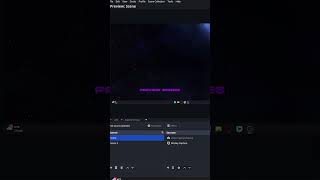
Hidden OBS Setting for Streamers
45sReveals a little-known OBS feature that improves stream quality, appealing to the large streaming community.
▶ Play Clip"Title promises a must-have streaming tip, but delivers only one basic setting with no depth or examples."
This video offers a quick, practical tip for OBS Studio users: enabling Studio Mode to preview scenes before going live. The content is extremely brief, presenting a single actionable setting change to improve streaming workflow.
In OBS Studio, under the Controls panel, click the 'Studio Mode' button. This feature allows you to preview scenes before they are pushed live to your stream, helping avoid mistakes.
The video delivers one simple but useful tip for OBS users: turn on Studio Mode to preview scenes before broadcasting, a small change that can prevent on-air errors.
What feature in OBS lets you preview scenes before going live?
Studio Mode
Studio Mode for Safe Streaming
A practical, low-effort tip that can prevent accidental on-air mistakes for streamers.
[00:00] If you stream with OBS, you might want to turn this on. In OBS Studio under controls, click on the Studio Mode. This lets you preview scenes before actually pushing them live on stream. Follow for more content like
⚡ Saved you 0h 00m reading this? Transcribe any YouTube video for free — no signup needed.