
How Ultrasonic Sensors Measure Distance
41sClear explanation of a common electronics component with a surprising principle (sound waves) hooks viewers.
▶ Play Clip"Title accurately describes the content: a tutorial on using ultrasonic sensor with Arduino, including a bonus project."
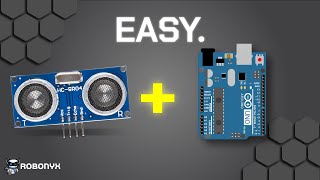
This video explains how to use an ultrasonic sensor with an Arduino, covering its working principle, wiring, coding, and a bonus project. The sensor uses sound waves to measure distance by emitting ultrasound and detecting the echo.
The module uses sound waves to measure distance of solid objects. It's popular and easy to use with Arduino.
Transducer emits high-frequency sound waves (ultrasound) that hit an object and bounce back. The receiver detects the echo. The module outputs a high signal when sound is emitted and low when echo is received. Arduino reads pulse length to determine distance.
Distance = speed × time. Speed of sound is 343 m/s. Pulse length is 0.001 s. Total distance is divided by 2 to get one-way distance.
Four pins: VCC (5V), Trig (digital pin, e.g., 10), Echo (digital pin, e.g., 11), Ground.
Initialize variables for duration and distance. Set echo as input, trig as output. Initialize serial. Set trig low, then high for 10 microseconds, then low. Read echo pulse duration. Calculate distance: duration × speed of sound / 2. Display on serial monitor.
Accurate within 3mm, range 2-400cm, works only with 5V. For greater range/accuracy, consider LiDAR.
Ultrasonic sensor on a servo rotates back and forth, graphs detected objects on computer. Uses Arduino, servo, sensor, jumpers. 3D printed bracket or hot glue. Code and files linked in description.
Rotates and stops, turns on buzzer and LED when intruder detected. Uses RGB Duino with built-in buzzer and lights.
The ultrasonic sensor is a simple and effective way to measure distance with Arduino, with limitations in range and accuracy. The bonus project demonstrates a practical application.
What does the ultrasonic sensor use to measure distance?
Sound waves (ultrasound).
00:12
What is the formula for distance?
Distance = speed × time.
00:41
What is the speed of sound?
343 meters per second.
00:41
Why do we divide the total distance by 2?
To get the one-way distance from sensor to object.
00:53
What are the four pins of the ultrasonic sensor?
VCC, Trig, Echo, Ground.
01:07
What voltage must VCC be connected to?
5 volts.
01:22
How long should the trigger pulse be?
10 microseconds.
01:50
What is the accuracy of the ultrasonic sensor?
Within 3mm.
02:22
What is the measurement range of the sensor?
2 to 400 cm.
02:22
What alternative sensor is suggested for greater range or accuracy?
LiDAR.
02:35
How ultrasound works
Clear explanation of echo principle using high-frequency sound waves.
00:12Sona scanner project
Practical demonstration combining servo and sensor to create a radar-like visual.
02:47Intruder detection variant
Shows a creative application with buzzer and LED using RGB Duino.
03:33[00:00] This is how to use an ultrasonic sensor with an Arduino. It's a pretty popular module which uses sound waves to measure the distance of solid objects. In this video, you'll learn how it works, how to connect it to an Arduino,
[00:12] and a bonus project that you can make. So, how does this measure distance? This part is the transducer, which emits high-frequency sound waves called ultrasound. These sound waves will hit an object and bounce back.
[00:25] This is known as echoing. The echoed pulse will then be detected by the receiver. When the sound is emitted, the module will output a high signal When the echo is received, the output will go low The Arduino will read the length of this pulse and determine the distance based on the speed of sound
[00:41] The formula for distance is speed multiplied by time The speed of sound is 343 meters per second And the pulse length is 0.001 a second This will give us the total distance
[00:53] However, we don't want to find the total distance We only want the distance from the sensor to the object So we divide the total distance by 2 And so that gives us our final distance in meters which we can then change the units if we want
[01:07] And that's the working principles. Now here's how to wire it up. The ultrasonic sensor has four pins. VCC, Trig, Echo and Ground. VCC and Ground are power pins. VCC must be connected to 5 volts and
[01:22] and ground must be connected to ground. Trig is the trigger to emit the sound waves. It must be connected to a digital pin, which are all of these ones, so let's use pin 10. Echo is the output pin, which is the one that sends the timing pulse. Echo must be connected to a digital pin as well,
[01:38] so let's use pin 11. Now that it's all wired up, here's how to code it. We'll start by initializing variables for duration and distance. We'll set up the echo and trig pins, designating echo as an
[01:50] input and trig as an output. Then serial communication is initialized to display the distance on the serial monitor Ensure the trig pin is set to low initially and then trigger a high signal for 10 microseconds before setting it low again Then we read the duration of the echo pulse in microseconds Now we almost done
[02:10] We just got to calculate the distance by multiplying the duration by the speed of sound and dividing it by two. Finally, we display the calculated distance on the serial monitor. Great, now it works.
[02:22] However, there are some limitations to the sensor that you should be aware of. This sensor is accurate within 3mm and can only measure from 2 to 400cm. This module will also only work with 5V.
[02:35] If you need a greater range or more accuracy, consider looking at LiDARs. Anyways, let's build a simple project to demonstrate the use of ultrasonic sensors. All the code and 3D files will be linked in the description.
[02:47] This is a Sona scanner. The ultrasonic sensor is connected to a servo that rotates it back and forth. The sensor is constantly checked and will graph what it sees onto the computer. This project requires an Arduino a servo motor an ultrasonic sensor and jumpers First we attach the ultrasonic sensor to the servo motor I designed a 3D printed bracket but hot glue works just as well Now let connect everything
[03:13] and upload the code. Nice! This radar graphic is made using Processing IDE,
[03:33] which is a development environment for making easy graphics. Here's another variant of this project. It will rotate but will stop and turn on a buzzer and an LED when it detects an intruder. I'm using the RGB Duino instead of an UNO
[03:49] because it has a built-in buzzer and lights, which is pretty cool. Now you know how to use ultrasound sensors with an Arduino. If you want to get the components, you can check out the Robonix store below, supporting yourself and the channel at the same time. But anyways,
[04:03] Have fun.
⚡ Saved you 0h 04m reading this? Transcribe any YouTube video for free — no signup needed.
