
Why Your Videos Get No Views
45sDirectly addresses a common pain point for creators, promising a solution.
▶ Play Clip"Delivers a solid, actionable SEO framework, though the 'viral' promise is overstated."
The video presents a ten-point SEO optimization strategy for YouTube videos, aimed at helping small and new channels gain visibility and views. The creator, Stas Maar, emphasizes that while large channels may not need optimization, smaller ones benefit greatly from providing the algorithm with clear signals about their content and target audience.
Videos often fail to get views not because of content quality but due to lack of data for the algorithm to understand who to show the video to, especially on small or new channels.
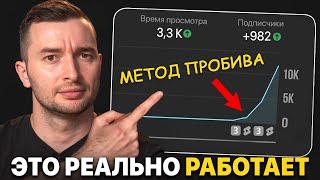
Introduces a new optimization trick that helped the creator grow videos in 3 months instead of a year, by providing the algorithm with more hints about the target audience.
Stas Maar claims to have optimized over 2,000 YouTube videos, establishing his expertise in the field.
For old channels with large viewing history (over a million views), optimization is practically unnecessary because YouTube already has data on their audience and they have a loyal following.
Small or new channels should fill in SEO fields to help YouTube understand who to show the video to, reducing mistakes and attracting targeted viewers.
Even though YouTube can read context from videos, it lacks sufficient viewer data to find the right audience, especially for new channels, so hints are crucial.
Collecting accurate viewer data and releasing many videos are important because each video is an opportunity to gather data about viewers.
Before optimization, identify keywords for the channel and specific videos. For example, for a video about replacing a manual transmission with an automatic one, keywords like 'replacing manual transmission with automatic' and 'replacing gearboxes' are relevant.
Select approximately 12 keywords that are ideal for the video and channel, including channel-level keywords like 'replacing gearboxes'.
The trick is to place keywords in ten different locations, hence the name 'ten-point optimization'.
Even if your video is less clickable or dynamic, proper optimization can rank it several lines higher than competitors who don't optimize, leading to more views.
Optimization is likened to advertising on Yandex or Avito, where filling in data brings targeted traffic that is more likely to convert.
Optimization can be outsourced to professionals like the creator's team, who handle everything from script to video production.
In channel settings, add tags that convey the essence of the channel, e.g., 'gearbox replacement', 'CVT to automatic transmission replacement'.
Channel tags help YouTube understand what the channel is about, making it easier to show videos to similar viewers from the start.
Use the keyword with the highest search volume in the title, checking via IQ view extension or Yandex Wordstat.
Use IQ view extension's tag inspector or Yandex Wordstat to find high-demand keywords.
Example: 'Replacing manual transmission with automatic transmission Japanese Vlad Granta' – keywords intersect and are placed in the title.
YouTube can read previews, so include keywords or relevant objects in the thumbnail to reinforce the topic.
Sometimes include a keyword phrase on the thumbnail, even if it repeats the title, to boost ranking.
Name the video file with keywords; it may not affect much but helps in search fights.
Include main keywords in the first two sentences of the description; use GPT chat to rewrite if needed.
Use up to 3-5 relevant hashtags at the end of the description; up to 3 appear under the title and are clickable.
Hashtags must be relevant and contain no spaces.
Mention key phrases in the introduction, especially in the first two sentences, and throughout the video.
Fill the tag field with keywords; use IQ extension to predict search position.
The IQ extension shows where your video will rank for specific queries; aim for #1 to get huge search traffic.
Tags may not rank until the channel has viewing history; they are assigned after YouTube collects data.
Include search queries that will bring suitable viewers; many views come from search.
Use up to five general tags (e.g., 'automatic transmission replacement') and specific tags for the video.
Include tags with your name or channel name, as search volume for these grows over time.
Check and correct subtitles, especially the first few sentences, to ensure keywords are accurate.
Translate subtitles into English, Spanish, etc., to provide additional signals and increase keyword coverage.
Use time codes in the description with chapter titles containing key queries, ideally matching video titles.
The more keywords used, the better the algorithm finds the right viewer. The creator offers a YouTube school for learning keyword selection.
The video concludes that systematic SEO optimization across ten points significantly improves a video's discoverability and audience targeting, especially for small channels. The creator encourages viewers to apply these techniques and offers further training.
Why is SEO optimization less important for large, established YouTube channels?
Because they have a large viewing history (over a million views) and a loyal following, so YouTube already knows who to show their videos to.
00:42
What is the 'ten-point optimization' trick?
It involves placing selected keywords in ten different locations: channel settings, title, thumbnail, file name, description, hashtags, video content, tag field, subtitles, and time codes.
03:36
How many keywords should be selected for a video and channel?
Approximately 12 keywords that are ideal for the video and channel.
03:24
What tools are recommended for keyword research?
IQ view extension and Yandex Wordstat.
05:49
Where should the main keywords be placed in the video description?
In the first two sentences of the description.
07:54
How many hashtags should be used and where?
Up to 3-5 relevant hashtags at the end of the description; up to 3 appear under the title and are clickable.
08:22
Why is it beneficial to translate subtitles into multiple languages?
It provides additional signals to YouTube about the keywords used in different languages, increasing the number of keys and making it easier for the algorithm to understand the content.
11:47
What is the purpose of using time codes in the description?
To name each chapter with a key query, ideally matching the video title, so that the algorithm can better understand the content.
12:14
How can you predict your video's search position?
By using the IQ extension, which shows where your video will rank for specific queries.
09:46
What is the recommended approach for tags on a new channel?
Include search queries that will bring suitable viewers, using up to five general tags and specific tags for the video.
10:38
Optimization Trick for Growth
Reveals a practical method that accelerated channel growth from a year to three months.
00:15Ten-Point Optimization Concept
Introduces a structured framework for SEO that is easy to follow and comprehensive.
03:36Business Analogy for SEO
Connects YouTube SEO to advertising, emphasizing the value of targeted traffic.
04:13Predicting Search Position
Shows a concrete way to measure SEO effectiveness using a tool.
09:46Multi-language Subtitles
Suggests an unconventional tactic to boost SEO by adding subtitles in multiple languages.
11:47[00:02] YouTube, chances are your videos aren't getting views. And often the problem is not the video itself, but the lack of data. Even YouTube's super-powerful algorithm may not understand who to show your video to, especially on small and new channels. In
[00:15] this video, I want to show you a new optimization trick that I use in all my videos. As a result, instead of spending a year finding the right audience, videos to in just 3 months. And what is the result? My name is Stas Maar, and in the
[00:28] have optimized over 2,000 videos on YouTube. And believe me, I definitely know how to do it right. In general, why do we need SEO? So that this post doesn't spark a lot of debate about whether it's necessary or whether we can just leave it blank?
[00:42] Optimization is really practically unnecessary and unimportant for authors who have old channels with a large viewing history. viewing history.
[00:56] more than a million pieces of data about their target audience profiles from creators who had accumulated more than a million views on their old channels. Therefore, they do not need optimization hints on who to show the next video to. And don't forget that such channels already have a loyal following of established viewers who watch them
[01:09] by suggesting to the algorithm who else might watch, to whom else the don't have a pressing need to find new channel, you can leave the description and tags fields completely blank.
[01:23] Well, just add advertising information in the description . Optimization for such channels is simple. You can simply upload a video, name it, attach a cover, and hit the road. But the situation is completely different with small or
[01:35] new channels. There, if you leave the fields blank, YouTube will have a worse understanding of who to show your video to. he will make more mistakes, he will more often bring in the wrong audience. And if you
[01:47] add a lot of SEO optimization to a small channel, then the views will most likely be targeted, and the number of views will increase significantly. And I want to get ahead of such a smart machine that it can even read the context within a video
[02:01] from the video itself. And the problem is that he does this, but he doesn’t have enough viewer. Just think for yourself how difficult it is to find the right appropriate for him today, yes, that is, relevant. He needs to be
[02:16] ready to open it now and not miss it. He needs to have similar interests. It needs to fit various parameters: gender, age, whatever. And combining all of this at once and delivering the video only to those who are ready to watch
[02:31] now is not an easy task. Yes, it is possible to find a few such viewers, but we are talking about thousands, hundreds of thousands of such people. And it doesn’t matter how smart the algorithms are, it’s important to give them as many hints as possible. That's why it's important
[02:44] collect accurate data about your viewers. And it's also important to release a lot of videos, because each new video is a new opportunity to collect data about the viewer. That's why in the last video I told you how to blow up your channels
[02:57] using a new method called: Simple Hundred. Before you begin optimization, you need to identify keywords for both the entire channel and a specific video. These are the keywords. For example, in the title of Vlad Grant's "replacing a
[03:10] manual transmission with a Japanese automatic transmission," it is necessary to highlight several important keys. Replacing manual transmission with automatic transmission in Vlad Grant, replacing automatic transmission with manual transmission in Vlad Grant, replacing gearboxes. And everything in this spirit. It is important
[03:24] to select approximately 12 keywords that will be ideal for this video and the channel itself. For example, the channel is ideal for replacing gearboxes or replacing a CVT with an automatic transmission. This is a keyword that applies to the
[03:36] channel itself, not to a specific video. Once you've finished selecting the keys, you'll want to place them in ten different locations. That's why today's trick is called ten-point optimization. And the beauty of this trick is that your
[03:48] video may lose out in content quality to your competitor's. It may be less clickable and less dynamic inside. But with proper optimization, if your competitor hasn't done it, you will rank several
[04:00] lines higher in search results than them. And if you think that these few lines in the position above will not give you much effect, then you are deeply mistaken. Entrepreneurs will understand me like no one else. When we buy advertising on Yandex or
[04:13] promote an ad on Avito, we're by simply filling in some optimization data, you
[04:26] you will receive traffic from targeted viewers who have already come to warm up, so that they can then simply go and buy your products and services. And before we say that it is important to be able to and understand how all this is configured. Well, it is not at all
[04:40] can outsource optimization to professionals, like us. Our team will take on all these tasks and any other tasks to us, from the script to the production of the video itself. To contact
[04:57] me, just write to me using the contacts in the description. And the first point is in the settings of the channel itself. We go to this section, select a channel and in this column we indicate the tags of the channel itself. These tags should convey the essence of your
[05:10] basically want to do with this channel. If you're in the gearbox business, here we'll cover gearbox replacement, CVT-to-automatic transmission replacement , CVT-to-automatic transmission replacement, and anything else related to your niche. And
[05:23] if at first it seems that this is not such an important parameter, then you are mistaken. It's easier for YouTube to understand what your channel is all about so it can show it to similar viewers at the start. So we fill this out on the first day
[05:35] The second point where we will use keywords is the title itself. And here we don’t have much freedom with symbols, so it’s very important to choose a specific keyword that has the highest search volume. You can check this
[05:49] using the IQ view extension. Just open it, find the tag inspector and enter your keywords one by one. Find the one that will be in the highest demand, have the highest search volume, and at the same time have
[06:02] combination to use such a keyword in the title. And sometimes you can even use Yandex Wordstat, write your keywords there and check volume. Because if viewers have this
[06:15] such queries in Yandex, then most likely they will do the same on YouTube. real-life example of where ideal optimization has been achieved. And we used keyword that is in demand among viewers. Replacing manual transmission with automatic transmission, Japanese
[06:33] Vlad Granta. That's it, all these keywords, they intersect one way or another. We just shoved them in . It's perfect when that happens. Well, what do we do next, based on the title Emotional trigger. A perfect combination. I talked about how to come up with such
[06:47] previous video. That's all about the headlines. And the third point of optimization. You won't believe it, this is the cover. Yes, it's no secret that YouTube can read previews. It recognizes objects and words that you place there. If we put
[07:00] YouTube understands that it is a Lada Granta. We have it good sign and will be doubly effective if you use on selected in advance from that list of keywords. But be sure to check
[07:14] that this phrase will attract the attention of the audience. Sometimes you don't have to one keyword. Well, and then make a For example, I replaced the gearbox and regretted it. It will also rank well. And in
[07:27] some cases, when you've found a great keyword with low competition and high search volume, I recommend writing it on the cover page. And it doesn’t matter that exactly in your title. Yes, these repetitions go against my
[07:39] recommendations, but in this case it will work to your advantage when it comes to ranking your video. The fourth point of optimization is the file name of your video. Yes, it's a most part I'm sure it does n't affect anything, but it's better to have it
[07:54] than not to have it. Because when there is a fight for every item in the search next point of optimization is the video description. Here it is important to include the main keywords in the first two sentences . If you can't
[08:08] figure it out yourself, it's good to do this work in GPT chat. Just insert your description into the to shorten and use keywords in the first two sentences. That's it, repon because the algorithm reads the first few sentences of your description
[08:22] use there. Another point of optimization is hashtags. Use it at the end of your description up to three or five of these hashtags. Up to three hashtags will be displayed under your title and will be clickable. The rest will
[08:36] Use only hashtags that are relevant to the topic of your video or channel. And do n't forget that spaces are not allowed in hashtags . Everything is written so smoothly. The within the video itself. It's crucial
[08:49] to think through the introduction and, in general, the context of the entire video so that the key phrases you've selected are heard as often as possible throughout the entire video. But most of them, at least the two most important key phrases, were in the
[09:02] introductory part. And even more importantly, it should be in the first two sentences. This is everything, including what you say in your videos. This is why many large channels don't bother with any optimization, because YouTube already knows who to show based on their
[09:15] within the videos. All the information is already collected there, that’s of optimization is the tag field. That popular part, because of which and on indeed important to fill out this field, but the whole point of filling it out is
[09:31] predict the result when you include keywords here. This gives you how you will specifically be in the search, what place you will be in. To do this, you install the same IQ extension, the free version, and
[09:46] it will show you where you will be for which query using a hashtag . These hashtags 1 1 mean that if a person types this phrase into YouTube search, your video will be the first one to appear, which means that
[09:59] you will get a huge amount of views from the search. I recommend putting all the selected keywords into this field and watching how YouTube digests them. tags will hardly rank. You won't get hashtags like that there, no matter what
[10:12] you try. They are actually assigned only when the channel and video viewing history appears. That is, if you published a video, it sat there, got some views, and perhaps the first tag will appear. When YouTube has enough
[10:24] who skimmed through it, all this information, it collects it and starts same video, with the same tags, may not show up in search results at all, or may later appear at the top of the search results . Your task is to
[10:38] include here those search queries that will later bring you suitable viewers. 's why most of its views come from searches. And you see how many recommend using several tags that are general to the topic of your channel. Well, something
[10:51] like RM-service, there is Mm-service in a different language, automatic transmission replacement, gearbox replacement up to five such tags. The rest should be specific to the topic of your there are always tags that say STM or STM YouTube producer,
[11:06] using this search query on YouTube. And, by the way, you’re wrong to think that no one will write like that in YouTube search. Until you're popular, yes, it won't be, but the more enter your first and last name, or the
[11:19] these search volume indicators are growing. So these tags are required. The your eyes. It's in the subtitles column. We go there and pay attention to how your subtitles are made . It is very important that if they are
[11:34] suddenly distorted, you correct them manually, at least in the first few sentences, and check that the keywords in the subtitles are written correctly. And now, to influence the algorithm even more, we're taking our
[11:47] Russian subtitle text and translating it into English and uploading a few more languages here. You can download it in English, Spanish, and that's attract new viewers, but to provide additional signals about what
[12:00] keywords you use in different languages for YouTube. This will make it easier for him you add multiple languages to subtitles, the number of keys for YouTube simply increases. Let them be in different languages. And the last point
[12:14] of optimization is in the description, and that is time codes. It is important that each chapter of your video contains some key query. Ideally, you should name each chapter this way, so that in theory this phrase or title could be
[12:26] Be sure to let them sound like the title of the video. That's how, friends, the algorithm analyzes everything. The more keywords we stuff into a we will find the right viewer for our video. I teach how to select great keywords
[12:40] and masterfully use them in your titles at my YouTube school. The recording will be at the link in the description, or you can write to me using the contacts that are there, in the description. Well, following the technique of a crude salesman, just visit
[12:52] or the paid community, and find out from me the details of what you can you've subscribed, check out these two videos and learn more about YouTube to understand how to grow your channel. See you there. Yeah.
⚡ Saved you 0h 13m reading this? Transcribe any YouTube video for free — no signup needed.