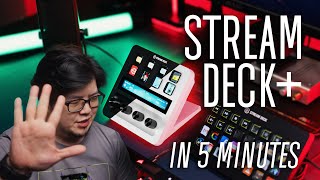

Elgato Stream Deck Plus Review in 5 Mins
45sQuick, concise review with clear pros and cons appeals to viewers short on time.
▶ Play Clip"Title promises a concise review and delivers exactly that in under 5 minutes."
The Elgato Stream Deck Plus is a versatile control device for streamers and content creators, featuring buttons, knobs, and a touch strip. It offers extensive customization for workflow improvement, though it has some minor drawbacks.
Available in black or white, made of robust plastic with a matte textured finish.
Buttons (larger than older models), four knobs (rotary with steps and tactile click), and a touch strip.
Allows cycling between multiple actions per knob via click.
Touch strip works with knobs for swipe between pages, but cannot be used independently.
Controls lighting, camera, media, audio, and creative software like Photoshop and Premiere Pro.
Works with any USB mic, supports VST plugins for audio processing.
Buttons feel mushy or inconsistent depending on press location.
Angle stand requires unscrewing to lie flat; limited customization (knobs only, no plate swapping).
Touch strip doesn't support animated wallpapers; buttons and knobs have separate function categories.
The Stream Deck Plus is a compact, functional tool that enhances workflow for streamers and creators, despite minor quirks like button feel and limited customization.
What are the three interaction options on the Stream Deck Plus?
Buttons, knobs, and a touch strip.
0:17
What is dial stacking?
Clicking a knob to cycle between multiple actions in a stack.
0:44
Can the touch strip be used independently of the knobs?
No, it is married to the knob and cannot be used independently.
0:58
What software does the Stream Deck Plus integrate for audio?
Wave Link, which works with any USB mic and supports VST plugins.
2:26
What is a con regarding the buttons?
They feel mushy or inconsistent depending on where you press.
2:56
What customization is limited on the Stream Deck Plus?
Only knobs are interchangeable; plates are not removable, and touch strip doesn't support animated wallpapers.
3:30
Three Interaction Options
Introduces the key hardware features that differentiate this model.
0:17Beyond Streaming
Shows versatility for content creators, not just streamers.
1:08Wave Link Integration
Highlights a major value-add: professional audio processing without buying an Elgato mic.
2:26Button Feel Criticism
Honest critique of build quality that may affect user experience.
2:56[00:00] this is the new Elgato stream deck and
[00:01] I'm going to try to review this in 5
[00:02] minutes to help you decide if you should
[00:04] get one as a streamer or content creator
[00:06] let's do
[00:07] this starting off with the pros it comes
[00:10] in black or white to fit different
[00:11] setups and is made of a robust plastic
[00:13] in a matte finish that is textured
[00:15] unlike old stream Decks that only have
[00:17] buttons basic you have three different
[00:18] options to interact with this device you
[00:20] get a buttons that are larger than older
[00:22] stream decks Flex that can be mapped to
[00:24] whatever function you want with a
[00:25] display that you can customize with an
[00:27] icon or drift to help you remember what
[00:29] you mapped it two bring on the memes you
[00:32] get four knobs that are nural and grippy
[00:33] that rotate with steps but no heart
[00:36] stops and no heart feelings as well as a
[00:38] tactile click these are also
[00:40] interchangeable for a very hashtag cheap
[00:41] buy $20 if you want to be so extra you
[00:44] got to pay extra they introduce D
[00:46] stacking which allows you to click and
[00:47] cycle between multiple actions in the
[00:48] stack per dll or KN for every action the
[00:51] Dow works together with the touch strip
[00:52] to give you four inputs rotate to the
[00:54] left rotate to the right tapping touch
[00:56] strip tap and hold touch strip the touch
[00:58] strip is merried to the D so you can't
[01:00] use them independently but it does allow
[01:02] you to swipe between Pages without
[01:03] having to sacrifice a button for the
[01:05] next page function like your older decks
[01:08] stream decks were initially designed for
[01:10] streaming duh but I see it being useful
[01:13] for a variety of different purposes for
[01:15] instance I uses stream deck plus to
[01:17] control all my devices in this talking
[01:18] headset and this is how I have it set up
[01:20] for the buttons I have shortcut for
[01:22] things like color temperature presets
[01:23] for my Elgato key lights favorite IQ
[01:26] profiles for switching up my background
[01:27] opening apps or websites like YouTube
[01:29] epidemic music premium Pro Da Vinci
[01:31] resolve and such and finally for
[01:33] switching audio outputs between my
[01:34] gaming headset headphones and speakers
[01:37] as well as my audio inputs between my
[01:39] headset mic and sm7b you need to install
[01:41] the audio switcher plugin from the
[01:43] Elgato marketplace with the knobs I have
[01:45] lighting controls on knob one for
[01:46] adjusting brightness and color
[01:48] temperature on my Elgato lights camera
[01:50] controls on knob two for changing ISO
[01:52] white balance and such on my Elgato face
[01:54] cams media controls on knob 3 for music
[01:56] and videos and volume controls on knob
[01:58] four for my audio IM inputs and outputs
[02:00] as well as game Discord and system
[02:02] sounds I group all these in different
[02:04] pages based on their use cases
[02:06] personally as a creative myself I also
[02:08] program these knobs to quickly adjust
[02:10] brush sizes in Photoshop or scrub
[02:12] through my timeline in premium Pro there
[02:13] are even plugins like Color Picker which
[02:15] can help you get the hex code for
[02:17] anything on your screen and copy the
[02:19] value to your clipboard they do take a
[02:21] little while to set up but can
[02:22] definitely improve your workflow if you
[02:24] spend the extra effort with this new
[02:26] stream plus you also get wavelink and
[02:27] you don't even have to buy an Elgato mic
[02:29] just plug in whatever old USB M you got
[02:31] from your dodgy uncle and it should work
[02:35] you can use vsd plugins that you already
[02:37] have to add denoising compression
[02:39] limiters EQ and whatnot to make your
[02:41] voice sound awesome without fixing it in
[02:43] post of course your voice also cannot be
[02:44] too unique like hi I'm Mickey that one
[02:47] cannot save already for those who are
[02:49] new to this headit to the official
[02:51] website for support plugins and profile
[02:53] packs that should be enough to get you
[02:55] started moving on to the cons straight
[02:57] off the bat the buns are the same as the
[02:59] previous decks many call them mushy hot
[03:02] take I don't find them mushy but I do
[03:03] find them a little weird like if you try
[03:06] to press it here on the corner you get a
[03:08] bit of a tactile click but it doesn't
[03:09] feel completely pressed down and if you
[03:11] press it in the middle you'll feel a
[03:13] slightly off half click hard to explain
[03:16] but leave a comment down below if you
[03:17] know what I mean also the base is
[03:19] nonadjustable the angle stand fix you
[03:21] need to unscrew the base at the bottom
[03:23] to even make it lie flat kind of a Miss
[03:25] opportunity in my opinion finally we
[03:28] have the M which is is the limited
[03:30] customization you can only change the
[03:32] knobs the plates are not removable
[03:34] unlike previous stream decks and while
[03:35] you can change the background of your
[03:37] touch strip it doesn't support animated
[03:38] wallpapers looking at my PC you know I
[03:41] cannot live without wallpaper engine
[03:43] right like that how the twin Z also
[03:45] while being very customizable there are
[03:47] still limitations to the controls for
[03:49] example buttons and Dows are limited to
[03:51] their own categories you cannot add
[03:52] button or key functions to the Dow
[03:54] button and vice versa here's a quick
[03:56] recap of the pros mass and cons of the
[03:58] stream deck Plus
[04:03] hey done reading faster I got a video to
[04:06] finish all in all the stream that plus
[04:08] is definitely a plus with some very
[04:11] minor quirks I like how compact it is
[04:13] given how functional it can be not only
[04:15] for streamers but whoever wants to
[04:16] improve their workflow also it just
[04:18] looks cool on my desk and sometimes it's
[04:20] good enough reason for me to whip up my
[04:22] wallet but because of elae I to make
[04:23] this entire video review to justify my
[04:25] purchase if you find this video helpful
[04:27] don't forget to like and share leave a
[04:28] comment down below if any questions
[04:30] regarding the stream that plus and I'll
[04:31] try my best to reply to you subscribe to
[04:33] YouTube channel and hit that
[04:33] notification Bell follow us on Facebook
[04:35] Tik Tok Instagram to see more
[04:36] Shenanigans from the M House crew again
[04:38] my name is Shane bang saan and I'll see
[04:40] you in the next
[04:42] one how do we make
[04:49] it
⚡ Saved you 0h 04m reading this? Transcribe any YouTube video for free — no signup needed.