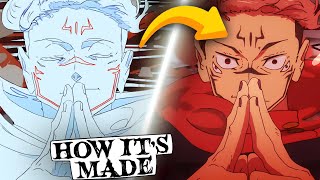

Jujutsu Kaisen's Secret Animation Technique
45sReveals how animators use clockwise motion and foreshortening to create stunning visual cohesion.
▶ Play Clip"Title promises secrets and delivers a detailed breakdown of animation techniques, though it's more educational than exposé."
This video breaks down the animation techniques behind Jujutsu Kaisen's second season, analyzing specific cuts to reveal how effects, camera work, and compositing create its stunning visuals. The creator examines scenes from key animators like Kichiro Watabe, Selot, and Mr. Vincent Chanard, highlighting tricks such as implied motion, strong silhouettes, and efficient use of tools like Clip Studio Paint's lasso fill.
A recurring clockwise motion in a segment guides the eye, created by a 3D rotating background, character foreshortening, and implied motion via debris.
Maintaining strong posing and silhouettes is crucial for readability, especially when bright effects are present.
A 3D rotation with 2D drawings and a water ripple effect look good due to inconsistency between drawings, selling the idea of imaginary liquid.
Animated by Selot and Mr. Vincent Chanard, the walk cycle uses wide stance and positive/negative space. Slash effects use custom brush strokes and lasso fill tool for quick detail.
Sukuna's cut uses simple shapes but complex anatomy and shading. Slashes are straight lines, and weight is conveyed through organic arcs and momentum changes.
A shot by Cirri L uses dark shadow and bright red background for contrast, with stylized red shapes over the face and a reveal of detailed teeth.
The composite artist combines flat elements to create the final product. The creator demonstrates a sped-up composite, noting it took 43 minutes per shot.
Jujutsu Kaisen's animation excellence stems from clever techniques like implied motion, strong silhouettes, efficient effects, and masterful compositing, all executed under tight production deadlines.
What recurring motion is used in the first analyzed scene to guide the viewer's eye?
Clockwise motion.
0:47
Why are strong silhouettes important in animation?
They are the first thing the eye subconsciously notices and help make stronger work.
1:49
What tool in Clip Studio Paint was likely used to create quick splotches of color for slash effects?
The lasso fill tool.
4:30
How does the animator create the illusion of detail in the slash effects for Mahoraga?
By using a custom brush to make quick strokes; many layers together create the illusion of detail.
4:15
What frame loops are used for Sukuna's outfit and hair in the analyzed cut?
Outfit: 11-frame loop; hair: 7-frame loop.
5:42
How does the composite artist's role differ from the animator's?
The composite artist takes flat scene elements and combines/enhances them to create the final product, similar to VFX for animation.
7:59
What technique is used to imply depth in the final shot of the first scene?
Three layers of effects work: foreground layers move left, background layer moves right, creating a clockwise illusion.
2:28
Clockwise Motion for Cohesion
Demonstrates a subtle but effective technique to guide viewer attention across cuts.
0:47Importance of Strong Silhouettes
A fundamental principle of animation that is often overlooked but crucial for readability.
1:49Efficient Slash Effects
Shows how to create complex-looking effects with simple, time-saving methods.
4:15Conveying Weight Through Motion
Explains how organic arcs and momentum changes make 2D animation feel grounded and realistic.
5:56Compositing as Final Polish
Highlights the often-underappreciated role of compositing in elevating animation quality.
7:51[00:00] what sets Jiu-Jitsu kaisen apart from
[00:01] other anime we're going to explore some
[00:04] of my favorite cuts from the latest
[00:05] season and unravel their production
[00:15] Secrets but not for free I'm charging a
[00:17] onetime fee of one like sub or comment
[00:20] on this video done all right all right
[00:23] [Music]
[00:26] I'll because of the sheer number of high
[00:28] quality Cuts I've opted to show only a
[00:30] few for this breakdown and I'll have to
[00:31] cover the others in another video but I
[00:33] still think we can learn quite a lot
[00:35] here the first scene I'd like to analyze
[00:37] is by kichiro watab the effects that he
[00:40] animates surely play a large part in why
[00:42] this looks so good but what we're more
[00:44] interested in here is how he creates
[00:45] cohesion between the shots there's a
[00:47] recurring clockwise Motion in this
[00:49] segment that helps to guide your eye
[00:51] I'll annotate a bit to make it more
[00:53] clear in this first shot there is a 3D
[00:56] animated background rotating in the
[00:58] clockwise Direction to convincingly
[01:00] integrate the character they are drawn
[01:02] with foreshortening to help imply depth
[01:04] and they rotate with the camera the
[01:06] light from the effects are bright so
[01:07] it's important to maintain strong posing
[01:09] for a readable Silhouette what's most
[01:12] interesting here though is that the blue
[01:13] that the character is manipulating does
[01:15] not actually move in screen space it
[01:18] remains in the top left of the frame for
[01:19] the entirety of the shot the motion is
[01:21] instead implied by the camera work and
[01:24] the inconsistency of the debris moving
[01:26] around the effect helped to mask this
[01:28] lack of real screen movement
[01:32] to ease on the eyes a little the next
[01:33] shot instead has almost no camera
[01:35] movement the previous motion is implied
[01:38] by the movement of the blue blast and
[01:40] then the blast is given strength by the
[01:42] sudden burst of dust effects again note
[01:45] the strong posing of the silhouette if
[01:47] you want to make good animation always
[01:49] have strong Silhouettes they are the
[01:51] first thing your eye subconsciously
[01:52] notices and are one of the biggest steps
[01:55] towards making stronger
[01:57] work this dust continues on into the
[01:59] next shot now assuming the same
[02:01] clockwise motion that the blue blast
[02:03] once made keeping this motion throughout
[02:05] this portion allows the scene to
[02:07] maintain consistency makes it easily
[02:09] trackable by the eye and helps with the
[02:11] illusion of depth almost all of the Dust
[02:14] is drawn with one color in relatively
[02:16] consistent width so by maintaining the
[02:18] same motion that the blast and 3D
[02:20] background created earlier your brain
[02:22] remembers this illusion and reapplies it
[02:24] subconsciously the scene is kept off by
[02:26] this final shot that implies
[02:28] continuation of the same clock motion
[02:30] using three layers of effects work to
[02:32] imply depth the two foreground layers
[02:34] move to screen left while the background
[02:36] layer moves towards screen right neither
[02:39] of these directions are technically
[02:40] clockwise however due to the placement
[02:42] of the scene chronologically it still
[02:44] gives this effect effects work and in of
[02:46] itself is a fascinating topic and the
[02:48] shape language in use here is beautiful
[02:50] so I'd love to dive into it more when I
[02:52] have more time sadly though that's all
[02:54] the time I have for this scene in this
[02:55] video so we'll have to move on I would
[02:58] however like to point out the brilliant
[02:59] effects of animator taml while we're
[03:01] closing out this topic a 3D rotation
[03:04] like this is hard to pull off with 2D
[03:06] drawings and this water ripple effect is
[03:08] quite fascinating as well I partly
[03:11] believe that why this looks so good is
[03:13] the inconsistency between each drawing
[03:15] it really helps to sell the idea that
[03:17] this is imaginary drawn like liquid
[03:19] rather than a more tangible or physical
[03:21] environment the contrast of the red and
[03:23] blue is also quite appealing and lends
[03:25] itself well to the idea of the
[03:26] convergence that creates purple
[03:30] the release for this next section had
[03:32] some dimming issues on air so we'll be
[03:34] looking at the genga instead the cut of
[03:36] mahara regeneration was created by an
[03:39] animator called selot and the suca
[03:41] portion was made by Mr Vincent
[03:43] chanard the walk cycle for mahara is
[03:45] intimidating he walks with a wide stance
[03:48] and does not stop once despite the
[03:50] onslaught of attacks the gaps in his
[03:52] body that continuously disappear and
[03:54] reappear create interesting use of
[03:56] positive and negative space but due to
[03:58] the temporary genga colors this is made
[04:00] more noticeable in the final
[04:02] composite it is animated on ones likely
[04:05] due to how the animator chose to
[04:06] incorporate the Regeneration aspect of
[04:08] the character the effects work of the
[04:10] slashes while at an initial glance look
[04:12] complicated are actually a clever trick
[04:15] the artist grabs a custom brush quickly
[04:17] makes a stroke and continues onward for
[04:19] however many frames they want that layer
[04:21] to move they don't need to be very
[04:23] detailed because once so many of them
[04:25] are created they instead create the
[04:27] illusion of detail there is also a tool
[04:30] in clip Studio paint called the lasso
[04:32] fill tool that was likely used as well
[04:34] this tool can create interesting
[04:36] splotches of color in no time and
[04:38] appears to have been used on at least
[04:39] one slash layer as well as some wind and
[04:42] dust I've made a quick time lapse on how
[04:44] a shot like this could be quickly
[04:45] constructed plus animating a walk cycle
[04:48] of course I hope you find it
[04:50] [Music]
[04:58] interesting
[05:03] [Music]
[05:06] with a walk cycle and a little bit of
[05:08] compositing magic this would look pretty
[05:10] good now let's talk about sukuna this
[05:12] cut is simple in execution yet much more
[05:15] complex than you'd think Mr chanard is a
[05:19] master of creating 3D volumes on a 2D
[05:21] image sukuna is drawn with deceivingly
[05:23] simple shapes but the roundness of the
[05:25] edges and shading combined with an
[05:27] Immaculate grasp of anatomy makes
[05:29] drawings like these very difficult to
[05:31] replicate the slashes are drawn with
[05:33] straight lines rather than custom
[05:35] brushes and random Strokes like before
[05:37] and there is debris and dust that have
[05:39] been tweened rather than redrawn suk's
[05:42] outfit is drawn with an 11 frame Loop
[05:45] and the hair is on a seven frame Loop
[05:47] the changes in facial expressions and
[05:49] foreground hand redraws help to hide
[05:51] this and the constant movement of the
[05:53] slashes aid this task as well but I feel
[05:56] like the real magic here is in the way
[05:58] that the artist conveys weight
[06:00] as the hands move they don't feel like
[06:01] they're sliding from one position to
[06:03] another the organic arcs used and the
[06:06] way that the hands gain and lose
[06:07] momentum in a way that aligns with
[06:09] reality ground the scene in a way that
[06:11] feels realistic in order to give the
[06:14] feeling of power and energy the hands
[06:16] shake to and fro and heat is built
[06:18] between them deceptively simple concepts
[06:21] with deceptively complex
[06:23] execution the understanding of motion
[06:25] necessary to make a scene like this feel
[06:27] grounded with such a limited frame due
[06:29] to the deadlines of the production
[06:31] absolutely blow me away and this was one
[06:33] of chard's simplest cuts for the episode
[06:36] for the sake of speeding this video
[06:38] along as well as not being too
[06:39] repetitive I'll do one last cut this
[06:42] shot animated by cirri L looks stunning
[06:45] for very similar reasons the hands are
[06:47] drawn spectacularly and I love the use
[06:49] of 3D volumes but for the sake of better
[06:51] compartmentalizing the video we'll talk
[06:53] about other aspects sua is almost
[06:56] entirely obstructed by this extremely
[06:58] Dark Shadow entirely black you can
[07:01] hardly even see his smile and his other
[07:04] facial features are entirely
[07:06] non-existent this with the bright red
[07:08] background directly contrasting it give
[07:11] a very menacing appearance to the
[07:12] character the shot lasts for quite long
[07:15] giving a sense of drama to this motion
[07:17] and the positive and negative space
[07:18] within the shot are roughly 50/50
[07:21] perfectly balanced there are also very
[07:24] unique and stylized shapes drawn in a
[07:26] faint red color over the facial region
[07:29] I've not seen this done in this manner
[07:31] before so it gives the shot quite nice
[07:34] artistic
[07:35] flare the reveal of the overly detailed
[07:37] teeth from toward the end of the shot
[07:40] give sua a powerful feeling and all of
[07:42] these elements combined create a very
[07:44] memorable image it feels powerful
[07:47] grandiose terrifying I would win in my
[07:51] previous video about Demon Slayer
[07:53] production I had a speedup segment at
[07:55] the end highlighting the importance of
[07:56] the compositing step a composite artist
[07:59] job is to take the flat version of the
[08:01] scene and to combine and enhance the
[08:03] elements to create the final product you
[08:05] can almost think of it like VFX but for
[08:08] animation with that said let's show how
[08:10] the composite artist for this show could
[08:12] have done a similar thing
[08:15] [Music]
[08:28] enjoy
[08:32] [Music]
[08:38] [Music]
[08:58] he
[09:04] I actually forgot to render this image
[09:08] so I had to upscale a screenshot from
[09:10] the time
[09:12] lapse my bad for the sake of context
[09:16] this composite process was sped up by
[09:17] roughly 5,000% this took me about 43
[09:21] minutes to composite and this entire
[09:22] process would have to be replicated for
[09:24] every single shot during production
[09:26] Jiu-Jitsu kaizen's compositing process
[09:28] is quite a bit simpler for me to
[09:29] replicate compared to the Demon Slayer
[09:31] composite so it wasn't too rough if you
[09:33] want to see a more in-depth shot check
[09:35] out the time lapse in that video there
[09:38] are plenty of other shots that I can go
[09:39] over for this season of Jiu-Jitsu Kaizen
[09:41] so if this video gets good reception I'd
[09:43] love to do more videos on it just like
[09:45] this one also be sure to comment other
[09:48] anime that you'd like me to go over or
[09:49] other animators that you'd like me to
[09:51] check out if you're interested in
[09:53] learning the composite I've started
[09:54] creating some YouTube shorts to give
[09:56] some helpful tidbits of information
[09:58] check that out and let me know what else
[09:59] you'd like me to cover thank you for
[10:01] taking the time to check out this video
[10:03] and I really appreciate your time have a
[10:06] good one check you next time
⚡ Saved you 0h 10m reading this? Transcribe any YouTube video for free — no signup needed.