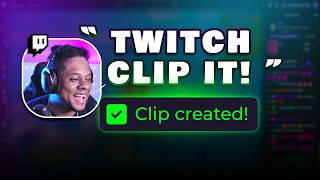

Twitch's New Voice Clip Feature!
45sViewers are curious about new Twitch features, and the novelty of voice-controlled clipping is highly shareable.
▶ Play Clip"Delivers on the promise of showcasing a time-saving feature, but includes personal gripes and setup details that dilute the core value."
Twitch has introduced a new voice-activated feature that lets streamers create clips by simply saying 'Twitch clip that' during a live broadcast. This video reviews the feature, discusses its settings and limitations, and compares it to traditional clipping methods like Stream Deck buttons.
Twitch's new feature allows streamers to create clips by saying phrases like 'Twitch clip that' or 'Clip it' during a live stream. The clip is automatically generated and appears in the clips manager for review, editing, and sharing.
When the streamer says the magic words, Twitch captures the moment and creates a clip automatically. A notification confirms successful generation, though the creator notes they didn't receive notifications during testing.
Clips may not be created instantly; a blog post mentioned it could take around 30 minutes for clips to appear. The creator notes this delay and plans to check later.
The creator dislikes that the clip includes the moment they say 'clip it', which feels awkward. They prefer clips that start right before the interesting part, not including the command itself.
The creator argues that a Stream Deck button is always better than a voice command. Their Stream Deck button performs multiple actions: OBS replay buffer, Atom vertical clip replay buffer, Twitch stream marker, and creates a Twitch clip.
The creator prefers clips where the streamer yells 'Don't clip that' rather than 'Clip it', as it adds to the entertainment value.
Initially, captions were baked into clips, but Twitch has fixed this. The creator can now remove captions without issues.
To turn off voice clipping, go to Settings > Stream and scroll down to 'Enable clips'. There, you can disable 'Create clips with voice command' and 'Allow viewers to add captions'.
After disabling the voice command, saying 'Twitch clip that' did not create clips, confirming the setting works.
If you already have a keyboard shortcut, Stream Deck button, or Streamer Bot command for clipping and still forget to clip, you'll likely forget this voice command too.
Despite minor criticisms, the creator considers this an amazing feature and is happy Twitch implemented it.
Twitch's voice-activated clipping is a convenient new feature that can save streamers time, though it has minor drawbacks like including the command in the clip and a processing delay. It's a welcome addition for streamers who want to capture moments hands-free.
What phrase can you say to create a clip on Twitch?
Twitch clip that
00:01
How long might it take for a voice-created clip to appear?
Up to 30 minutes
01:35
What is a drawback of the voice clip feature mentioned?
It includes the moment you say 'clip it' in the clip.
02:04
What does the Stream Deck button do in the video?
It triggers OBS replay buffer, Atom vertical clip replay buffer, Twitch stream marker, and creates a Twitch clip.
03:09
How can you disable voice clipping in Twitch settings?
Go to Settings > Stream and turn off 'Create clips with voice command'.
04:21
Voice-Activated Clipping
Introduces a new hands-free way to create clips, potentially saving streamers time.
00:01Criticism of Including Command
Highlights a design flaw that may annoy streamers, showing the feature isn't perfect.
02:04Stream Deck Superiority
Argues that hardware buttons are more reliable than voice commands, a practical tip for streamers.
03:09Settings to Disable
Provides actionable steps to control the feature, useful for streamers who prefer manual clipping.
04:21Positive Overall Review
Despite criticisms, the creator endorses the feature, indicating it's worth trying.
06:06[00:01] creating clips using your voice. So, if you say things like Twitch clip that or what was it What was the other one? Clip it. It should create a clip automatically. And then after that, you can edit it and trim it, whatever. So,
[00:14] their blog post they have create clips with your voice. You can also create clips with your voice while streaming. Say Twitch clip that. I'm making a bunch like I'm live right now and I'm making a lot of clips out loud during your live
[00:26] broadcast broadcast and Twitch will automatically create a clip for you. happens that you want and you say the magic words. >> too long to do this. >> Say this out loud. Twitch captures the
[00:39] automatically. You'll receive a notification letting you know if a clip notification letting you know if a clip was generated successfully.
[00:51] I don't think I got notifications the other day when I was making mine. Why are they lying? Why you Why are you lying? Stop because CTS actually does it so it will create a clip. Your clip appears in your clips manager ready to
[01:04] review, edit, or share. Congrats, you clipped it. You'll receive a clip URL to clip thing. >> Twitch clip that. >> There is the auto clip thing, the AI auto clip where it just randomly takes
[01:16] don't know, you got an alert, you got excited, or something like that. >> CTS is all powerful. >> It really is. All right, so let's let's refresh this page and see how many clips we just created.
[01:35] see a blog that said that it might take like 30 minutes or something like that to be created. >> So, yeah. I don't think it's instant. I basically we're going to have all of that. But yeah, we we
[01:50] It's going to be weird. I just realized if I play this clip and you hear me say those words in this [music] clip, it's probably going to create another >> You are the big reason I do Twitch. >> Twitch has a brand new way of creating
[02:04] clips using your voice. So, if you say things like Twitch clip that or >> Yeah, one of the things that I don't like about it is that it includes you to clip it. I I don't like I don't like that. I I even yell at my viewers when
[02:20] like, who wants to watch a clip where like, for my clips, if I'm clipping something, there's interesting, right? [music] Just put the interesting part. If I say to clip it, I
[02:33] don't know, it feels weird after that. It's awkward. It's like, oh, we clip it, you know? Don't put that. Don't put that. Why can't you make it so that when I say clip it, you clip it right before I said clip it? All right, go back a
[02:45] it and then >> that part out. >> You know? Yes, you can, but like, why [music] include it? Why include it? Why is it necessary to put it in the first place? Would save me some time.
[02:57] Actually, like, I might not even have to touch anything and just >> button on your deck will always be better than [music] a voice command. >> True. 100% and I do have one, actually. It's
[03:09] little clip button and it's a multi-action. It does a OBS Studio replay buffer. It does a Atom vertical vertical clip replay buffer. It does a stream marker for Twitch.
[03:24] >> And it creates a Twitch clip. >> Sometimes the streamer's reaction saying is being clipped. >> True. True, true, true. I I definitely can think of a few situations where the streamer was yelling, "Clip it." and it
[03:38] was cool. Like it it was part of the clip and it's what made the clip wish they didn't put that. Or maybe as an option. >> I actually [music] prefer clips where the streamer yells, "Don't T clip that."
[03:53] >> I think I need to set [music] up one of these buttons. >> Yes. Yes, if you have a stream deck, it's a lifesaver. If you don't have a Stream bot. Um someone was saying at first at least you couldn't edit the
[04:08] captions out. It was baked into it. I'm glad to say that they like they fixed that uh for me. I can remove the captions no no issues whatsoever. So, that's pretty cool. Someone said they turned it off and it still clips stuff.
[04:21] We're chilling. Let's figure out Where Where do you turn that off? So, under settings, stream, scroll down a little bit, and you'll see enable clips. You then allow viewers to add captions. Add
[04:33] captions when using clip that. You can turn that off um by default, I guess. Create clips with voice command. You can turn that off, and then clips visibility. Let viewers upload clips to
[04:45] their socials, basically share your clips to their socials uh directly from Twitch. You can do that. Um so, what we should try now is to turn off create clips with voice. When enabled, saying Twitch clip that during the live stream
[04:58] seconds. So, I have it turned off. Twitch, clip it. Feel free to join chat. Twitch, clip it. Feel free to join chat. Twitch, clip that. Twitch, clip it. >> Clip that. >> Twitch clip that.
[05:12] clip it. Twitch, clip that. Twitch, clip that. >> Twitch, >> Uh Twitch clip that. >> If Bezi was watching, give me some
[05:26] money, Jeffy babes. [music] >> Clip it. I'm going to wake up tomorrow, >> Mm Twitch, you should clip that. Twitch, maybe maybe think about clipping that. Mm? >> We seem to be good, chat.
[05:40] Yeah, no, okay. It doesn't seem to be working when it's not working. One thing that I say is that if you are the type of person who who has a keyboard shortcut for clipping, who has a Stream Deck button for clipping, who has a
[05:52] Streamer Bot command, maybe even a voice command for clipping before this thing came out, and you kept on forgetting to clip stuff, Guess what? You're going to forget this one, too.
[06:06] discourage you. This is an amazing feature. I'm so happy that Twitch implemented this. And um yeah, that's it. Follow me on Twitch. I didn't look at the Follow me on Twitch. Realize I didn't look at the camera when
[06:19] Realize I didn't look at the camera when I said that.

⚡ Saved you 0h 06m reading this? Transcribe any YouTube video for free — no signup needed.