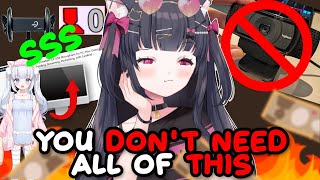

VTubing Isn't Free: The Hard Truth
43sControversial reality check about the costs of VTubing vs. IRL content creation sparks debate and engagement from beginners.
▶ Play Clip"Title accurately reflects beginner-friendly VTuber equipment basics, though the video focuses heavily on audio and personal anecdotes."
This video provides a beginner-friendly overview of essential equipment and software for starting a VTuber channel, emphasizing that while some costs are unavoidable, affordable options exist for audio, video, and tracking. The creator shares personal experiences and recommendations to help newcomers make informed decisions without overspending.
Not everything is free; some expenses are necessary for VTubing, though IRL content creation may require fewer purchases. However, both have costs like lighting and environment setup.
Audio quality is prioritized over video because viewers tolerate poor video but not poor audio. The creator has ADHD and auditory sensory issues, emphasizing proper microphone setup.
Blue Yeti Snowball ($35) and Audio Pro USB mic ($33) are budget-friendly USB mics. The A Media Live Streamer MC 330 ($60) is a dynamic XLR mic that requires an audio interface but offers better directionality.
Directional mics (like the Shure SM7B) pick up sound only from the front, reducing background noise. Condenser mics capture all room sound and require more soundproofing.
Foam panels, blankets, and EQ software can help muffle unwanted sounds. Moving directional mics away from noise sources (e.g., mini fridge) improves audio.
Webcams, iPhones, or mouse/keyboard inputs can be used for VTuber model tracking. Logitech webcams are high-quality but more affordable options exist.
The creator uses a two-PC setup to offload resource-intensive tasks like gaming and VTuber software. A single PC can work for lighter activities like chatting or ASMR.
VTube Studio is the most popular free 2D tracking program. For 3D, VC Face, Wudo, and VR Chat are free; Leet is paid. PNG Tubing tools like Reactive PNG are also free.
Starting VTubing doesn't require expensive gear; budget microphones and free software can produce good results. Prioritize audio quality and choose equipment based on your specific needs and content type.
Why is audio considered the most important investment for VTubing?
Because viewers are more willing to tolerate poor video than poor audio.
00:58
What is the price range for the Blue Yeti Snowball microphone mentioned?
$35 on sale on Amazon.
02:23
What is the main difference between a condenser microphone and a dynamic microphone?
Condenser mics pick up all sound in the room, while dynamic mics only pick up sound from the direction they are pointed.
03:14
Name two free 3D tracking programs for VTubing.
VC Face and Wudo (also VR Chat).
10:39
What is the most popular free 2D tracking program for VTubing?
VTube Studio.
09:56
Why does the creator use a two-PC setup?
To offload resource-intensive tasks like gaming and VTuber software, as a single PC couldn't handle both.
07:22
What is a budget-friendly alternative to expensive soundproofing?
Using a giant blanket around yourself (though you may sweat).
05:34
Audio Priority
Establishes a core principle for content creation: audio quality is more critical than video.
00:58Directional Microphone Demo
Practical demonstration of how directional mics reduce background noise, a key technique for VTubers.
03:42Two-PC Setup Rationale
Explains why VTubers may need more resources than IRL streamers, a nuanced insight often overlooked.
07:22Free Software Options
Lists multiple free tracking programs, making VTubing accessible to beginners on a budget.
09:56[00:02] side of youtubing for people who don't exactly know what to do what to get how to HOA this is where some people might start feeling kind of bad about themselves and I would like to emphasize that there are a lot of things you can
[00:14] do for free when it comes to youtubing however not everything is free Nothing in life is truly free unfortunately there are some expenses you're going to have to do if you want to become a vtuber more so if you wanted to just do
[00:28] IRL creation because realistically you don't need to have as many like purchases for IRL stuff compared to V tubing although that could be argued worry about lighting you have to worry about like your environment cuz it gets
[00:43] seen on camera so it could be argued either way content creation costs money can definitely make things more affordable for yourself you don't have tubing let's talk a little bit about Hardware I have audio listed first
[00:58] because I believe audio is the most important thing that you need to spend money on without a doubt because people are more willing to deal with the shitty video but not shitty audio I have auditory sensory issues due to my ADHD
[01:15] there are certain sounds I can't tune out very specifically you know the sound when people make when they go that's she sells seashells by the go that's she sells seashells by the seashore if I can hear that to to an
[01:28] extent where it is it it is almost earpiercing if the microphone is not configured properly and I have a meltdown over it it's why I don't watch problem with live streaming is that you can't like if you didn't set up your
[01:41] audio stuff correctly in the beginning it's going to sound like the entire time unless you want to spend like a million years fixing it whereas a video you can kind of edit it a bit and post unless if it's so bad unless if it's so bad God
[01:55] that's why we need audio engineers in this scene audio is very important so I here there are tons of microphones there are so many microphones I just listed different like price ranges cuz some people can't afford an expensive
[02:09] microphone like I understand that I I do and you don't have to have expensive to be good you can make a Blue Yeti snowball sound amazing it you just have to take more time to configure it and a Blue Yeti snowball I believe it goes for
[02:23] um I'm just looking up the prices for it real quick a Blue Yeti snowball costs $35 right now it's on sale on Amazon yeah yeah yeah mhm it's a USB microphone you just plug into your computer and you
[02:36] can configure it to sound pretty decent it's not going to have beautiful quality of course but it is a great like start especially if you don't have a lot of money then the other one I listed here is it's also on sale right now I've
[02:48] never used this microphone it's by Audio Pro it's a USB uh it's another USB microphone this one's $33 right now on Amazon and then I have here an a media
[03:00] live streamer MC 330 this one is a little bit more expensive it's at $60 cuz it's on sale right now and this is a dynamic you'd have to connect to like an audio
[03:14] interface and have an XLR cable but the quality is a bit better because it's microphones pick up all the sound that's in your room and you have to kind of mess around with the settings to not get all that unwanted noise whereas this one
[03:27] it only picks up in the direction that it's in front of so what I'm currently using right now is a sure sm7b that was given to me by a friend because I can't afford sh sm7b it's an expensive ass microphone but it was given to me so if
[03:42] I move away from my microphone you'll kind of notice my voice kind of kicks back into the microphone if I get really close to the microphone this is what a directional microphone does there are lots of great affordable microphone
[03:55] options out there I only had two hours to make this PowerPoint but I if you go into the bio if you're watching this on YouTube and you go into like my little like video bio like my description I have linked down below everything that I
[04:08] am talking about in today's stream so all of the equipment I have up here um I will I have to go back in and add in the software stuff so that is in there as well so you can check out all that stuff I will add more items to to this list as
[04:24] I have time to but these are just like kind of a general idea to give yourself expensive or high-tech ones if you don't understand what you want for your audio understand what you want for your audio that is such a great point oh my gosh I
[04:37] plan on making a video with an actual audio engineer to talk more about this because yes that is correct what's the point of buying a sure SM sm7b if you don't even know how to actually use it properly or if it turns out to not be
[04:51] the sound that you want very good points now in terms of soundproofing this is microphones like this where pixel up all like all the sounds in here you kind of have to soundproof stuff right now my mini fridge is going off and I don't
[05:06] used to be able to hear because my directional microphone used to be um like my mini fridge used to be in the same direction as my um directional the longest time and when I would edit my videos I go there's always this weird
[05:20] humming sound I'm using a sh sm7b that's so weird why and I'm like it's directional so now I moved it away so you shouldn't be able to hear that soundproofing you can also get foam panels and stuff too you could put like
[05:34] a giant blanket around yourself if you're okay with sweating there's lots of different ways to kind of muffle and mute out those unwanted sounds and there's also different ways to kind of EQ and use like some software or you
[05:47] know if you have an audio interface to help you get rid of unwanted sounds like a fan and stuff like that so going back to video now yes I know I know some of you in here and you're see in Logitech and you're thinking oh my Lord she's
[06:02] just showing us the expensive stuff I put Logitech on here because it's one of the better quality webcams that you can use but there are more affordable webcams that get the job done why do you kind of need the video stuff here this
[06:14] the audio so people can hear you you have the video to track your model cuz you're going to use the video tracking software um software Hardware to put and programs that we'll talk about in a second you'll notice here I have a
[06:28] webcam I have an iPhone and I have a mouse and keyboard that's because there model you can use a webcam you can use a phone or you can literally use a mouse and keyboard and have it have your model react to different inputs based off of
[06:41] range what you can afford and what you even want to do these are kind of the options that you have and I do have videos explaining how to use different interested in looking at that kind of stuff other devices is going to be like
[06:55] audio interfaces um more like soundproofing uh like a computer itself some people use lap I've seen people who just vtube on a laptop and it's like I intensive V tubing is if you got like a good gaming laptop though it can be done
[07:09] but what am what kind of setup am I using I use a 2pc setup and you might be thinking mari's in here just bragging about all no so I use a twpc setup
[07:22] however my streaming computer has like the bare minimum requirements that it needs to have in order to live stream and run vtu studio and I do this because I came to realize that I used to have a one piec set and but I came to realize
[07:36] that my models tracking started messing up pretty badly when I tried to do a one PC setup and then play like a game that was really heavily like resourced it was resource hungry and so I notic someone earlier mentioned Senpai gaming as like
[07:50] the stuff and he makes really great videos so doesn't I think his name is Expo there's a lot of like great YouTubers out there who make amazing Tut tutoral content on how to set for streams for IRL people I followed some
[08:05] of their tutorials and it almost nearly crashed my computer because I'm a vtuber their setups are meant to really optimize IRL style content creation not V tubing you have to keep in mind you were not just turning on your camera and
[08:20] going live you are turning on your camera you are setting up either vtu Studio or a 3D tracking program and any other tools you want to interact with your model like V Bridger like um tits whatever like streambot applications you
[08:34] want to have all of it that takes up resources on your computer I'm going to be making more videos explaining kind of how to set up your stuff to optimize V people don't take that into consideration since the only tutorials
[08:47] that exist out here are for irls that is why I use a 2pc setup because the games that I was playing the software that I'm using do you know VR chat takes up so much resources and there's like a whole configuration you got to do to optimize
[09:02] of that good luck honey unless you want to spend a lot of money on a computer so I separated my computers to help offload the work for that that is my reasoning for TW PC setup you do not need to do that you can get by with a one PC setup
[09:15] I did it for years I just got kind of tired of it cuz again the stuff I personally wanted to do my computer couldn't handle it so I separated them going to kind of do is just sit here and react to videos and like just chat or
[09:29] SMR you probably you know you don't need like the Intensive TW PC setup you could depends on what it is you want to do you can also V on just your phone you don't want to make sure you at least have a good microphone to connect to your phone
[09:42] so that way you're not using like I mean your phone's microphone like quality is pretty good but I still recommend getting an actual microphone for it you just V2 with just your phone and these are the different types of like software
[09:56] that you can use for 2D tracking programs you can the most popular one is vtube Studio we used to have face rig I I'm pretty sure face rig and oh God what was that other one PR PR live I think it was there was some other ones out there
[10:10] one of them got discontinued so vtube studio is kind of like the one for live studio is kind of like the one for live 2D at least v um veto Tu mini and PNG tub they don't have like a logo they're really good for PNG and gift tubing
[10:25] reactive is a really great collaborative tool for pgs and gifts if you're like reactive PNG there's some 3D tracking programs these are all free by the way you can get a DLC for vtube Studio that does cost money to get into collabs and
[10:39] all free for 3D tracking programs we have VC face we have wudo we have VR chat these are free and then we have leet leet is not free you have to pay for it but this is how you would track your 3D model oh was it called animes
[10:52] was it was it called animes gosh there are there are more live 2D tracking programs this is just the most popular choice the like I said there are other ones out there you can google and find out more I
[11:05] made this PowerPoint in two hours so yeah in terms of platforms if you're multistream that's what I'm doing right now um I'm on Twitter I'm on Twitch and and Instagram at some point I haven't set up my vertical live streams for that
[11:21] just yet because vertical and horizontal have different setups and you kind of have to take that into consideration when doing that when doing that there




⚡ Saved you 0h 11m reading this? Transcribe any YouTube video for free — no signup needed.