

Why Cat Ears Are Everywhere
44sTaps into the viral trend of cat ears on YouTubers, making viewers curious about the backstory.
▶ Play Clip"Delivers exactly what the title promises: a clear, step-by-step tutorial for making cat ears in VROID."
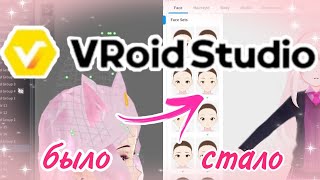
This video is a tutorial on how to create cat ears for a VTuber model in VROID Studio. The creator demonstrates the process step-by-step, from adjusting the grid and hair settings to drawing the ear shapes and adding inner details. The tutorial is aimed at VROID users who want to customize their models with animal features.
Many YouTubers, including the creator, have cat ears, and it's a unique trend. The video will show how to make real cat ears in VROID.
Move the grid to be as flat as possible, close to the center. Turn on Dirk Livan (likely a symmetry or mirror tool) to help with creating ears and the set.
Select the color of the ears. In hair parameters, set width to maximum and joint to maximum. Optionally remove highlights in texture settings.
Draw the base of the ears using the main color that matches the character's hair. It's difficult to get the desired strand initially; draw and then edit using dots.
Create a second layer for the inner part of the ear, which should be brighter and darker. The creator made a new Fiat group (likely a hair group) for this.
Make the inner part flatter by reducing size in the visa settings (likely view settings) and edit so they are evenly spaced close to the ears.
Cats have extra fur under the line. Take a color that flows into the hair, add highlights in texture settings, and draw a few thin strands from the ear for a fluffy look.
The creator notes that they didn't notice a bursting detail that could be added, but the result is super fast. They hope the tutorial was helpful and thank viewers.
The tutorial provides a quick and effective method for creating cat ears in VROID, emphasizing grid setup, hair parameter adjustments, and layering for realistic details.
What should you do to the grid before creating cat ears?
Move it to be as flat as possible, close to the center, and enable Dirk Livan.
00:20
What hair parameters should be set to maximum?
Width and joint.
00:50
How do you create the inner part of the ear?
Create a second layer with a brighter/darker color, and adjust it to be flatter.
01:17
What is the purpose of adding thin strands from the ear?
To add fur details for a fluffy look.
02:01
Grid Setup for Symmetry
Emphasizes the importance of a flat grid and symmetry tool for precise ear creation.
00:20Maximizing Hair Parameters
Key settings that make the ears look fuller and more natural.
00:50Layering for Depth
Using a second layer for the inner ear adds realism and depth.
01:17Fur Details for Fluffiness
Adding thin strands creates a fluffy effect, enhancing the cat-like appearance.
02:01[00:06] that many YouTubers have cat ears? Even I have them, and many girls from Halal who aren't even canonically cats still get cat ears and it has become such a unique trend. I decided to tell
[00:20] you how to make cat ears in Heroes of the Galaxy. These will be real cat ears, not like mine now. I did my hair here. You don't pay much attention. First, we need to move the grid. The grid needs to be made as flat as possible,
[00:35] close to the center, and it is advisable to immediately turn on Dirk Livan. Wait until you this will help when creating cat ears and when creating a set. Next, select the color of your ears and in the hair parameters, set the width to
[00:50] hair parameters, set the width to maximum and the joint to maximum. I also advise you to remove the highlights in the texture settings, but this is optional. Now you can make the base of the ears. This will be the main color that you want. It
[01:02] should match the color of the character's hair, and so I know. It's quite difficult to get the desired strand initially. Draw the ears as it turns out and then edit them using dots. Next, make a second layer. The inner
[01:17] part of the ear should be a little brighter and darker. For this, I personally created a new Fiat group, but you can create one here. It depends on what's more convenient for you. But I just very often move this mesh all
[01:31] the time. It won't be more comfortable for them. So, move it further, so that the ears don't overlap this inner part, and draw the strand again. For this, you need to
[01:44] make a flatter image. So, we need to make it a little smaller in the visa settings and again edit it so that they are evenly spaced close to the ears. In principle, we could finish at this point.
[02:01] Cats and other animals have a little more fur here under the line that is little more fur here under the line that is too, and it's not difficult to make it either. For this, it's better to take a color that flows into the
[02:15] hair in the texture settings. You can add highlights and draw a few add highlights and draw a few thin strands from the ear. Regarding your character to be some kind of fluffy kitty because I personally
[02:30] will point out that you, your own cats, are tortured by their fur. I did n't notice the bursting detail that could be added to the model so that it would be more interesting to look at, and that's how it was super fast. The Real, by the ears,
[02:43] Vera, I hope it came in handy for us. She was there with you all. Monica, thank you all very much for watching. Bye everyone. [music]


⚡ Saved you 0h 02m reading this? Transcribe any YouTube video for free — no signup needed.