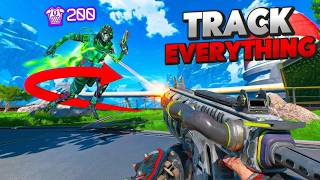

From controller to mouse: my aim transformation
39sThe dramatic before/after promise and the relatable struggle of switching inputs hooks gamers immediately.
▶ Play Clip"Delivers a concrete routine with specific tasks, but the title oversells 'better aim' without guaranteeing results."
This video presents a comprehensive aim training routine for Apex Legends, developed by a player who transitioned from controller to mouse and keyboard. The routine consists of specific tasks in Aim Lab, each targeting different aiming skills such as tracking, flicking, and micro-adjustments, and is designed to be effective for both console and PC players.
The creator switched from controller to mouse and keyboard, finding it difficult initially, and trained in aim trainers like KovaaK's and Aim Lab to improve technical skills such as smooth aim, wrist adjustments, and fingertip stability.
The aim training playlist is usable on both controller and mouse and keyboard, as well as console and PC, making it accessible to a wide audience.
The creator offers to try the aim routine of the most liked pro player in the comments if the video reaches 1,500 likes in a week, encouraging viewer engagement.
The routine begins with light stretching of hands and wrists, and the use of an arm sleeve to reduce moisture and friction. The creator uses a glass mouse pad from Wall Hack and a new Aqua Control Mid from X-raypad.
The creator uses a tool called Gear Up to reduce ping, dropping from 60-70 to 40-50, sometimes low 20s, which helps in online play. A link is provided in the description.
The playlist is pre-made and structured to warm up for subsequent tasks. Viewers can search each task individually or create their own playlist with the same tasks.
A single target that never dies, focusing on fast adjusting into a stabilized smooth track. Useful for close-range fights and 1v1s. Techniques include using wrist for flicks and arm for tracking, making corrections only when needed, and adjusting based on target distance.
Three balls moving on all three axes in a confined area, requiring constant corrections. Techniques include tracking the path of the target, pre-selecting next targets, using arm for large movements, and flicking to the front of targets to avoid slipping off.
Flicking from one target to the next with horizontal strafes. Emphasizes accuracy over spam clicking, and moving on after a miss. Focus on fast transition from arm flick to wrist/fingertip adjustment.
Micro adjustment task using only fingertips. Focus on shortest path flicks, avoiding hook motions, and tension management to stay loose and accurate.
A switching task on a 180-degree map, emphasizing knowing where the next target is. Techniques include keeping a mental note of target positions and directions, flicking hard with arm and finishing with wrist, and blending movements for clean kills.
Similar to Zach Sphere but with massive flicks into long smooth tracks. Focus on using arm for large movements, reading target transitions to anticipate direction changes, and not following the target but reading its movements.
Balls move in close and far ranges, requiring constant switching between wrist/fingertips for micro tracking and arm for long tracks. Focus on recognizing target distance and speed to adjust movement size.
The video provides a detailed, structured aim training routine that targets specific skills needed for Apex Legends, emphasizing the importance of technical precision and adaptability. By following this routine, players can improve their aiming consistency and performance.
What is the purpose of the Zach Sphere task?
To practice fast adjusting into a stabilized smooth track, useful for close-range fights and 1v1s.
02:26
How should you track targets in Yuki Tune Switch?
Track the path the target is moving through, not the target itself, and pre-select the next target using peripheral vision.
04:03
What is the key to success in Strafe Shot?
Fast transition from arm flick to wrist/fingertip adjustment, and avoid spam clicking; if you miss, move on.
05:13
What muscle group is used in Micro Three Sphere?
Fingertips only, for micro adjustments.
06:20
What is the main goal of Sphere Switch?
To flick accurately to the next target and know where the next target is, using mental notes of positions and directions.
06:59
How do you read target movements in VT UFO?
Pay attention to the transition when the target changes direction, as it slows down slightly, indicating its next move.
08:42
What is the focus of Free Think?
Recognizing target distance and speed to adjust between wrist/fingertips for micro tracking and arm for large movements.
09:37
Transition from Controller to M&K
Highlights the creator's personal journey and the motivation behind the training routine.
00:01Ping Optimization with Gear Up
Demonstrates a practical tool to reduce ping, which can significantly impact online gameplay.
01:33Tracking the Path, Not the Target
A key aiming principle that improves tracking efficiency by anticipating movement.
04:03Reading Target Transitions
Explains how to anticipate direction changes by observing subtle slowdowns, a pro-level skill.
08:42Switching Between Aiming Methods
Emphasizes the importance of seamlessly transitioning between wrist and arm aiming, a skill many players overlook.
09:37[00:01] controller to mouse and keyboard, and it was freaking hard. I mean, controller for me. And now, on mouse and keyboard, I have to do everything myself. But what training. Not in Apex, because that doesn't really teach you much. But I aim
[00:15] trained in actual aim trainers like Kovak's and in Aim Labs. I focused not on recoil control, but technical skills like smooth aim, wrist adjustments, fingertip stability, and everything under the sun. Today, I'm going to be
[00:27] playlist that helped me turn my aim from this this to this
[00:39] both usable on controller and mouse and keyboard, or console and PC. So, there's absolutely no reason that this will not be able to help you. But before we hop into today's video, if we can hit 1,500 likes on this guide in 1 week, I'll try
[00:53] the aim routine of the number one most liked pro player in the comments. So, like the video, sub to get notified when the next one drops, and comment who you stretch lightly to warm up my hands and whatever body parts that I'm going to be
[01:07] direction, and then a wrist stretch both up and down to loosen everything up. Throw on an arm sleeve to reduce both moisture and friction between me and my the day. Usually, I'm playing on my glass mouse pad from Wall Hack, but
[01:21] new that I just got in the mail. The Aqua Control Mid from X-raypad. By the way, all the gear that I use is going to be listed in the description down below it on out or get it for yourself, the link will be there for you. After a
[01:33] on my PC, which some people call hacks, but really all it does is drop my ping it's going to help me that much in Aim Labs, but once I'm done my quick 10 to 15 routine, I'll be hopping into Apex where it's not uncommon for me to get
[01:47] anywhere from 60 to 70 ping. But by clicking literally one button, I can usually drop my ping down to 40 or 50 ping, sometimes even down into the low 20s on really good days. It's called Gear Up and for the month of May to
[01:59] June, anyone who signs up won't just fix their connection, but also get a free official new partnership. I'll leave a link in the description down below if on out. Now, I have a pre-made playlist that I use for everything. So, if you
[02:12] you can just search up each task one by one or you can create your own playlist with all the same tasks inside of it for the future. My playlist is structured time. This is because it like warms me up for the next task or something. I
[02:26] develop it this way or something like that. But, for the sake of today's each task that I'm doing. First up is Zach Sphere. This is a single target that never dies and focuses on a fast adjusting into a stabilized smooth
[02:39] track. This is a super helpful task when fighting players up close or when you're helps a bunch in my 1 v 1s, especially when I'm swinging and challenging this task is one, using my wrist to flick back onto the target and then use
[02:54] my arm to finish tracking it. Two, only making corrections I see that I need to up, or change directions unless I see my target is making me do that. And three, The closer my target is, the faster it's going to move and the further it's going
[03:09] utilize my arm in order to track it. And the further it is from me, the slower going to be moving. Meaning, I'm going to have to use a lot more of my wrist instead of my arm in order to track it. This is a super hard task, especially
[03:23] So, if you find it very overwhelming, just slow down and focus on all the things that I talk about in this video. My next task is Yuki Tune Switch, which is a very weird name. This task looks really easy and underwhelming, but when
[03:37] I say it will humble you, oh my goodness, it humbled the hell out of me. Tune Switch is three balls moving on all three axes, horizontal, vertical, and target kill, but the only thing is the area that they're moving in is quite
[03:51] confined, so you're constantly making corrections. And on top of that, the targets are constantly moving in closer and then moving further away, which changes how fast you're going to be tracking each individual target. When I
[04:03] different set of skills than when I play reading the direction that my target is moving. Then instead of trying to track the target, I track the path that I see the target moving through. Two, I always
[04:17] target after every kill. Most of the time I use my peripheral vision and pick a target before I even finish killing the target that I'm currently on. Three, they look to be moving. So to kill them before they change direction, I focus on
[04:31] a smooth track to avoid wobbling. The smoother that I can stay, the easier and the faster I kill them, the less that I need to make a correction before it that I do this is by using my arm. Because they do move in such large
[04:45] movements, my wrist and my fingertips simply can't track that large of a movement. And four, lastly, I always try to flick to the front of the targets because when I slow my mouse down, if I flick to the back, I end up slipping off
[04:57] front of the target keeps me on when I adjust to the actual speed of the it comes to aim training, all you're doing is clicking and tracking and think that it needs to be. But there's a lot of little skills that go into how to
[05:13] actually move your mouse. Now the next task that I have is strafe shot. This is trying to flick from one target to the next all in both long and short random strafes horizontally. Missing clicks in this one drops your score, so you're
[05:27] Don't just spam click. Make sure that when you click, you actually hit your target. And another pro tip, if you miss your target, don't try to spam click and kill it. Just move on to the next one. You miss, you move on. Now here I'm
[05:40] next target that I'm trying to move to. Trying to land as close as I possibly can to that target and then I finish it off by using an adjustment from either personally really struggle with this one, so I tend to spend a few extra runs
[05:54] too technical, it can just be a little bit tricky. The main thing here is that you want to make sure that you have a fast transition from when you flick with your arm to transition with your fingertips and your wrist into that
[06:07] kill. If there's a long or if there's a big pause between when you make that big flick to when you move your wrist, that target is going to move well away from you, and it's going to be really hard to make that new correction onto it. Next
[06:20] task is micro three sphere, which is a micro adjustment task using only your from one target to the next. I try my best to flick to the next target using the shortest path possible. So, try to avoid using hook motions. Instead, try
[06:34] possible. It's a simple drill, but a really important one to get comfortable using this very small muscle group. I tend to always get really stiff towards the end of this task, so tension management is really important to stay
[06:47] loose and accurate without cramping and slowing down. This is also a clicking drill, so accuracy really matters. The more that you miss or the more that you spam click, the more that your score is going to drop. So, focus on being fast,
[06:59] accurate, and don't spam click. My next task, and one of my favorite ones, is sphere switch. This one gets very misunderstood. Yes, it's a switching task, but the goal is more than just switching. It's how fast can you
[07:11] accurately flick to the next target? And more importantly, do you know where the next target actually is? This is a 180 degree map, so when you're looking right of you. So, one thing that I try to practice is keeping a mental note.
[07:25] What platform did I see a target moving out of my line of sight? And what direction was that target going? That way, when I finish killing a target and flick into the direction that I last
[07:37] seen something move, and I can predict how far it would be depending on how The second and third skill I'm practicing is flicking hard and fast to the front of the next target with my arm, then using my wrist to finish off
[07:49] the kill. In a side note, my cleanest kills are the ones where I don't stop on the target then try to track, but rather as I flick [music] to the target, I slow down my arm and blend my wrist into the movement to take over. The kills are
[08:02] easier to push off of into the next kill. When you have choppiness or pauses between when you use one movement tend to start getting stuck. My next task is VT UFO. Very similar to Zax
[08:16] Fear, but instead of quick short flicks to the new direction into a short track, it's a massive flick into a very long and smooth track. All the same ideas flicking with my arm instead of my wrist. Also, because all the movements
[08:29] in this task are typically a lot larger, larger tracks, larger flicks, I need to use a body part that is more focused and more geared towards larger movements. wrist, which is what I was doing in Zax Fear, I'm going to be focusing a lot
[08:42] more on my arm for VT UFO. Pro tip, try not to follow the target when tracking its movement. If you slow down this video, you'll notice that when the target changes directions, its strafe slows down slightly. And it almost tells
[08:56] you what direction that it's planning on moving on into. The way that you get game like Apex, is paying attention to that transition. Recognizing when a direction it's trying to push into. So, basically, you're reading the movements.
[09:11] You're not following it. Now, I have a few other tasks in my playlist, but I'm lately just because they don't really fit into the play style or they're not focusing on right now, and I'm putting a lot more effort into these other tasks.
[09:23] But, the last drill that I do is called Free Think. Free Think is another think about what the targets are doing. These balls move in a super close and super far range, so you're constantly needing to adjust from using your wrist
[09:37] and your fingertips for micro tracking and then instantly switching off to your arm when you switch to a new target for a really close-range fast long track. It's a very basic skill, but a lot of players don't prioritize learning how to
[09:49] transition from one method of aiming into the next back-to-back consistently. focus on in this task here is recognizing how far is your target from is, meaning the more accurate and the more precise that your fingertips are
[10:04] the faster it is, meaning your arms are going to have to make a lot larger of a movement. And then as well, recognizing is the target moving away so that you're slower movement or is the target moving closer so you're going to have to
[10:17] it moving side to side, so on so forth. Now, this is my current Aim Lab routine I said in the beginning, is available both on console and PC and compatible
[10:29] keyboard. So, there is literally no reason for you not to be training. If that like button and subscribe and let me know, how does this training help you me know, how does this training help you in your aiming routine?
⚡ Saved you 0h 10m reading this? Transcribe any YouTube video for free — no signup needed.