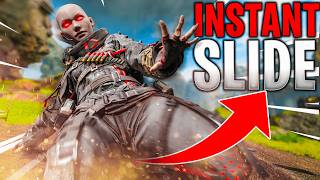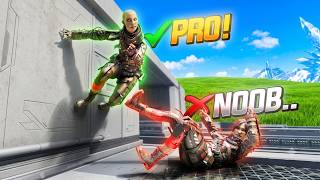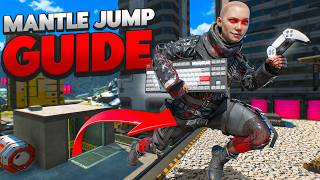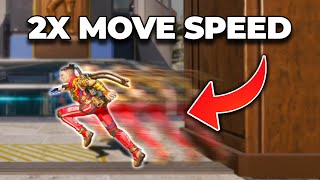

Move 2x Faster: Pro Secrets
48sOpens with a dramatic contrast between desired and actual movement, hooking viewers with the promise of exclusive pro techniques.
▶ Play Clip"The title is slightly exaggerated; the video does teach movement secrets used by pros, but the techniques are not hidden or forbidden, just advanced."
This video teaches Apex Legends players how to move two to three times faster using advanced sliding techniques. The coach explains the importance of holstering weapons for speed, introduces instant and advanced slides, and covers momentum management. It also provides keybind and controller setup tips for consistent execution.
Holstering your weapon increases run speed and allows slides with only one step, removing the need for three steps.
A dead slide is a slow, short slide or getting stuck in a crouch, caused by not having enough sprint time before sliding.
Bullet fatigue cancels your sprint when you get shot, forcing you to walk for a split second, which can prevent you from entering a slide.
Momentum generating mechanics require continuous action (e.g., running), while momentum keeping mechanics (e.g., slide, bunny hop) preserve speed once initiated.
After pressing swap weapon, there is a half-second delay before your weapon unholsters, during which you can still slide with holstered speed.
The sequence for an advanced slide is: peek, holster, swap, step, crouch, jump.
For mouse and keyboard, bind cycle weapon and holster to side mouse buttons to separate aiming (right hand) from movement (left hand).
A pro controller with at least four paddles is recommended, mapping crouch, jump, interact, and swap weapon to them.
Turn off melee target compensation to prevent aim assist from sticking to enemies when your weapon is holstered, making it easier to move away.
What is the main benefit of holstering your weapon before sliding?
Holstering your weapon increases run speed and allows slides with only one step, removing the need for three steps.
3:00
What is a 'dead slide' and what causes it?
A dead slide is a slow, short slide or getting stuck in a crouch, caused by not having enough sprint time before sliding.
7:00
How does 'bullet fatigue' affect your ability to slide?
Bullet fatigue cancels your sprint when you get shot, forcing you to walk for a split second, which can prevent you from entering a slide.
7:52
What is the difference between momentum generating and momentum keeping mechanics?
Momentum generating mechanics require continuous action (e.g., running), while momentum keeping mechanics (e.g., slide, bunny hop) preserve speed once initiated.
10:23
How long is the delay after pressing swap weapon before your weapon unholsters, and what can you do during that time?
After pressing swap weapon, there is a half-second delay before your weapon unholsters, during which you can still slide with holstered speed.
14:00
What is the sequence for an advanced slide?
The sequence is: peek, holster, swap, step, crouch, jump.
15:00
What keybind setup does the coach recommend for mouse and keyboard to improve movement?
For mouse and keyboard, bind cycle weapon and holster to side mouse buttons to separate aiming (right hand) from movement (left hand).
20:33
What controller setup is recommended for optimal movement on controller?
A pro controller with at least four paddles is recommended, mapping crouch, jump, interact, and swap weapon to them.
22:03
What setting should controller players turn off to improve movement when holstered?
Turn off melee target compensation to prevent aim assist from sticking to enemies when your weapon is holstered, making it easier to move away.
26:40
Holstering for Speed
Explains the core principle that holstering increases run speed and enables instant slides, a fundamental movement technique.
3:00Bullet Fatigue
Introduces the concept of bullet fatigue, a game mechanic that cancels sprint when shot, which is crucial for understanding movement limitations.
7:52Momentum Types
Differentiates between momentum generating and momentum keeping mechanics, providing a framework for advanced movement strategies.
10:23Advanced Slide Timing
Reveals the half-second delay after swapping weapons that allows for a slide with holstered speed, a key pro technique.
14:00Keybind Separation
Advocates separating aiming and movement controls to different hands, a principle that improves multitasking and consistency.
20:33[00:00] Do you want your movement to look more
[00:01] like this?
[00:04] But no matter how much you practice,
[00:06] your best clips always end up looking
[00:08] like.
[00:11] [Music]
[00:12] Well, that's okay because in today's
[00:14] video, I'm going to be showing you how
[00:15] to move two to three times as fast as
[00:17] you normally do using the secrets that
[00:19] pros and do not want you to know. But
[00:21] I'm not just going to be teaching you
[00:22] how to move faster. I'm going to teach
[00:24] you what makes you move slower, what you
[00:26] can do to build off of moving faster,
[00:28] and more importantly, how to
[00:30] legitimately use these techniques
[00:32] properly at the right time. But why
[00:34] should you listen to me instead of all
[00:36] the amazing other coaches out there? Tim
[00:39] Pro, Coach Frosty. Hi guys, my name's
[00:41] Dro. I've been coaching Apex
[00:43] professionally for the last 5 years, and
[00:44] I've helped people from professional
[00:46] levels all the way down to the absolute
[00:48] noobs of Apex reach their desired rank.
[00:51] I don't just make guides on how to do
[00:53] certain things, but I make them
[00:54] understandable and approachable so that
[00:56] no matter what level of player you are,
[00:58] you will be able to walk away today
[00:59] knowing absolutely how to do everything
[01:01] that we talked about in this video as
[01:03] easily and as effectively as possible.
[01:05] If you want to keep getting better at
[01:07] other aspects in Apex Legends, like your
[01:09] aiming, your positioning, your game
[01:11] sense, your playmaking, your teamwork,
[01:13] then make sure to hit that like button,
[01:14] subscribe, and turn on notifications so
[01:16] that you know whenever we update a new
[01:17] video so you can stay ahead of everybody
[01:19] else. If you want more personalized
[01:21] coaching to figure out where exactly
[01:23] you're having issues, consider booking a
[01:25] coaching session with me with the link
[01:26] in the description down below. I have
[01:27] coaching options for all price points,
[01:29] whether you're on a budget or if you
[01:31] want weekly coaching. But just keep in
[01:33] mind, I do book insanely fast. And most
[01:35] months there can be anywhere from a 2
[01:38] week to a twomonth weight list. That all
[01:40] being said, if you want to get coaching
[01:42] for free, make sure to comment coaching
[01:43] down below. I'm going to be picking one
[01:44] person from each video who comments
[01:46] coaching to get a free coaching session
[01:48] in the firing range. Now, let's holster
[01:49] your keyboard and let's get right onto
[01:51] this video. All right, gang. So, what
[01:53] we're going to be doing is we're going
[01:54] to be going over and covering a handful
[01:57] of different ways that you can
[01:59] essentially get your body to move around
[02:01] faster. Now, none of these mechanics are
[02:03] going to be, you know, insane or crazy.
[02:06] Honestly, everything that we're going to
[02:08] cover today, you can do on any platform
[02:11] or any input. So, if you're on Switch,
[02:13] if you're on controller, PC, mouse and
[02:16] keyboard, console, it doesn't really
[02:18] matter. you'll be able to do it no
[02:19] matter what. But like I said, what we're
[02:20] basically going to be doing today is
[02:22] we're going to be starting off with a
[02:23] very basic way on how to slide. And from
[02:26] there, what we're going to do is we're
[02:28] going to take it up a notch and we're
[02:29] going to add new skills to said slide to
[02:32] make it even that much more effective.
[02:34] Now, this is something that I coach
[02:36] everybody on um whenever I'm doing Apex
[02:38] Legends coaching sessions. So, you may
[02:40] have already seen this before, but I'm
[02:42] going to be talking a lot about a whole
[02:44] bunch of things that go into it. So,
[02:46] even if you know what we're going to be
[02:48] doing today, or maybe you already know
[02:50] how to do it, I can almost guarantee
[02:52] we're going to cover a thing or two that
[02:54] you didn't know that's going to either
[02:55] make it one more consistent or two, it's
[02:58] going to make it a lot easier for you to
[03:00] hit in general. So, to start off with
[03:03] what we're going to be talking about, we
[03:05] are talking about instant advance and
[03:08] instant swap slides. Now, these are
[03:10] terms that I have given it myself. It's
[03:12] not like this is a super concrete, you
[03:14] know, terminology. You might hear, you
[03:17] know, a lot of people talk about it
[03:18] because, you know, we've talked about it
[03:19] for so many years that it might have
[03:21] just grown on by now. Some people call
[03:23] it fade slides, but they also don't
[03:25] really know exactly what fade slides are
[03:27] to begin with, and they they kind of
[03:29] confuse fade slides with what we're
[03:30] going to be talking about. Now, when it
[03:32] comes to moving our body around, there
[03:33] are two main things that we need to keep
[03:35] in mind, or rather, there's two main
[03:37] factors that's going to determine how
[03:39] your body moves. And because of that,
[03:40] there's going to affect you in a whole
[03:42] bunch of different ways. The main way
[03:43] that a lot of people are going to be
[03:45] moving their body is moving their body
[03:46] with their gun in their hand. And the
[03:48] second way is going to be moving their
[03:50] body with their weapon holstered. Now,
[03:52] just a quick note, if you have an
[03:53] heirloom or if you don't and you just
[03:56] play with your fists, it's not going to
[03:57] make a difference. Your heirloom is just
[03:58] a pure cosmetic thing. It doesn't do
[04:00] anything to the game other than maybe
[04:02] give you some visual confirmation as to
[04:04] like what state your body is in. But
[04:06] maybe we'll talk about that in a later
[04:07] video. But regardless, there's two main
[04:09] ways that we're moving our body. With
[04:10] our gun in hand and with our gun
[04:12] holstered. Now, everyone knows that when
[04:14] you move with your gun in your hand, you
[04:15] naturally move a little bit slower
[04:17] compared to when your weapon is
[04:19] holstered. So, something that we want to
[04:21] keep in mind, or something that we want
[04:22] to be thinking about in general, is what
[04:25] is your goal in this specific moment? Is
[04:27] my goal to be shooting my gun, or is my
[04:30] goal to be moving my body forwards into
[04:33] a fight, backwards out of a fight, or am
[04:36] I trying to take a new position off to
[04:38] the side and engage from somewhere else?
[04:40] What is your goal right now? Is it to
[04:42] fight or is it to move? If your goal in
[04:43] general is to move, then in general,
[04:46] your weapon should just be going down.
[04:48] You always want to make sure that you're
[04:49] attacking your goal with whatever means
[04:52] possible. for me and for I would say
[04:54] 99.99%
[04:56] of pro players and especially movement
[04:58] players like Fade, Ecstasy, Lemon Head,
[05:01] Sylus, movementless I think his name is,
[05:03] what you're going to notice is every
[05:04] time, or maybe not every time, but a lot
[05:06] of the time when we're trying to move
[05:08] our body, we're going to be holstering
[05:09] our weapon. A lot of people think that
[05:11] we're holstering our weapon just so that
[05:13] we can take out the very fancy heirloom
[05:16] that we spent hundreds of dollars on. In
[05:17] reality, you know, that might be one of
[05:19] the factors, but it's usually, if not
[05:22] only, because we're trying to get that
[05:24] movement speed boost. Now, this movement
[05:26] speed boost doesn't just affect your
[05:28] running speed. It also affects what
[05:30] we're mostly going to be talking about
[05:31] today, your sliding. Now, if I want to
[05:34] take a slide with my gun in my hand,
[05:36] keep in mind that it makes you run
[05:38] slower, which means that your slide
[05:40] isn't going to have nearly as much
[05:42] velocity, which basically just means
[05:44] speed, as you're trying to slide towards
[05:46] someone or slide away from someone. So,
[05:48] in general, your slides are going to be
[05:50] slower. Because your slides are slower,
[05:52] I'll just use maybe this line right here
[05:55] as a guideline. Because your slides are
[05:57] slower, your slides also don't go
[06:02] as far compared to if you were to
[06:04] holster your weapon.
[06:09] You can see that you get a little bit
[06:11] more distance. Now, is that 1 to 2 m
[06:14] going to make or break a fight? Probably
[06:16] not. But being able to move your body
[06:18] faster and further in general is
[06:21] helpful. Imagine if you're trying to
[06:23] slide to this box hypothetically and you
[06:25] end up stopping. Sure, you're going to
[06:27] get destroyed and you know is probably
[06:29] not going to benefit you as opposed to
[06:31] if your slide had actually taken you to
[06:33] where you wanted to go. Now, on top of
[06:35] this, moving with your gun in your hand
[06:38] doesn't just affect your sliding speed
[06:41] and your sliding distance, but it also
[06:43] affects when you can even get into the
[06:45] mechanic itself. So, for instance, let's
[06:46] just say I'm trying to fight this
[06:48] person. I got some good damage on him
[06:50] and I'm really confident that if I push
[06:52] him, I can kill this guy for sure. Get
[06:55] up in his face and finish off that one
[06:57] mag on him. If I want to take a slide
[06:59] with my gun in hand, I need to take a
[07:01] minimum of one, two, three steps. If I
[07:04] take anything shorter than those three
[07:05] steps one two
[07:08] one, you're either going to get what's
[07:10] known as a dead slide, which is a really
[07:13] slow, short slide, or what you're going
[07:15] to get is a no slide. Another way to
[07:18] think of a dead slide where you get
[07:20] stuck into a crouch. Now, this is really
[07:22] detrimental to your gameplay. If I'm
[07:24] trying to fight this person, I got that
[07:26] good break. I'm trying to push up on
[07:27] them and I go crouch and now I'm stuck
[07:29] in the open. Well, one, I'm a slow
[07:31] target as I'm running out into the open.
[07:34] Two, I'm not able to slide right away,
[07:37] which means that I'm also really easy to
[07:39] hit. I'm just a running target. And
[07:42] three, I'm actually not getting into
[07:44] that slide or I'm getting stuck right
[07:46] here in the open. And that in general
[07:48] also is just going to cause so many
[07:50] issues for your gameplay. Now, something
[07:52] that a lot of people don't know about is
[07:54] something called bullet fatigue. And
[07:56] bullet fatigue is when you're running
[07:58] around in a sprint and as you get shot,
[08:01] it cancels your sprint and you're forced
[08:04] to walk for a split second. This is
[08:06] really important because if you're
[08:08] trying to get into a slide, you need to
[08:11] make sure that your body is sprinting.
[08:13] If you're walking, you're just going to
[08:15] crouch. So, imagine you're taking a
[08:17] gunfight with someone and as you're
[08:19] trying to slide out into the open, what
[08:21] ends up happening is you get forced to
[08:23] walk and now you can't hit that sprint,
[08:26] you can't enter a slide, and you end up
[08:28] getting shot for it. So, in general,
[08:30] moving with your gun in your hand simply
[08:33] causes a whole bunch of disadvantages.
[08:35] Now, as soon as we holster the weapon,
[08:37] not only do we run faster, which means
[08:39] that our slides are also faster, but
[08:42] we've also completely removed the issue
[08:44] of needing to take one, two, three
[08:47] steps. Now, as soon as we holster our
[08:49] weapon, as soon as you take one slide,
[08:51] or as soon as you take one step, you can
[08:54] instantly get into that slide. Meaning,
[08:56] if I'm fighting someone and I'm in
[08:58] behind my cover, as I'm shooting, I'm
[09:01] going to holster my weapon and it's
[09:04] going to allow me to come out into the
[09:07] open into a slide instantaneously.
[09:10] This is what we would call an instant
[09:12] slide.
[09:15] Now, instant sliding doesn't just give
[09:17] you the benefit of sliding further,
[09:20] sliding faster, sliding when you want,
[09:22] but it also helps you completely remove
[09:25] the chance of getting stopped before
[09:27] you're able to enter the slide.
[09:29] Remember, when your gun is in your hand
[09:31] and you need to take three steps into
[09:32] the open, 1 2 3. If you get shot during
[09:36] those three steps, it cancels your
[09:38] sprint. You're forced to walk. And if
[09:42] you go for a slide midw walk, you're
[09:44] gonna get stuck in a crouch and it's
[09:46] going to completely mess up your
[09:47] movement. But if you practice holstering
[09:49] your weapon before you try to move, if
[09:51] you take one step into the cover, when
[09:54] you take one step back out, you can
[09:57] slide from behind the cover or off of
[10:00] the corner. That's going to keep you
[10:01] safe. So, let's just say I'm fighting my
[10:03] opponent from right here. Instead of
[10:06] taking one step out in the open and
[10:09] sliding, instead of what I'm going to do
[10:10] is I'm going to take one step into
[10:13] cover. And then when I go to crouch or
[10:15] slide, I'm actually sliding about right
[10:18] here where he can't see me. And I'm
[10:21] entering that slide into the open. When
[10:23] you're moving your body, there's two
[10:24] different types of way to move your
[10:26] body. There's momentum generating
[10:28] mechanics and momentum keeping
[10:31] mechanics. Momentum generating mechanics
[10:34] are things that you're doing in the
[10:36] moment that make you move. And if you
[10:38] stop doing that action, you stop moving
[10:40] your body. Momentum keeping mechanics is
[10:44] mechanic that once you have momentum,
[10:46] you can use it indefinitely and nothing
[10:49] can stop you until that mechanic
[10:52] eventually runs out. So for instance, a
[10:54] bunny hop, I'm actually not holding
[10:56] forward. All I'm doing is I'm keeping my
[10:59] body moving by jumping. And the jump
[11:02] keeps all of that momentum. So, whatever
[11:04] speed you go into that mechanic with, I
[11:07] can keep that momentum
[11:10] indefinitely. A slide keeps your
[11:13] momentum until it eventually slowly runs
[11:17] out. Now, with this in mind, once I'm in
[11:20] cover and I slide out, because I'm now
[11:24] transferring my body from a momentum
[11:26] generating mechanic to a momentum
[11:28] keeping mechanic as I slide out, there's
[11:30] no way for my opponent to stop my
[11:32] movement. Meaning, once I've entered
[11:34] that slide, he can't stop me from
[11:36] pushing him. Or if I'm in a defensive
[11:38] position, once I enter that slide,
[11:41] there's nothing he can do to stop me
[11:43] from moving backwards. But if I were to
[11:45] try to do this with my gun in hand once
[11:47] I start pushing out and he shoots me,
[11:49] he's able to stop my push forward by
[11:51] stopping my momentum or he's able to
[11:53] stop me from running back by canceling
[11:55] my sprint. So that's why it's super
[11:57] important that we try to use instant
[11:59] slides as often as possible. Holster our
[12:01] weapon behind cover, slide out, and now
[12:05] there's nothing that they can do to stop
[12:06] our momentum. This also stacks really
[12:09] strong with shooting. That's because if
[12:12] your gun is in your hand, if you try to
[12:13] sprint and then shoot, it's going to
[12:16] force you into a walk. Especially if
[12:18] you're aiming down sight, you're going
[12:20] to move even that much slower. So
[12:22] instead, if we can hold that momentum,
[12:25] you can essentially shoot your gun while
[12:29] sprinting because you're carrying that
[12:32] momentum with a slide where you're
[12:34] carrying that momentum with a bunny hop.
[12:36] Now, that is instant sliding. Super
[12:38] basic. We're going to shoot, holster our
[12:42] gun behind cover, slide out with one
[12:45] singular step. Now, we can change this
[12:47] instant slide to an advanced slide. An
[12:50] advanced slide is very similar. The only
[12:52] difference is when we actually take out
[12:54] the weapon. Now, right now, we have
[12:56] fixed all these issues of moving slow,
[12:58] not being able to slide when we want,
[13:00] removing the issue of possibly getting
[13:03] your sprint canceled, being able to
[13:05] slide further. We fixed all of those
[13:08] issues, but we created an issue by
[13:10] accident. Before, at the very least,
[13:12] with our gun in hand, we could shoot
[13:14] whenever we wanted because our gun was
[13:16] in our hand. But now that our gun's
[13:17] down, if I'm here and I go to push out,
[13:21] my gun comes out really late from when I
[13:23] left the cover, which means that even
[13:25] though I'm doing the action that I want,
[13:27] I can't follow up with what I want to
[13:29] do, shooting my gun right away.
[13:33] So, here's how we're going to fix this.
[13:34] When we holster our weapon, there's a
[13:36] little white dot that appears in the
[13:38] center of our screen. This is your
[13:39] holster crosshair. Very similar to
[13:41] having a weapon crosshair. This holster
[13:44] crosshair, if I were to hit my swap
[13:47] weapon bind, whether you're on
[13:48] controller, this might be your Y or your
[13:50] triangle or a paddle, or if you're on
[13:53] mouse and keyboard, whatever you set it
[13:54] bound to. For me, it's one of these side
[13:56] buttons on my mouse. When I go to hit
[13:58] that bind in 3 2 1, you'll notice that
[14:02] that onscreen crosshair doesn't change
[14:04] right away. I'll do that again and pay
[14:06] attention to it. My holster crosshair.
[14:08] So, right now, I have primed my body to
[14:10] move fast. As long as you see that
[14:12] crosshair, that's the state that your
[14:14] body's in. So, right now, my body's
[14:15] ready to move fast. Gun down. I'm going
[14:17] to hit my button in 3 2 1. And you can
[14:21] see that that crosshair doesn't
[14:23] immediately change. It takes about half
[14:25] of a second. That half second change is
[14:28] your body transitioning from gun down
[14:30] moving fast to gun in hand moving slow
[14:33] again. This means because there's a half
[14:36] second delay that you have half of a
[14:38] second where your body will still gun
[14:40] down move fast. So, if I'm in cover and
[14:43] I'm shooting someone,
[14:45] if I holster my gun and then I hit swap
[14:48] weapon, for that half second, I can
[14:52] actually still slide out using the
[14:55] instant slide mechanic that we just
[14:56] learned a moment ago. So, what we're
[14:58] basically going to practice is peeking,
[15:00] holstering into cover, swap, step,
[15:04] crouch, jump. If the jump is one
[15:06] mechanic that is just kind of messing
[15:08] you up, it's like one too many steps for
[15:10] you, just remove it and add it later in
[15:12] the future. Holster on holster slide,
[15:16] holster on holster slide. And now you
[15:19] can see from the very beginning, we've
[15:21] changed our method of sliding from
[15:23] shooting 1 2 3.
[15:27] We then moved it to shooting holster
[15:32] slide out. And now we've fixed it to
[15:35] peeking holster on holster sliding.
[15:38] You can see that you're able to shoot
[15:40] your gun at the very top of your slide
[15:44] jump now as opposed to at the bottom of
[15:48] your slide jump. Now, this should be the
[15:51] new way that you slide from here on out.
[15:53] This mechanic has almost zero downsides
[15:55] other than the half second it takes to
[15:58] holster your weapon and the half second
[15:59] it takes to unholster your weapon. But
[16:02] that 1 second of setting yourself up is
[16:05] helping you one move faster, two, move
[16:09] further, three, move sooner, and four,
[16:13] actually be able to shoot your gun as
[16:15] soon as possible. So for 1 second of
[16:18] setting yourself up, you get a vast
[16:20] amount of benefits out of it. Like I
[16:21] said, this should be the new way that
[16:23] you want to be moving from now on. As
[16:24] you're shooting, you should be using
[16:26] this to push up with your gun in your
[16:27] hand. as you're in a gunfight and you
[16:29] don't like your position, you should be
[16:30] using this as a way to slide backwards
[16:33] while still being able to keep your gun
[16:35] in hand once you land on the ground. So,
[16:37] as I'm fighting holster on holster
[16:40] slide, I'm able to flick back around and
[16:43] keep fighting as I'm moving away. I want
[16:46] to push into this fight. Oh, I'm losing
[16:47] my health. I don't really like this.
[16:49] Holster on holster slide. Move back. I'm
[16:51] able to get back into fighting. I like
[16:53] that push. I'm going use work my way up.
[16:55] Oh, too many people in front of me. Move
[16:57] back a little bit. You know what? Now
[16:59] I'm winning this fight. I'm going to
[17:00] start working my way back in. Holster on
[17:02] holster. Slide. Move up. I got a dead
[17:03] slide there cuz I accidentally made a
[17:05] mistake.
[17:07] But as you can see, it is such a
[17:09] powerful way to move your body around as
[17:11] fast as possible. Now, just a moment
[17:13] ago, I ended up making a mechanical
[17:15] mistake and I accidentally didn't get
[17:17] into the slide the way that I wanted to.
[17:20] Even though my gun's down, for some
[17:21] reason, I'm not sliding right now.
[17:23] That's because even though we don't need
[17:25] to take one, two, three steps and now we
[17:28] just need to take one step, I
[17:30] accidentally didn't even take that full
[17:32] step and instead I crouched way too
[17:35] soon. So this is where things like
[17:37] heirlooms can actually be pretty
[17:38] beneficial because once you see your
[17:41] heirloom make a full rotation from where
[17:44] it is right here to off to that right
[17:46] side, now I know that I have sprinted
[17:49] long enough to enter a slide. You could
[17:51] probably hit a slide with the wraith
[17:53] heirloom being at about halfway or
[17:56] pointing towards your wraith portal. The
[17:58] heirloom is going to be different on
[18:00] every legend. The speeds, the
[18:01] animations, everything will be
[18:03] different. So, it's not going to be the
[18:04] best visualizer, but is a tool that you
[18:06] could possibly use to help you get a
[18:08] little bit more consistent if you're
[18:10] having an issue with this mechanic. Now,
[18:12] at the end of the day, this is just a
[18:14] tool to help you move your body sooner
[18:17] and to help you move your body faster.
[18:18] This is not going to absolutely make and
[18:21] break a fight. It's not going to
[18:22] completely break someone's ankles. It's
[18:24] not going to make you invincible, but it
[18:26] is something that you can use to help
[18:28] you push into fights more aggressively.
[18:30] Remove yourself from fights faster and
[18:33] more safely and set yourself up into new
[18:36] positions more effectively. Your goal if
[18:39] you want to take this very basic way of
[18:42] moving your body to the next level is
[18:44] trying to figure out how can you chain
[18:46] this into the next thing that you're
[18:48] trying to do. How can I apply this to
[18:50] what my current goal is or what my
[18:53] future goals are? For instance, maybe
[18:55] right now I'm fighting this person. If I
[18:57] were to try and push past him, he's
[19:00] going to shoot me. He's going to cancel
[19:02] my sprint and he's going to make me stop
[19:03] and move slow. So instead, what I'm
[19:06] going to do is I'm going to instant
[19:08] slide, which is going to put me into a
[19:11] momentum carrying mechanic. Either a
[19:13] slide or a bunny hop. And from here,
[19:17] that momentum is going to be carried to
[19:19] this wall. From the wall, I can use this
[19:23] to possibly set myself up to break his
[19:25] ankle. As I carry myself here, I can
[19:30] break his ankle and come on back into
[19:33] this fight. So again, everything is a
[19:35] tool that you are trying to use to set
[19:37] yourself up for the next step of your
[19:40] fight. I see a lot of people who take
[19:42] mechanics and they use them 24/7 and
[19:45] they to some degree almost abuse them
[19:48] and they wonder why they never get
[19:49] better. It's because they're taking
[19:52] something that can be used in a whole
[19:53] bunch of situations and they use it in
[19:55] every situation, but not every situation
[19:57] needs that specific movement or
[20:00] mechanic. So again going forward
[20:02] practice how can I use a specific method
[20:06] of moving my body to benefit me
[20:09] depending on whatever situation I am
[20:12] currently in. Now if you want to be able
[20:15] to do this mechanic more consistently.
[20:19] One of the tips that I could give you is
[20:21] customizing your either mouse and
[20:23] keyboard keybinds or customizing your
[20:26] controller button layout so that you can
[20:28] hit the buttons that need to be hit more
[20:31] consistently and more easily. Now, for
[20:33] people who are on mouse and keyboard,
[20:35] the binds that I use specifically to be
[20:38] able to do this easily in my opinion is
[20:40] instead of using one, two, and three as
[20:42] my primary, secondary, and holster
[20:44] weapon, instead what I do is I use cycle
[20:46] weapon instead of weapon one and two. My
[20:49] cycle weapon is bound to the most
[20:51] forward side button on my mouse. So, in
[20:54] this case, it would be mouse 5. For my
[20:56] holster, I swapped my holster from the
[20:58] three key and I moved it over to the
[21:00] most further back side button on my
[21:03] mouse. I play with the Razer Viper V3
[21:05] Pro and I have two side buttons. So, my
[21:08] forward side button is cycle weapon. My
[21:10] backside button is holster. This makes
[21:12] it really easy for me to hit back
[21:15] forward step crouch jump backside button
[21:19] forward side button step forward crouch.
[21:23] So all of my weapon mechanics, swapping
[21:27] and holstering, looking around, aiming
[21:30] and shooting, anything that revolves
[21:32] around my weapon is all done with my
[21:34] right hand. Anything that it involves
[21:36] moving, moving forwards, backwards,
[21:38] left, right, crouching, and jumping is
[21:40] all done with my left hand. So, I've
[21:44] separated mechanically my right side of
[21:47] my brain or my right hand for aiming and
[21:49] the left side of my brain, my left hand
[21:51] for movement. This makes it a lot easier
[21:54] for me to focus on doing two different
[21:56] things at once, like incorporating my
[21:59] aiming mechanics into my movement or my
[22:01] movement mechanics into my aiming. Now,
[22:03] the best thing that you can do if you
[22:05] play on controller and you want to have
[22:06] the most consistent movement possible,
[22:08] you're going to need to play with a pro
[22:11] controller with at least four paddles on
[22:13] the back of your controller. Four
[22:15] paddles is the most optimal. Anything
[22:17] less, like Edge Pro Controller that only
[22:19] has two paddles is very unoptimal, and
[22:22] anything over four paddles starts to be
[22:24] pretty clunky in the back. Now, it is
[22:27] possible to use more than four. Like I
[22:28] know some controllers have like six to
[22:30] like eight back buttons, but for
[22:33] paddles, paddles is the key word is most
[22:36] optimal. Paddles are a lot wider
[22:38] typically, so it's going to be a lot
[22:40] easier to hit with your fingers,
[22:41] especially if you have big fingers. I
[22:43] know me personally playing with back
[22:45] buttons, my fingers would always like
[22:46] misclick because those buttons are so
[22:48] tiny. My fingers were so much bigger
[22:50] than them. So by having bigger paddles,
[22:52] it makes it easier, more consistent. On
[22:54] top of that as well, the most important
[22:56] thing when it comes to your movement is
[22:58] being able to keep your thumb on the
[23:00] analog stick while you're hitting the
[23:02] face plate buttons. Ax YB. The reason
[23:05] why this is important is because you
[23:06] want to be able to aim while you're
[23:08] crouching and aim while you're jumping
[23:11] around and aim while you're interacting
[23:13] with loot on the ground. So you can
[23:14] basically look around and loot
[23:16] everything instead of strafing your body
[23:18] to pick everything up. You should also,
[23:21] really important, be able to look around
[23:23] while you're setting yourself up to
[23:25] unholster and swap your gun and get into
[23:29] those instant slides. So, when we start
[23:31] doing mechanics like instant slides
[23:33] where you have to hold Y to put your gun
[23:36] down, tap Y to bring it out, hit crouch,
[23:40] and hit A, you're hitting four inputs.
[23:43] One of them is a delayed long input, all
[23:46] while you can't look around. So having
[23:49] those paddles on the back and mapping
[23:51] your four buttons to them is going to
[23:53] help you do that way more consistently.
[23:55] The way that I would map my back paddles
[23:58] is mapping your crouch to your top left
[24:01] paddle, your jump to your top right
[24:04] paddle, your interact to your bottom
[24:07] right paddle, and your swap weapon to
[24:10] your bottom left paddle. Now, if this is
[24:12] really uncomfortable, you're more than
[24:14] welcome to change it, but there's a
[24:16] reason behind why I would set it up this
[24:18] way. You want to make sure that the
[24:19] buttons you hit the most are on the hand
[24:21] that you use the least or that is the
[24:23] least important. Your right hand is the
[24:25] most important because you are aiming
[24:27] 24/7 with it. The last thing you want to
[24:29] do is be spamming crouch while you're
[24:32] trying to aim and that's tensing all of
[24:35] the muscles in your forearm and forcing
[24:36] you to miss extra shots that you don't
[24:38] need to be missing. So, if we are going
[24:40] to be sliding non-stop to reposition
[24:43] oursel or holstering and swapping our
[24:45] weapon over and over again, that's why
[24:46] we put our Y on our least used hand, the
[24:49] left. We also are going to be crouching
[24:52] a lot. Spam crouching as you are in a
[24:55] gunfight.
[24:58] You're going to be crouching in and out
[25:00] of cover
[25:02] and sliding around a lot. as well. If
[25:05] you're playing hold to crouch, which you
[25:07] should be if you have a Pro Controller,
[25:09] you're going to be holding crouch as
[25:12] you're bunny hopping around or as you're
[25:14] sliding
[25:16] in and out of a gunfight, which means
[25:18] that you don't want to be holding a
[25:20] button non-stop if you're trying to aim
[25:22] at the same time. Now, my favorite go-to
[25:24] controllers are the ones over at Aim
[25:26] Controllers. Not only do they have a
[25:28] lifetime warranty, but in my opinion, I
[25:31] have played with a handful of different
[25:33] pro controllers. From Scuf to
[25:35] PlayStation to the Xbox Elites to Battle
[25:38] Beavers to Hex Gaming controllers, I've
[25:40] played with everything. And my favorite
[25:42] shaped paddles and the most responsive
[25:44] in my opinion are the ones from Aim
[25:46] Controllers. Now, let's just say you
[25:48] can't afford a Pro Controller. That's
[25:50] totally fine. The next two best options
[25:53] that you could play are going to be
[25:55] ninja, which lets you crouch with your
[25:57] paddles and jump with your paddles, but
[25:59] it doesn't let you swap your weapon. Or
[26:02] what you could also do is play
[26:03] customized. Now, like I said, you want
[26:05] to put your crouch on your left side.
[26:08] So, by playing on customized, it would
[26:10] let you move your crouch over to your
[26:12] left, your jump over to your right, and
[26:15] then you could set your cycle weapon to
[26:18] your analog stick. That way you're
[26:20] swapping while keeping your thumb on the
[26:22] stick. Really important. You're
[26:23] crouching while keeping your thumb on
[26:25] the stick. Really important. And then
[26:27] you would be jumping while keeping your
[26:29] thumb on the stick. Really important.
[26:31] Now, that is how you are going to be
[26:33] moving around as fast as possible. One
[26:37] more tip that you could use, this is
[26:39] mostly just for controller players
[26:40] because only controller players have aim
[26:42] assist. You're going to want to also, if
[26:45] you play with advanced look controls,
[26:47] scroll all the way down to your
[26:49] targeting compensation, which is your
[26:50] aim assist. And you're going to want to
[26:52] turn off your melee target compensation.
[26:55] This is your aim assist when your weapon
[26:57] is holstered. And the reason why you
[26:59] want to turn this off, if you're in
[27:01] front of someone and every time that you
[27:03] move with your weapon in hand, it sticks
[27:05] to that person, even though it's maybe
[27:07] not the most strongest aim assist,
[27:09] depending on your sensitivity or if
[27:11] you're on console or PC. But when you
[27:14] try to move away, what's going to end up
[27:15] happening as you try to turn and move
[27:18] away from that person, is your aim
[27:19] assist is going to stick on them and
[27:21] it's going to feel very uncomfortable
[27:23] as you try to turn away. It's basically
[27:26] going to slow your movement down. So, if
[27:29] you turn off your melee target
[27:32] compensation, when you holster your
[27:34] weapon, you can move side to side and
[27:37] your aim assist won't stick to your
[27:39] target. Meaning, when you go to slide
[27:42] into the fight, you'll have aim assist.
[27:45] And when you go to leave the fight, you
[27:47] won't have aim assist. and it will make
[27:49] it easier to move in
[27:53] and out
[27:55] of those situations. Now, that is
[27:57] absolutely everything that you need to
[27:59] know on how to move faster in Apex
[28:01] Legends. If this video helped you out at
[28:03] all, make sure to leave a like,
[28:06] subscribe, and comment what your hardest
[28:09] part of learning this mechanic was so
[28:10] that other people know if they should be
[28:13] having issues as well as they try to
[28:15] learn it. This is not going to be the
[28:16] easiest mechanic for most people. So,
[28:18] definitely make sure to let people know
[28:19] if you're also having issues so that
[28:21] people don't feel left out. One last
[28:23] thing, if you do want to continuously be
[28:24] getting better at Apex Legends or figure
[28:26] out why maybe you're having any
[28:28] mechanical issues, whether it be with
[28:29] your super glides, your super jumps,
[28:32] your movement, your aim, or how you take
[28:35] and approach fights. Maybe you're not
[28:36] dropping as high damage as you want.
[28:38] Make sure to book a coaching session
[28:39] with me in the link in description down
[28:41] below on my website, the district.pro. I
[28:44] have lots of different coaching options
[28:45] from budget to advanced, from ranked to
[28:48] pubs, from 1v ones, and to mechanics. I
[28:50] also have weekly classes every Thursday
[28:52] where we go over your own gameplay and
[28:55] we can figure out what is going on and
[28:57] help you understand why you and other
[28:59] players might be having issues. Those
[29:01] weekly classes are my most affordable
[29:04] and your first month is 50% off. So,
[29:07] every month you can get four 1-hour
[29:09] classes or basically one class a week.
[29:12] Now, this class is every night on
[29:14] Thursday at 8:30 p.m. Eastern Standard
[29:17] Time. And if you're not able to show up
[29:19] to the class, that's perfectly fine. As
[29:21] long as you submit your clips, I will
[29:23] watch them, go over them, and I will
[29:25] upload them to my website and my
[29:27] Discords online class so that you can go
[29:29] back and rewatch it whenever it gets
[29:31] uploaded. All the links will be in the
[29:33] description down below. If you want to
[29:34] check out aim controllers, if you want
[29:35] to check out the gear that I use and get
[29:37] a discount, make sure to check the
[29:39] description. And until next time guys,
[29:41] remember do not quit because Apex will
[29:43] only get easier from
⚡ Saved you 0h 29m reading this? Transcribe any YouTube video for free — no signup needed.