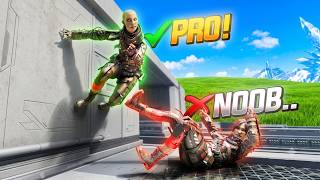

The Secret Movement Nobody Shares
49sReveals a hidden bunny hop technique that preserves momentum, a game-changer for Apex players.
▶ Play Clip"The title promises pro-level movement tips, and the video delivers exactly that with 14 specific, actionable techniques from a professional coach."
Professional Apex Legends coach District shares 14 tips to learn and incorporate movement into gameplay quickly and effectively. The video covers everything from foundational knowledge and breaking down mechanics to advanced chaining and aiming with movement.
Use the Apex Movement Wiki to see all possible mechanics, categorized by difficulty and usefulness.
Break complex movements into individual steps, practice slowly, then increase speed.
Add momentum-giving mechanics like instant slides, super jumps, and wall jumps to get moving again after pauses.
Use slides to preserve momentum and bunny hopping to extend slides indefinitely.
Use special methods (e.g., sliding thumb on controller, flipping keycaps on keyboard) for consistent execution.
Run at 45° angles instead of straight to make movement more fluid and responsive.
Use claw grip, custom button layouts, or a pro controller with back paddles to keep thumbs on sticks.
Chain mechanics by treating the last input of one as the first input of the next.
Don't wait to see if you hit a mechanic; input the next one immediately based on muscle memory.
Experiment and have fun with movement to discover new possibilities and break self-imposed limits.
Use movement to aim by anticipating where your crosshair will be placed during or after the move.
Understand how distance affects aim: closer targets move faster across screen, farther targets move slower.
Practice turning in the exact direction you intend to go to build muscle memory for precise directional movement.
Add movement during natural pauses like reloading or healing to stay unpredictable and hard to hit.
What resource catalogs every movement tech in Apex Legends?
Apex Movement Wiki
0:36
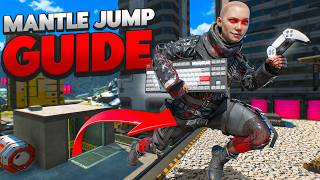
What are the four steps of a mantle jump as described in the video?
Interact, jump, pull back, super jump
1:56
How do slides help maintain momentum in Apex?
Slides preserve whatever momentum you enter the slide with.
3:11
What technique is used to keep a slide going infinitely?
Bunny hopping (B hop) – entering a slide and jumping every time you touch the ground to preserve momentum.
3:27
What is the 'slide method' for performing a super jump on controller?
Slide your thumb over two buttons at once, then quickly hit the last button.
4:12
How can keyboard players improve superglide consistency according to the video?
Flip the key caps so the crouch key is slightly higher than the spacebar.
4:34
What is 'angled running' and why is it recommended?
Running on a 45° angle instead of straight forward.
5:10
Name three options to keep thumbs on the sticks while performing movement inputs.
Claw grip, custom button layouts, or a pro controller with back paddles.
6:09
What is the key principle for chaining movement mechanics together?
The last input of the first movement becomes the first input of the next movement.
9:39
What is the pro tip for chaining mechanics with very small timing windows?
Don't wait to see if you hit the first mechanic; input the next one immediately based on muscle memory.
10:35
What are the two ways to think about aiming with movement?
Through aiming (placing crosshair during movement) and after aiming (flicking after movement).
12:47
How does distance to target affect aim tracking speed?
The closer you are, the faster and further the target moves across your screen.
13:56
What is tip #12 for improving directional movement consistency?
Actually practice turning in the specific direction you intend to go, building muscle memory for angles like 180°.
14:33
How can you fill natural pauses in gameplay according to tip #13?
Add movement (e.g., wall jumps, tap strafes) during natural pauses like reloading or healing.
15:48
Break Down Movement into Steps
Provides a practical method to learn complex mechanics by practicing individual inputs slowly before speeding up.
1:32Bunny Hopping to Preserve Momentum
Reveals a core technique for maintaining speed, which is often overlooked but crucial for fluid movement.
3:27Chaining Mechanics Principle
Explains how to combine movements by treating the last input of one as the first of the next, enabling advanced combos.
9:39Use Movement to Aim
Shifts mindset from aiming after movement to letting movement place your crosshair, improving accuracy and speed.
12:02Fill Natural Pauses with Movement
Teaches how to stay unpredictable and hard to hit during forced pauses like reloading or healing.
15:48[00:00] These are 14 tips that will help you
[00:01] learn and incorporate movement into your
[00:03] gameplay, not just easy, but fast. My
[00:06] name's District. I'm a professional Apex
[00:08] Legends coach, and this is what I did to
[00:10] teach myself how to learn and perform
[00:12] movement in game with zero effort. If
[00:15] this video helps you, make sure to punch
[00:16] the like button and subscribe. It's
[00:18] free, it helps me out, and you get to
[00:20] see me more often on your feet. Tip
[00:22] number one is learning what's even
[00:23] possible in Apex. Because Apex has
[00:25] literally hundreds of different
[00:27] mechanics in the game, from movement
[00:28] tech to game physics, all of which will
[00:30] help you interact with the environment
[00:31] around you. And without knowing what's
[00:33] possible, you're going to stay
[00:35] completely clueless. Apex Movement Wiki
[00:36] has a library of every single movement
[00:38] tech in the game, giving you the chance
[00:40] to learn what you're able to do without
[00:42] wasting your time scrolling YouTube for
[00:43] the most inclusive guides. Apex Movement
[00:46] Wiki is the best because not only has it
[00:48] cataloged everything possible, but it
[00:49] also categorizes it from easiest to
[00:52] hardest, most useful to least useful,
[00:54] and even legend specific movement tech.
[00:56] And if you're like me and you have a
[00:57] favorite legend, like Pathfinder, you
[00:59] can look at all the different Pathfinder
[01:01] specific tech to help you better main
[01:02] your favorite legend. If you're brand
[01:04] new to movement, you can start off with
[01:05] the more useful and easy techs, and you
[01:07] can work your way up the difficulty
[01:08] ladder as you keep developing your
[01:10] skills with the tips throughout this
[01:11] video. When learning new movement,
[01:13] practice each step one step at a time.
[01:15] Especially for more advanced movement
[01:17] mechanics, either ones that have a lot
[01:18] of combinations or a lot of inputs
[01:20] involved or ones that have insanely
[01:22] difficult timings. My biggest mistake
[01:24] when getting into movement was thinking
[01:25] after watching a video once, my hands
[01:27] would just magically know the flow and
[01:28] the muscle memory to perform everything
[01:30] perfectly. But boy, was I wrong.
[01:32] Instead, take the movement that you're
[01:33] trying to learn. Let's say it's
[01:34] something like a mantle jump, like I
[01:36] myself just recently learned, and break
[01:38] it down into singular inputs. Go slow at
[01:40] first, even if the timing is completely
[01:42] off and you're not hitting the mechanic,
[01:44] then slowly start picking up the pace.
[01:46] This is a really easy way to train your
[01:47] hands how they're going to need to move
[01:49] before you go full speed and have a
[01:51] brain anorism trying to fly your hands
[01:52] around a keyboard or a controller. As an
[01:54] example, my mantle jump looks something
[01:56] like interact, jump, pull back, super
[01:58] jump. But at half speed, what it might
[02:00] look like is interact, jump, pull back,
[02:05] flick up, and super jump. Obviously, the
[02:07] timing didn't work because I'm learning
[02:08] how my hand is supposed to interact with
[02:11] each individual key, each individual
[02:13] step. And as you start building more and
[02:15] more of a rhythm, it will start looking
[02:17] a lot faster, and eventually you'll go
[02:19] at full speed again, where you'll start
[02:21] hitting it perfect at the right speed.
[02:23] Tip number three, start adding more
[02:25] mechanics that give you momentum. As you
[02:27] fight or position, you'll find that
[02:29] naturally you have to pause. And that
[02:31] pause keeps you from moving. Whether it
[02:32] be healing, reloading, landing off a
[02:34] slide jump, or fall stun after hitting
[02:36] the ground a little bit too hard. Now
[02:37] that you're stopped, you need to get
[02:39] moving again. So adding mechanics like
[02:41] instant slides, super jumps, fatigue
[02:42] wall jumps, super glides, or mantle
[02:44] boosts is a great way to get yourself
[02:46] moving again. Don't know how to perform
[02:47] those mechanics? Make sure you're sub
[02:49] for when I start pumping out quick one
[02:51] minute tutorials next week with a bunch
[02:53] of different mechanics in the game. The
[02:54] key here is there's a lot of mechanics
[02:55] in the game that instantly give you
[02:57] momentum. Learn them and start
[02:58] implementing them for whenever you find
[03:00] yourself stuck. Tip number four, learn
[03:02] to hold and keep your momentum. It's one
[03:04] thing to get yourself moving, but it's
[03:05] another thing to keep yourself moving.
[03:07] Some mechanics give you momentum, but
[03:08] only one will actually keep it. Slides
[03:11] preserve whatever momentum that you
[03:12] enter that slide with. So, coming in at
[03:14] full speed off a Pathfinder grapple just
[03:16] to land in a stand, it's going to stop
[03:18] you near instant. This is where slides
[03:20] come in. They'll keep all that speed
[03:22] even though it's just for a short period
[03:23] of time. So, to keep the momentum for
[03:25] longer, you'll add what's called bunny
[03:27] hopping to your slide. A B hop is a way
[03:29] to keep your slide infinitely. And once
[03:31] you stop bunny hopping, you'll finally
[03:33] finish your slide. B hopping is when you
[03:34] enter a slide, but every time that you
[03:36] touch the ground, you jump, which will
[03:38] push you forward and preserve your
[03:39] momentum. You can use this when you're
[03:40] jumping off a zipline, slide jumping,
[03:43] grappling, super gliding, or anything
[03:45] that gives you momentum. This is the
[03:47] secret movement that nobody will share
[03:49] with you. It's super basic, but it does
[03:50] so much for you. Bonus movement tip:
[03:52] movement mechanics work best when you
[03:54] have a special method to hit them
[03:56] consistently. Take a super jump on
[03:57] controller or a super glide on a
[03:59] keyboard as an example. On controller, a
[04:01] super jump can be really tricky. You
[04:03] have to interact with a zipline and
[04:04] double jump. But that double jump gets a
[04:06] lot of people because by lifting your
[04:07] thumb off the jump button, you waste
[04:09] time needed to reinput on that last
[04:11] jump. But by using my personal slide
[04:13] method, you can slide your thumb over
[04:15] two buttons at once, then quickly hit
[04:17] the last button insanely fast. Or if you
[04:19] have a pro controller like the Storm
[04:21] Controller, you can do this method on
[04:22] back paddles and keep your thumbs on the
[04:24] sticks the entire time. For keyboard
[04:26] players, superglides can be very tricky.
[04:28] Having your thumb even just a hair too
[04:30] far forward will completely change your
[04:32] hand positioning and superglide timing.
[04:34] So, by flipping your key caps so that
[04:35] the crouch is slightly higher than the
[04:37] spacebar, your crouch inputs will come
[04:39] in slightly sooner. Or adjusting your
[04:41] hand position, like resting your knuckle
[04:43] between the gaps of your keys, can also
[04:45] give you more consistency in how you
[04:47] press down on the crouch and jump key.
[04:49] Or if you have a pro keyboard, you can
[04:50] also tune how far you need to press down
[04:52] each key for its input to register. So
[04:55] depending on your hand size, your grip
[04:57] or position, the type of controller or
[04:59] keyboard that you're playing on, you can
[05:00] come up with special and unique
[05:02] techniques so that you can hit specific
[05:04] movement mechanics a lot more
[05:06] consistently. Tip number five, for more
[05:08] fluid movement, incorporate more angled
[05:10] running. Too many players seem to be
[05:12] moving forwards and turning only by
[05:14] using their camera. This gives you this
[05:15] very blocky feeling where everything
[05:17] seems to happen really late across your
[05:19] screen. Instead, try running more on a
[05:20] 45° angle. This helps you look where you
[05:22] need to look, but move where you need to
[05:24] move through. Then, as you start getting
[05:26] more comfortable with this, start adding
[05:28] it to more mechanical movements. Instead
[05:30] of doing a 180°ree tap strafe, try
[05:33] running on a 45°ree angle into the tab
[05:35] strafe. That way, you only need to turn
[05:37] 135° in order to land into the wall and
[05:40] jump on out of it. This is an insanely
[05:42] basic thing, and I think that's why it
[05:44] gets overlooked a lot of the time, but
[05:45] it is 100% crucial for more consistent,
[05:48] fluid movement. Tip number six is you
[05:50] should be using gear that supports what
[05:51] you're trying to do because movement is
[05:53] very input intensive. You're constantly
[05:55] holstering your weapons, unholstering,
[05:57] interacting, double jumping, crouching,
[05:59] sliding, all while using your camera and
[06:01] other movement binds. So, if you're not
[06:02] able to hit all of your buttons at the
[06:04] same time while also keeping your thumbs
[06:06] on the camera, you're going to have a
[06:07] very big issue. So, here are three
[06:09] really good options to fix this. First
[06:10] and foremost, use a different grip like
[06:12] claw. Claw keeps your thumbs on the
[06:14] stick while using your index finger for
[06:16] your AXYB or triangle circle X square
[06:18] inputs. This is going to be really hard
[06:20] for a lot of people and it can cause
[06:21] issues in their hands over time. Which
[06:23] leads me to the second option and one
[06:25] that I personally used when I was
[06:27] playing on a default Xbox controller.
[06:28] Play with a different button layout that
[06:30] moves less essential inputs like
[06:32] punching to buttons that are less easier
[06:34] to hit and more essential inputs like
[06:36] jumping, crouching, swapping weapons to
[06:38] easier buttons to hit. The default
[06:40] preset like Ninja or Evolved are decent
[06:43] presets for this, but they're not that
[06:45] good in comparison to some of the other
[06:46] things that you can do. Which leads me
[06:48] to the third option. Get a pro
[06:50] controller. The one that you choose to
[06:51] buy honestly does not matter. The only
[06:54] thing that's important is that one, it's
[06:56] in your budget, whatever that might be.
[06:57] And two, you can comfortably hold
[07:00] whatever controller that you choose to
[07:01] get. Ideally, your Pro Controller should
[07:03] have at least four extra buttons that
[07:05] you can map your AXYB input to. And you
[07:08] should be able to hit all those four
[07:09] buttons without ever removing your
[07:10] thumbs off the sticks. And now you're
[07:12] all of a sudden able to crouch, jump,
[07:14] swap weapon, holster, reload, interact
[07:16] with certain objects without ever taking
[07:18] your thumbs off the sticks. One
[07:19] controller that really caught my
[07:20] attention recently is a brand new
[07:22] release, the Storm Controller from
[07:23] Mojang. And dude, I swear Mojang has
[07:26] been pumping out some absolute bangers
[07:28] recently. And here's the reason why.
[07:29] First and foremost, this is by far the
[07:30] most important one. It is dirt cheap.
[07:32] for 50 bucks, which is way cheaper than
[07:35] a default Xbox controller on Amazon. It
[07:37] has four paddles on the back that are
[07:39] really comfortable and really easy to
[07:40] hit all at the same time while keeping
[07:42] your thumbs on the stick. Three, it uses
[07:43] the newest version of a TMR stick, the
[07:46] KSL JS13 Pro, which according to Reddit
[07:49] from what I've seen so far, is one of
[07:50] the best, if not the best, TMR stick
[07:53] right now. Doesn't really matter for
[07:54] movement, but because you're going to be
[07:55] moving around a lot, you're going to be
[07:57] aiming a lot more, too. TMR sticks are
[07:59] the most accurate. They break the least
[08:01] amount and they have the lowest amount
[08:03] of latency out of all of the sticks on
[08:05] the market right now. The third
[08:06] function, which doesn't really matter
[08:07] too much, but it's really cool to see on
[08:09] a controller so cheap, the side handles
[08:11] have textured grip, which you almost
[08:13] never see on controllers that are sub
[08:15] $70, especially on $50 controllers.
[08:18] Function 4, it has insanely high pulling
[08:20] rates, which basically just means that
[08:21] there's a lot less latency. The
[08:23] controller is more responsive, and when
[08:24] doing very intense movements like super
[08:26] glides, which the timing is wild at, it
[08:29] helps a lot. And function number five,
[08:30] it even supports gyro, which may not
[08:32] help Xbox players that much. I don't
[08:34] know if gyro works on Xbox, but it
[08:36] definitely works on PC. And you can bind
[08:38] that gyro function to a mouse and
[08:40] keyboard input. So, if you know who
[08:41] Ecstasy is, he uses a gyro controller,
[08:43] and he also binds his gyro to MK Flick.
[08:46] That's how he's able to make such
[08:48] insanely fast movements even though
[08:50] controller has a cap on sensitivity.
[08:52] Another little bonus feature also the
[08:53] app that you need in order to modify the
[08:55] controller can all be done from your
[08:56] phone or if you have a PC you can
[08:58] download the app on your PC as well. So
[09:00] customizing the controller is insanely
[09:02] easy. And I know it doesn't need to be
[09:03] said, but I'm going to say it anyways.
[09:05] You guys know I only talk about products
[09:07] that I specifically use or would
[09:09] consider purchasing myself. And for 50
[09:11] bucks, it's really hard not to just go
[09:13] out of my way and get this controller so
[09:15] that I can give you guys a genuinely
[09:17] good review of a good controller. If you
[09:18] guys want to check it out, I'll leave an
[09:20] Amazon link in the description down
[09:21] below. I don't get any money from it.
[09:23] It's there for you. Or if you want to
[09:24] support me, if I can even figure out a
[09:25] way to do that, it'll be tagged
[09:27] somewhere on this video. Tip number
[09:28] seven. Once you've learned individual
[09:30] mechanics like wall jumps, tap strafes,
[09:32] mantle jumps, and superglides, it's time
[09:33] to learn advanced movement, which is
[09:35] just a cool way of saying chaining
[09:37] movement mechanics together. The easiest
[09:39] way to think about chaining movement is
[09:40] the last input of your first movement is
[09:43] now the first input of your last
[09:45] movement. Let's take a wall jump tap
[09:46] strafe for an example. A wall jump
[09:48] consists of a slide jump mantling onto
[09:51] the wall and jumping off the wall. The
[09:53] last input being a jump off the wall. A
[09:56] tap strafe, however, consists of a jump,
[09:58] then a scroll forward. The first input
[10:00] being a jump into the air. So, when you
[10:02] combine them together, you treat the
[10:03] jump off the wall as you would jumping
[10:05] off the ground for the tap strafe. Tip
[10:07] number eight is learning how to properly
[10:09] chain and time your mechanics together.
[10:11] A lot of people have an issue with
[10:13] especially super fast timing mechanics
[10:16] like a superglide tap strafe is they
[10:18] wait to see that they've hit the super
[10:20] glide before they go to tap strafe. And
[10:22] just like you saw right there, I
[10:24] completely missed out on being able to
[10:25] tap strafe. That's because a lot of
[10:27] mechanics like tap strafing, super
[10:29] gliding, mantle jumping have very small
[10:32] windows where you can add other
[10:33] mechanics into it. So, a pro tip when
[10:36] trying to learn how to properly chain
[10:38] mechanics together is don't wait until
[10:41] you've seen that you've hit the mechanic
[10:43] before you go to add the next one. You
[10:46] need to build a muscle memory and you
[10:47] need to build a habit of just
[10:49] understanding that that window is really
[10:51] small to input. So, you don't have any
[10:53] extra wiggle room to react. You need to
[10:55] just immediately go into the next
[10:57] mechanic as if you were going to hit it
[10:59] no matter what. This also applies to
[11:01] wall jump, tap strafing, and literally
[11:03] just any type of combining mechanics
[11:05] together. When I go for a wall jump, tap
[11:08] strafe. I'm not going to wall jump and
[11:09] then see that I hit it and then change
[11:12] because by then my tap strafe is going
[11:13] to wear off and that window is going to
[11:15] pass and my tap strafe just isn't going
[11:16] to be as strong like you saw right
[11:19] there. Tip number nine is have fun with
[11:21] your movement. Don't be so rigid and
[11:22] strict while learning things. Try wall
[11:24] jumping in new places to new spots. Try
[11:27] chaining new things that you've never
[11:28] done before or watch other movement
[11:30] players and be inspired to try new
[11:32] things. Having a really strict idea of
[11:34] how you should be using movement or
[11:35] where you can use it is why most people
[11:37] will never grow out of the limited skill
[11:39] ceiling that they've created for
[11:40] themselves. I saw this one rock on Storm
[11:42] Point and thought, "Hey, what if I try
[11:44] jumping off of it?" And lo and behold,
[11:45] it puts you on the roof of this massive
[11:47] two-story building that takes forever to
[11:50] climb up. So messing around is by far
[11:52] the best way to learn what works and
[11:54] what doesn't. and you might even find
[11:55] something that no one else ever has. Tip
[11:57] number 10 is don't use movement then try
[11:59] to aim. Instead, use movement to aim. As
[12:02] you start doing more mechanics like tap
[12:03] strafing, wall jumping, and even mantle
[12:07] jumping, you're going to be moving
[12:08] around a lot. And trying to aim after
[12:10] you've done your mechanic is a really
[12:13] good way to miss out on that very short
[12:15] window that you have to land a really
[12:16] good shot. So, what you want to make
[12:18] sure that you're always thinking of
[12:19] whenever you're incorporating movement
[12:20] into your game plays and especially into
[12:22] your gunfights, it's thinking about
[12:24] where's the movement going to place you
[12:25] and depending on where it places you,
[12:27] where are your enemies going to be. For
[12:29] example, if I were to hit something like
[12:30] a mantle jump right now, my enemies are
[12:33] going to be not just to my right, but
[12:35] down and to my right. So, making sure
[12:36] that the first thing I do when I hit my
[12:38] mantle jump is flick off to the right
[12:39] side is going to give me a much better
[12:41] chance of being accurate and on target.
[12:43] Now, when you think of aiming, you can
[12:45] think of aiming in two different ways.
[12:47] You can think of through aiming, or you
[12:49] can think of after aiming. Both are
[12:52] similar, but also very different at the
[12:54] same time. Through aiming is when you're
[12:55] thinking of where you're going to be
[12:57] aiming throughout the middle of the
[12:58] movement. For example, when I wall jump,
[13:00] he'll be bottom right of me. My wall
[13:01] jump is going to place my crosshair
[13:04] over his body. This way, I'm not trying
[13:06] to track my enemy as I'm shooting, which
[13:08] takes a lot more time. All I'm doing is
[13:10] I'm letting my movement aim for me.
[13:12] verse after aiming is where you think
[13:14] about placing your crosshair not during
[13:16] the movement but after the movement's
[13:18] finished. If I were to do something like
[13:20] slide and then hit a 180 tap strafe,
[13:22] instead of trying to track throughout
[13:25] the entire motion, I can instead focus
[13:26] on flicking my crosshair
[13:29] on where my target will be after I
[13:31] finish my motion. Wall jump. This might
[13:33] look something like
[13:35] that. And then as you get better and
[13:37] better, then you'll start getting
[13:40] more accurate with where you pre-place
[13:41] your crosshair in order to be
[13:43] successful. Building off the last tip,
[13:44] you don't just want to understand how
[13:46] your movement is going to force you to
[13:48] aim, but you also want to understand
[13:49] about how whether you're moving in
[13:51] closer or whether you're moving away
[13:52] from your target, how that is going to
[13:54] affect you to aim. When you're close to
[13:56] your target or as you move in closer to
[13:58] your target, your target is going to
[14:00] move a lot faster and further across
[14:02] your screen. especially in comparison to
[14:04] where if you were to be a little bit
[14:05] further back. The further back you are
[14:07] or the further away you are from your
[14:08] target, the slower and the shorter it's
[14:10] going to move across your screen. So
[14:11] using mechanics that bring you closer to
[14:14] your target or even past your target are
[14:16] going to force you to make very fast
[14:18] flicks with very quick and hard tracks
[14:22] versus moving away from your target.
[14:23] You're going to have a very slow and
[14:25] shallow track. Fast.
[14:29] Slow.
[14:31] Tip number 12 when learning movement is
[14:33] actually look in the direction that
[14:34] you're trying to go when you use a
[14:36] movement mechanic. A lot of the time I
[14:37] see people trying to do very specific
[14:39] movements like 180° cap strafes, 90°
[14:42] mantle jumps, and a whole bunch of
[14:44] different wild type of movements like a
[14:47] 180 180 cap strafe mantle jump. And the
[14:49] reason why a lot of the time their
[14:50] movement looks something like this when
[14:52] they try to hit 180s instead of like
[14:54] this is because they don't actually turn
[14:56] in the direction that they're trying to
[14:58] go. Don't just turn based off of what
[15:00] you're seeing on your screen. Or don't
[15:02] turn based off of what you think you
[15:03] should be doing. Actually work on
[15:05] building a muscle memory of what is
[15:07] 180°. This is going to make your
[15:09] directional movement a lot more
[15:11] consistent, especially once you start
[15:12] learning how to do very specific
[15:14] movement tech like 180 mantle jumps or
[15:17] directional tap strafes. And it's
[15:19] especially going to be useful once you
[15:21] start learning how to aim with your
[15:23] movement. Really quick example. A lot of
[15:24] people when they start doing movements
[15:26] like tap strafing, when they go to hit a
[15:28] tap strafe, they don't actually look in
[15:30] the direction that they were meaning to
[15:31] look. And by not perfectly moving into
[15:33] that direction, it makes their final
[15:35] adjustment onto target very difficult.
[15:38] So, actually practice turning in the
[15:40] specific direction that you were trying
[15:42] to go. That might seem very obvious, but
[15:44] it's not a skill that a lot of people
[15:45] practice. Tip number 13 is add movement
[15:48] to the sections of your gameplay where
[15:50] you have to have natural pauses. There's
[15:52] so many different things in this game
[15:53] that force you to pause, like reloading,
[15:55] cocking your gun, and even healing. So,
[15:57] instead of dealing with those really
[15:59] awkward pauses in your gameplay, add
[16:01] movement to your gameplay to fill in
[16:03] those blank spots. If I'm in the middle
[16:04] of a 1 v one and I have to hit a reload,
[16:07] adding a wall jump to my movement is
[16:09] going to help me be a little bit harder
[16:10] to hit while I do something that is
[16:11] effectively taking me out of the
[16:13] gunfight. or as I slide in to hit a
[16:14] peacekeeper shot, instead of waiting for
[16:16] my peacekeeper to be cocked before I
[16:18] shoot it again, I might add a tab
[16:19] strafe,
[16:21] a wall jump, or even a mantle boost so
[16:24] that I can always keep myself moving in
[16:26] sections of my gameplay that will
[16:27] typically slow me down. And tip number
[16:29] 14, make sure that you like the video
[16:31] and subscribe to the channel. It's free
[16:33] and that way you're always up to date on
[16:34] new ways to play better and make Apex
[16:36] more fun and less challenging. Remember
[16:38] guys, do not quit because it only gets
[16:40] easier from
⚡ Saved you 0h 16m reading this? Transcribe any YouTube video for free — no signup needed.