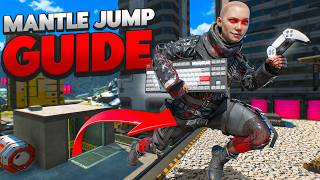

The Secret to Consistent Super Jumps
40sReveals a crucial controller input trick that many players struggle with, promising to improve their gameplay instantly.
▶ Play Clip"Delivers exactly what the title promises: a detailed mantle jump guide with controller inputs, though it includes a brief like request."
This video is a comprehensive guide to performing mantle jumps in Apex Legends, covering two variations (looking up and looking down), techniques for both mouse and keyboard and controller, and advanced movement options like tap strafing and air strafing. The guide emphasizes consistency and provides specific input timings and tips.
The video starts with a request to like the video and mentions it will cover two versions of the mantle jump, two around the map, and how to add movement to mantle jumps.
A mantle jump is a super jump performed while hanging onto a ledge. To super jump regularly, look at a zip line, interact, and double jump.
Bind jump's second function to scroll down. Look at the zip line, interact, and scroll jump one frame immediately after. This helps hit consistent super jumps and mantle jumps.
On controller, slide your thumb from interact to jump in one motion. This slide motion inputs two buttons quickly, saving time and helping hit the second jump button faster.
Don't press hard on the buttons; the harder you press, the more friction and slower the inputs. Be gentle to improve consistency.
Head to a zip line, and as your eyes come close to a ledge, jump or crouch off to land in a mantle. Jumping pushes forward and up, crouching pushes forward and down. Crouch slightly above the ledge for a perfect setup.
There are two types: looking up (easier) and looking down. For looking up, tap S or flick movement to drop off the mantle, then flick camera up and input a super jump. If you get flown, super jump a bit later.
Use looking down for shorter ceilings to avoid hitting your head. While riding the zip line, jump or crouch into a mantle, then flick movement to auto mantle over the ledge. Hold backwards and flick camera down at the halfway point of the mantle animation. Super jump a bit later than the regular version.
Instead of tapping E to interact, hold E the entire time. This ensures you zip line immediately, making the small input window more consistent.
Normal ledges auto-lock you into a mantle when jumping or crouching off. Block ledges push you off, so you need to hold forwards to force a climbing animation, then pull back to perform a mantle jump.
When pulling back, turn your camera in any direction (even 180°) to mantle jump in that direction. On mouse and keyboard, you can add tap strafes: start with 90°, then 180°, eventually 360° for hard-to-track jumps.
Use directional inputs to air strafe or analog stick to slow down in the air, allowing you to land in another mantle and super glide off it.
Mastering mantle jumps requires precise input timing and practice, but with the techniques shown—including looking up/down variations and advanced movement—you can significantly improve your mobility in Apex Legends. Consistency comes from gentle inputs and holding interact, while tap strafing adds unpredictability.
What is a mantle jump?
A super jump performed while hanging onto a ledge.
00:14
How do you perform a regular super jump?
Look at a zip line, interact, and double jump.
00:14
What is the recommended mouse and keyboard binding for consistent super jumps?
Bind jump's second function to scroll down.
00:28
What is the controller technique for super jumping?
Slide your thumb from interact to jump in one motion.
00:42
Why should you press buttons gently?
Harder pressing increases friction and slows inputs.
01:06
What are the two types of mantle jumps?
Looking up and looking down.
01:32
When should you use the looking down mantle jump?
In areas with shorter ceilings to avoid hitting your head.
01:59
What is the pro tip for interacting with zip lines?
Hold E instead of tapping to ensure immediate zip line attachment.
02:50
How do you mantle jump off a block ledge?
Hold forwards to force a climbing animation, then pull back to mantle jump.
03:02
What advanced movement can you add to mantle jumps on mouse and keyboard?
Tap strafes, starting with 90°, then 180°, eventually 360°.
03:40
Scroll Jump Binding
Provides a simple, consistent method for hitting super jumps on mouse and keyboard.
00:28Controller Slide Input
Offers a practical controller technique to achieve fast inputs without complex button combinations.
00:42Two Mantle Jump Types
Categorizes mantle jumps into looking up and looking down, each suited for different situations.
01:32Hold Interact for Consistency
A simple tip that significantly improves consistency for a mechanic with a small input window.
02:50Tap Strafing Integration
Shows how to combine mantle jumps with advanced movement for unpredictable trajectories.
03:40[00:01] guide helps you, punch the like button. It's free and helps me out. There's going to cover two different versions of the mantle jump, as well as two around the map. And also, how to add some movement to the mantle jumps once
[00:14] jump? A mantle jump is a super jump, but instead of a traditional super jump that the ground because you'll be hanging onto a ledge. To super jump regularly, look at a zip line, interact, and double jump. To do this insanely easy on mouse
[00:28] then bind jump's second function to scroll down. Now, look at the zip line, interact, and scroll jump one [music] frame immediately after. Scroll jumping scroll, which helps you in turn hit consistent super jumps and mantle jumps.
[00:42] you have to do a little bit more work. On controller, using your face plate buttons, simply look at a zip line and in one motion, slide your thumb from the interact over to your jump. This slide motion will input two buttons for you,
[00:54] which saves you time and helps you hit the second jump button a lot quicker. At like is this. Slide, press. At full speed, what it looks like is this. Slide, press. Side note, you shouldn't be pressing hard. The harder you press,
[01:06] friction, the slower the inputs will be. Be gentle with it and watch your super jump on flat ground, just add a mantle to it. Head on over to a zip line and zip line and your eyes come close to the ledge, either jump or crouch off the zip
[01:19] line to land in a mantle. Jumping pushes you forward and up, so jump when your pushes you forwards and down, so crouch slightly above the ledge. Now that rush anything. You just set yourself up to hitting perfect mantle jump. From
[01:32] mantle jumps. One where you look up and one where you look down. To mantle jump while looking up, which is much easier, either tap S or flick your movement mantle. Once you've input to drop off the mantle, you'll unlock your camera to
[01:45] This is when you'll flick your camera up and input a super jump. If you get flown you're super jumping a hair too early after you drop back, and try super second type of super jump is where you look down. Most places can use the
[01:59] shorter ceilings, you're more than likely going to hit your head on them to use the looking down method. Looking down fixes this because it won't launch zip line from a lower spot. Just like before, while riding the zip line, jump
[02:12] or crouch off into a mantle. Now that you're mantled again, instead of pulling body forwards by flicking your movement stick or tapping your W key. This will auto mantle you over the ledge so you don't need to hold W. Just flick it. A
[02:25] little over the halfway point through the mantle animation, you're going to hold backwards on your stick or your S key. Flick your camera down at the same simultaneously, just like before. The only difference with this one is you're
[02:38] going to be hitting W first to auto mantle and then hitting S afterwards to animation. The timing for this one is a little bit weird and you're going to want to super jump a little bit later in comparison to the regular version. Pro
[02:50] tip that I also like to use is instead of tapping E to interact on the zip line, I like to hold E the entire time. Holding E makes it so that as soon as I zip line no matter what. And for a mechanic that has a very small window to
[03:02] input a super jump, it makes it a lot more consistent. From here, there's two need to learn how to mantle jump off of. Normal ledges where jumping or crouching off will auto lock you into a mantle and block ledges that push you off and won't
[03:15] normal ledges, just do what we did before. Jump or crouch into a mantle and For block ledges, because it won't lock you into a mantle, you'll need to add one more step. When jumping off, hold forwards to force your legend into a
[03:28] climbing animation. From here, pull back on your stick or S key to perform a regular mantle jump or continue through the animation to perform a downwards directions to your mantle jump even if you're on controller. When you pull
[03:40] back, turn your camera into any direction, even 180° behind you, and into that direction. If you're on mouse and keyboard, you can also add tap strafes to to as well. Start with tap strafing on 90° then 180 and eventually
[03:54] you can 360° tap strafe yourself for insanely hard to track mental jumps. You can also use your directional inputs to air strafe as or your analog stick to slow yourself down in the air. That way you can land
[04:07] in another mantle and super glide off of it. If this video helped you at all, supports the channel so that we can make more quick and easy to learn guides like more quick and easy to learn guides like this one here in the future.
⚡ Saved you 0h 04m reading this? Transcribe any YouTube video for free — no signup needed.