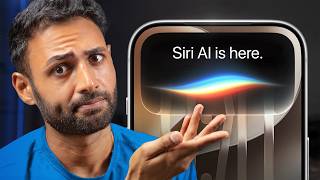

Apple's WWDC 2026: Tim Cook's Last Dance?
45sHigh stakes and Tim Cook's potential final keynote create immediate intrigue.
▶ Play Clip"Title accurately reflects the focus on Siri AI impressions, though it's part of a broader WWDC overview."
Apple's WWDC 2026 was a pivotal event, likely Tim Cook's last as CEO, focusing heavily on Apple Intelligence and the new Siri AI. The keynote showcased major software optimizations, child protection features, and a revamped Siri with improved integration, though some AI features felt derivative or tone-deaf.
Apple's most important WWDC, possibly Tim Cook's last, with high expectations for AI after a $250 million lawsuit for underdelivering.
This year's updates are about optimization: faster app loading (up to 30%), photo gallery (70% faster), AirDrop (80% faster), and improved search.
New parental controls allow approval of app downloads, website visits, and contacts, with scheduling for school vs. entertainment apps.
Siri gets a fresh look, lives in the Dynamic Island, supports continued conversations, screen awareness, personal context, and natural voice shortcuts.
Best moment of keynote: improved voice quality with configurable pace and expressivity, making Siri feel part of the hardware.
Users can create shortcuts using natural language, e.g., 'Let my partner know when I leave work with ETA,' removing complexity.
Camera app integrates visual intelligence for scanning food, bills, etc., with results saved to Siri app.
Siri AI comes to Apple Watch, Vision Pro (with 3D blob and real-world object understanding), and Mac (integrated into Spotlight).
Safari auto-organizes tabs, auto-upgrades weak passwords, AI anticipates needs (e.g., trip photos, dinner reservations), and improved dictation accuracy.
Image Playground generates 'slop' in higher quality; photo cleanup improved; extend tool and spatial reframing demoed, but felt tone-deaf.
Powerful Siri only on latest devices (iPhone Air and 17 Pros); some AI features have daily usage limits with iCloud+ subscription.
Apple's AI has gone from very behind to good enough, offering a big jump for Apple-only users but not class-leading. Key caveats include device exclusivity and potential subscription costs for advanced features.
How much faster do iPhone apps load according to Apple's WWDC 2026 announcements?
Up to 30% faster.
1:36
What is the new Siri's visual appearance and where does it live on iPhone?
It has a subtler, toned-down, liquid glassy aesthetic and lives inside the Dynamic Island.
3:46
What is the 'best moment' of the keynote according to the presenter?
Watching a person have an 'eargasm' listening to Siri's improved voice quality, which is also configurable.
5:13
How can users create shortcuts with the new Siri AI?
By using natural voice to describe the shortcut, e.g., 'Let my partner know automatically every time I leave work and give them an ETA.'
6:23
Which iPhone models will get the most powerful version of Siri AI?
Only the iPhone Air and iPhone 17 Pros.
13:27
What is the caveat regarding some Apple Intelligence features like image generation?
They have daily usage limits because they rely on powerful server models, with increased access available via iCloud+ subscription.
13:45
Eargasm over Siri's Voice
The presenter highlights a moment where a person has an exaggerated positive reaction to Siri's improved voice quality, calling it the best moment of the keynote.
5:13Tone-Deaf Image Editing
The presenter criticizes Apple's AI image generation as 'horrifying and soulless' and questions why anyone would turn real photos into fake AI images.
11:32Subscription Caveat for AI
Apple reveals that some AI features have daily usage limits and require iCloud+ subscription, which the presenter calls a 'footnote' sweeping the issue under the rug.
13:45[00:00] Apple has just wrapped up possibly the
[00:01] most important WWDC they've ever had.
[00:04] It's Tim Cook's last dance before
[00:05] stepping down as CEO. So, we got our
[00:07] final
[00:08] >> good morning.
[00:09] >> And even more importantly, after 2 years
[00:11] of Apple convincing us that their phones
[00:13] are about to become supercharged with AI
[00:15] and then a $250 million lawsuit for
[00:18] underdelivering, today was the event
[00:20] where they had to prove that actually
[00:22] Apple Intelligence and their nextg Siri
[00:25] called Siri AI is the real deal. And
[00:27] they've definitely got the design right.
[00:29] It all looks beautiful, but there's also
[00:31] some question marks around functionality
[00:33] and a couple of bits that just felt
[00:35] straight up tonedeaf to me. We'll get to
[00:37] that. So, given the absolutely enormous
[00:39] stakes of this event, I found it pretty
[00:41] hilarious that Apple kicked things off
[00:43] by talking about the corner radius on
[00:45] their windows within your Mac. Every
[00:47] window on Mac OS now has the same
[00:49] tighter corner radius.
[00:50] >> Finally, they answered my prayers. The
[00:52] big picture though, aside from all the
[00:53] AI stuff, is this year's software is all
[00:56] about optimization across all of their
[00:59] products. Seems like Apple realized
[01:01] after a year of squinting at their icons
[01:03] that the transparency of liquid glass
[01:05] was probably set a bit high by default.
[01:07] So, they've toned it down. And since no
[01:09] one seems to agree on what the correct
[01:11] amount of transparency actually is,
[01:13] they've gone fine, we'll do it
[01:15] yourselves and given us a slider. So,
[01:17] depending on how brave you're feeling,
[01:18] you can decide to either dial it up from
[01:20] there or down. This is very clearly the
[01:22] year of Apple fixing their back end.
[01:24] They do this every now and again. And
[01:26] these are often the less exciting
[01:27] updates, but the ones that actually end
[01:29] up mattering more. Like for example,
[01:31] they're saying that now everything is
[01:33] just going to be faster. They threw out
[01:36] a whole load of numbers. Like for
[01:37] example, iPhone apps now load up to 30%
[01:40] faster. After shooting photos, those
[01:42] photos appear in your gallery up to 70%
[01:45] faster. Airdrops are up to 80% faster.
[01:47] And because your devices are also about
[01:49] to get much better at properly indexing
[01:51] files, you'll also be able to search
[01:53] through them quicker. Bear in mind those
[01:54] up twos, though. Nothing they've
[01:56] announced is actually going to feel as
[01:58] transformative as they're making it
[01:59] sound. But I do like the idea of things
[02:01] getting faster. There are also a ton of
[02:03] other smaller changes. You could just
[02:05] pause here if you fancy a very long
[02:07] read. And then just before the big new
[02:09] Apple Intelligence and Siri, Apple took
[02:11] a surprise segue into child protection
[02:13] features, which I now have extra reason
[02:16] to care about. Now, the idea is really
[02:18] to give parents complete control over
[02:20] what their kids can see and do. So,
[02:22] anytime your kid wants to download a new
[02:24] app, you get a ping. You can see it and
[02:26] you can decide to approve it. Anytime
[02:28] they visit a new website for the first
[02:29] time or even talk to a new contact, you
[02:32] can see it and approve it, which I guess
[02:33] is kind of a double-edged blade cuz it's
[02:36] got the safety benefits, making sure
[02:38] that they're not talking to people they
[02:39] shouldn't be, but also partly just the
[02:41] over stimulation stuff. It means that
[02:43] you can start your kids off with just a
[02:44] tiny number of apps when they're young
[02:46] and then let them unlock more as they
[02:48] get older. Or you can just let them use
[02:50] school related apps during the school
[02:52] day and then schedule the entertainment
[02:54] apps to only unlock in the evening. Now
[02:56] whether or not this is in response to
[02:58] governments demanding better child
[03:00] protection or just Apple seeing the
[03:02] massive potential upside in getting kids
[03:04] locked into their ecosystem before
[03:05] they're old enough to even make a
[03:07] choice. These are really good features
[03:09] that it's kind of sad to say, but
[03:11] they're needed now given how capable and
[03:13] open the tech has become. But now it's
[03:15] time to address the elephant. Siri AI.
[03:18] They opened this whole thing up by
[03:20] saying, "We know there are times when
[03:21] you expect more from Siri."
[03:23] >> Yeah, I think that's uh quite the
[03:25] understatement. The first time Apple
[03:26] announced a new Siri in 2024 with this
[03:29] brand new disco lights animation, which
[03:32] ended up as the main feature, Siri was
[03:34] so halfbaked that if you bought an
[03:37] iPhone because of it, Apple literally
[03:39] owes you up to $95. So, I'm relieved to
[03:42] say that the new Siri AI is a huge jump.
[03:46] So, it's got a fresh look. It's got this
[03:48] subtler, toned down, more liquid, glassy
[03:52] aesthetic. potentially a little
[03:53] personality lossless, but premium for
[03:55] sure, and it now lives inside your
[03:57] dynamic island. So, in terms of
[04:00] capability,
[04:01] this is not breaking any new ground.
[04:03] It's not a secret that Apple's paying
[04:05] Google a billion dollars a year to use
[04:07] Gemini as its foundation. So, it's not a
[04:10] surprise that pretty much everything
[04:11] this new Siri can do is something we've
[04:14] already seen Gemini do. But that still
[04:16] makes it a musive leap over the old
[04:19] series. So, they gave a bunch of
[04:20] real-time examples in their keynote like
[04:22] how you can have continued conversations
[04:24] with it. You can ask when a band is
[04:26] performing and then ask how you can get
[04:28] tickets. They showed how Siri now has
[04:30] screen awareness so you can just be
[04:32] looking at a photo and then ask where is
[04:34] this exactly without needing to spell
[04:36] out what you're looking at. It has
[04:38] personal context. So Siri has access to
[04:40] all your past messages, your photos, and
[04:43] because your files are now indexed more
[04:45] thoroughly, they're saying that Siri is
[04:46] really good at pulling those things up
[04:48] at just the right times when you ask
[04:50] Siri about things related to them. Bear
[04:52] in mind though, this isn't a live event.
[04:55] So while they are showing what appear to
[04:56] be realtime examples, how many times did
[04:59] they test those real-time examples till
[05:01] they worked out just perfectly? I would
[05:03] guess more than once. Here's the good
[05:05] news, though. While the capability of
[05:07] Siri AI is, I would say not surprising,
[05:10] I think the implementation kind of is.
[05:13] Best moment of the entire keynote was
[05:15] watching this guy having a full-on
[05:17] eargasm listening to Siri's improved
[05:19] voice quality.
[05:20] >> Why has no one told me? I'm telling you,
[05:22] man. I've been changed. Clear the
[05:24] fridge. No, clear all the fridges
[05:28] >> on it, Jaws.
[05:30] >> Which is also actually configurable.
[05:32] Now, this is a seriously cool user
[05:34] interface to be able to change the pace
[05:36] and expressivity of your assistant to
[05:39] your exact preferences. I love how
[05:41] they've made this software actually feel
[05:43] like part of the hardware. The way that
[05:45] all of these Siri pop-ups blend
[05:47] seamlessly into the physical camera
[05:49] cutout you have on your phone. Put it
[05:50] this way, I can't think of an assistant
[05:52] that looks as smoothly integrated as
[05:54] this. And I guess with all the time that
[05:56] Apple saved not having to worry about
[05:58] what it does, cuz that's kind of
[06:00] Google's problem now, they've instead
[06:02] spent it optimizing how to make it as
[06:04] intuitive as possible. It just makes
[06:06] sense how Siri lives at the top and then
[06:09] you pull down to talk to it and then
[06:11] pull down again to just fluidly enter
[06:13] the new dedicated Siri app. This is
[06:15] where you can full screen your current
[06:17] conversation, but also where the rest of
[06:18] your chats are stored and synced across
[06:21] all of your other Apple devices. But
[06:23] maybe the highlight of this entire
[06:24] section was shortcuts. You can now use
[06:26] your natural voice to describe a
[06:28] shortcut that you want to create. The
[06:30] example they gave was let my partner
[06:32] know automatically every time I leave
[06:34] work and give them an ETA based on real
[06:37] time map data. And that's it. All of the
[06:39] clunkiness and complexity of actually
[06:42] having to build the shortcut yourself is
[06:44] gone. which is such a good use of AI
[06:46] because it takes one of the best
[06:48] possible features of the iPhone and
[06:50] changes it from something that 10% of
[06:53] people at most will even dare to fiddle
[06:55] with to all of a sudden something that
[06:57] my grandma would happily use. Now, as
[06:59] part of this overhaul, Apple's also
[07:00] upgraded that weird visual intelligence
[07:03] feature that I'm sure all of you used
[07:06] because now it's powered by the new Siri
[07:08] AI and integrated into the camera app
[07:10] itself. There's some good ideas here,
[07:13] like you can scan a plate of food to get
[07:15] nutritional insights, or scan a bill and
[07:18] then your phone can automatically split
[07:19] that bill up and send people money
[07:21] requests using Apple Cash. Way to make
[07:23] your Android friends feel even more out
[07:25] of it. I like the integration. It makes
[07:27] sense to fuse visual intelligence with
[07:29] the camera app that everyone's already
[07:31] using. And it's great that each scan you
[07:33] do automatically saves to your Siri app
[07:36] so that you can come back to it. But
[07:37] whether or not I actually use this is
[07:39] going to rest entirely on how reliable
[07:42] it is. Like if I'm on holiday and I'm
[07:43] trying to translate the ingredients on a
[07:45] trail mix to check if it contains
[07:47] peanuts, which I am deathly allergic to,
[07:50] I'm not going to use this over Google
[07:51] Lens just because it has prettier
[07:53] animations. It's all about the result.
[07:56] Now, bear in mind this whole upgraded
[07:58] Siri AI, it's not just a phone thing.
[08:01] It's coming to all Apple product lines.
[08:03] So, the Apple Watch gets it, which is
[08:04] really useful because that's an even
[08:06] faster way to get to it than the phone.
[08:08] The Vision Pro gets it in the form of
[08:10] this floating 3D blob, which you can
[08:12] just look at and start speaking. And
[08:14] what I thought was pretty impressive is
[08:15] that it can understand not just the
[08:17] Safari tabs and the windows that you
[08:19] have open, but also the real objects in
[08:22] the real room in front of you at the
[08:24] same time. And the Mac gets it, but to
[08:26] me at least, that's the least useful
[08:28] one. They showed a bunch of things that
[08:29] you can do with this new Siri, like how
[08:31] it's integrated into the Mac's normal
[08:33] spotlight search, how you can highlight
[08:35] files and then ask Siri questions about
[08:37] them, like can you compare the contents
[08:39] of them, or how you can highlight text
[08:42] or even images and it can extract the
[08:44] data from them to add to your calendar
[08:46] really quickly. But honestly, nothing
[08:48] they showed for the Mac really excited
[08:49] me. I think the difference is unlike an
[08:52] Apple Watch, when I'm on my Mac, I
[08:54] already have access to all of the best
[08:56] tools that exist. And in that
[08:58] environment, I can't imagine using a lot
[09:00] of Siri, which feels caught up to some
[09:02] of the competition, but certainly not a
[09:05] bleeding edge tool. And then finally,
[09:07] for this event, Apple introduced the
[09:09] next generation of Apple Intelligence. I
[09:11] feel like this contained both the
[09:12] highlights of the entire event as well
[09:15] as the low points. So, Safari can now
[09:17] automatically organize your tabs into
[09:19] topics based on what it sees, which is
[09:21] an interesting idea, but personally to
[09:23] me looks just as confusing to navigate
[09:25] as leaving it as is and having a ton of
[09:27] tabs. But being able to describe an
[09:30] extension to Safari and just let it
[09:32] build it, that's cool. Like, for
[09:35] example, a tool that lets you save
[09:36] recipes easily. Your iPhone can now
[09:39] automatically upgrade your weak
[09:41] passwords. And that's wild cuz that's
[09:44] not your phone just telling you they're
[09:45] weak. It's essentially your phone
[09:47] logging into these sites on your behalf,
[09:49] deciding what that password should be,
[09:51] and then executing that entire process.
[09:53] It also strikes me as an extremely good
[09:55] way of locking people further into
[09:57] Apple. Like, what's my password for
[10:00] Spotify? I have no idea, but my iPhone
[10:03] knows. Apple's now got a very similar
[10:05] feature to Google's magic cue, where the
[10:07] AI is kind of trying to anticipate your
[10:10] needs. So, if someone messages you about
[10:12] your recent trip together, it can pull
[10:14] up all the photos related to that trip.
[10:16] Or if someone emails about an upcoming
[10:18] dinner reservation, you can get this
[10:19] little option to add it immediately to
[10:21] your calendar. If you're on a phone call
[10:23] to say an airline, your phone can
[10:25] retrieve any relevant confirmation codes
[10:27] from your mail app. And I do trust that
[10:29] Apple is going to integrate this
[10:31] seamlessly. But what isn't as clear is
[10:34] if it's all then going to fall apart if
[10:36] you use Gmail or Google Calendar. One of
[10:39] the standouts was in the Apple Home app.
[10:41] They're saying that if you use a
[10:42] compatible home security camera, then
[10:44] your phone can use its new AI to scan
[10:47] through the live feeds and summarize all
[10:49] the notable events while breaking up the
[10:51] clips into separated segments. There's a
[10:53] couple of instances where this feature
[10:55] alone would have saved me hours. And
[10:57] possibly the most important announcement
[10:59] of the entire event, a major boost in
[11:02] accuracy of spelling, punctuation, and
[11:05] dictation. So, Apple's saying that
[11:07] anything you now type or speak into your
[11:09] Apple devices when they get the new
[11:11] updates will be a lot more accurate.
[11:13] This is a billion times more useful than
[11:15] like AI features that try to write for
[11:18] you. I just want to write like me, but
[11:20] correct. It means Siri's going to better
[11:23] understand you. Your reminders will
[11:25] actually pick up what you mean. You can
[11:27] actually send intelligible messages when
[11:29] handsfree on CarPlay. But then they
[11:32] showed the new image editing tools and
[11:34] it just got very uncomfortable. So image
[11:37] playground got a big update too. You
[11:39] know that image generation tool that
[11:40] everyone used all the time to make to
[11:43] make
[11:45] I don't really know to be honest but it
[11:46] generates slop in higher quality now.
[11:48] They gave an example of how you can now
[11:49] use someone's face to make an invite for
[11:52] an event. But I was just so surprised
[11:54] for a company that's usually so
[11:55] deliberate that no one questioned how
[11:58] horrifying and soulless this end result
[12:00] was. Apple Intelligence can generate
[12:02] contact posters and lock screen
[12:04] wallpapers, but it still has that
[12:07] mid-tier AI creepy, not quite
[12:10] photorealistic feel to it. They've
[12:11] updated the photo cleanup to be able to
[12:13] better scrub out photo bombers from your
[12:15] images. And I will not complain about
[12:17] that. I mean, for the last 2 years,
[12:20] ironically, for a feature called
[12:22] cleanup, it sure has been quite the
[12:24] mess. There's an extend tool, so you can
[12:26] expand images beyond their original
[12:28] frame, and it'll use AI to fill in the
[12:31] blanks. And even spatial reframing,
[12:34] where using AI, you can touch and drag
[12:36] an image to change the angle that the
[12:38] photo was taken from. And on one hand,
[12:41] this was absolutely an impressive tech
[12:43] demo of what's possible. But on the
[12:44] other hand, I just kind of hate this
[12:46] whole idea of you've already got a
[12:48] perfectly fine photo there of your two
[12:51] real children. Why would you turn that
[12:53] into a fake AI image that never happened
[12:56] just to make the angle more aesthetic?
[12:58] Overall, I feel like Apple's AI has gone
[13:00] from very behind to good enough. This
[13:03] isn't class leading, but it will feel
[13:06] like a big jump in your experience if
[13:08] all you use is Apple products and you
[13:10] were happy before. Anyway, there's just
[13:12] a couple of important caveats. First,
[13:14] that while it's great that they're
[13:15] updating even phones as old as the
[13:17] iPhone 11 to the new iOS 27, they're
[13:20] also saying that the most powerful
[13:21] version of Siri that they showed us, and
[13:23] that's kind of the main upgrade they
[13:25] talked about, that's only coming to the
[13:27] very latest products. So for iPhone,
[13:29] that's literally only the Air and the 17
[13:33] Pros. Not even the base iPhone 17. And
[13:35] with the iPad and Max, you get a little
[13:37] more leeway, but not a lot. And then
[13:39] also the fact that Apple's being a bit
[13:41] ky here about what you actually get for
[13:43] free. They've said some Apple
[13:45] Intelligence features, including image
[13:47] generation, have daily usage limits
[13:49] because they rely on powerful server
[13:51] models. Increased access is available
[13:53] with most iCloud Plus subscription
[13:55] plans. Feels a bit like trying to sweep
[13:56] the biggest question mark people have
[13:58] under the rug as if it's some sort of
[14:00] footnote. But time will tell. If you've
[14:02] been thinking, by the way, since that
[14:04] last video, Aaron, your phone is looking
[14:06] mighty clean today. Yeah, since
[14:08] realizing that I am truly stuck on the
[14:09] iPhone, I decided to just get rid of
[14:11] every single icon I didn't need, every
[14:13] app I didn't need, every notification I
[14:15] didn't need. And one of the best ways of
[14:16] doing that is just getting everything
[14:18] about you off the internet. You could
[14:20] try and do that yourself. I've been
[14:21] using incogn sponsor because it does it
[14:24] all for you. It'll email data brokers,
[14:25] the ones who collect your addresses,
[14:27] phone numbers, and try to sell them, and
[14:29] then exercise your right to claim that
[14:31] data back. And you should be able to
[14:33] notice actually getting less spam and
[14:35] scam calls cuz criminals often use that
[14:38] sold data to target people. Oh, and you
[14:40] can use the code boss below to get
[14:41] literally 60% off an annual plan with
[14:43] the family plan being like silly good

⚡ Saved you 0h 14m reading this? Transcribe any YouTube video for free — no signup needed.