
Fix your terrible lighting setup now
43sReveals the common mistake of pointing a light directly at your face and provides a simple, cheap fix.
▶ Play Clip"Delivers exactly what it promises — a clear demonstration that one well-placed light beats multiple lights."
This video demonstrates that effective video lighting does not require multiple expensive lights, but rather one well-placed light. The creator explains that positioning a single light to the side, adjusting camera settings, and turning down brightness can achieve a professional look. The entire setup costs around $300, with cheaper alternatives available.
Having a professional studio full of lights is not necessary; a single well-placed light can transform your video.
Many people point the light directly at their face and crank up brightness, which looks terrible. The creator's Godox setup cost ~$300, but similar results can be had for $100.
The key is to position the light slightly to the side (e.g., at 2 o'clock) and then adjust camera settings and turn down brightness.
Over the next weeks, layers and more lights will be added, but the core message remains: one light in the right place and knowing how to use your camera is the foundation.
A single light placed correctly, combined with proper camera settings, can produce professional-looking video without the need for expensive equipment. Mastering the fundamentals of lighting outweighs having many lights.
What is the cost of the creator's Godox lighting setup?
About $300.
00:14
Where should you position the light for a professional look?
Slightly to the side, e.g., at 2:00.
00:29
What common mistake do people make with lighting?
They point the light directly at their face and crank up brightness.
00:14
What should you do after positioning the light to the side?
Adjust camera settings and turn down the light brightness.
00:41
True or false: A great-looking video starts with a room full of lights.
False; it starts with one light in the right place.
00:57
One light in the right place
Sets the core theme that more equipment is not the solution.
00:01Common mistake: direct lighting
Identifies a frequent error that beginners make.
00:14Position light to the side
Provides a simple actionable technique for immediate improvement.
00:29Master fundamentals first
Emphasizes that skill matters more than gear.
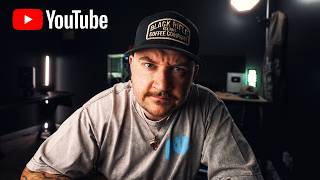
00:57[00:01] Yeah, no Of course it matters when you have a professional studio full of lights. Now you just look stupid. So since we're in the process of moving, I figured today would be perfect to show you what one well-placed light can do.
[00:14] My lighting setup is from Godox. The whole entire thing cost around $300. And honestly, you can get something really similar to this for $100 but here's like this and they point it directly at their face and crank up the brightness
[00:29] and it looks terrible. You see the problem is people think they need more of the light or or brighter version of it, but they don't. All you need to do to get a look like mine is just position your light slightly to the side. Like if
[00:41] to my 2:00. Then adjust your camera settings and turn the light down to get next couple weeks I'll add layers and more lights and more things in the the end of the day, a great looking video doesn't start with a room full of
[00:57] lights. It starts with one light in the right place and you knowing how to use right place and you knowing how to use the camera you already have.
⚡ Saved you 0h 01m reading this? Transcribe any YouTube video for free — no signup needed.