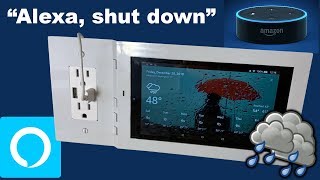

Resume Movies on Any Echo Show with Alexa
43sThis cross-device movie resume feature is a hidden gem that surprises most smart home users.
▶ Play Clip"Delivers exactly what it promises with 10 practical commands, though the sponsor plug adds a little padding."
In this video, a smart home creator shares the 10 Alexa commands he uses every day, spanning weather checks, alarms, recipes, entertainment control, intercom, routines, TV control, reminders, and smart blinds. He also highlights supporting devices like the Fire 7 and mentions a monthly giveaway from Lux Mounts.
Ask 'Alexa, what's the weather in [city]?' to get current conditions; screen-enabled devices show a multi-day forecast.
Use 'Alexa, set an alarm for 6:00 a.m.' before sleeping; Alexa confirms and wakes you up in the morning.
Say 'Alexa, how do I make a chocolate cake?' to get step-by-step recipes; with a Fire 7 in the kitchen, instructions appear visually.
Start an Amazon Prime movie on one device, then say 'Alexa, play Iron Man 2' on another screen device to resume where you left off.
Use 'Alexa, drop in on [device name]' to instantly talk through another Echo device, turning multiple units into an intercom system.
Say 'Alexa, create an announcement' and speak a message (e.g., 'dinner is ready') to broadcast it to all Echo devices.
Say 'Alexa, off my lights, close my blinds, turn off my computer and TV' to trigger a custom routine built in the Alexa app.
Command 'Alexa, turn off MKTv' to power off the TV; he enabled this by installing the Samsung SmartThings skill for his compatible TV.
Say 'Alexa, remind me to upload' to stay on top of tasks like weekly video uploads; the concept works for any reminder.
The top command: 'Alexa, set MK blinds to 50' lets you adjust smart blinds by voice, a dream feature for mobile control.
These 10 Alexa commands cover daily essentials—from weather and alarms to home automation and entertainment—showing how simple voice prompts can streamline a smart home.
What Alexa command does the creator use to check the weather?
Say 'Alexa, what's the weather in Newington?' to get current conditions and forecast.
00:16
How do you set an alarm with Alexa?
Say 'Alexa, set an alarm for 6:00 a.m.' and Alexa confirms the alarm.
00:32
How can you get recipe instructions from Alexa?
Ask 'Alexa, how do I make chocolate cake?' and view step-by-step on a screen device like Fire 7.
00:46
What feature lets you resume an Amazon Prime movie on another screen device?
Tell Alexa on the new device to play the movie (e.g., 'Alexa, play Iron Man 2') and it resumes where you left off.
01:11
What is the 'drop in' feature in Alexa?
It lets you use your Echo devices as an intercom system, e.g., 'Alexa, drop in on [device name]'.
01:39
How do you broadcast an announcement to all Echo devices?
Say 'Alexa, create an announcement' and then speak the message; it broadcasts to all Echo devices.
02:22
What skill did he install to control his Samsung TV with Alexa?
The Samsung SmartThings skill.
03:22
What is the number one Alexa command mentioned?
Say 'Alexa, set MK blinds to 50' to control smart blinds by voice.
03:48
Voice-first smart home routines
Shows how a single voice command can replace multiple manual interactions with apps and switches.
00:16Cross-device media continuity
Alexa can resume movies across devices, demonstrating seamless handoff in the Amazon ecosystem.
01:11Whole-home announcements
One command broadcasts to every Echo device, turning scattered speakers into a unified PA system.
02:22Routine automation
Combining lights, blinds, computer, and TV into a single phrase shows the power of Alexa routines.
02:54Smart blinds control
Voice control of blinds is presented as a cheap and easy upgrade, making it a practical smart home win.
03:48[00:01] Monday guide I will show you 10 commands that I use every device that has you know what on it I recommend that you mute it great now
[00:16] let's get into the 10 Alexa commands that I use every day number 10 Alexa what's the weather in Newington it's 9° f with Cloudy Skies tonight you can look for cold temp with this command she tells
[00:32] you the weather for today but if you have a device with a screen it brings up a nice forecast for the next few days number nine Alexa set an alarm for 6:00 number nine Alexa set an alarm for 6:00 a.m. alarm set for 6 a.m. tomorrow this
[00:46] is a very simple command but very important I set this before I go to sleep and in the morning it wakes me up number eight Alexa how do I make a chocolate cake okay for chocolate cake here's a
[00:59] few recipes too much chocolate cake well I don't exactly make chocolate cake every day but the concept is there when I want to know how to make something I just ask her and since in the kitchen I have a
[01:11] wall mounted fire 7 it shows me everything I need visually number seven Alexa play Iron Man 2 when I discovered this feature I was amazed I'm not specifically talking about playing Iron Man but movies in general if you start
[01:25] watching an Amazon Prime movie on let's say your phone you can go up to another device with a screen and tell it to play exactly what you were watching and it will resume where you left off on another device number six Alexa drop in
[01:39] another device number six Alexa drop in on MK EO Dot MK EO dot right yes if you have multiple alexas you can tell it to drop in on the other ones and use it as an intercom system so this is great for if you have one upstairs and one
[01:54] downstairs you can talk to whoever's downstairs from upstairs from this I'd like to remind you that every month Lux mounts gives away a tablet and a lux mounts wall mount kit for it this month Lux Mount is giving away an Amazon fire
[02:07] Lux Mount is giving away an Amazon fire 7 wmount Kit and an Amazon fire 7 tablet first Monday in February to enter the giveaway go to lms.com and click on the giveaway tab or the link is in the description number five Alexa create an
[02:22] announcement what's the announcement dinner is ready announcing dinner is ready this is a command that I learned just a few days ago and I'm so
[02:36] create an announcement that will be broadcasted to all your Echo devices so I don't know if you guys heard in the video but my echo over there uh said the video but my echo over there uh said the announcement number four Alexa
[02:54] off my lights close my blinds turn off my computer setup and turn off my TV setup this this is a simple routine I created in the Alexa app there are so know if you guys heard in the video but my blinds closed and a bunch of things
[03:09] clicked and there was a little bit less light on me hopefully well let's go ahead and turn it back on number three Alexa turn off mktv you can already tell what this does it turns off my TV I accomplished this by simply installing
[03:22] the Samsung smart things skill because it's a Samsung uh smart things enabled it's a Samsung uh smart things enabled TV number two Alexa remind me to upload forget to make a video for you guys every week but the concept is there I
[03:36] use her to make sure I stay on top of things and everything that I need to do things and everything that I need to do number one Alexa set MK blinds to 50 it was my dream for the longest time to be able to control my blinds from my phone
[03:48] but the fact that I can control them just by using my voice is on another control your blinds then check out the videos on my channel regarding them they are a cheap and easy way to control your blinds all right that concludes this Lux
[04:01] where I'll show you how to lock down your Android tablet or in other words turn it into a kyosk this is uh the first step in our uh our smart home from the tablet if you are interested in picking up a wmount kit for the Amazon
[04:16] Fire tablets from Lux mounts then head on over to Lux mounts.com or you can find it on Amazon but it's cheaper if you buy it from Lux mounts.com as well as free shipping on all orders suppli is limited so pick one up today hey you
[04:29] you found it helpful press the like button if you're a smart home Enthusiast then subscribe if you want to watch more smart home content then check out the videos on the screen anyway see you all next Monday
⚡ Saved you 0h 04m reading this? Transcribe any YouTube video for free — no signup needed.