
Convert PDF to Images in Browser - No Backend!
40sDemonstrates immediate practical use and eliminates server costs.
▶ Play Clip"Delivers on the title but is essentially a product demo; the actual build steps are skimmed over."
This video demonstrates a browser-based PDF-to-image conversion tool built with Mozilla PDF.js and vanilla HTML/JS. The application processes all PDF pages client-side without a backend, allowing users to select output format, image quality, and scale factor, then download individual or all images.
A single-page application that converts PDF pages to images entirely in the browser, with no server-side code.
Upload a PDF, then choose output format, image quality, and scale factor before converting. Each page gets a download button, and there's an option to download all images at once.
The entire application is a single HTML file of about 500 lines, making it easy to deploy using a live server. The source code is available for purchase.
The tool relies on Mozilla's PDF.js, an open-source library for rendering PDFs directly in the browser.
This tool offers a convenient, client-side solution for converting PDFs to images, leveraging the power of PDF.js for seamless browser-based processing.
What library is used to render PDFs in the browser?
Mozilla PDF.js
01:51
How many lines of code is the single HTML file?
Approximately 500 lines
01:22
Where is the processing done?
Entirely in the browser (client-side).
00:42
What options are available when converting?
Output format, image quality, and scale factor.
00:35
No Backend Required
Emphasizes the simplicity of a fully client-side solution, eliminating server costs and complexity.
00:42Single-File Deployment
The entire tool is a single 500-line HTML file, making it extremely easy to host.
01:09[00:02] you a full PDF to images editor and converter kind of a project where you basically convert PDF into images. So I've also given the demo link in the
[00:14] check the full description. So once you land on this demo you basically can land on this demo you basically can select any PDF file here and uh after that this application will process
[00:28] all the pages and you will show you this notification. So once all the pages are loaded now in the drop-down you can select the output format image quality scale factor and click on convert to images. So then it will go one by one
[00:42] all the pages will process. So all the processing is directly done in the browser. So no serverside code is involved. So there is no back end to this application. It's a single page application. And for each page we have a
[00:55] download button. So individually you can click on that page to get your image. So you can just see the quality of the image. So if you want to directly download all the image, we also have this button as well.
[01:09] So let me show you the source code. I've given the purchase link also in the the full source code. So once you purchase you will get this HTML file.
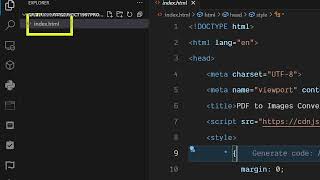
[01:22] So this is a single file about 500 lines of code. So it's really easy to deploy and run this application. So once you come to the VS code you directly run it as a live server. So right here you will see this
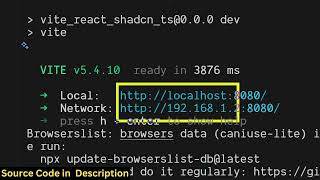
[01:37] interface. So now we are running it on local host. So again you repeat the process. you select the image.
[01:51] can directly purchase the full source code. It's a complete application. And uh for building this, we have used a open-source library which is called as Mosilla PDFJS library which is a PDF
[02:06] rendering library for [snorts] editing PDF files directly in the browser. So we have used this library for building this project. So if you're interested both the links are given. So please check the full
[02:20] are given. So please check the full description.
⚡ Saved you 0h 02m reading this? Transcribe any YouTube video for free — no signup needed.