
AI Background Removal in Browser
39sViewers are amazed by real-time AI processing directly in the browser using free libraries.
▶ Play Clip"Title promises building a Canva clone, but the video is a demo of an existing tool, not a tutorial; still delivers on showcasing the features."
This video demonstrates a full-stack Next.js SaaS application that offers AI-powered image background removal and PDF editing tools, all running in the browser. The app uses TensorFlow, BodyPix, and MediaPipe for segmentation, and includes features like background color replacement, image-to-PDF conversion, and PDF merging/splitting.
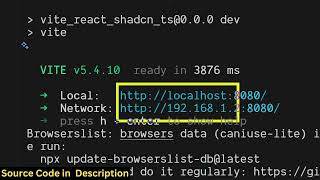
The app runs on localhost:3000. User selects an image, and the browser processes it pixel-by-pixel using TensorFlow, BodyPix, and MediaPipe to remove the background. Result downloads as an image file.
A second tool allows users to remove the background and then apply a solid color picked via color picker. This is useful for quick background changes without a full image editor.
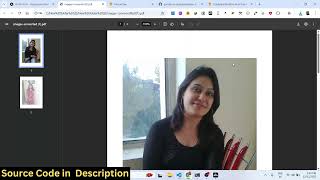
The app includes a tool to convert images into PDF documents, enabling easy document creation from images.
Users can select multiple PDF files, reorder them, and merge them into a single PDF. The process is fast and done entirely in the browser.
For long PDFs, users can specify page ranges (e.g., 1-5, 5-10) to split the document into multiple files. This is useful for extracting specific sections.
The video showcases a fully functional Next.js SaaS application that combines AI background removal with PDF editing capabilities, all processed client-side. The source code is available for purchase, allowing others to modify and extend the tool.
Which libraries are used for AI background removal in this app?
TensorFlow, BodyPix, and MediaPipe.
01:11
Does the background removal happen on the server or in the browser?
All processing takes place directly in the browser.
00:16
What additional feature does the 'Change Background' tool offer compared to the basic removal?
It allows users to select a solid color via color picker and apply it as the new background.
01:25
List three PDF-related tools included in the app.
Image to PDF converter, Merge PDF, Split PDF.
02:28
How does the Split PDF tool allow users to divide a PDF?
Users can specify page ranges (e.g., 1-5, 5-10) and the tool splits the PDF into multiple files accordingly.
03:52
Client-Side AI Processing
Demonstrates that complex image segmentation can run entirely in the browser using TensorFlow.js, eliminating server costs.
00:16Combined Background Removal and Color Replacement
Shows a practical use case: removing background and adding a solid color in one seamless workflow.
01:25All-in-One SaaS Tool
The app integrates image and PDF editing, reducing the need for multiple separate tools.
02:28[00:02] you I built out a nextJS uh Canva powered AI powered uh image background powered AI powered uh image background removal tool. It's uh we are running it on local host 3000. Let me show you the quick little demo. So first of all, when
[00:16] you come to this application, you select whatever image file that you want to image file, all the processing will take place directly in the browser. We using
[00:28] the libraries here. As you can see, it has successfully analyzed the image pixel by pixel and it has removed the background and you are seeing the result. Once you click the download result, it will uh download the output
[00:41] result, it will uh download the output image file. So it's entirely full stack SASbased tool software as a service tool. I built it from scratch. So every file is every component is divided into its appropriate TypeScript file here.
[00:55] So the link is given you can directly purchase the source code. After download the source code automatically from Google Drive. And for removing the background, we are using free libraries which are TensorFlow
[01:11] which is a Python based uh image segmentation library, body pics and media pipe. So we are using these libraries for uh removing the background. It's a AI powered application.
[01:25] And same goes with we have also the second tool as well change background which does the same thing but it also allows you to select a static solid color using the color picker and then automatically it will apply that color
[01:40] to that image. So first of all it change it removes the background from the image and then it applies the static color. So here you can select a static color. For example, I [snorts] select this color and then so many a times you need to
[01:56] change the background of the image. So this also does the thing for you. It will save you a lot of time because you don't require any specials uh image editor for doing these task rather than you can use this nextjs application for
[02:14] background or changing the background. Apart from that, we also have three more tools which is PDF editor as well. So which allows you to convert your images into PDF as well. So this basically I
[02:28] developed entirely. into PDF. So you can just see the
[02:40] result. It's really fast. So it's a SASbased tools software as a service. So once you purchase it, you will be able to modify the source code or add additional features as well. So this is again another tool which allows you to
[02:54] again another tool which allows you to merge multiple PDF files. So here I can select multiple PDF files here. So once you select this, you can change the order as well. You can basically click on merge PDF and both the PDF file will
[03:09] on merge PDF and both the PDF file will be merged.
[03:22] So here you can even change the order as well. So once you click [snorts] So I think uh my internet is working. I think there is some kind of
[03:38] it. Uh yeah. So I think my file system is not working that's far. So but uh the split PDF is
[03:52] again a similar thing. You basically if you have a long PDF file you can select it will analyze it and here you can split your long PDF file here and here split your long PDF file here and here you can add ranges as well. So
[04:07] you can add ranges as well. So from 1 to 5 and then from 5 to 10 and then you click split PDF and it will divide the PDF into multiple files. So as you can see that so it is actually a full stack next.js project having all
[04:22] the functionalities for removing background from and also the PDF editor as well. So if you're interested guys uh the link is given in the description you the link is given in the description you can directly purchase the source
⚡ Saved you 0h 04m reading this? Transcribe any YouTube video for free — no signup needed.