
Drag-and-Drop Markdown Import & Live Preview
30sShows a smooth drag-and-drop feature for importing markdown files, satisfying users who want quick editing.
▶ Play Clip"More of a product demo than a tutorial; title promises a build guide but delivers a sales pitch."
This video demonstrates a Next.js markdown editor with live preview and PDF export functionality. The presenter showcases features like drag-and-drop file import, word/character count, and various view modes, then promotes the paid source code available for purchase.
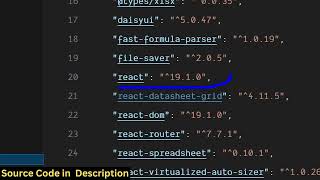
Building a Next.js markdown editor with live preview and PDF export using Next.js and React latest versions.
Users can create new markdown files or drag-and-drop existing files to import content.
Editor shows word count, character count, and line count that update in real time.
Preview updates live on the right side; download button for markdown file and PDF export using client-side processing.
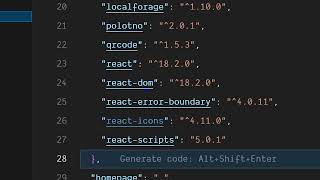
Third-party libraries: markdown-it, jsPDF, html2pdf.js, html2canvas for PDF processing and markdown processing. Also uses Tailwind CSS.
Source code is available for purchase; can be modified and deployed as a static web app without internet after deployment.
Supports full screen, split view, preview-only, and editor-only modes.
The video primarily serves as a promotional demo for a paid Next.js markdown editor with live preview and PDF export, rather than a step-by-step build tutorial.
What libraries are used for PDF processing in this markdown editor?
jsPDF, html2pdf.js, and html2canvas.
02:43
What markdown processing library is used?
markdown-it.
02:43
Does the editor require an internet connection after deployment?
No, it becomes a static web application that works offline.
04:18
What view modes are available in the editor?
Full screen, split view, preview-only, and editor-only modes.
03:51
Live Statistics
Demonstrates real-time feedback on word count, character count, and lines, enhancing user experience.
01:02Client-Side PDF Export
All PDF processing happens in the browser, eliminating server dependency.
01:48Offline Static Deployment
The editor can be deployed as a static site and works without internet, highlighting its portability.
04:18[00:02] in this video I'll show you I built out a NexJS markdown editor with live preview features and also you can export your markdown file into PDF as well. So we are using the nextJS latest version as you can see for this project. We are
[00:17] also using React latest version as well for let me show you the demo of this application. We are running it locally as you can see localhost 3000 and uh it has all the features. First of all, you can actually if you have a
[00:31] markdown file, you can create a new markdown file by clicking the new button and you can paste a bunch of markdown right here. [snorts] Or if you have a file that you want to edit as well, you can drag and drop that markdown file
[00:47] by simply clicking on this and right here bringing your markdown file. this and simply click import. So all the content inside that markdown file will
[01:02] notification. It shows you clearly how many words are there inside the markdown file. How many characters how many lines it shows you the live preview on the right hand side. If you make any sort of changes it will
[01:17] be reflected back as you can see. Then we have this button here of uh download. So you also have the option to download. So you also have the option to export everything
[01:35] those changes. And then we also have the button for exporting this markdown into PDF. So once you click this button, it will generate a PDF file for you instantly and automatically that PDF file will be
[01:48] downloaded. So all the processing is directly happening it inside the browser. So you can edit your markdown files, export them into PDF. So it has a live preview.
[02:04] So it's coded inside directly. So once the processing completes your PDF file will be downloaded as you can see into multiple pages. All the images
[02:17] have been successfully inserted. So this is a fullyfledged project. If you're interested in purchasing it, the link is given in the description. So once you purchase it, automatically all the code will be downloaded from Google Drive.
[02:30] [snorts] So every component as you can see it's divided into its appropriate TypeScript file here. [snorts] So once you make any sort of changes, it will be reflected back. So we are using quite a number of third party libraries for
[02:43] this. First of all, we are using markdown it JSPDF, HTML to PDF, HTML to canvas, HTML to PDF. These are all PDF processing libraries and markdown
[02:55] processing libraries. So, it's a fullyfledged project. We are So, it's a fullyfledged project. We are also using some Tailwind as well. So, if you want to modify the source code or add additional features. So, once you
[03:08] get the source code, you can easily do that. and we are running it on local that. and we are running it on local host as you can see. markdown file, you click the new file button and then that editor will open.
[03:24] So you paste your markdown file automatically the live preview you will able to see. So in this easy way you can easily create your markdown file with a fully fleshed editor with live preview. All the changes you will be able to see
[03:39] on the right hand side. You can export them into PDF as well. You can save your them into PDF as well. You can save your work by clicking the save button.
[03:51] So this is a full screen mode as well also available. This is a split view. also available. This is a split view. This is a preview. This is a fully this This is a preview. This is a fully this is the editor mode
[04:03] and this is a split mode. So this is the fully fledged markdown editor directly in the browser. I coded this in next years. If you are interested in this guys the link is given in the description for the full source code.
[04:18] [snorts] So it will be easy for you to run this locally or also you can easily deploy this if you purchase a domain name you can easily deploy this offline markdown editor it doesn't require internet once it is deployed it will be
[04:32] a static web application static markdown editor so I showed you all the features guys if you are interested the link is given in the description
⚡ Saved you 0h 04m reading this? Transcribe any YouTube video for free — no signup needed.