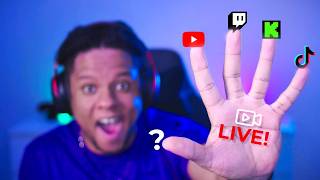

Best FREE Multistream Tool?
45sHigh-intent topic: streamers want free solutions, and this clip reveals a top tool with a strong hook.
▶ Play Clip"Delivers a solid overview of multi-streaming tools, though the title promises a how-to but the video is more of a review."
The video reviews several multi-streaming services that allow streamers to broadcast to Twitch, YouTube, Kick, TikTok, and other platforms simultaneously. The host shares personal experiences and recommendations for each tool, highlighting features, ease of use, and pricing.
A service that installs plugins, offers vertical canvas, multiple outputs, supports Twitch, YouTube, Kick, and any RTMP server. Includes activity tab for subs/follows. Completely free.
The layout can be customized to match OBS style. The host rearranges scenes, sources, and chat panels for a personalized setup.
Allows setting stream titles per platform and managing multiple outputs with format selection (vertical/landscape). Supports streaming to Twitter, TikTok, etc.
Stream Elements provides widgets, alerts, and a tip page. It has a multi-streaming tab in OBS, separate output dock, quick settings, and actions like pausing alerts. Supports vertical canvas.
Recommended if you already use Stream Elements ecosystem (bot, alerts). Has a Stream Deck plugin for easier management.
Streamlabs allows linking accounts from the website, integrated with Streamlabs Ultra (paid tier). Best for Streamlabs users with Ultra.
Meld is a free broadcasting software with built-in multi-streaming. Works with OBS, Streamlabs, or any software with custom URL. Supports audio track separation to avoid DMCA.
Restream is a web-based studio for multi-streaming, podcasts, and guest interviews. Freemium model, free plan limited to 2 channels. Integrated multi-chat and works with OBS/Streamlabs.
Clean interface, chat appears on screen, click to respond. Good for talking head content. Affiliate disclaimer: not paid ad.
Offers multi-chat overlay, horizontal chat overlay, and other widgets. Dedicated to multi-streamers with viewer counts and emotes from multiple chats.
The video provides a comprehensive comparison of multi-streaming tools, emphasizing that the best choice depends on your existing ecosystem and needs. Restream is highlighted as the easiest for beginners, while Stream Suite and Stream Elements offer more control for OBS users.
Which multi-streaming service is completely free and installs plugins?
Stream Suite from Adam
00:13
What is the free plan limitation of Restream?
Stream to only 2 channels at once
08:32
Which service supports audio track separation to avoid DMCA?
Meld
07:20
Which multi-streaming tool is web-based and good for podcasts?
Restream
07:47
Which service has a Stream Deck plugin for managing multi-streaming?
Stream Elements
05:41
Stream Suite is free
Highlights a completely free multi-streaming solution with extensive features.
00:13Stream Elements integration
Shows how Stream Elements integrates with OBS for multi-streaming, beneficial for existing users.
03:05Meld's DMCA protection
Meld supports audio track separation to avoid copyright issues, a key concern for streamers.
07:20Restream free plan limit
Clarifies the limitation of Restream's free plan, helping users decide if it fits their needs.
08:32[00:00] and there are so many services that offer that option. so you can pick the right one for you. to clarify. So let's start.
[00:13] It is the stream suite from Adam. it's the one that I use in the rare times that I actually multi into a multi streaming machine.
[00:25] It actually installs a bunch of plugins just to give you everything You'll also get a vertical canvas, whether you're going to stream vertical at the same time or you're just using it for It also gives you multiple outputs.
[00:40] Kik, YouTube, but also any RTM server that you can get. If you have a stream key, you just put it in there. key and a web server you can stream on You can also see the activity tab.
[00:58] So if something happens you get a sub on YouTube or follow on Twitch. And of course very important, it's completely free. You just go to TV, find the streaming suite, download it,
[01:10] It actually changes your whole setup and it might look different than what But the good news is that you can change it back if you want OBS layout, but it does add everything a little bit all over the place.
[01:27] you might want to go and manually drag and different pieces so you can make it make sense for As we can see this is from my video streaming setup 2026. in a way that made sense for this I'm going to have my scenes
[01:42] and my sources for the vertical all on the left, then on the right side. It's going to be a combined chat you're going to have the combined activity.
[01:55] on all platform at once or individually. on all of the platforms, you can do that from that tab simultaneously.
[02:09] So this is what the Stream Info tab looks like. So here I can go put my stream title on YouTube and then go
[02:21] So I'm going to be more detailed about it I'm not going to give you as much detail, that's what I use. You also have an output window here where you can actually add multiple outputs,
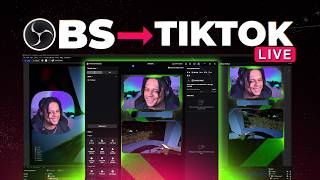
[02:37] and you can select which format if you want vertical if you want landscape. And this is where I said if you want to stream to Twitter to vote, TikTok. So it's more than just those three platforms.
[02:53] It's everything you can possibly stream on That being said, though, if not, you can just slap a browser source with your chat in Probably.
[03:05] to set up this one in particular, go watch my multi stream Setup 2026 The next one is through stream elements. And Guess You Don't Know is a platform that provides you with widgets,
[03:18] a tip page, basically your alerts, your widgets and all that stuff. If we go top right here and we click on ourselves, So see live is an OBS studio plugin technically.
[03:35] So you will have a separate output dock. It's kind of a software to manage your multi your chat for multiple platforms, quick settings such as.
[03:52] And then you have quick actions like pause your alerts, skip the alerts, reload your overlays a whole lot of things. So if there's a platform you don't want to see for some reason,
[04:05] you can also turn it Actually have a YouTube short about it. where I'm basically showcasing as a live. So you'll basically have this multi streaming tab in OBS studio
[04:19] and then choose specific output settings if need be. is basically switch them on while you're live Here I'm showcasing how all the chats can put together and also the activity feeds.
[04:34] A lot of people don't know this, but basically you can create different canvases actually have a vertical canvas with the stream elements multi streaming. Now in my experience, which is what was that one whole year ago?
[04:50] It wasn't as smooth as Adam Verticals You can link them together. So if you switch your main canvas, your portrait canvases will also switch.
[05:04] They also had a system where you could directly apply for TikTok live access. I also had a sponsored video for Ground Control where I'm showing the setup and everything that it does goes pretty fast here.
[05:16] But basically if you already use the stream elements, what was that? If you already use the stream elements ecosystem, I would say so. If you have the stream elements, bot and alerts and all that,
[05:28] especially if you want to control your bot modules and all that. with stream elements, But it might be a solution for you. Plus they have a stream deck plugin that makes things a little easier
[05:41] if you find yourself skipping alerts and pausing alerts and doing all that to not only multi stream but also manage the whole multi Moving on. to people who use their broadcasting software.
[05:58] you can actually link all of your accounts straight from the website don't have it installed on my computer right now. for a bunch of stuff, mostly your widgets, your alert and all that in the
[06:13] of course, if you use Streamlabs desktop to live stream, you don't use OBS studio. It is integrated for Streamlabs Ultra, which I believe is a paid tier.
[06:25] someone at Streamlabs gave it to me for free. So yeah, if Streamlabs is the platform that you use for your alerts, for your tipping, for your bot, and you happen to also have ultra in that
[06:38] That might be the best solution for you to multi Next is meld. It is its own broadcasting software and it actually includes multi streaming. and it's completely free That being said, you actually don't need to use Meld
[06:53] Studio, the broadcasting software to have access to this because it works with OBS, Streamlabs or any broadcasting software that allows you to put a custom URL. So you would come to this page, sign in or just put your stream URL in stream key.
[07:06] streaming on the other platforms. Now. so make sure you check out the links in the description how to get it going, especially if you're already a meld user.
[07:20] They even support the audio track thing that people do to not DMCA copyrighted music during the stream and then they will not appear in the VOD. If that's something you already do multi streaming with meld will not compromise
[07:33] that's been there for a long time and that's restream.io. Stream is basically a platform that that is kind of like specialized in live streaming on multiple platforms, but also having guests around things
[07:47] like that and running podcasts and all cool Restream is actually pretty different than the other solutions because it is its own studio, but it's web in your browser, including having multiple guests, sharing your screen.
[08:02] If you're doing like Q&A, having that little scroll thing at the bottom. If you don't want to get into the complicated aspect of gaming live
[08:15] stream yourself having conversations and things like that, like super easily or even record the whole thing as a podcast. It is a freemium, so you can have a free plan completely
[08:32] So that's the limitation when it comes to restraining. on three channels at once, and then so on and so forth. But if you just happen to be the person who wants to restream to only two
[08:48] platforms and to do that type of live stream, the Restream is perfect for Also, since everything is handled in a browser, the whole process is really simplified, like it's probably the easiest way to multi stream.
[09:00] Multi chat is integrated, they already support a bunch of platforms. But it also works with your streaming apps like OBS studio, Streamlabs since 2021.
[09:15] I just created a new stream and then I can enter the studio. And there it is. Actually, they reworked all of that. That looks cleaner that way cleaner than before.
[09:27] the stream starts like a starting soon thing, they they have so much stuff. Let's check out the chat. So the chat would appear here. but if you want to respond to a specific chat message,
[09:42] you can click on it and then have it show on screen and then do your response. It's really good for talking head type of content, Anyways, this thing is called Restream.
[09:56] full disclaimer though, I am an affiliate with them, but this is not a paid advertisement basically. You will see there's a bunch of free stuff specifically made for live
[10:12] You have a multi chat overlay, you have a horizontal chat overlay. A specific title of data, etc. etc. That looks on top of other pretty cool widgets on that another bonus.
[10:27] which is basically dedicated for multi streamers. when it comes to what information you want to see while multi streaming. Your viewer count on multiple platforms the emotes from multiple chats.
[10:42] Check out the links in the description and follow me on Twitch.

⚡ Saved you 0h 10m reading this? Transcribe any YouTube video for free — no signup needed.