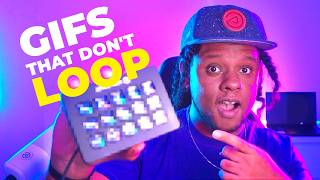

The Secret of Non-Looping GIFs
44sReveals a little-known web feature that most people have never noticed, sparking curiosity.
▶ Play Clip"Delivers on the promise with a clear tutorial and examples, though some parts are conceptual."
The video demonstrates how to create non-looping GIF animations for Stream Deck profile transitions and PNG Tuber overlays, using Blender, Adobe Media Encoder, and a web tool to convert GIFs. The creator shares three concepts: animated button transitions, PNG Tuber animations, and advanced overlay ideas, with practical examples and setup instructions.
GIFs typically loop, but non-looping GIFs freeze on the last frame, staying as a static image until refreshed. This concept is explored for Stream Deck transitions.
The idea came from a book 'How to Learn HTML in 30 Days' and was revisited recently. The creator wondered what software supports non-looping GIFs.
Animations for Stream Deck buttons, like subtle loops or stinger transitions when switching pages, can be created and are compatible with Stream Deck software.
Used Blender to animate transitions, exported as PNG sequence, then converted to GIF via Adobe Media Encoder, which doesn't support non-looping GIFs natively.
Found a website to convert any GIF into a non-looping GIF that freezes at the last frame, then downloaded it for use.
First test showed all buttons moving simultaneously; refined by exporting multiple colors with slight delays for a staggered effect.
Showed how to add the non-looping GIF as a button icon in Stream Deck software, with text overlay option.
Created multiple profiles with different color schemes (green, blue, purple) and demonstrated the transition effects.
PNG Tubers use two images; non-looping GIFs could add physics-based animations like hair or earrings moving when mouth opens, but software like VTube Mini doesn't support them.
Used OBS 'image reaction' plugin to trigger and reset animations, but it restarts each time; suggested making super long GIFs as a workaround.
Imagined using GIFs for liquid-like overlays that form webcam frames or transitions, creating unique artistic setups not seen before.
Provided three files for different colors and a link to the website for converting GIFs to non-looping GIFs.
The video showcases creative uses of non-looping GIFs for Stream Deck and PNG Tuber animations, offering practical steps and resources for viewers to implement their own transitions.
What is a non-looping GIF?
A GIF that plays once and then freezes on the last frame, staying as a static image until refreshed.
00:16
Which software was used to create the animation?
Blender for animation, Adobe Media Encoder for GIF conversion.
02:33
How did the creator convert a GIF to non-looping?
Used a website that converts any GIF into a non-looping GIF that freezes at the last frame.
03:01
What is the 'image reaction' plugin used for?
It triggers and resets animations in OBS for PNG Tubers, but restarts each time.
09:18
What is a PNG Tuber?
A PNG Tuber uses two images to create a simple animated character, often with blinking.
08:07
Non-looping GIF concept
Explains a little-known feature of GIFs that can be used creatively.
00:16Blender workflow
Shows a practical pipeline for creating custom animations.
02:33Conversion tool
Provides a solution for a specific technical problem.
03:01PNG Tuber idea
Introduces a novel use of non-looping GIFs for character animations.
07:42Advanced overlays
Pushes creative boundaries for stream overlays.
10:11[00:00] But if I were to ask you to define Or maybe a short video with no sound that repeats that loops. see, we're so used to watching GIFs loop over and over again
[00:16] They can stop. It basically freezes at that last frame and it just stays there like an image forever, unless you refresh the page or something like that.
[00:31] Oh, and here's Pikachu just going to bed forever, I remember learning about this on a book called How to Learn HTML in 30 days, when I was like ten years old. and other even websites that I made in the year 2000, I never actually used it.
[00:44] that is, until recently where out of nowhere it popped in my head and I wondered what software would allow non looping gifs in the first place. Can I send a gif that doesn't loop?
[00:58] Even though this one was broken because of the way I created it. let's see if that one works. If you drop a link Yep. and they usually restart when you refresh them.
[01:13] So if you click on another channel and you come back here, it'll start over again. I had to think about ways that it could be useful. Now, I don't have many examples because those are like very meticulous
[01:28] But I will explain my concept and I will show you an actual example Okay. I had two major ideas. One. in, it does an animation that looks something like this.
[01:43] I'd love to be able to have like a little animation maybe for my buttons, You can have something that loops that is like, you know, subtle. or whatever, it might be a little too distracting.
[01:59] if we could have like Stinger transitions for stream deck pages. Basically, when you switch from one scene to another, something to go over and then the buttons to appear right.
[02:16] But is the stream deck software compatible with that? The answer is yes. The answer is yes. Thankfully. and I wanted to do something like that, but maybe a little slower.
[02:33] So very quickly I went into blender, a free software, and I animated the transition and then added that graphic at the bottom Then exported that as a PNG sequence.
[02:48] I slap that PNG sequence into Adobe Media Encoder to create the GIF here. and here, unfortunately Media Encoder doesn't
[03:01] I had to find a way to convert those. where you can basically convert any GIF into a non looping gif. So it can freeze at that frame and then generate it and download it.
[03:15] Let me show you an example of the first test that I was doing. You would switch your page like that, and then you see the transition coming in But that would be your button. Of course you would put your icons in there.
[03:30] Or if you want some text to know what the buttons do, that's how it would work. I was like, you know what? I don't like the fact that they're all moving at the same time.
[03:42] Especially in the video game, they're not always all scanning at the same time. So back in blender, I exported multiple colors for the buttons. So basically color groups would have a slight delay.
[03:56] The next step is to actually add it to your stream deck. You don't need this keyboard to have this animation. As you can see, I have multiple and they all work.
[04:09] And basically anything that you put in here of course, like don't put something in visual something that you can actually customize the icon of.
[04:21] And of course, this is the icon it's going to have by default. You see the text is going to be at the bottom. But if you want to replace the icon click on the little arrow.
[04:37] And then in here I can find one of my non looping gifs. So that you can type whatever your button does. And as I said you can see that there's no animation here.
[04:52] All right, look at that. I'm going to switch and then boom, you can see the animation play Now if you have your text it's actually going to have, you know,
[05:04] the text is going to be present when the transition is coming in. But hey, it can't be perfect. Now to have a whole complete thing, I'm going to copy this one, paste it.
[05:17] I'll go with the blue one. it starts showing on the stream deck like the animation plays. It's just a shame that it doesn't show it on screen.
[05:31] Which is green. Now the way I have it now the delay is in order. If I switch it boom boom boom.
[05:46] An alternative to that is, as I said, having your own logo, your own icon. I would love to have like an icon pack, but the amount of work that it would take, icon that you want impossible.
[06:02] If you create your own graphics, or if you manage to take mine I did not invent this, so I don't have any copyright claims to do. And then I'll go back to set from file.
[06:16] And if I switch the profile by doing this, that's the old one. You have the little scan line and then the colors come in
[06:28] Let me do a better job at showing you. All right. I'm holding the webcam with my hand if we switch to the testing one. Not too bad, but yeah, wasn't a big fan of the entire transition.
[06:44] And this is the new one that we just made. Right now you can see it slide in and then fade in like that with the buttons. That's part of it.
[06:56] As you can see, It's not the webcam. So as I said before, those are the three files if you manage to play around with them and put your own icons, you can.
[07:10] If not, you can just type in the stream deck software what the button does, So as you can see here, purple is going to have, the quickest but you can definitely mix match them to have a different effect.
[07:25] You can see that now we have the delay, It's horizontal. Now it's a little bit more chaotic and, And beautiful.
[07:42] Let me get a little closer, just to give you an idea, And this is how it looks up close with the transition. Very important.
[07:54] And now the second concept is the one that I don't have examples for. And the second one is PNG YouTubers. Now at their most basic, a png YouTuber is two images, one
[08:07] We can make it more complex by adding a little bit of blinking. And by using a software called a video tube Mini that basically gives us or don't bounce or shake or don't do anything.
[08:24] Now a software like this actually accepts GIFs, but. As I said, I don't have any concrete examples here. So the issue here is that this software does not recognize non looping GIFs.
[08:37] And that's because what I had in mind is when the mouth opens there could be a little animation, something maybe physics based. Let's say if your character has, hair or earrings,
[08:50] Opens the mouth suddenly, and then a little bit of hair moves on. has, like, a muppet PNG YouTuber and it has, like, big googly eyes. if it opened the googly eyes, would, you know, bounce around,
[09:04] but then settle Of course it would restart every time it gets triggered. But if it doesn't stop getting triggered, basically I want it to settle forever. One way you can achieve this is by making a GIF that is super, super long,
[09:18] for no reason. But of course, I found a solution. And that is the image reaction plugin for OBS studio. It will initially load up the images so it will trigger them
[09:34] and then you can say, hey, you know what? Reset animation of the first image after reaction. I don't think you would want that because it would probably be you resting.
[09:47] But hey, as I said, with the example of like earrings or hair, Now the second image is what we're mostly interested in.
[09:59] And every time I speak it starts from scratch and it continues going. I don't want explain this one too much because I'd rather have concrete example.
[10:11] Okay, I'm going on vacation soon, so when I come back, probably I'll work on that. You know what? While we're there, let's go to the extreme. My third idea is using GIFs
[10:25] in order to create never before seen type of overlays. by frame animation, or if you're a 3D modeler or whatever. and we've also seen like little animation, like the webcam can move up or something
[10:41] can have its own little transition, but it's never anything grandiose really. I'm saying that it's possible and I've never seen it before.
[10:53] Imagine I'm. let's imagine that your whole branding is kind of like liquid, right? Imagine 2D animation when you switch to your gameplay scene,
[11:10] A liquid could like form at the bottom of the screen, and then climb back up to form your webcam and then boom, that's your webcam overlay and it stays there. with the webcam transition to make it appear.
[11:23] I think this in overlays and pop ups and stinger transitions could create some sort of really, really cool artistic setup that we haven't seen before. I'm not a 2D animator, but I'll try.
[11:39] And I will be good. Basically, this is the profile with all the animations. like another page, a different page, it will look like this.
[11:56] This is where you will find the three files for the three different colors. And there will also be a link to that website that allows you to turn GIFs into non looping GIFs.
⚡ Saved you 0h 12m reading this? Transcribe any YouTube video for free — no signup needed.