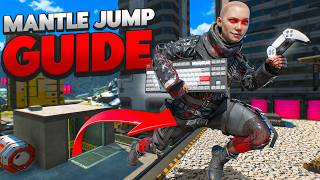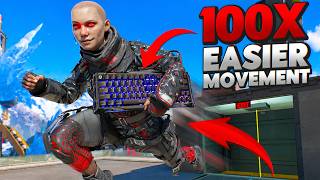

This Keyboard is Almost CHEATING in Apex
43sThe claim of near-cheating advantage sparks curiosity and debate among gamers.
▶ Play Clip"Delivers on the promise of showcasing a top-tier movement keyboard, though the 'best' claim is subjective and the review includes some fluff."
The video reviews the Gravastar 60 HE Pro, a 60% Hall Effect keyboard, and explains how its customizable actuation points and features can enhance movement in Apex Legends. The creator demonstrates how they configured the keyboard to improve techniques like super glides and strafing, and shares their honest opinion on its value.
The creator states they were not paid for this review and only recommend products they personally use and find valuable, establishing trust.
The keyboard uses Hall Effect switches with magnets, allowing it to detect exact key press and release distances, enabling per-key actuation customization.
Unlike other keyboards, the Gravastar 60 HE Pro is configured through a web portal, eliminating the need for downloadable software and PC performance overhead.
The creator sets short actuation points for movement keys (crouch, WASD) and longer ones for keys like Escape and Windows to prevent accidental presses.
By setting crouch to 1.6mm and spacebar to 0.8mm, the creator makes it easier to hit super glides, which require crouch and jump inputs one frame apart.
The keyboard supports up to 8000 Hz polling rate for low latency, and features a 'last input priority' (LKP) setting that overrides conflicting inputs, improving strafing.
The deluxe edition includes a dust sleeve, USB-C cable, keycap puller, extra frosted keycaps, switch puller, four extra switches, and a cleaning cloth.
The keyboard won't make you a better player but amplifies your existing skills. It's $200, and while not necessary, it offers many advantages for serious players.
The Gravastar 60 HE Pro is a high-end keyboard that offers unprecedented customization for movement in Apex Legends, but it's an expensive tool that enhances rather than creates skill.
What type of switches does the Gravastar 60 HE Pro use?
Hall Effect switches, which use magnets to detect key press depth.
00:45
How does the keyboard's configuration differ from other gaming keyboards?
It uses a web portal instead of downloadable software, avoiding PC performance overhead.
02:21
What actuation point does the creator set for the Escape key?
3.5 mm
03:16
Why does the creator set the spacebar to 0.8mm and crouch to 1.6mm?
To make super glides easier, as they require crouch and jump inputs one frame apart.
03:43
What is the polling rate the creator uses, and what does it mean?
8000 Hz, meaning the keyboard sends 8000 inputs per second to the PC for low latency.
05:09
What does 'last input priority' (LKP) do?
It overrides conflicting inputs so the last key pressed is registered, improving strafing.
05:50
What is the price of the Gravastar 60 HE Pro?
$200
07:49
Hall Effect Switches
Explains the core technology that enables per-key actuation customization, a key differentiator.
00:45Web-Based Configuration
Highlights a practical advantage over competitors: no software installation needed.
02:21Super Glide Optimization
Shows a concrete example of how actuation settings can improve specific game techniques.
03:43Last Input Priority
Demonstrates a feature that simplifies strafing, potentially giving a competitive edge.
05:50Honest Verdict
Provides a balanced perspective: the keyboard amplifies skill but doesn't create it.
07:36[00:02] This might just be the best [music] keyboard in all of Apex. what I want it to do, as opposed to the board making me do what it needs me that much sense, but it will by the end of this video. Now, I just want to start
[00:17] this video off by saying that I've not been paid for this. I get sponsors all companies who want me to review their products. 99.99% product and I just can't recommend
[00:30] to waste your time and your money, or I just I just don't like the product. So, channel, you already know I only talk about things that I myself use or I find a lot of value in. So, the fact that I'm making this video goes to show
[00:45] how much I believe in truly like this product. So, let's get into it. This is product. So, let's get into it. This is the Gravastar 60 HE [music] Pro. It is a 60% keyboard that uses Hall Effect switches, and it is by far the most
[00:59] advanced keyboard that I have played on. And I have played on half a dozen different keyboards that I own. I have keyboards from SteelSeries, from Razer, stuff that I've accepted to receive, but I just never really believed in the
[01:13] product enough to make a video on it. And I even have those $30 Walmart cool, especially when you first get into gaming until you realize, "Holy [ __ ] these things really [ __ ] suck." Now, this keyboard uses Hall Effect switches,
[01:27] which is basically just a fancy name for it has magnets inside of it. And because it uses magnetic sensors instead of linear or mechanical switches, what this keyboard is able to do is it's able to detect how far exactly you've pushed the
[01:39] key down and how far you've lift the key up. And the reason why that is so cool is because you can bind each individual key on here to push down at a very specific point and to release at a specific point, which offers so much
[01:55] movement potential in a game like Apex to the fact that it is almost considered cheating because it gives you that much of a mechanical advantage. Because I'm trying to get a lot better at movement in Apex, being able to get that precise
[02:07] like I said is crucial. And it it it's needed. Like if you don't have this these things, it's just going to be very hard to do it. So, let's go plug this into my computer and I'll show you exactly what I mean when I say that you
[02:21] of this. Let's do it. Now, unlike other keyboards like from Logitech or Razer or SteelSeries, a lot of it you have to download to your PC and that's not necessarily an issue except every time
[02:35] you want to update your keyboard, you need to boot up the software or there's taking up PC performance. And there's just so much stuff that just doesn't everything through their web portal. Literally just go to their website,
[02:48] you're editing all the different keys on your keyboard. And the way that I set up super unique, but it's definitely benefiting me when it comes to my movement in Apex. So, all of my movement binds like my crouch, my WASD, as you
[03:03] can see, they all have really short actuation points. And then for other game, so for example, if I accidentally on my screen. Anything that will like lock me out of the game, I set to have a
[03:16] higher input. So, for example, for my escape key, I have to push down 3.5 mm, escape key, I have to push down 3.5 mm, my Windows key 3.5 mm, my tab is only 1 mm. So, if I do ever accidentally hit those keys, unless I push that key all
[03:29] the way down, it's not going to activate and I'm going to more than likely be of a janky setup here with my camera and everything, but another thing that I do with my settings is I actually change how far I need to press my C key, my
[03:43] toggle crouch key with my spacebar. You can see my toggle crouch is 1.6 mm, but my spacebar is 0.8 mm. And the reason why I have it set like this is whenever you do something like a super glide like this on your keyboard, you need to hit
[03:58] crouch and jump literally like one frame apart from each other. And trying to time that can be really, really hard. So, a couple different ways that like players will do this to like hit more consistent super glides
[04:13] >> is one, they'll actually flip the C key backwards. That way the top end, which is usually a little bit higher, will sit to the bottom so that it's closer to Another thing that they'll do is they'll change where their thumb sits. So, they
[04:28] might sit a little bit further back, they might change the angle of how their thumb is going to be placed over that key to have a more precise input. Or the way that I do it is in my keyboard settings, I just change how far each
[04:41] input is. And a way that you can get even better understanding of like how your keyboard grip or like where you place your hand is you can go to a super glide trainer at Apex Movement Wiki. You can put in all your different settings
[04:55] FPS is. And then you can just start hitting super glides to see how close you are to hitting a super glide to see if you have your settings set to the then you go and you hit a super glide. You know, when it comes to hitting like
[05:09] insanely precise movements, the software is so clutch at customizing how you're able to move. Like you choose how you want to move as opposed to having a keyboard that only works one way and then you have to play to how the
[05:24] keyboard operates. You can also change the polling rate of the keyboard. So, this is basically how many inputs or how many signals does your keyboard send to your PC every single second. So, I play on 8,000 hertz, every second you're
[05:36] sending 8,000 inputs through your PC to process so that you get the most accurate low latency input from your keyboard. Another feature that I I set personally, but I know a lot of people in like CS:GO and and other people in
[05:50] Apex use is in the advanced section setting up LKP or like last input or something like that. Basically, what you do is you bind two keys together. So, then I'm going to override it so that the last press is what gets registered
[06:04] first. So, let's try and bind that there, A and D. I'm going to go save. And now, basically, what this does is if I'm strafing left and then I hit D, it's going to register that last input. even though I'm hitting both binds right now,
[06:16] hit latest. Typically, what would happen if you don't have this bound is if you were to go A and then hit D, it's registering two opposite things and it how to like strafe quick, you have to have a really good timing with when you
[06:30] let go of your keys. But, if you don't want to learn how to have a really good accurate strafe, you can literally just go A and D, and now you can just have You don't even really have to time it. It just gives you
[06:43] movement. Honestly, I'm probably going to like keep this on. Because doing moving your hand around the keyboard and you're doing like a circle input, it just gives you a snappier, more responsive feel, and you can hit
[06:56] smoother movements. Now, what is in the box? If you were to end up picking up one of these, I personally got the deluxe edition, and what came with it is the keyboard, obviously, a dust sleeve, which I personally really love cuz I
[07:08] travel a lot, a type A to type C connector for that 8,000 Hz connection, a keycap puller with an extra set of frosted keycaps. So, if you don't like frosted clear ones. It also comes with a switch puller because it is a hot
[07:22] out the switches if you want. And it also comes with four extra switches in case something breaks, which is super clutch. It also comes with a cleaning and it also comes with a cleaning cloth to wipe off all your drills after you
[07:36] hit a 1 V 3. Now, my honest thoughts on this keyboard is that it's not going to make you a better player. It's just going to amplify what you're already doing right. There are so many other keyboards out there. So, do you need to
[07:49] buy this one? Absolutely not. It is $200. But, it packs so many different money and you want all the advantages that come with it, in my opinion, it's
[08:01] has convinced you that you want to try one out and you want to pick one up, down below. It is a referral link, so if you want to support me channel, then help donate a little bit of that revenue to me. Or, if you don't like me cuz you
[08:15] hate me, then go and buy it on your own. No one's stopping you.
⚡ Saved you 0h 08m reading this? Transcribe any YouTube video for free — no signup needed.