

How to Check Which Funds Own a Stock
60sQuick, practical tutorial answers a common investor question, making it highly shareable.
▶ Play Clip"Title is accurate, but the video includes rambling and filler content that reduces its value."
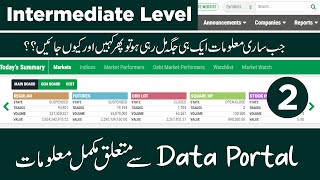
In this video, the host demonstrates how to check which funds or companies hold a particular stock using a free website called SCS Street (scs trade.com). The tutorial covers both desktop and mobile usage, addressing viewer questions about shareholding patterns.
A viewer named Ashtami asked how to find out how much holding of a share is with which fund or company. The host decides to answer via a video instead of comments.
The host introduces SCS Street (scs trade.com) as a free tool to find shareholding data. Users can search any stock and view holding details.
After searching for a stock (e.g., PSU), users can click on 'Shareholding Pattern' to see which companies hold shares, including quantities and percentages (data as of January 2022).
The host demonstrates the mobile version: open the site, search for a stock, go to 'Company Profile', and find 'Shareholding Pattern' under a menu.
The video provides a straightforward method for retail investors to access free shareholding data via SCS Street, enabling better analysis of stock ownership by institutions and funds.
What website does the host recommend for checking shareholding patterns?
SCS Street (scs trade.com)
02:19
What information can you find on the shareholding pattern page?
List of companies/funds holding the stock, their share count (in millions), and voting percentage.
04:00
How do you access shareholding pattern on mobile?
Open the site, search the stock, go to Company Profile, then click Shareholding Pattern from the menu.
05:25
What data month is shown in the example?
January 2022
04:17
Free service
The website offers all services for free, making it accessible to retail investors.
02:33Shareholding pattern access
Demonstrates how to find key ownership data (companies, percentages) for any stock.
03:34Mobile compatibility
Shows that the tool works on mobile devices, allowing on-the-go analysis.
05:11[00:02] in today's video of this stock exchange, we will talk about how I got a comment on this stock exchange the day before in which it was asked that from where can one find out how much holding of a share is with which fund or company. This question was asked on
[00:17] behalf of Ashtami Ashtami. So it is important that when such a question is asked in the comment, it is when such a question is asked in the comment, it is second thing that he said was that brother, you do not reply to any comment.
[00:30] However, if you ask them through your card, then before these, four-five of them asked this question, I have replied to them. After reading it, you can look up from here. If you want, I try to do that, which you see written Easy Stock Exchange, I have replied to every comment.
[00:43] You do not reply to some things. Which things I do not reply to, I told you here on the stock exchange earlier. It was decided that whatever you are asking me, 1 minute sorry, it was wrong that I should
[00:56] seal the old employees. You are asking about a share, I have made a video on that with details and apart from that what happens is that they ask about your city from here as I will tell you exactly from here you will
[01:08] see now 37 minutes ago so friend I have just answered friend friend once again they are asking about the price now see first I have done that from here I will show you mf1 so you will see there is a guy in it what should I tell them
[01:24] Abhinav do it at near Rs. This share is getting rerated today I heard its name for the first time today there was a message from Jugnu last night so I saw it now see a month ago it was for Rs. 162 its hair pack okay now if you go back six months you will see it is for Rs. 349 since six
[01:40] months you will see it is coming down completely now what should I tell them what should I tell them that they should purchase from here see whatever is coming for Rs. 65 to Rs. 90 you are getting breakfast
[01:52] now what should I tell them tell you now Ekta tells them that okay brother you enter If you take it, then this space can also come on a specific style, so first of all, that is, now the Pier which I don't even know about, in which I have never entered, I have told you, I only tell
[02:06] you about those shares etc. on which I have entered, which I am watching, I am watching, then I also tell you about it with details by making a video, now I can't tell you about everything, but what is that
[02:19] in this match, what they asked me about, etc., so I will tell you about that, first of all you have to go to the website of SCS Street, you will type in SCS trade.com in Google, this is their website, you will click here, the
[02:33] website will open, from here you can easily find out everything and the best thing about the website is that all the services etc. are free, from here you can find out about the holding etc. of any share,
[02:48] okay, what is the way to find out, you will see a search bar here, here you will write the name of any share, but do it here, I will write I used to write about PSU only. See, if you select PSY from here, what will happen is that the next
[03:03] video will open with you in which all the data of PSU will be available. You can see this. This is also very useful for you. Like, if you are not able to find the face value from here on the SP website, it is written here. Everything else is there,
[03:19] I have not gone into that. By the way, if you look, here you will see the things fried in GPS. This planet is everything, from here you will go crazy and see all these things. Then the loop we have to see is that the question was asked about hunting from the
[03:34] side of Ashtami. When you open this, you will see the front holding option here. This front selling option is now available from here. selling option is now available from here. You can see which companies have the shares of this show which were
[03:48] You can see these peanut companies when I show you the list. Okay, these are allotted to different companies. There is a Bell Islamic, Alameen, Alfalfa,
[04:00] so you will see what kind of company is the problem. HDL Investment, so all of this is probably of January, okay, you are seeing three, it is in million, voting is in percentage, then this is of the month of January, January 2022,
[04:17] then this is of the month of January, January 2022, at the maximum, 221, this also, then how many millions were there in it, what percentage was this and now will you benefit from this, I did not tell you about it because I do not go to its place nor do I
[04:30] know about it, but if you asked this question then it is my duty to tell you that this company is Genius, it is folded,
[04:42] I do not know much about it, I knew this much, which you knew, now if you want to see the TRP of any other company then you write it from here, like if we see TRP from here, if you light it today, then the data of Tier G will come, once you have hung up the phone darling, on
[04:57] whichever company you will run, its data will go from here, from here you will overview, so I and the oil which is yours The company profile etc. will come up if you click on the front buildings from here then your funda
[05:11] folding option will come up so this was a little fun you asked me about Ashtami Ashtami so it was my duty to tell you now three things cannot be told in the video updates here click from there click from there see this
[05:25] see this this is the same thing you can see on your mobile also what is the system on mobile when you open the Centre Capital website on mobile then from here I will show you the mobile vivo when it opens from here then what you have to do is see here
[05:39] after this search you will click here suppose here write my bay I keep clicking this SPL there is this option near your mobile also it is not that you will do it in the computer if we did not get the time then see this here
[05:54] this option comes to you but here you got worried where did their control dangle option go so by applying this the menu is here and here you will click on company profile then here you will have phone Darling, when it comes, you
[06:08] will see that the BDO here will open, it will shift to light pink which has been kept in it and this means that all this will happen ahead, so this was today's video in which I had to tell you about it, so I cannot tell you about it in Jind through comments,
[06:22] hence I am tying the comments so that you do not create any trouble, so we will meet in the next video, take care of yourself, office tomorrow



⚡ Saved you 0h 06m reading this? Transcribe any YouTube video for free — no signup needed.