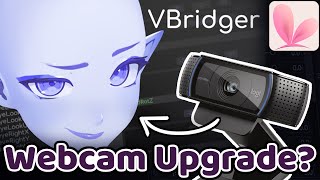

Best VTube Tracking in 2023?
45sOpens with a direct question that hooks anyone looking to start or improve their VTube setup.
▶ Play Clip"Title accurately describes the comparison and includes glasses user test as promised."
This video compares four tracking options for VTube Studio in 2023: webcam, RTX, iPhone, and VBridger. The host evaluates each based on tracking quality, price, and accessibility, including tests for glasses users.
The video compares four tracking options for VTube Studio: webcam, RTX, iPhone, and VBridger.
Cheapest option, uses any HD webcam. Mouth tracking is responsive but overall movements are stiff. Glasses cause issues with winking and eye control.
Requires RTX graphics card. More dynamic and smooth head turns, better eyebrow tracking, and handles glasses better than webcam. Still has some eye tracking issues with glasses.
Uses iPhone with TrueDepth camera (iPhone X or newer). Smoother than webcam, better eye and eyebrow tracking. Handles glasses well, winking is easy.
Plugin for VTube Studio that enhances iPhone tracking. Adds complex mouth shapes (funnel, press, pucker), better eye squinting. Most fluid tracking, handles glasses best but only slightly better than base iOS.
Webcam is cheapest, RTX requires expensive GPU, iPhone requires iOS device, VBridger is a paid plugin. Budget determines best option.
For best tracking quality, VBridger with iPhone is top, but iPhone alone is a great balance of quality and cost. Webcam is budget-friendly but stiff, while RTX offers a middle ground for those with compatible GPUs.
What are the four tracking options compared in the video?
Webcam, RTX, iPhone, and VBridger.
0:23
Which tracking option is the cheapest?
Webcam tracking.
0:37
What hardware is required for RTX tracking?
An RTX series graphics card.
2:35
What is required for iPhone tracking?
An iOS device with a TrueDepth camera, typically iPhone X or newer.
4:28
What is VBridger?
A plugin for VTube Studio that enhances iPhone tracking with additional blend shapes.
6:18
Which tracking option handles glasses the best?
VBridger, though base iOS tracking is also very good.
7:38
What unique mouth shapes does VBridger support?
Funnel, press, and pucker.
6:48
Webcam mouth responsiveness
Demonstrates that even the cheapest option has good mouth tracking.
1:04RTX dynamic head turns
RTX tracking feels more dynamic and smooth than webcam.
3:35iPhone smoothness
iPhone tracking is significantly smoother due to better face mapping.
5:09VBridger as top option
VBridger offers the most fluid tracking with extra blend shapes.
6:18[00:00] so you're wondering
[00:02] what is the best tracking option for a
[00:04] live.tv tuber in 2023 well look no
[00:08] further in today's video we're going to
[00:10] be going through all of the different
[00:11] options that you have in vtube studio
[00:14] right now so stick around and let's find
[00:17] out
[00:19] so here's what we're going to do
[00:23] we're going to compare these four main
[00:25] tracking options
[00:27] and we're going to be comparing them
[00:29] based on tracking quality
[00:31] price
[00:33] and how accessible they are
[00:37] so here we are with the first tracking
[00:39] option and this is actually the cheapest
[00:41] one and this was just a base webcam
[00:43] tracking
[00:44] this is done directly through YouTube
[00:46] Studio using just a webcam any HD webcam
[00:50] will get similar results to this I am
[00:53] personally using a Brio 4K stream
[00:56] Edition webcam so first things first
[00:58] let's have a quick look at the tracking
[01:01] quality of the webcam tracking
[01:04] the first thing I notice is my mouth is
[01:06] very responsive now this can be tweaked
[01:09] with your parameter settings
[01:11] I think this is a pretty nice detail to
[01:13] have you can really flesh out your mouth
[01:15] shapes and it tracks it really easily so
[01:19] you can see how I'm talking and the
[01:21] mouth is constantly moving
[01:24] in terms of face angles with the
[01:27] settings I have it's pretty responsive
[01:28] however you'll generally find that with
[01:30] webcam tracking there is a general
[01:32] stiffness to all of your movements
[01:36] especially when compared to the higher
[01:38] tiers of tracking let's give the eyes a
[01:41] quick little test so let's do a wink
[01:43] test
[01:48] it does wink and we need to see how easy
[01:50] it is to control the eyes on our model
[01:52] as well
[01:56] it is struggling a little bit however
[01:58] it's not the end of the world in terms
[02:01] of tracking quality let's go ahead and
[02:03] perform the glasses test alright so
[02:05] glasses on let's see how this performs
[02:09] they're obviously the number one thing
[02:10] with tracking is to make sure you're in
[02:12] a well-lit area
[02:16] surprisingly it is doing pretty well
[02:18] when it comes to blinking however
[02:22] it is a lot more hard to wink now
[02:25] and significantly harder to keep my eyes
[02:28] at a squint
[02:31] next up we have RTX tracking now this
[02:35] one is actually a newer feature in
[02:37] YouTube studio and requires an RTX
[02:40] series graphics card now this will push
[02:44] up the price point for this particular
[02:46] tracking level however if you do have a
[02:49] more recent gaming PC then this might be
[02:52] an easier option for you for better
[02:54] tracking over the standard webcam
[02:57] you can see that it's projecting my face
[02:59] a little bit better compared to the
[03:01] webcam as you can see from this
[03:04] horrifying image on the left here
[03:07] but let's see how it tests up so let's
[03:09] go ahead and give this the Quick Test
[03:11] through the mouth is moving perfectly
[03:13] fine we also have an extra option with
[03:16] the RTX as well because this one can
[03:19] actually track
[03:21] mouth X that's right we've got a little
[03:24] bit more movement on this one
[03:26] in terms of the face angles and other
[03:29] bits let's give this a go
[03:35] it feels a lot more Dynamic and a lot
[03:37] more smooth in terms of the head turns
[03:40] compared to the base webcam
[03:42] mbis are tracking as expected there is a
[03:46] little bit of
[03:48] delay to them at some points
[03:51] and the eyebrows are tracking a lot
[03:53] better compared to the webcam
[03:56] let's go ahead and give this the old
[03:58] glasses test
[04:00] all right glass is equipped how does it
[04:02] weigh up
[04:06] from what I can see the RTX tracking
[04:08] actually performs better than the webcam
[04:10] especially if you are a glasses User
[04:13] it's still not quite perfect there's
[04:16] Parts where it's making my eyes go a
[04:18] little bit funky when I'm looking in
[04:21] specific directions
[04:23] especially with the glasses on so one
[04:26] next tracking method is the one and only
[04:28] Iphone tracking this uses the vtube
[04:30] studio app on my phone
[04:33] and connects to the vtube studio app on
[04:36] bpc now this is one of the pricier
[04:39] options as it does require a iOS device
[04:42] with a true depth camera so if that's
[04:46] generally iPhone x or above however I
[04:49] will provide a link down below with the
[04:51] full list of Apple devices that you can
[04:53] use for this type of tracking
[04:55] let's go ahead and do our tracking test
[04:58] so we've obviously been talking for a
[05:01] little while
[05:02] but how does it
[05:06] match up
[05:09] so you might notice that this is a lot
[05:12] smoother compared to the webcam options
[05:14] that is because the iPhone has better
[05:16] capability of mapping our face
[05:19] and you might notice that it's finding
[05:21] it easier to track things such as my
[05:23] eyes like when my eyes widen like this
[05:28] the mouth X is a lot smoother
[05:33] and in general I find my eyebrows track
[05:36] a lot better with the iOS
[05:39] alright glasses on let's give this a go
[05:43] move my eyes around
[05:49] you can see that the iOS handles glasses
[05:53] uses a lot better than webcam
[05:55] my eyes on basically moving the same way
[05:58] they were with the glasses off
[06:02] I can lower my eyes a lot easier
[06:07] and winking is no issue either but wait
[06:10] what if I told you there was an even
[06:13] better option for tracking that's right
[06:15] the coup de gras of tracking
[06:18] it's V1 V only it is V Bridger if you
[06:23] don't know what this program is it is a
[06:25] plugin that goes alongside of YouTube
[06:27] studio and allows for a lot better
[06:29] control over your tracking how does it
[06:32] do this you might ask it allows for
[06:34] better use of your iPhone's true depth
[06:36] camera to basically translate all of
[06:39] those extra blend shapes that you
[06:41] sometimes see on 3D models onto your
[06:43] live 2D model
[06:45] unique tracking parameters such as a
[06:48] more complex mouth with funnel and press
[06:51] as well as puckering
[06:53] as well as better control over your eyes
[06:55] such as squinting
[06:57] so let's go ahead and give this one a
[06:59] test run too we have our mouth
[07:02] obviously there is a lot more that you
[07:03] can do with your V Bridger mouth
[07:05] compared to any of the other tracking
[07:07] options
[07:11] such as chewing as well as our face
[07:15] angles
[07:19] end up blinking and eye movements
[07:27] overall V Bridger feels the most fluid
[07:29] out of all of the tracking options that
[07:31] I've tried so glasses on let's give this
[07:34] a quick go
[07:38] so V Bridget handles glasses the best
[07:40] however it's not too much of a step up
[07:43] from base iOS tracking so in general iOS
[07:47] is better when it comes to glasses users
[07:49] however the RTX tracking was close
[07:53] let's go ahead and have a quick overview
[07:56] of all four tracking types and how they
[07:58] match up
[08:15] let's also do a quick little price
[08:17] comparison between all four tracking
[08:19] options let's pop them up on screen
[08:21] right here here here and here
[08:25] and you can see that there's a bit of a
[08:27] price disparity between all four options
[08:30] what really matters is what's going to
[08:32] work for you within your budget
[08:35] if you're enjoying today's video don't
[08:37] forget to hit that like button and
[08:39] consider subscribing to our Channel with
[08:41] that big old Bell notification on to be
[08:44] notified of our future uploads related
[08:46] to live2d and V tubing
[08:51] and if you are interested in getting
[08:53] into live TV for the very first time
[08:55] please check out this video right over
[08:57] here to get started
[08:59] see you next time bye bye
⚡ Saved you 0h 09m reading this? Transcribe any YouTube video for free — no signup needed.